
1. መግቢያ
Thank you for choosing the eLinkSmart Fingerprint Padlock. This smart padlock offers a convenient and secure keyless solution for various indoor applications. With advanced biometric technology and smartphone app integration, you can manage access with ease. This manual provides detailed instructions to help you set up, operate, and maintain your new padlock.
2. ምርት አብቅቷልview
The eLinkSmart Fingerprint Padlock is a compact and lightweight security device designed for personal lockers, toolboxes, cases, chests, and cabinets. It features a zinc alloy body and a stainless steel shackle for durability. Key features include fingerprint unlocking, app-based authorization management, and long battery life.

Figure 1: eLinkSmart Fingerprint Padlock (Lavender Purple)

Figure 2: Padlock demonstrating its compact size when held
3. ማዋቀር
3.1 የመጀመሪያ ደረጃ መሙላት
Before first use, fully charge the padlock using the provided USB charging cable. The padlock supports 6 months of standby time or over 2000 unlocks on a full charge. A red light or app voice prompt will indicate low battery.
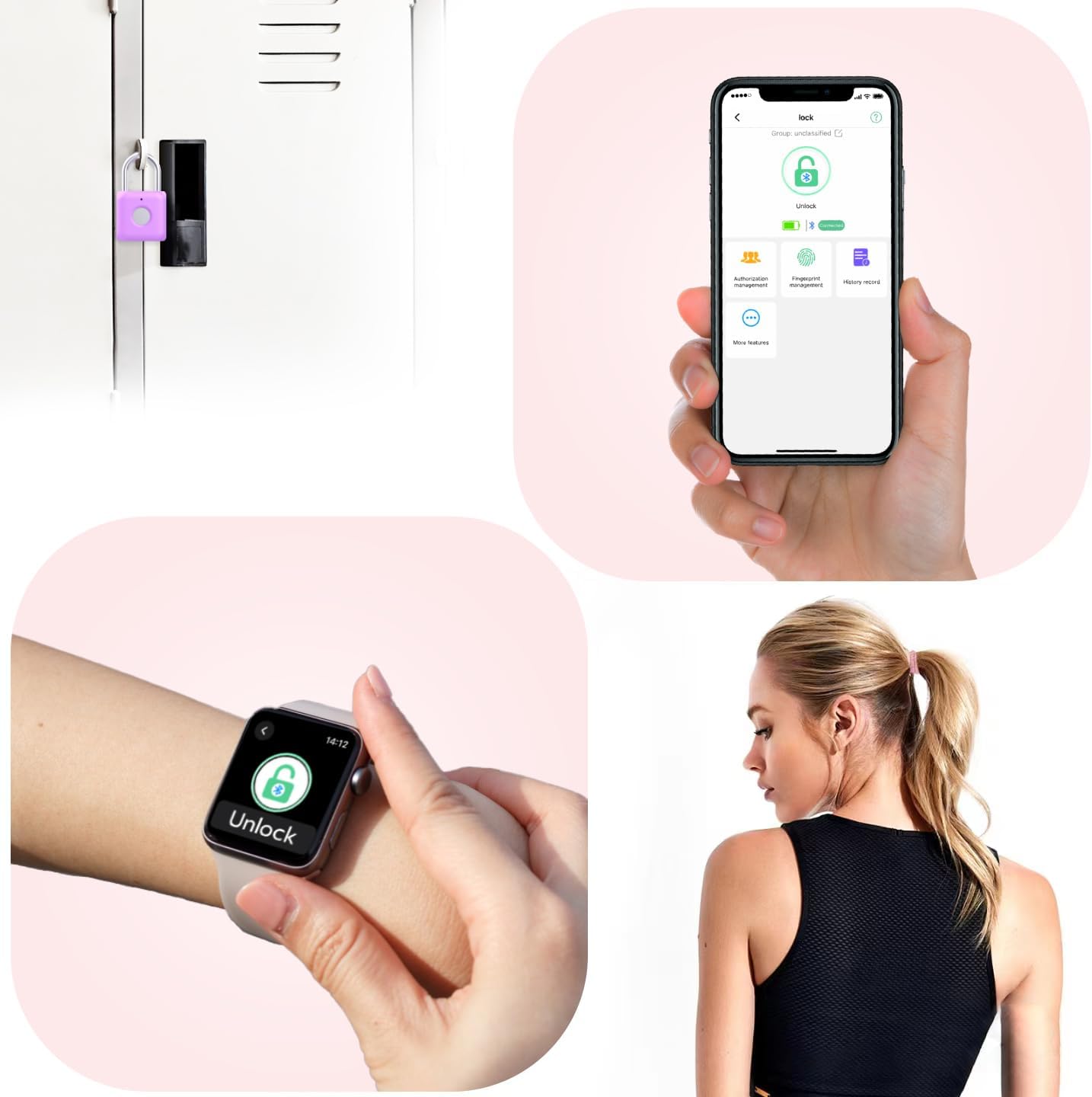
Figure 3: Padlock connected to a USB charging cable
3.2 መተግበሪያ ማውረድ እና ማጣመር
- Scan the QR code in the included User's Manual or search for the 'eLinkSmart' app in your device's app store (iOS/Android).
- መተግበሪያውን ይጫኑ እና ይክፈቱት።
- የስልክዎ ብሉቱዝ መንቃቱን ያረጋግጡ።
- In the app, select 'Add Device' or similar option. The app will detect the padlock via Bluetooth.
- Follow the on-screen prompts to bind the padlock to your account. The padlock's indicator light will flash blue during pairing.
Video 1: This video demonstrates the initial setup process, including app download and device pairing for the eLinkSmart smart lock.
ቪዲዮ 2፡ ይህ ቪዲዮ ፈጣን ማብራሪያ ይሰጣልview of the setup process, highlighting easy app use and fingerprint registration.
3.3 የጣት አሻራ ምዝገባ
The padlock can store up to 20 different fingerprints, including 2 admin fingerprints. Only admin users can reset or manage fingerprints.
- In the eLinkSmart app, navigate to 'Fingerprint Management'.
- 'የጣት አሻራ አክል' የሚለውን ይምረጡ እና በማያ ገጹ ላይ ያሉትን መመሪያዎች ይከተሉ።
- You will be prompted to place your finger on the padlock's sensor multiple times from different angles to ensure accurate registration.
- Once successfully registered, the app will confirm.

Figure 4: Screenshot of the eLinkSmart app interface for managing the padlock.
4. Operating the Padlock
4.1 የጣት አሻራ መክፈት
To unlock the padlock using your fingerprint:
- የተመዘገበ ጣት በጣት አሻራ ዳሳሽ ላይ ያስቀምጡ።
- የጣት አሻራው ከታወቀ መቆለፊያው በ0.1 ሰከንድ ውስጥ ይከፈታል።
Video 3: This video demonstrates the quick fingerprint unlock feature of the eLinkSmart padlock.
4.2 App Unlock
የeLinkSmart መተግበሪያን በመጠቀም የመቆለፊያ ቁልፉን ለመክፈት፡
- Ensure your phone's Bluetooth is on and the padlock is within range.
- የኢሊንክ ስማርት መተግበሪያን ይክፈቱ።
- Select the padlock from your device list.
- Tap the 'Unlock' button within the app. The padlock will open.
Video 4: This video illustrates how to unlock the eLinkSmart padlock using the mobile application.
4.3 የመቆለፊያ መቆለፊያውን መቆለፍ
To lock the padlock, simply push the shackle down into the lock body until it clicks into place. No fingerprint or app interaction is needed to lock it.
Video 5: A short video demonstrating the compact size and ease of use of the padlock, including locking it.
Video 6: A brief video showing the padlock being used on a gym locker, highlighting its suitability for this purpose.
5. ጥገና
5.1 በመሙላት ላይ
Recharge the padlock using the provided USB cable when the low battery indicator (red light or app prompt) appears. A full charge typically takes about 40 minutes and provides power for approximately 6 months of standby or 2000 unlocks.
5.2 ጽዳት
Keep the fingerprint sensor clean and dry for optimal performance. Use a soft, dry cloth to wipe the sensor if needed.
6. መላ መፈለግ
- የጣት አሻራ አልታወቀም፡- Ensure your finger is clean and dry. Try placing your finger on the sensor from different angles. If issues persist, delete and re-register your fingerprint in the app.
- App not connecting to padlock: Verify that Bluetooth is enabled on your smartphone and the padlock is within range. Try restarting the app or your phone. If necessary, reset the padlock and re-pair it with the app.
- Padlock not responding: The battery might be low. Connect the padlock to a power source using the USB charging cable.
- Difficulty registering fingerprints via app: If the app fails on the final step of fingerprint registration, try renaming the user name for the prints. Some users have found this resolves the issue.
7. ዝርዝሮች
| ባህሪ | ዝርዝር |
|---|---|
| የምርት ስም | eLinkSmart |
| የሞዴል ስም | YL-P8bf-Purple |
| የመቆለፊያ ዓይነት | ባዮሜትሪክ |
| የመቆጣጠሪያ ዘዴ | App, Fingerprint |
| ቁሳቁስ | የዚንክ ቅይጥ አካል፣ አይዝጌ ብረት ሻክል |
| ቀለም | ላቬንደር ሐምራዊ |
| የንጥል መጠኖች (L x W x H) | 1.3 x 0.59 x 2.31 ኢንች |
| የእቃው ክብደት | 0.08 ኪሎግራም (2.89 አውንስ) |
| የጣት አሻራ አቅም | እስከ 20 (2 የአስተዳደር የጣት አሻራዎችን ጨምሮ) |
| የባትሪ ህይወት | ለስድስት ወራት የሚቆይ የመጠባበቂያ ጊዜ ወይም ከ2000 በላይ ክፍት የስራ ጊዜ |
| የኃይል መሙያ ወደብ | ዩኤስቢ (ገመድ ተካትቷል) |
| የሚመከር አጠቃቀሞች | ጂም፣ ትምህርት ቤት እና አጥር፣ የመሳሪያ ሳጥን፣ መያዣዎች፣ ሳጥኖች፣ ካቢኔቶች |
8. ዋስትና እና ድጋፍ
For warranty information and technical support, please refer to the contact details provided with your product packaging or visit the official eLinkSmart webጣቢያ. ለማንኛውም የዋስትና ጥያቄዎች የግዢ ደረሰኝዎን ያስቀምጡ።