
መግቢያ
This manual provides essential information for the setup, operation, and maintenance of your PowerA Enhanced Wireless Controller, featuring the unique Pikachu vs. Gengar design. This officially licensed controller is designed to enhance your gaming experience on Nintendo Switch, Nintendo Switch Lite, and Nintendo Switch (OLED Model) consoles.
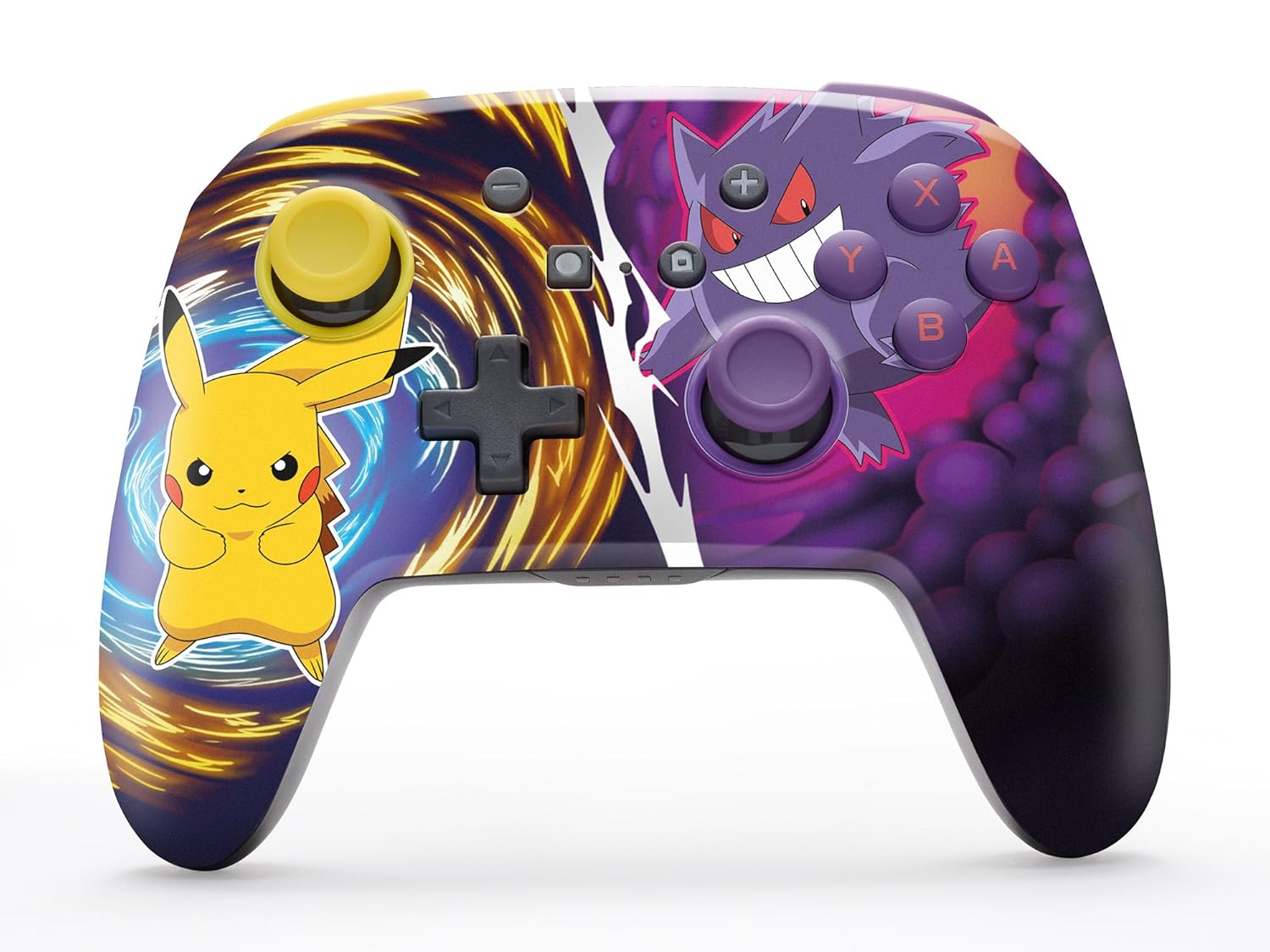
The PowerA Enhanced Wireless Controller with Pikachu vs. Gengar artwork.
ቁልፍ ባህሪያት
- ገመድ አልባ ግንኙነት: Utilizes Bluetooth 5.0 technology for a stable connection.
- ዳግም ሊሞላ የሚችል ባትሪ፡ Integrated lithium-ion battery provides up to 30 hours of gameplay per charge.
- Mappable Advanced Gaming Buttons: Two programmable buttons on the back for custom control.
- Ergonomic ንድፍ; Superior ergonomics for extended comfortable gaming sessions.
- Smooth Thumbstick Control: Embedded anti-friction rings ensure precise and fluid movement.
- የእንቅስቃሴ መቆጣጠሪያዎች፡- Supports intuitive motion controls for compatible games.

ምቹ የጨዋታ ጨዋታ እንዲኖርዎት የሚያስችል ኤርጎኖሚክ ዲዛይን።
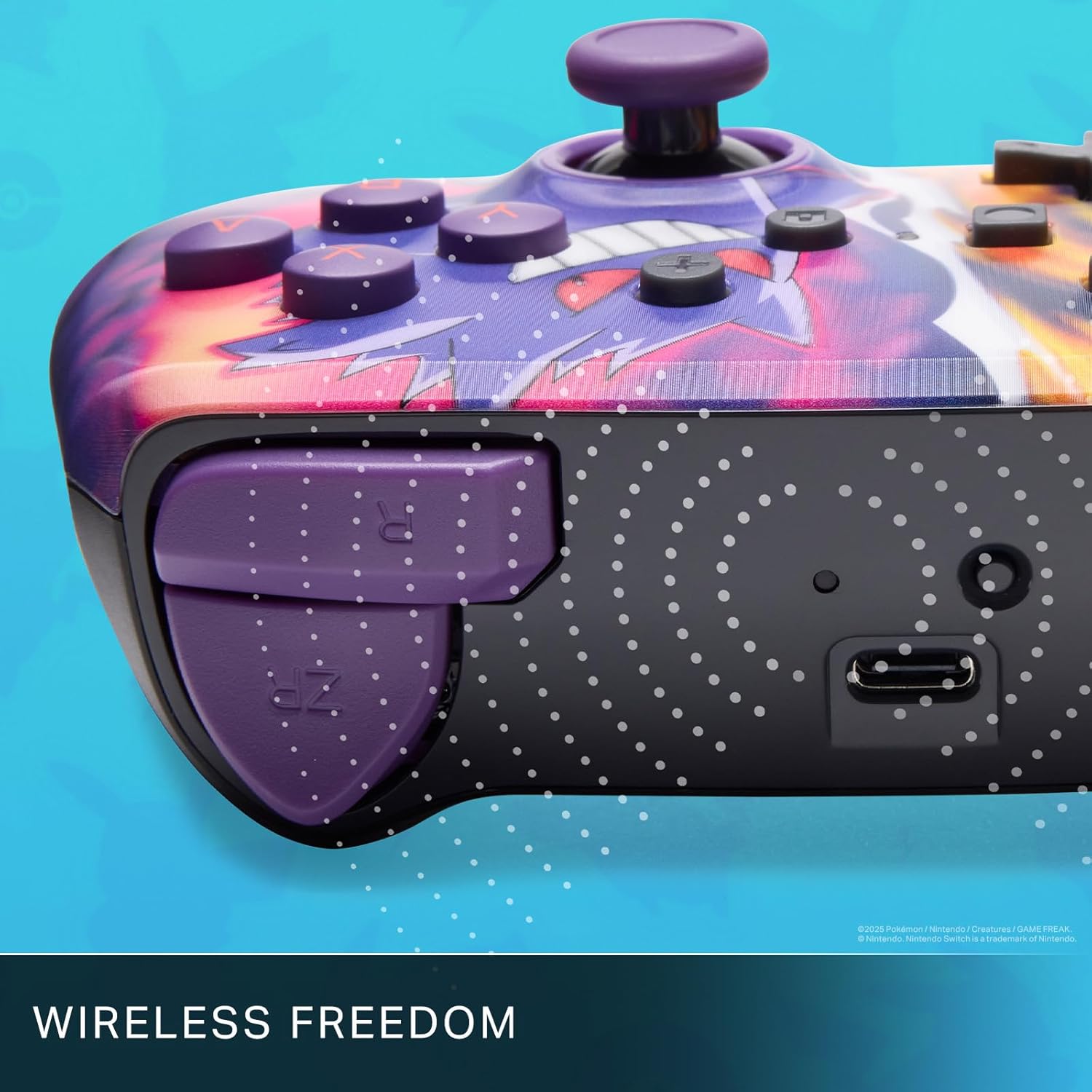
Enjoy wireless freedom with Bluetooth 5.0 technology.
ማዋቀር እና ማጣመር
- የኒንቴንዶ ቀይር ኮንሶልዎ መብራቱን እና ወደ የቅርብ ጊዜው የስርዓት ሶፍትዌር መዘመኑን ያረጋግጡ።
- ከ HOME ምናሌ ውስጥ ይምረጡ ተቆጣጣሪዎች, ከዚያም ያዝ/እዝ ይቀይሩ.
- ተጭነው ይያዙት። የማመሳሰል አዝራር on the top edge of your PowerA Enhanced Wireless Controller for at least one second. The Player LED(s) will flash.
- Once paired, the Player LED(s) corresponding to the controller number will remain lit.
- የሚለውን ይጫኑ አንድ ቁልፍ to confirm and exit the menu. Your controller is now ready for use.
መቆጣጠሪያውን በመሙላት ላይ
The controller features an internal 900mAh lithium-ion rechargeable battery, providing up to 30 hours of gameplay on a single charge. To charge your controller:
- Connect the included 10ft (3m) USB-C charge cable to the USB-C port on the top of the controller.
- Connect the other end of the USB-C cable to a USB power source (e.g., Nintendo Switch dock, USB wall adapter, or computer USB port).
- The LED indicator on the controller will show charging status. It will typically turn off or change color when fully charged.

Connect the USB-C cable to charge your controller.
የላቀ የጨዋታ አዝራሮች
Your PowerA Enhanced Wireless Controller includes two mappable Advanced Gaming Buttons (AGBs) on the back, allowing you to assign specific button functions for quick access during gameplay.
Programming AGBs:
- የሚለውን ይጫኑ የፕሮግራም አዝራር on the back of the controller. The Program LED will flash, indicating programming mode.
- Press the button you wish to map (A/B/X/Y/L/R/ZL/ZR/Left Stick Click/Right Stick Click/D-Pad). The Program LED will flash rapidly.
- Press the Advanced Gaming Button (AGB L or AGB R) you want to assign the function to. The Program LED will stop flashing, indicating the AGB is now programmed.
Resetting AGBs:
To reset all Advanced Gaming Buttons to their default (no function) state, press and hold the የፕሮግራም አዝራር for five seconds. The Program LED will flash slowly, then turn off, confirming the reset.
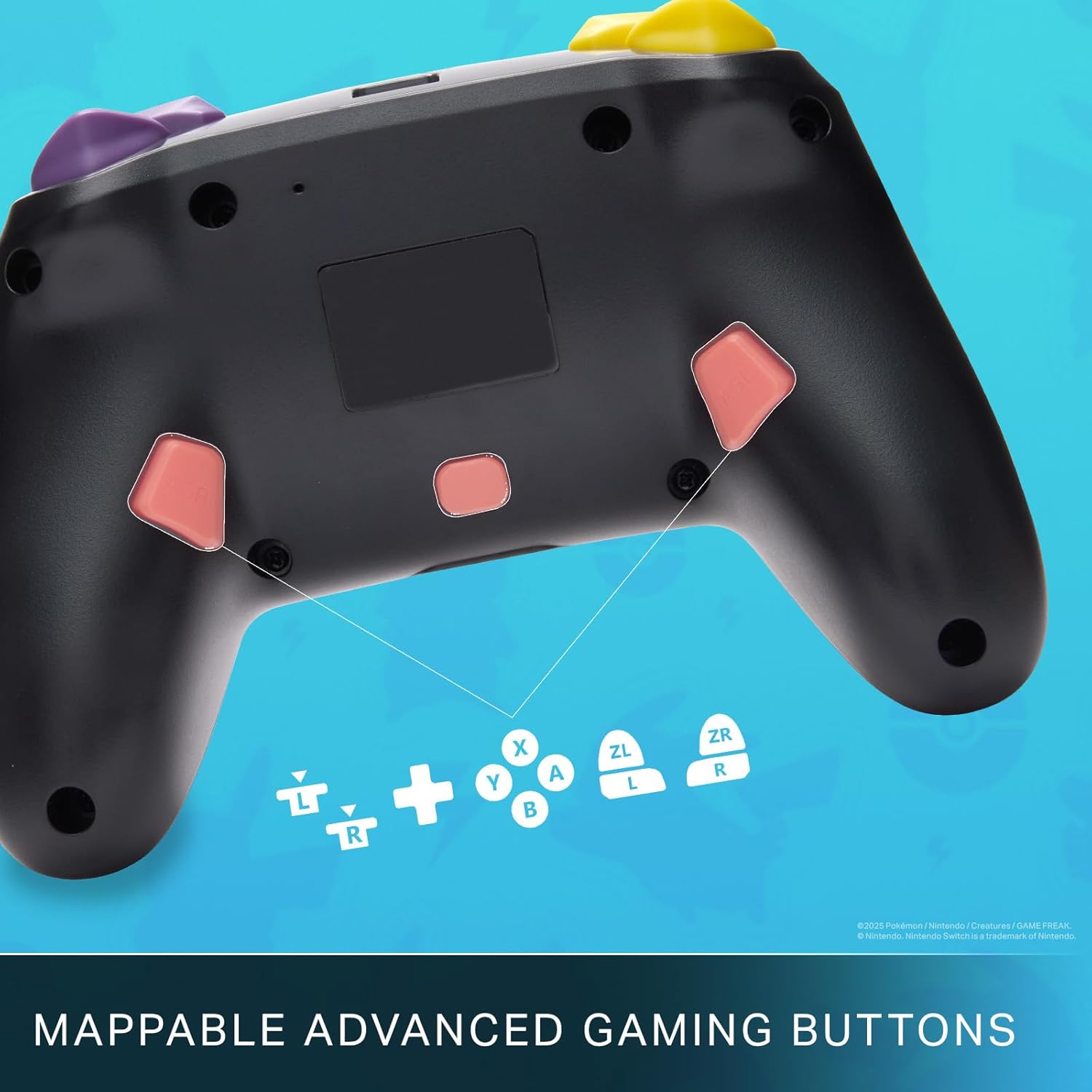
Mappable Advanced Gaming Buttons for personalized control.
ተኳኋኝነት
This PowerA Enhanced Wireless Controller is compatible with the following Nintendo consoles:
- ኔንቲዶ ቀይር
- ኔንቲዶ ቀይር Lite
- Nintendo Switch (OLED Model)
- Nintendo Switch 2 (Note: C button not available)

The controller is compatible with Nintendo Switch 2, though the C button functionality is not available.
ዝርዝሮች
| ባህሪ | ዝርዝር |
|---|---|
| ተስማሚ መሣሪያዎች | ኔንቲዶ ቀይር |
| የመቆጣጠሪያ አይነት | የጨዋታ ሰሌዳ |
| የግንኙነት ቴክኖሎጂ | ብሉቱዝ ፣ ዩኤስቢ |
| ተጨማሪ ባህሪያት | ኤርጎኖሚክ፣ ገመድ አልባ |
| የአዝራር ብዛት | 12 |
| የሃርድዌር መድረክ | የጨዋታ ኮንሶል |
| የኃይል ምንጭ | የባትሪ ሃይል (እንደገና ሊሞላ የሚችል ሊቲየም-አዮን) |
| ተኳሃኝ የቪዲዮ ጨዋታ ኮንሶል ሞዴሎች | ኔንቲዶ ቀይር ፣ ኔንቲዶ ቀይር Lite |
| የእቃው ክብደት | 0.68 ፓውንድ £ |
| የንጥል መጠኖች | 6.02 x 4.41 x 2.48 ኢንች |
| ቀለም | Pikachu vs Gengar |
| የሞዴል ስም | Pikachu vs. Gengar |
| የሞዴል ቁጥር | NSGP0420-01R |
እንክብካቤ እና ጥገና
- Keep the controller dry. Avoid exposure to moisture or extreme temperatures.
- መቆጣጠሪያውን ለስላሳና ደረቅ ጨርቅ ያጽዱ። ጠጣር ኬሚካሎችን ወይም ሻካራ ቁሳቁሶችን አይጠቀሙ።
- ጉዳት እንዳይደርስ ለመከላከል መቆጣጠሪያውን በማይጠቀሙበት ጊዜ ደህንነቱ በተጠበቀ ቦታ ያስቀምጡ።
መላ መፈለግ
ተቆጣጣሪ አለመገናኘት;
- ተቆጣጣሪው ሙሉ በሙሉ መሙላቱን ያረጋግጡ።
- Verify the controller is within the Bluetooth range of your Nintendo Switch console.
- Attempt to re-pair the controller following the "Setup and Pairing" instructions.
ምላሽ የማይሰጡ አዝራሮች/ጆይስቲክስ፡
- በአዝራሮቹ ወይም በጆይስቲክስ ዙሪያ ያሉ ማንኛውንም አካላዊ እንቅፋቶች ወይም ፍርስራሾችን ያረጋግጡ።
- Perform a hard reset by holding the SYNC button for 10 seconds, then attempt to re-pair.
- Ensure the controller's firmware is up to date (check PowerA's official webለዝማኔዎች ጣቢያ)።
ዋስትና እና ድጋፍ
This PowerA Enhanced Wireless Controller comes with a የሁለት ዓመት ውስን ዋስትና. For detailed warranty information, product support, and troubleshooting assistance, please visit the official PowerA support webጣቢያ፡