
1. ምርት አብቅቷልview
The QRD Junior E5 Wireless Controller is a compact and versatile gaming controller designed for a wide range of platforms, including Nintendo Switch, Switch Lite, Switch OLED, PC (Windows), Mac, iOS, and Android devices. Its ergonomic design and advanced features provide an enhanced gaming experience.

ምስል 1.1፡ ፊት view of two QRD Junior E5 Wireless Controllers.

Image 1.2: Back and front views of the QRD Junior E5 Wireless Controller, highlighting its design.
2. የጥቅል ይዘቶች
- QRD Junior E5 Wireless Controller (2 units for this package)
- የዩኤስቢ-ሲ ኃይል መሙያ ገመድ
- የተጠቃሚ መመሪያ (ይህ ሰነድ)
3. ማዋቀር እና ግንኙነት
3.1 መቆጣጠሪያውን መሙላት
Before first use, fully charge the controller. Connect the provided USB-C cable to the controller's charging port and the other end to a USB power source (e.g., console, PC, or USB wall adapter). The indicator lights will show charging status and turn off when fully charged.
3.2 ወደ ኔንቲዶ ቀይር
- On the Nintendo Switch HOME Menu, select ተቆጣጣሪዎች > ያዝ/እዝ ይቀይሩ.
- ተጭነው ይያዙት። የመነሻ አዝራር on the QRD Junior E5 controller for 3-5 seconds until the indicator lights start flashing rapidly.
- አንዴ ከተገናኘ በኋላ፣ በመቆጣጠሪያው ላይ ያሉት ተጓዳኝ የተጫዋች አመልካች መብራቶች (ዎች) ጠንካራ ሆነው ይቆያሉ።
3.3 Connecting to PC (Windows/Mac)
The controller supports both wireless Bluetooth and wired USB-C connections for PC and Mac.
3.3.1 Wireless Bluetooth Connection
- Ensure your PC/Mac has Bluetooth enabled.
- On your PC/Mac, go to Bluetooth settings and search for new devices.
- ተጭነው ይያዙት። የመነሻ አዝራር on the QRD Junior E5 controller for 3-5 seconds until the indicator lights start flashing rapidly.
- Select "QRD Controller" or similar from the list of available devices to pair.
- The controller supports ኤክስ-ግብዓት for PC games.
3.3.2 ባለገመድ ዩኤስቢ-ሲ ግንኙነት
Connect the controller to your PC/Mac using the provided USB-C cable. The controller will be automatically recognized, and no driver installation is required.
3.4 Connecting to iOS/Android Devices
- Enable Bluetooth on your iOS/Android device.
- ተጭነው ይያዙት። የመነሻ አዝራር on the QRD Junior E5 controller for 3-5 seconds until the indicator lights start flashing rapidly.
- ፈልግ "QRD Controller" or similar in your device's Bluetooth settings and pair.
4. የአሠራር መመሪያዎች እና ባህሪያት
4.1 መሰረታዊ ቁጥጥሮች
The QRD Junior E5 controller features standard button layouts including A/B/X/Y buttons, D-pad, Left/Right joysticks, L/R/ZL/ZR triggers, Home button, and +/- buttons.
4.2 TURBO ተግባር
The TURBO function allows for continuous or automatic rapid firing of buttons. This feature can be customized for different games and play styles.
- To set TURBO: Press and hold the desired action button (e.g., A) and then press the TURBO አዝራር once. The button will now continuously fire when held.
- To set Auto-TURBO: Press and hold the desired action button and then press the TURBO አዝራር a second time. The button will automatically fire without being held.
- To clear TURBO: Press and hold the desired action button and then press the TURBO አዝራር ለሦስተኛ ጊዜ.
- Adjusting TURBO Speed: የሚለውን ይጫኑ TURBO አዝራር እና የ Up/Down D-pad simultaneously to cycle through speeds: 8 times/sec, 15 times/sec, 25 times/sec.

Image 4.1: Illustration of the Turbo function for rapid actions in games.
4.3 6-Axis Gyro Motion Sensor
The controller is equipped with an advanced 6-axis gyro motion sensor, allowing for precise viewpoint and tilt operations in compatible games. Tilt, turn, and twist the controller to interact with game environments dynamically.

Image 4.2: Demonstrating the 6-Axis Gyro motion sensor capability.
4.4 Adjustable Vibration Feedback
Dual vibration motors provide immersive haptic feedback. The vibration intensity can be adjusted to suit personal preference and game requirements.
- Vibration modes: 0% (no vibration), 30% (weak), 70% (medium), and 100% (strong).
- To adjust vibration: Press the የንዝረት አዝራር (if present, or a combination like TURBO + Left/Right joystick click) to cycle through intensity levels. Refer to the quick start guide for specific button combinations.

Image 4.3: Visual representation of the adjustable vibration feature.
5. ጥገና እና እንክብካቤ
- መቆጣጠሪያውን ደረቅ እና ከከፍተኛ የሙቀት መጠን ያርቁ።
- መቆጣጠሪያውን ለስላሳና ደረቅ ጨርቅ ያጽዱ። ጠጣር ኬሚካሎችን ወይም ሻካራ ቁሳቁሶችን አይጠቀሙ።
- መቆጣጠሪያውን ለጠንካራ ተጽእኖዎች ከመጣል ወይም ከመጫን ይቆጠቡ።
- ጉዳት እንዳይደርስ ለመከላከል መቆጣጠሪያውን በማይጠቀሙበት ጊዜ ደህንነቱ በተጠበቀ ቦታ ያስቀምጡ።
6. መላ መፈለግ
6.1 መቆጣጠሪያው እየተገናኘ አይደለም
- ተቆጣጣሪው ሙሉ በሙሉ መሙላቱን ያረጋግጡ።
- Verify Bluetooth is enabled on your device (Switch, PC, Mac, iOS, Android).
- Make sure the controller is in pairing mode (indicator lights flashing rapidly).
- መቆጣጠሪያውንም ሆነ ለመገናኘት እየሞከሩት ያለውን መሳሪያ እንደገና ለማስጀመር ይሞክሩ።
- If connecting to Switch, ensure you are on the "Change Grip/Order" screen.
- For PC/Mac, try a wired USB-C connection to rule out Bluetooth issues.
6.2 የግቤት መዘግየት ወይም ምላሽ የማይሰጡ አዝራሮች
- Ensure the controller is within range of the connected device.
- ከሌሎች የገመድ አልባ መሳሪያዎች ጣልቃገብነት ያረጋግጡ።
- Confirm the controller is fully charged. Low battery can affect performance.
- መቆጣጠሪያውን እና ጨዋታውን/መሳሪያውን እንደገና ያስጀምሩ።
6.3 Vibration Not Working or Incorrect
- Check the vibration settings on the controller (refer to section 4.4) to ensure it's not set to 0%.
- እየተጫወቱት ያለው ጨዋታ የንዝረት ግብረመልስን እንደሚደግፍ ያረጋግጡ።
- የመቆጣጠሪያው ፈርምዌር ወቅታዊ መሆኑን ያረጋግጡ (ካለ፣ የአምራቹን ያረጋግጡ) webጣቢያ)
7. ዝርዝሮች
| ሞዴል | Junior E5 |
| የምርት ስም | QRD |
| ግንኙነት | Wireless Bluetooth, Wired USB-C |
| ተኳኋኝነት | Nintendo Switch, Switch Lite, Switch OLED, PC (Windows), Mac, iOS, Android |
| የግቤት ሁነታዎች | X-input (PC), Switch-input (Nintendo Switch) |
| ልዩ ባህሪያት | 6-Axis Gyro Motion Sensor, Adjustable Vibration, TURBO Function |
| መጠኖች (በግምት) | 5 x 3.31 x 2.13 ኢንች (12.7 x 8.4 x 5.4 ሴሜ) |
| ክብደት (በግምት) | 1.06 ፓውንድ (0.48 ኪ.ግ) |
| ባትሪ | 2 Nonstandard Battery batteries required (internal, rechargeable) |

Image 7.1: Physical dimensions of the QRD Junior E5 Wireless Controller.
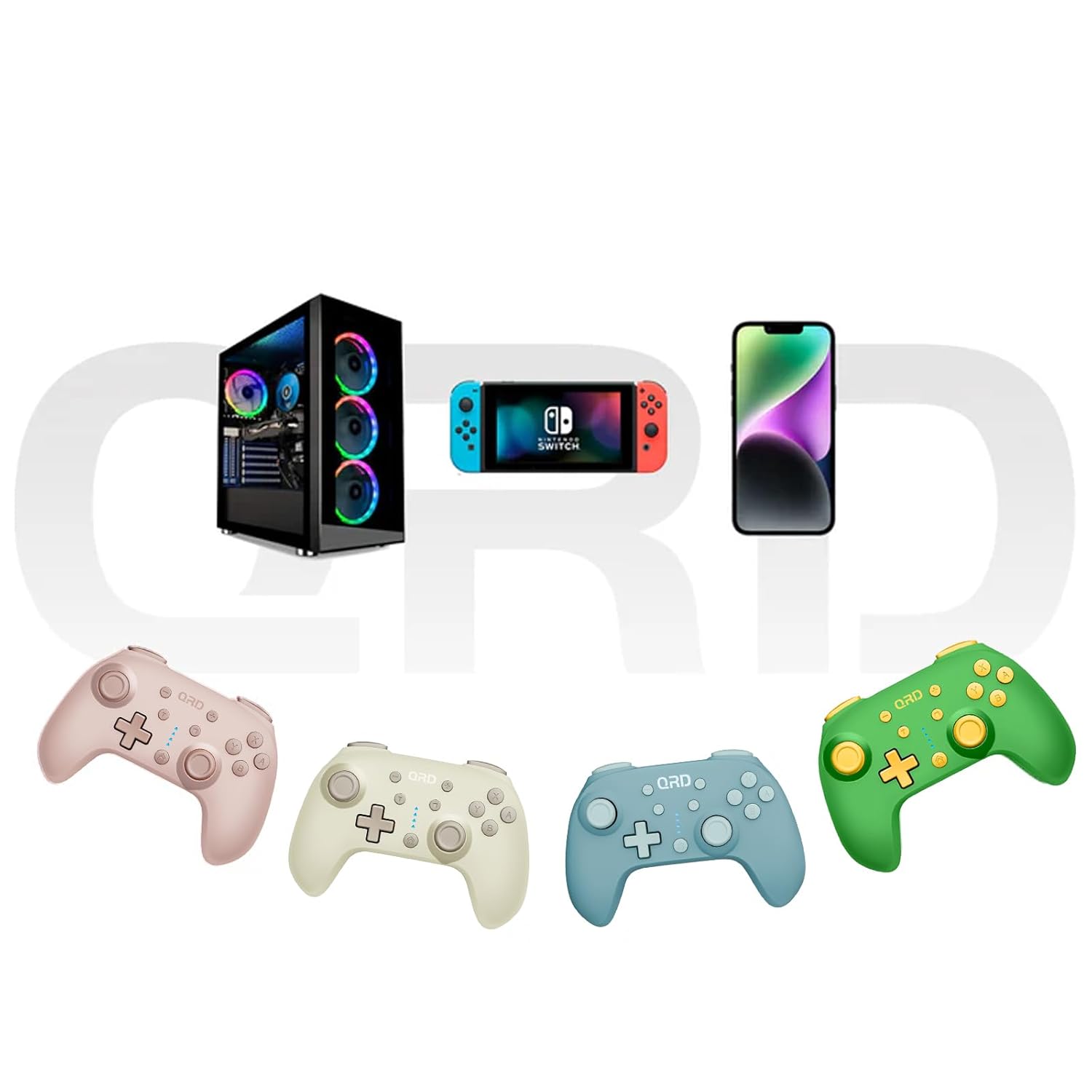
Image 7.2: Multi-platform compatibility of the QRD Junior E5 Wireless Controller.
8. ዋስትና እና ድጋፍ
QRD products are designed for reliability and performance. For warranty information, technical support, or service inquiries, please refer to the contact information provided with your purchase or visit the official QRD webጣቢያ. ለዋስትና ጥያቄዎች እባክዎ የግዢ ማረጋገጫዎን ያቆዩ።
ለተጨማሪ ድጋፍ፣ መጎብኘት ይችላሉ QRD Store on Amazon.