
መግቢያ
Thank you for choosing the SWOFY D26 MP3 Player. This device combines advanced audio and video playback capabilities with the versatility of the Android 13 operating system, offering a comprehensive portable entertainment experience. This manual provides essential information for setting up, operating, and maintaining your device.
ምርት አልቋልview
ቁልፍ ባህሪያት
- አንድሮይድ 13 ስርዓተ ክወና፡ Powered by an MTK 8-core chip for fast and smooth operation.
- ቅድሚያ የተጫኑ መተግበሪያዎች፡- Includes Spotify, Deezer, Amazon Music, and access to the Play Store.
- ባለከፍተኛ ጥራት ኦዲዮ፡ Powerful audio decoding chip for original sound quality, supporting MP3, WAV, FLAC, APE, OGG, M4A, AAC, WMA, and more.
- ባለ 4.7 ኢንች ኤችዲ ንክኪ ስክሪን፡ Full touch display with HiFi sound module for clear visuals, supporting RM, RMVB, FLV, MP4, DAT, MKV, MPG, MOV, TS video formats without conversion.
- ብሉቱዝ 5.0 እና ዋይፋይ፡ Stable and fast two-way Bluetooth connection for headphones/speakers, and Wi-Fi for online streaming and app downloads.
- ትልቅ ማከማቻ፡ 160GB (32GB ROM + 128GB TF card) internal storage, expandable up to 1TB via external storage.
- ረጅም የባትሪ ህይወት; 2500 mAh battery providing up to 50 hours of music playback or 8 hours of video playback.
የጥቅል ይዘቶች
The SWOFY D26 MP3 Player package typically includes the following items:
- SWOFY D26 MP3 Player (160GB)
- የዩኤስቢ ባትሪ መሙያ ገመድ
- ባለገመድ የጆሮ ማዳመጫዎች
- መከላከያ መያዣ
- ስክሪን ተከላካይ
- የተጠቃሚ መመሪያ (ይህ ሰነድ)

Image: Contents of the SWOFY D26 MP3 Player package.
ማዋቀር
1. መሣሪያውን በመሙላት ላይ
Before first use, fully charge your SWOFY D26 MP3 Player. Connect the provided USB cable to the device's charging port and the other end to a USB power adapter (not included) or a computer's USB port. The battery indicator on the screen will show charging status. A full charge provides approximately 50 hours of music playback or 8 hours of video playback.
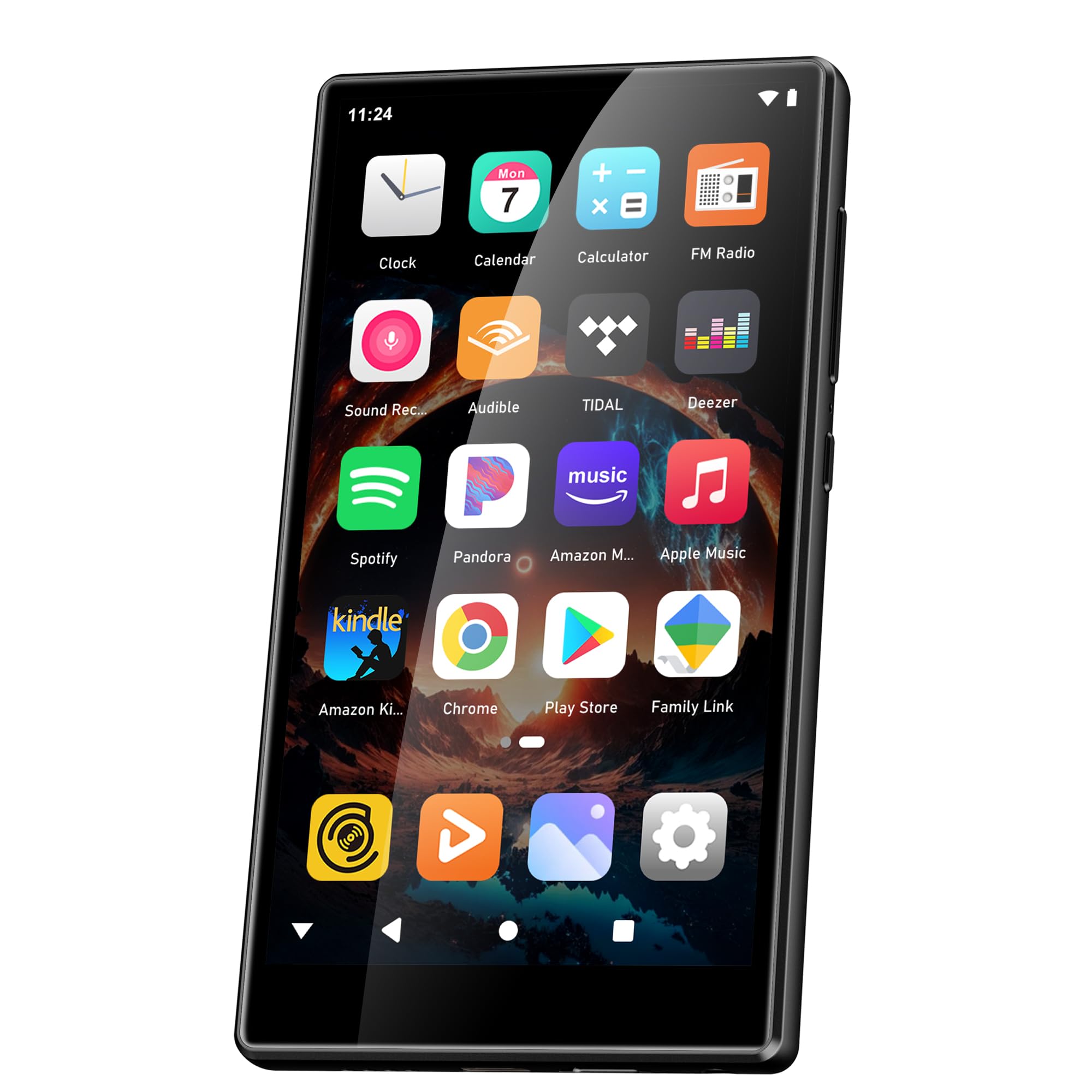
Image: Battery capacity and estimated usage times.
2. ማብራት / ማጥፋት
- ለማብራት፡- ማያ ገጹ እስኪበራ ድረስ የኃይል አዝራሩን (ብዙውን ጊዜ በጎን በኩል) ተጭነው ይያዙ።
- ለማጥፋት፡- Press and hold the Power button, then select "Power Off" from the options that appear on the screen.
- ዳግም ለመጀመር፡- የኃይል አዝራሩን ተጭነው ይያዙ እና ከዚያ ከአማራጮች ውስጥ "ዳግም አስጀምር" ን ይምረጡ።
3. የመጀመሪያ ውቅር
Upon first power-on, follow the on-screen prompts to set up your device:
- የቋንቋ ምርጫ፡- የእርስዎን ተወዳጅ ቋንቋ ይምረጡ።
- የWi-Fi ግንኙነት፡- Connect to a Wi-Fi network to enable internet access for app downloads and streaming.
- ጎግል መለያ፡- Sign in with your Google account to access the Google Play Store and synchronize data.
4. የማህደረ ትውስታ መስፋፋት
The device comes with 160GB of storage (32GB ROM + 128GB TF card). You can expand the storage further by inserting a microSD card (up to 1TB) into the designated slot.

Image: Device screen showing app icons and storage capacity details.
የአሠራር መመሪያዎች
1. የንክኪ ማያ ገጽን ማሰስ
The SWOFY D26 features a responsive 4.7-inch HD touchscreen.
- መታ ያድርጉ፡ To open an app, select an item, or confirm an action.
- ያንሸራትቱ ዝርዝሮችን ለማሸብለል በመነሻ ማያ ገጾች መካከል ይቀያይሩ ወይም በመተግበሪያዎች ውስጥ ያስሱ።
- መቆንጠጥ ምስሎችን ለማጉላት ወይም ለማሳነስ ወይም web ገጾች.

Image: The 4.7-inch HD touchscreen in operation.
2. የሙዚቃ መልሶ ማጫወት
The device supports various music formats including MP3, WAV, FLAC, APE, OGG, M4A, AAC, WMA.
- የሀገር ውስጥ ሙዚቃ፡ ሙዚቃ ያስተላልፉ files to the device's internal storage or microSD card via USB. Use the pre-installed music player app to browse and play your library.
- የዥረት አገልግሎቶች፡ Open pre-installed apps like Spotify, Deezer, or Amazon Music. Log in to your accounts to stream music.
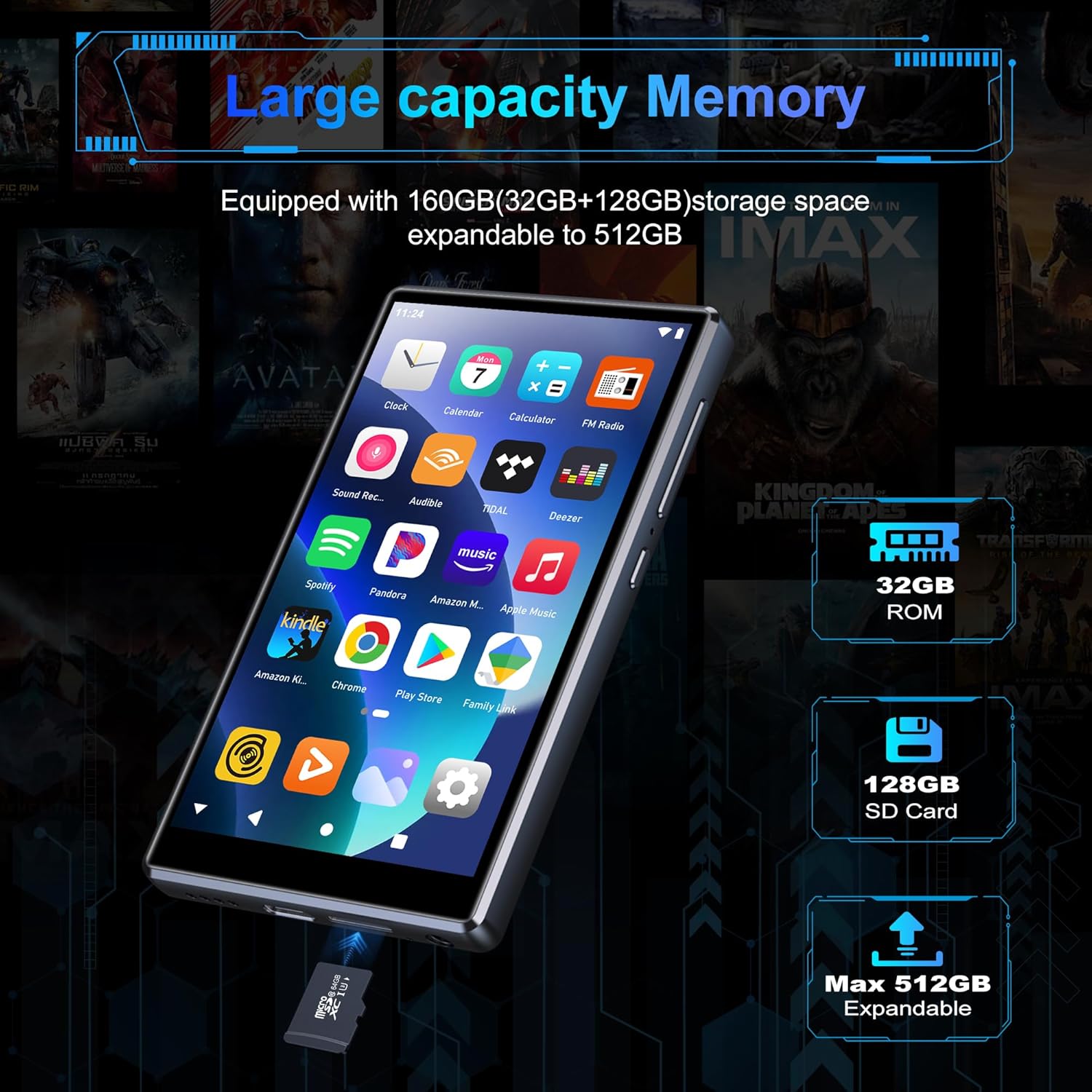
Image: Pre-installed popular applications on the device.
3. የቪዲዮ መልሶ ማጫወት
The SWOFY D26 supports video formats such as RM, RMVB, FLV, MP4, DAT, MKV, MPG, MOV, TS directly, without requiring conversion. Use the default video player app to watch your videos.
4. የብሉቱዝ ግንኙነት
Connect your device to Bluetooth headphones, speakers, or other compatible devices using Bluetooth 5.0.
- ወደ ሂድ ቅንብሮች > የተገናኙ መሣሪያዎች > ብሉቱዝ.
- ብሉቱዝን ቀያይር On.
- የብሉቱዝ መለዋወጫዎ በማጣመር ሁነታ ላይ መሆኑን ያረጋግጡ።
- ለመጣመር ከሚገኙት መሳሪያዎች ዝርዝር ውስጥ መለዋወጫዎን ይምረጡ።
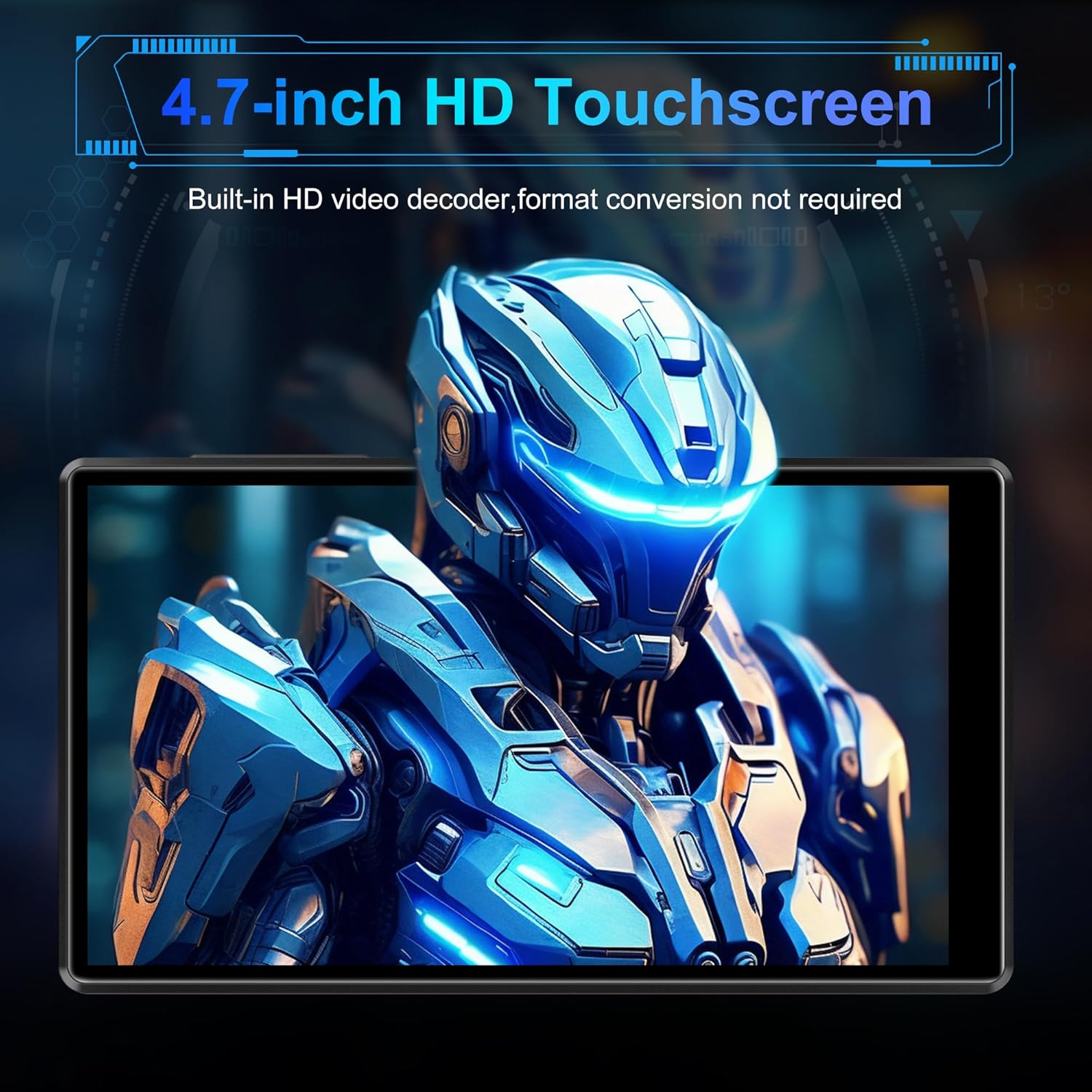
Image: Bluetooth connectivity with wireless earbuds.
5. የ Wi-Fi ግንኙነት
Connect to a Wi-Fi network to access the internet for streaming, app downloads, and web አሰሳ።
- ወደ ሂድ ቅንብሮች > አውታረ መረብ እና በይነመረብ > ዋይ ፋይ.
- Wi-Fi ቀይር On.
- ከዝርዝሩ ውስጥ የሚፈልጉትን የ Wi-Fi አውታረ መረብ ይምረጡ እና ከተጠየቁ የይለፍ ቃሉን ያስገቡ።
6. የመተግበሪያ ጭነት
Utilize the Google Play Store to download and install additional applications.
- Ensure you are connected to Wi-Fi and logged into your Google account.
- ክፈት Play መደብር መተግበሪያ.
- ፈልግ the desired app and follow the on-screen instructions to install it.
7. File ማስተላለፍ
Connect the SWOFY D26 to a computer using the provided USB cable to transfer music, videos, and other files.
- መሣሪያውን ከኮምፒዩተርዎ ጋር ያገናኙት.
- On the device, swipe down from the top of the screen to open the notification panel.
- Tap the "USB charging this device" notification, then select "File "ማስተላለፍ" ወይም "MTP"።
- Your device will appear as a removable drive on your computer, allowing you to drag and drop files.
ጥገና
ማጽዳት
የመሳሪያውን ስክሪን እና አካል ለማፅዳት ለስላሳ፣ ከቆሸሸ ነፃ የሆነ ጨርቅ ይጠቀሙ። ኃይለኛ ኬሚካሎችን ወይም ሻካራ ቁሳቁሶችን ከመጠቀም ይቆጠቡ.
የሶፍትዌር ዝማኔዎች
ምርጡን አፈጻጸም እና የቅርብ ጊዜ ባህሪያትን ለመድረስ የሶፍትዌር ዝመናዎችን በየጊዜው ያረጋግጡ።
- Ensure the device is connected to Wi-Fi.
- ወደ ሂድ ቅንብሮች > ስርዓት > የስርዓት ዝመና.
- የሚገኙ ማሻሻያዎችን ለማውረድ እና ለመጫን በማያ ገጽ ላይ ያሉትን መመሪያዎች ይከተሉ።
የባትሪ እንክብካቤ
የባትሪ ዕድሜን ለማራዘም;
- ከፍተኛ የሙቀት መጠንን ያስወግዱ.
- ባትሪው በተደጋጋሚ እንዲፈስ አይፍቀዱ.
- መሳሪያው ሙሉ በሙሉ ቻርጅ ከተደረገ በኋላ ቻርጀሩን ይንቀሉት።
መላ መፈለግ
መሳሪያ አይበራም።
- ባትሪው መሙላቱን ያረጋግጡ። መሣሪያውን ቢያንስ ለ 30 ደቂቃዎች ከኃይል መሙያ ጋር ያገናኙት.
- እንደገና እንዲጀመር ለማስገደድ የኃይል ቁልፉን ለ10-15 ሰከንድ ተጭነው ይቆዩ።
ከWi-Fi/ብሉቱዝ ጋር መገናኘት አይቻልም
- Ensure Wi-Fi/Bluetooth is enabled in Settings.
- መሣሪያውን እንደገና ያስጀምሩት እና እንደገና ለመገናኘት ይሞክሩ።
- For Wi-Fi, verify the password and ensure the router is working correctly.
- ለብሉቱዝ፣ መለዋወጫው በማጣመር ሁነታ ላይ እና በክልል ውስጥ መሆኑን ያረጋግጡ።
መተግበሪያዎች እየተበላሹ ወይም እየቀዘቀዙ
- ዝጋ እና መተግበሪያውን እንደገና ይክፈቱ።
- የመተግበሪያውን መሸጎጫ ያጽዱ፡ ወደሚከተለው ይሂዱ ቅንብሮች > መተግበሪያዎች > [የመተግበሪያ ስም] > ማከማቻ እና መሸጎጫ > መሸጎጫ አጽዳ.
- መሣሪያውን እንደገና ያስጀምሩ.
- ችግሩ ከቀጠለ፣ መተግበሪያውን ማራገፍ እና እንደገና መጫን ያስቡበት።
ደካማ የድምጽ ጥራት
- Check the volume settings on the device and any connected audio accessories.
- ኦዲዮውን ያረጋግጡ fileዎች አልተበላሹም.
- Try different headphones or speakers.
ዝርዝሮች
| የሞዴል ስም | ዲ26 |
| ስርዓተ ክወና | አንድሮይድ 13 |
| ፕሮሰሰር | ኤምቲኬ 8-ኮር |
| ማሳያ | 4.7-inch HD Touchscreen (LCD) |
| የውስጥ ማከማቻ | 160GB (32GB ROM + 128GB TF Card) |
| ሊሰፋ የሚችል ማከማቻ | Up to 1TB (Micro SD) |
| ራም | 4 ጊባ |
| የባትሪ አቅም | 2500 ሚአሰ |
| የሙዚቃ ማጫዎቻ ጊዜ | እስከ 50 ሰዓታት ድረስ |
| የቪዲዮ መልሶ ማጫወት ጊዜ | እስከ 8 ሰዓታት ድረስ |
| ግንኙነት | ብሉቱዝ 5.0፣ ዋይፋይ፣ ዩኤስቢ |
| የሚደገፉ የድምጽ ቅርጸቶች | MP3, WAV, FLAC, APE, OGG, M4A, AAC, WMA |
| የሚደገፉ የቪዲዮ ቅርጸቶች | RM፣ RMVB፣ FLV፣ MP4፣ DAT፣ MKV፣ MPG፣ MOV፣ TS |
| ልዩ ባህሪያት | Built-in speaker, Equalizer, FM Radio, Voice Recorder |
| ተስማሚ መሣሪያዎች | Bluetooth headphones, Personal computer, Bluetooth speakers |
የዋስትና መረጃ
Specific warranty details for the SWOFY D26 MP3 Player may vary by region and retailer. Please refer to the warranty card included with your purchase or visit the official SWOFY website for comprehensive warranty terms and conditions. Information regarding spare parts availability and software update guarantees is not provided in the product specifications.
ድጋፍ
For further assistance, technical support, or inquiries regarding your SWOFY D26 MP3 Player, please visit the official SWOFY webጣቢያ ወይም የደንበኞች አገልግሎት ክፍልን ያነጋግሩ።
አምራች፡ SWOFY