
1. መግቢያ
የ PRUNUS A10 ገመድ አልባ ድምጽ Ampሊፋይ የተነደፈው ለ amplify your voice for various settings such as classrooms, speeches, training sessions, and outdoor activities. It features a wireless lavalier microphone, a built-in charging case, and multiple connectivity options.
2. በሳጥኑ ውስጥ ያለው
- ድምጽ Ampማንሻ ክፍል
- ገመድ አልባ ላቫሊየር ማይክሮፎን
- Pearl Chain
- የትከሻ ማሰሪያ
- የዩኤስቢ ባትሪ መሙያ ገመድ
- Wired Headset Microphone (optional use)
3. ማዋቀር
3.1 የመጀመሪያ ደረጃ መሙላት
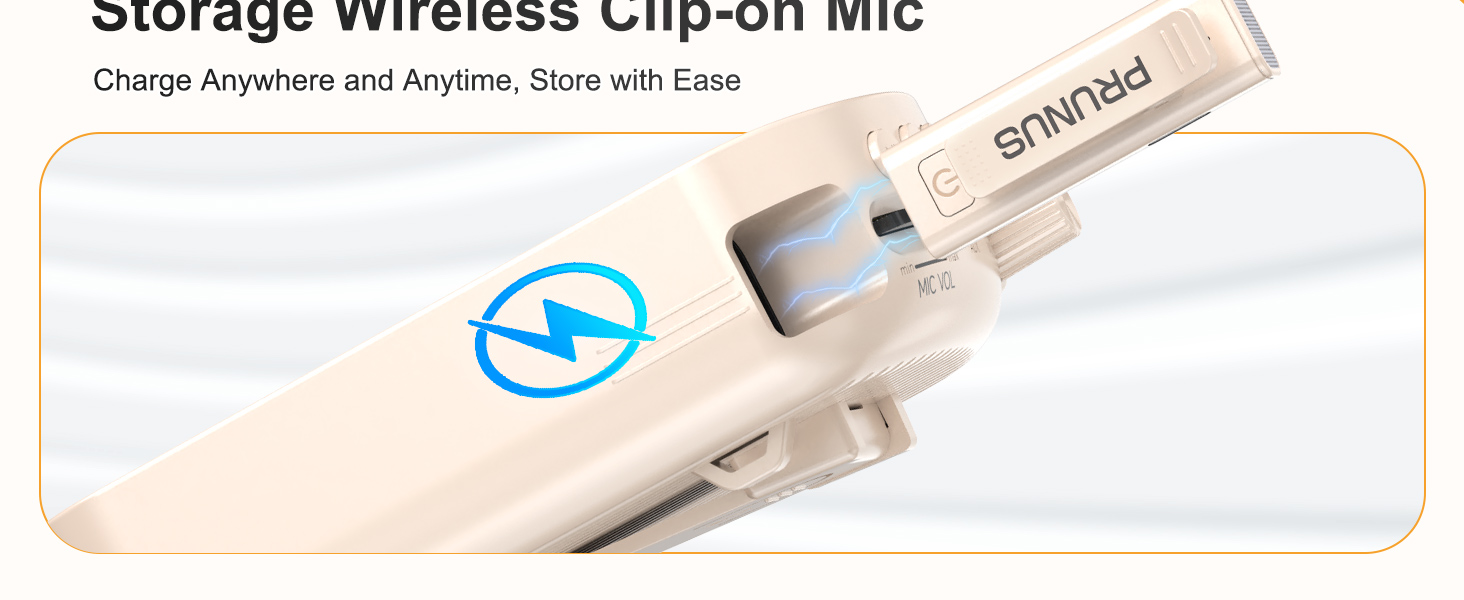
ለመጀመሪያ ጊዜ ከመጠቀምዎ በፊት ሁለቱንም ድምጾች ሙሉ በሙሉ ይሙሉ amplifier and the wireless lavalier microphone.
- የዩኤስቢ ኃይል መሙያ ገመዱን ከ ጋር ያገናኙ ampየሊፋየር የኃይል መሙያ ወደብ።
- Insert the wireless microphone into its designated slot on the amplifier for charging.
- Ensure both devices indicate a full charge before proceeding.
3.2 አውቶማቲክ ማጣመር
The wireless lavalier microphone and amplifier are designed for automatic pairing. Once both devices are powered on, they should connect automatically.
3.3 የመልበስ አማራጮች
የ amplifier offers multiple ways to wear it for hands-free convenience:
- የፐርል ሰንሰለት፡ Wear it around your neck.
- የትከሻ ማሰሪያ; Use it crossbody or over the shoulder.
- የኋላ ክሊፕ፡ Clip it to your waist or clothing.
4. የአሠራር መመሪያዎች
4.1 ማብራት / ማጥፋት
- በ ላይ ኃይል ለመስጠት amplifier, rotate the AUDIO VOL ማሳያው እስኪበራ ድረስ በሰዓት አቅጣጫ ይንኩ።
- To power on the wireless microphone, press and hold its power button.
- ኃይልን ለማጥፋት፣ ያሽከርክሩት። AUDIO VOL knob counter-clockwise until the display turns off, and press and hold the microphone's power button.
4.2 የድምጽ ማስተካከያ
Adjust the volume for both the speaker and the microphone independently:
- የድምፅ ማጉያ መጠን አሽከርክር AUDIO VOL ላይ ማንጠልጠያ ampማብሰያ
- የማይክሮፎን መጠን፡- የሚለውን ተጠቀም ሚክ ከተሰራው ላይ ማንጠልጠያ ampማብሰያ

4.3 ድምጸ-ከል አድርግ/አንሳ ተግባር
The wireless lavalier microphone features a one-touch mute button for convenience:
- Press the mute button on the wireless microphone once to mute your voice.
- ድምጸ-ከል ለማድረግ እንደገና ይጫኑት።
4.4 የግንኙነት አማራጮች
የ amplifier supports various audio input methods:
- ብሉቱዝ 5.0: Pair with compatible devices for wireless audio playback.
- AUX ግቤት፡ Connect external audio sources using an AUX cable.
- የ TF ካርድ ማስገቢያ Insert a TF card for direct audio playback.
- የዩኤስቢ ማጫወቻ; ለቀጥታ የድምጽ መልሶ ማጫወት የዩኤስቢ ድራይቭ ያስገቡ።

4.5 የአጠቃቀም ሁኔታዎች
The PRUNUS A10 is suitable for a range of applications:
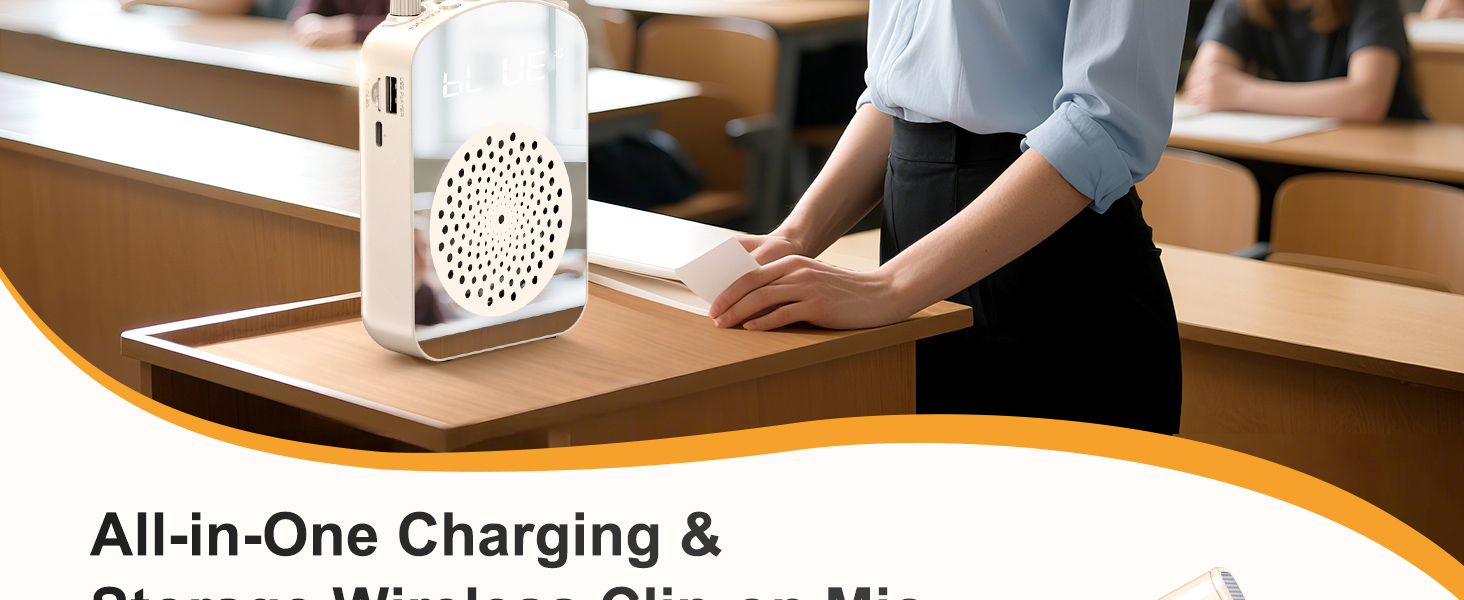
- Teaching in classrooms.
- Public speaking and presentations.
- Tour guiding.
- Outdoor activities and events.

5. ጥገና
5.1 የባትሪ ህይወት እና ባትሪ መሙላት
የ amplifier features a 3000mAh battery, providing up to 12 hours of continuous use. The wireless microphone lasts up to 10 hours on a full charge.

5.2 አጠቃላይ እንክብካቤ
- ለስላሳ እና ደረቅ ጨርቅ በማጽዳት መሳሪያውን በንጽህና ይያዙት.
- መሳሪያውን ለከፍተኛ ሙቀት፣ እርጥበት ወይም ቀጥተኛ የፀሐይ ብርሃን ከማጋለጥ ይቆጠቡ።
- ጥቅም ላይ በማይውልበት ጊዜ መሳሪያውን በቀዝቃዛና ደረቅ ቦታ ያከማቹ.
6. መላ መፈለግ
6.1 Preventing Feedback or Distortion
To prevent audio feedback or distortion:
- Maintain a distance of at least 40 cm (15.7 inches) between the wireless microphone and the ampማብሰያ
- Avoid placing the microphone directly in front of the ampማንሻ ተናጋሪ.

6.2 የግንኙነት ጉዳዮች
- ሁለቱንም ያረጋግጡ amplifier and microphone are powered on and fully charged.
- If using Bluetooth, ensure the amplifier is in Bluetooth mode and your device's Bluetooth is enabled and paired.
- For wired connections (AUX, headset mic), ensure cables are securely plugged into the correct ports.
7. ዝርዝሮች
| ባህሪ | ዝርዝር መግለጫ |
|---|---|
| የምርት ስም | PRUNUS |
| የሞዴል ቁጥር | አ10 |
| የንጥል መጠኖች (L x W x H) | 3.54 x 1.73 x 5.28 ኢንች |
| የእቃው ክብደት | 0.45 ኪ |
| ቀለም | Beige |
| የግንኙነት ቴክኖሎጂ | ብሉቱዝ፣ AUX፣ TF ካርድ |
| ተስማሚ መሣሪያዎች | Laptop, MP3 Player, Smartphone, Tablet, Wired Microphone |
| የመጫኛ አይነት | ተንቀሳቃሽ |
| የኃይል ምንጭ | በባትሪ የተጎላበተ |
| የማገናኛ አይነት | ረዳት፣ አርሲኤ |
| የሰርጦች ብዛት | 1 |
| የድምጽ ግቤት | ገመድ አልባ (ብሉቱዝ)፣ ባለገመድ (AUX) |
| የውጤት ዋትtage | 15 ዋት |
| የማቀፊያ ቁሳቁስ | አሉሚኒየም, ፕላስቲክ |
8. ዋስትና
This product comes with a 1-Year Warranty. For detailed warranty information and claims, please refer to the official PRUNUS webጣቢያ ወይም የደንበኛ ድጋፍን ያነጋግሩ።
9. ድጋፍ
For further assistance, troubleshooting, or product inquiries, please visit the PRUNUS Store on Amazon ወይም ከምርት ማሸጊያዎ ጋር የቀረበውን የእውቂያ መረጃ ይመልከቱ።