
1. መግቢያ
Welcome to the OUKITEL C59 Pro user manual. This guide provides detailed instructions on how to set up, operate, maintain, and troubleshoot your new Android 15 smartphone. Please read this manual thoroughly to ensure optimal performance and longevity of your device.
2. የደህንነት መረጃ
በራስዎ ወይም በሌሎች ላይ ጉዳት እንዳይደርስ ወይም በመሳሪያዎ ላይ ጉዳት እንዳይደርስ ለመከላከል መሳሪያውን ከመጠቀምዎ በፊት ሁሉንም የደህንነት መረጃዎች ያንብቡ። ይህንን መመሪያ ለወደፊት ማጣቀሻ ያስቀምጡ።
- መሳሪያውን ለከፍተኛ ሙቀት፣ ቀጥተኛ የፀሐይ ብርሃን ወይም ከፍተኛ እርጥበት አያጋልጡት።
- Use only OUKITEL-approved chargers, batteries, and accessories.
- መሳሪያውን ለከባድ ተጽእኖ ከመጣል ወይም ከመጣል ይቆጠቡ።
- መሳሪያውን እራስዎ አይሰብስቡ፣ አይቀይሩት ወይም አይጠግኑት።
- ጣልቃ ገብነትን ለማስወገድ ከህክምና መሳሪያዎች ደህንነቱ የተጠበቀ ርቀት ይጠብቁ።
- በአካባቢው ደንቦች መሰረት መሳሪያውን እና ክፍሎቹን በሃላፊነት ያስወግዱ.
3. የጥቅል ይዘቶች
ሁሉም እቃዎች በምርት ሳጥንዎ ውስጥ መኖራቸውን ያረጋግጡ፡-
- OUKITEL C59 Pro ስማርትፎን
- የስልክ መያዣ
- የዩኤስቢ ገመድ (አይነት-ሲ)
- ሲም ኢጀክተር መሣሪያ
- የኃይል አስማሚ
4. መሣሪያ አብቅቷልview
Familiarize yourself with the physical features and components of your OUKITEL C59 Pro smartphone.

ምስል፡ አጠቃላይ view የ OUKITEL C59 Pro ስማርትፎን, ሾውasing its sleek design and rear camera module.
4.1 አካላዊ አዝራሮች እና ወደቦች
- የኃይል ቁልፍ፡- Located on the side, used to power on/off the device or wake/sleep the screen. Integrates fingerprint recognition.
- የድምጽ አዝራሮች፡- በጎን በኩል የሚገኝ፣ የሚዲያ ድምጽ እና የደወል ቅላጼ መጠን ለማስተካከል ይጠቅማል።
- የዩኤስቢ ዓይነት-C ወደብ፡- ከታች የሚገኝ፣ ለክፍያ እና ለውሂብ ማስተላለፍ ያገለግላል።
- ሲም/ማይክሮ ኤስዲ ካርድ ማስገቢያ፡ Located on the side, for inserting Nano SIM cards and a MicroSD card.
- 110lm LED Flashlight: An exclusive physical flashlight located at the top of the device, activated by a dedicated button.
4.2 ማሳያ
The OUKITEL C59 Pro features a large 6.88-inch HD+ display with a 90Hz refresh rate and 450 nits brightness, providing a clear and smooth visual experience.

Image: The OUKITEL C59 Pro's 6.88-inch HD+ display, highlighting its size and visual clarity.
4.3 ካሜራዎች
The device is equipped with a dual rear camera system, featuring a 13MP main camera, and a 5MP front camera for selfies and video calls.

Image: Close-up of the OUKITEL C59 Pro's rear camera module and exampበ13ሜፒ ዋና ካሜራ እና 5ሜፒ የፊት ካሜራ የተነሱ ፎቶዎች።
4.4 የእጅ ባትሪ
The OUKITEL C59 Pro features a powerful 110 lumen LED flashlight at the top. This flashlight can be activated instantly by pressing a dedicated physical button on the side of the phone, even when the screen is locked.

Image: The OUKITEL C59 Pro's 110lm LED flashlight illuminating dark environments, demonstrating its brightness and utility in various scenarios.
5. ማዋቀር
5.1 ሲም እና ማይክሮ ኤስዲ ካርዶችን ማስገባት
Your OUKITEL C59 Pro supports Dual Nano SIM cards and a MicroSD card for expandable storage up to 1TB.
- የሲም ካርዱን ትሪ ከመሳሪያው ጎን ያግኙት።
- ለመክፈት የሲም ማስወጫ መሳሪያውን ከትሪው ቀጥሎ ባለው ትንሽ ቀዳዳ ውስጥ ያስገቡት።
- Place your Nano SIM cards and/or MicroSD card into the designated slots on the tray, ensuring correct orientation.
- ትሪውን ወደ ቦታው ጠቅ እስኪያደርጉ ድረስ ቀስ ብለው ወደ መሳሪያው ይግፉት።

Image: The SIM card tray of the OUKITEL C59 Pro, showing slots for two Nano SIM cards and one MicroSD card.
5.2 መሳሪያውን መሙላት
Before first use, fully charge your OUKITEL C59 Pro. The device supports 18W fast charging.
- የዩኤስቢ ዓይነት-ሲ ገመድ ከስልኩ ግርጌ ካለው የኃይል መሙያ ወደብ ጋር ያገናኙ።
- የዩኤስቢ ገመድ ሌላኛውን ጫፍ ከኃይል አስማሚ ጋር ያገናኙ።
- የኃይል አስማሚውን ወደ ግድግዳ መውጫ ይሰኩት.
- A full charge typically takes approximately four hours.
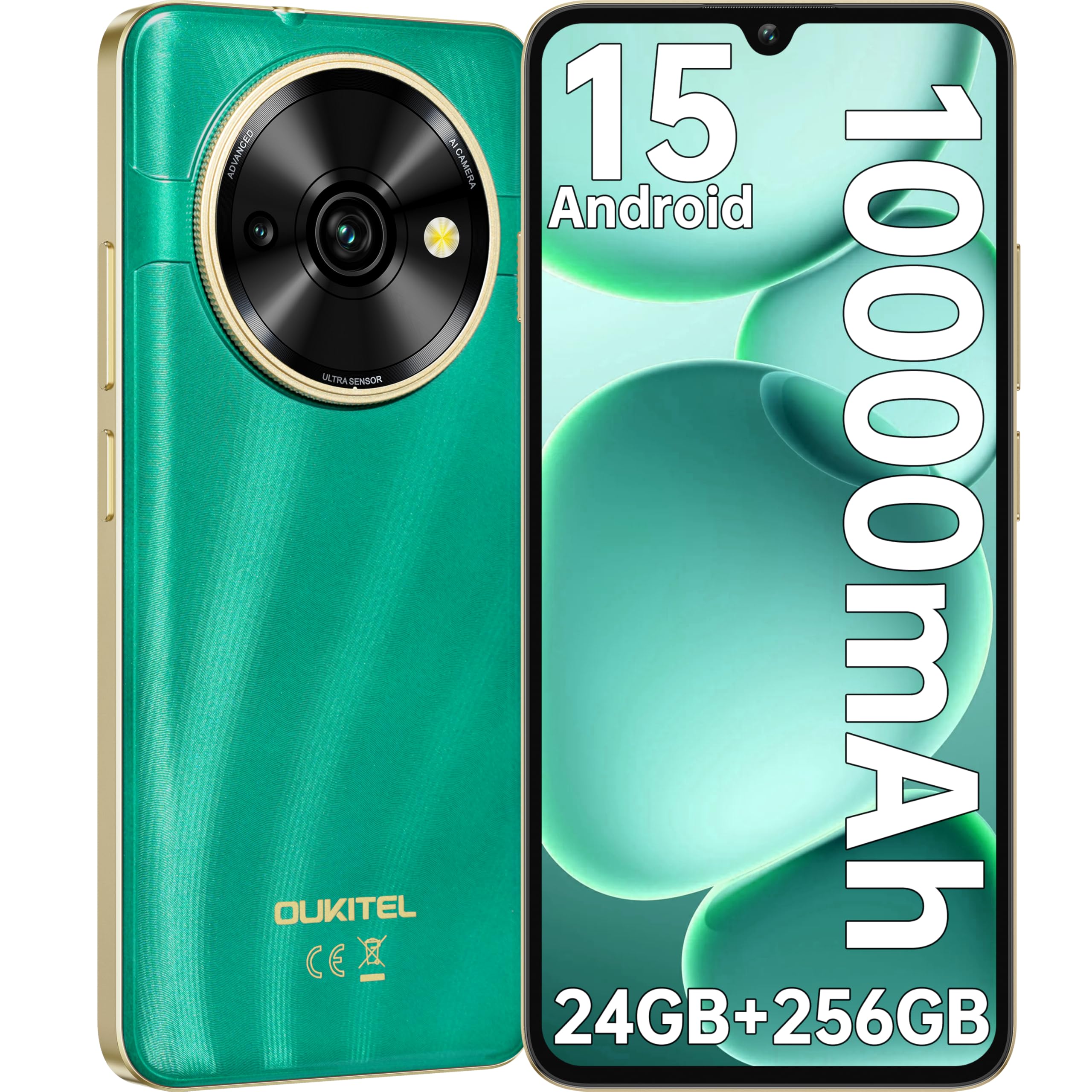
Image: Visual representation of the OUKITEL C59 Pro's 10000mAh battery capacity, indicating extended standby, talk, flashlight, and video playback times.
5.3 ማብራት / ማጥፋት
- ለማብራት፡- የOUKITEL አርማ እስኪታይ ድረስ የኃይል ቁልፉን ተጭነው ይያዙ።
- ለማጥፋት፡- የኃይል አዝራሩን ተጭነው ይያዙ እና ከዚያ በስክሪኑ ላይ ካሉት አማራጮች 'Power off' የሚለውን ይምረጡ።
- ዳግም ለመጀመር፡- የኃይል ቁልፉን ተጭነው ይቆዩ እና ከአማራጮች ውስጥ 'ዳግም አስጀምር' የሚለውን ይምረጡ።
6. የእርስዎን ስማርትፎን መስራት
6.1 አንድሮይድ 15 ኦፕሬቲንግ ሲስተም
Your OUKITEL C59 Pro runs on the latest Android 15 operating system, offering enhanced energy efficiency, privacy protection, and multi-device integration capabilities optimized with artificial intelligence.

Image: A visual representation of the Android 15 operating system interface, showcasing its modern design and various application icons.
6.2 Biometric Security (Fingerprint & Face ID)
Unlock your device securely using the side-mounted fingerprint sensor or Face ID recognition.
- የጣት አሻራ ማወቂያ፡- Register your fingerprints in the Security settings. To unlock, simply place your registered finger on the side power button.
- የፊት መታወቂያ፡- Set up Face ID in the Security settings. To unlock, hold the phone in front of your face.
6.3 Connectivity Features (NFC, GPS)
The OUKITEL C59 Pro supports NFC for contactless payments and data transfer, and GPS for navigation and location services.
- NFC: Enable NFC in Settings > Connected devices > Connection preferences > NFC. Tap your phone to compatible devices for quick pairing or payments.
- ጂፒኤስ፡ የአካባቢ አገልግሎቶች በነባሪነት ነቅተዋል። በቅንብሮች > አካባቢ ውስጥ ማስተዳደር ይችላሉ።
6.4 ማህደረ ትውስታ እና ማከማቻ
The device comes with 24GB RAM (8GB physical + 16GB virtual) and 256GB internal storage, expandable up to 1TB via MicroSD card.

Image: A graphical representation of the OUKITEL C59 Pro's memory configuration, showing 24GB RAM (8GB + 16GB expansion) and 256GB ROM (expandable to 1TB).
6.5 OTG ተግባራዊነት
The OUKITEL C59 Pro supports OTG (On-The-Go) reverse charging, allowing you to transfer data to other devices or use your phone as an emergency power bank.
7. ጥገና
Proper maintenance ensures the longevity and optimal performance of your smartphone.
- ማጽዳት፡ የመሳሪያውን ስክሪን እና አካል ለማፅዳት ለስላሳ፣ ከቆሸሸ ነፃ የሆነ ጨርቅ ይጠቀሙ። ኃይለኛ ኬሚካሎችን ወይም ሻካራ ቁሳቁሶችን ከመጠቀም ይቆጠቡ.
- የሶፍትዌር ማሻሻያ Regularly check for and install system updates to ensure your device has the latest features and security patches. Go to Settings > System > System update.
- የባትሪ እንክብካቤ ባትሪውን በተደጋጋሚ ሙሉ በሙሉ ከመሙላት ይቆጠቡ። ለረጅም ጊዜ ማከማቻ፣ ባትሪውን እስከ 50% ድረስ ይሙሉት።
- የማከማቻ አስተዳደር፡ በየጊዜው ማጽዳት አላስፈላጊ files and apps to free up storage space and improve performance.
8. መላ መፈለግ
በመሳሪያዎ ላይ ችግሮች ካጋጠሙዎት የሚከተሉትን መፍትሄዎች ይሞክሩ።
- መሳሪያ ምላሽ የማይሰጥ፡ እንደገና እንዲጀመር ለማስገደድ የኃይል ቁልፉን ለ10-15 ሰከንድ ያህል ተጭነው ይቆዩ።
- የመተግበሪያዎች ብልሽት Clear the cache and data of the problematic app in Settings > Apps > [App Name] > Storage. If the issue persists, uninstall and reinstall the app.
- ደካማ የባትሪ ህይወት; Check battery usage in Settings > Battery to identify power-hungry apps. Reduce screen brightness, disable unnecessary features like GPS or Wi-Fi when not in use.
- የአውታረ መረብ ጉዳዮች፡- Ensure SIM cards are correctly inserted. Try restarting the device. Check network settings or contact your service provider.
- ከመጠን በላይ ማሞቅ; Avoid using the device while charging or during prolonged heavy usage. Close background apps.
- ፍቅር: እንደ የመጨረሻ አማራጭ፣ የሶፍትዌር ችግሮች ከቀጠሉ የፋብሪካ ዳግም ማስጀመርን ማከናወን ይችላሉ። ማስጠንቀቂያ፡ ይህ በመሣሪያዎ ላይ ያለውን ሁሉንም ውሂብ ይሰርዛል። ከመቀጠልዎ በፊት አስፈላጊ ውሂብን ያስቀምጡ። ወደ ቅንብሮች> ስርዓት> አማራጮች ዳግም ማስጀመር> ሁሉንም ውሂብ ደምስስ (የፋብሪካ ዳግም ማስጀመር) ይሂዱ።
9. ዝርዝሮች
Detailed technical specifications for the OUKITEL C59 Pro smartphone.
| ባህሪ | ዝርዝር መግለጫ |
|---|---|
| የምርት ስም | OUKITEL |
| የሞዴል ስም | OUKITEL C59 Pro |
| ስርዓተ ክወና | አንድሮይድ 15 |
| የተጫነው RAM መጠን | 24 ጊባ (8 ጊባ አካላዊ + 16 ጂቢ ምናባዊ) |
| የማከማቻ አቅም | 256 ጊባ |
| Max Supported Flash Memory Size | 1024 ጊባ (1 ቴባ) |
| የስክሪን መጠን | 6.88 ኢንች |
| ጥራት | 1640 x 720 ፒክስል |
| የማደስ ደረጃ | 90 Hz |
| የማሳያ ዓይነት | LCD |
| ሴሉላር ቴክኖሎጂ | 4G |
| የግንኙነት ቴክኖሎጂ | 4G |
| ቀለም | አረንጓዴ |
| Number of SIM Card Slots | ድርብ ሲም |
| የሲም ካርድ መጠን | ናኖ |
| የማገናኛ አይነት | የዩኤስቢ ዓይነት C |
| የቅጽ ምክንያት | ባር |
| Biometric Security Feature | የጣት አሻራ ማወቂያ፣ የፊት መታወቂያ |
| የውሃ መቋቋም ደረጃ | የውሃ መከላከያ አይደለም |
| የጆሮ ማዳመጫ ጃክ | ምንም |
| የኋላ ካሜራ ጥራት | 13 ሜፒ |
| Number of Rear Cameras | 2 |
| Number of Front Cameras | 1 |
| የቪዲዮ ቀረጻ ጥራት | 1080 ፒ |
| የፍሬም መጠን | 30fps፣ 60fps፣ 120fps |
| የባትሪ አቅም | 10000 ሚአሰ |
| የባትሪ ህይወት | 50 ሰዓታት (የንግግር ጊዜ) |
| ጂፒኤስ | አዎ |
| የተካተቱ አካላት | Phone case, USB cable, SIM ejector tool, Power adapter |
| ልዩ የምርት አጠቃቀሞች | Gaming, Photography, Streaming, Video Conferencing |
10. ዋስትና እና ድጋፍ
10.1 የዋስትና መረጃ
The OUKITEL C59 Pro smartphone comes with a የ 2 ዓመት የአምራች ዋስትና. This warranty covers defects in materials and workmanship under normal use. It does not cover damage caused by misuse, accidents, unauthorized repairs, or normal wear and tear. Please retain your proof of purchase for warranty claims.
10.2 የደንበኛ ድጋፍ
For technical assistance, warranty claims, or any other inquiries regarding your OUKITEL C59 Pro, please contact OUKITEL customer support through their official website or the contact information provided with your purchase. Ensure you have your device model and purchase details ready when contacting support.


