
1. መግቢያ
This manual provides essential information for setting up, operating, and maintaining your TCL 98Q7K 98-inch QLED 4K Google TV. This television features a stunning QLED 4K display with a 144 Hz panel for smooth motion, integrated Google TV for smart functionality, and advanced audio with Dolby Atmos. It also includes Google Assistant and Alexa compatibility for hands-free voice control, VisionHDR10+, and AiPQ™ processing for optimized picture quality.

2. ማዋቀር
2.1 Unboxing እና የመጀመሪያ ምርመራ
Carefully remove the television from its packaging. Inspect the TV and all included accessories for any signs of damage. Keep the packaging materials for future transport or service needs.
2.2 የቆመ መጫኛ
If you plan to use the TV with its included stand, follow these steps:
- ጭረቶችን ለመከላከል የቴሌቪዥኑን ስክሪን ወደ ታች ለስላሳ እና ጠፍጣፋ መሬት ላይ ያድርጉት።
- የማቆሚያ ክፍሎችን በቴሌቪዥኑ ግርጌ ላይ ከተሰየሙት ቦታዎች ጋር ያስተካክሉ.
- Secure the stand using the screws provided in the accessory kit. Ensure all screws are tightened firmly.

2.3 ግድግዳ መትከል (አማራጭ)
For wall mounting, a compatible VESA wall mount (not included) is required. Due to the size and weight of the 98-inch television, professional installation is highly recommended to ensure safety and proper mounting. Refer to the wall mount manufacturer's instructions for specific installation details.
2.4 ማገናኛ ፔሪፈራል
Connect your external devices such as Blu-ray players, gaming consoles, sound systems, and cable/satellite boxes to the appropriate ports on the TV. The TCL 98Q7K features 4 HDMI ports and 2 USB ports for versatile connectivity.
3. የአሠራር መመሪያዎች
3.1 ማብራት / ማጥፋት
Connect the power cord to the TV and a power outlet. Press the power button on the remote control or on the TV itself to turn the television on or off.
3.2 Initial Setup with Google TV
Upon first power-on, the TV will guide you through the initial setup process for Google TV. This includes selecting your language, connecting to a Wi-Fi network, signing in with your Google account, and configuring basic settings. Follow the on-screen prompts.

3.3 የርቀት መቆጣጠሪያ ተግባራት
The included remote control allows you to navigate the TV's interface, adjust volume, change channels, and access smart features. It supports voice control via Google Assistant and Alexa. Insert the provided batteries into the remote control before use.
3.4 ብልጥ ባህሪያት እና የድምጽ ቁጥጥር
- ጎግል ቲቪ፡ Access a wide range of streaming apps, movies, and shows.
- Google Assistant & Alexa: Use voice commands for hands-free control of your TV, search for content, get information, and control smart home devices.
- Chromecast አብሮ የተሰራ፡- ከተኳኋኝ ተንቀሳቃሽ መሳሪያዎችዎ ይዘትን በቀጥታ ወደ ቴሌቪዥኑ ይውሰዱ።
3.5 የጨዋታ ባህሪያት
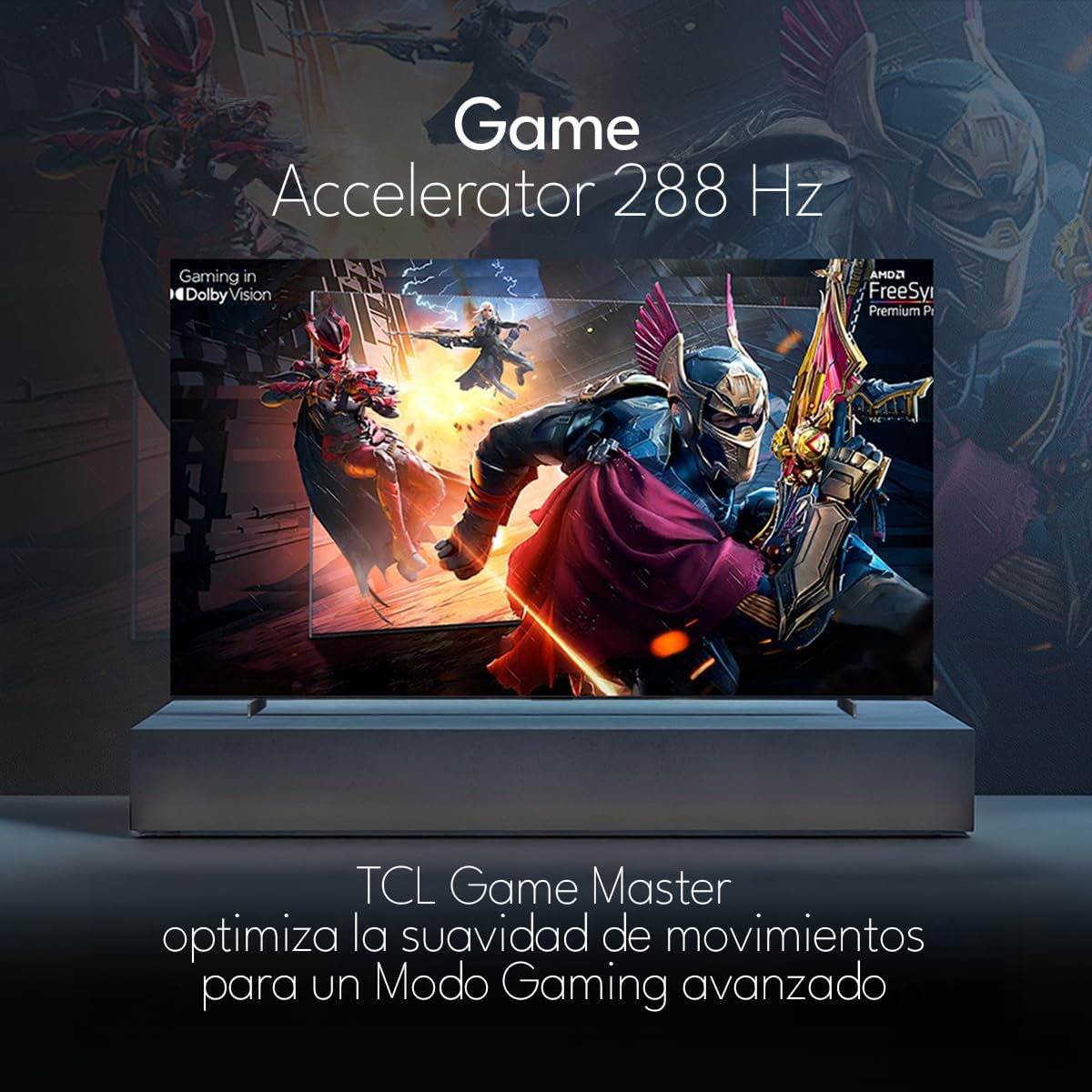
The TCL 98Q7K features a 144 Hz panel and Game Accelerator technology for an enhanced gaming experience with reduced latency and smoother motion.

3.6 የድምጽ ባህሪያት
Experience immersive sound with Dolby Atmos and the integrated ONKYO Hi-Fi System 2.1 Channels, providing clear vocals and deep bass.

3.7 ምርት አልፏልview ቪዲዮ
4. ጥገና
4.1 ማያ ገጹን ማጽዳት
ስክሪኑን ለማፅዳት በለስላሳ እና ከተሸፈነ ጨርቅ በጥንቃቄ ያጥፉት። ለግትር ምልክቶች፣ በትንሹ መampጨርቁን በውሃ ወይም በልዩ ማያ ገጽ ማጽጃ። ኃይለኛ ኬሚካሎችን፣ ገላጭ ቁሶችን ወይም ፈሳሾችን በስክሪኑ ላይ በቀጥታ ከመርጨት ይቆጠቡ።
4.2 የቲቪ አካልን ማጽዳት
Wipe the TV body with a soft, dry cloth. Do not use liquid cleaners directly on the TV body.
4.3 የሶፍትዌር ዝመናዎች
Your TCL Google TV may receive automatic software updates. To manually check for updates, navigate to the settings menu, then select System > About > System update. Ensure your TV is connected to the internet for updates.
5. መላ መፈለግ
በቲቪዎ ላይ ችግሮች ካጋጠሙዎት የሚከተሉትን የተለመዱ መፍትሄዎች ይመልከቱ፡
- ኃይል የለም፡
የኃይል ገመዱ ከቴሌቪዥኑም ሆነ ከሚሰራው የኤሌክትሪክ ሶኬት ጋር ደህንነቱ በተጠበቀ ሁኔታ መሰካቱን ያረጋግጡ። ሌላ መሳሪያ ኃይል እንዳለው ለማረጋገጥ በተመሳሳይ ሶኬት ላይ ለማገናኘት ይሞክሩ። - ምስል ወይም ድምጽ የለም፦
Verify that the correct input source is selected (e.g., HDMI 1, AV). Check all cable connections between the TV and external devices. Ensure the volume is not muted or set to minimum. - የርቀት መቆጣጠሪያ አይሰራም;
በርቀት መቆጣጠሪያው ውስጥ ያሉትን ባትሪዎች ይተኩ. በርቀት መቆጣጠሪያው እና በቴሌቪዥኑ IR ዳሳሽ መካከል ምንም እንቅፋቶች አለመኖራቸውን ያረጋግጡ። - የአውታረ መረብ ግንኙነት ጉዳዮች፡-
Check your Wi-Fi router and ensure it is powered on and functioning correctly. Restart the TV and your router. In the TV settings, verify the Wi-Fi connection status. - የምስል ጥራት ችግሮች (ለምሳሌ፣ ብዥታ፣ የተዛባ)፦
Check the resolution settings of your input source. Ensure the cables are not damaged. Adjust picture settings (brightness, contrast, sharpness) in the TV menu.
For persistent issues, consult the full electronic manual available through the TV's help menu or contact TCL customer support.
6. ዝርዝሮች
| ባህሪ | ዝርዝር መግለጫ |
|---|---|
| የስክሪን መጠን | 98 ኢንች |
| የማሳያ ቴክኖሎጂ | QLED |
| ጥራት | 4ኬ (3840 x 2160) |
| የማደስ ደረጃ | 144 Hz |
| የኤችዲአር ቅርጸት ድጋፍ | Dolby Vision፣ HDR10፣ HDR10+፣ HLG |
| ከፍተኛ ብሩህነት | 450 NITS |
| የድምጽ ስርዓት | Dolby Atmos, Dolby Digital, ONKYO Hi-Fi System 2.1 Channels |
| ስርዓተ ክወና | ጎግል ቲቪ |
| የድምጽ ቁጥጥር | ጎግል ረዳት፣ አሌክሳ |
| ግንኙነት | Wi-Fi, Ethernet, 4x HDMI, 2x USB |
| መጠኖች (ከቆመበት ጋር) | 217.8 x 128.5 x 42 ሴ.ሜ |
| መጠኖች (ያለ ማቆሚያ) | 0.06prof. x 2.18an. x 1.25alt. Meters (approx. 6 cm depth) |
| ሞዴል ዓመት | 2025 |
| የተካተቱ አካላት | በእጅ፣ የርቀት መቆጣጠሪያ፣ ባትሪዎች |
7. ዋስትና እና ድጋፍ
7.1 የምርት ዋስትና
The TCL 98Q7K television comes with a የ 2 ዓመት የተወሰነ ዋስትና ከተገዛበት ቀን ጀምሮ. ይህ ዋስትና በመደበኛ አጠቃቀም ላይ የምርት ጉድለቶችን እና ጉድለቶችን ይሸፍናል። ለዋስትና ጥያቄዎች እባክዎ የግዢ ማረጋገጫዎን ያቆዩ።
7.2 የደንበኛ ድጋፍ
For technical assistance, troubleshooting beyond this manual, or warranty inquiries, please contact TCL customer support. Refer to the contact information provided in the separate warranty card or visit the official TCL webለክልልዎ ጣቢያ.