
1. መግቢያ
The Marstek Venus-E is an advanced 5.12 kWh AC-coupled all-in-one energy storage system designed for balcony power plants. This system allows for efficient storage and utilization of solar energy, optimizing self-consumption and providing backup power. This manual provides essential information for the safe and effective installation, operation, and maintenance of your Venus-E unit.
2. የደህንነት መረጃ
እባክዎ ከመጫንዎ እና ከመተግበሩ በፊት ሁሉንም የደህንነት መመሪያዎች በጥንቃቄ ያንብቡ። እነዚህን መመሪያዎች አለመከተል የኤሌክትሪክ ንዝረት፣ እሳት፣ ከባድ የአካል ጉዳት ወይም የንብረት ውድመት ሊያስከትል ይችላል።
- የኤሌክትሪክ ደህንነት; Ensure all connections are secure and correctly wired. Do not attempt to open or modify the unit. Only qualified personnel should perform electrical work.
- አቀማመጥ፡- Install the unit in a well-ventilated area, away from flammable materials, direct sunlight, and extreme temperatures. Ensure the unit is stable and cannot be easily knocked over.
- የውሃ መጋለጥ; Although the unit is IP65 rated for water resistance, avoid submerging it or exposing it to high-pressure water jets. Ensure all covers and seals are properly closed.
- ልጆች እና የቤት እንስሳት; Keep the unit out of reach of children and pets to prevent accidental injury or damage.
- ድንገተኛ አደጋ፡ In case of fire, use a CO2 or dry chemical extinguisher. Do not use water. In case of electric shock, immediately disconnect power if safe to do so and seek medical attention.
3. ምርት አብቅቷልview
3.1. ቁልፍ ባህሪያት
- 5.12 kWh Capacity: High-capacity energy storage for extended use.
- AC-Coupled System: Seamless integration with existing AC grids and balcony power plants.
- ይሰኩ እና ይጫወቱ፡ Simplified installation for quick setup.
- LiFePO4 ባትሪ፡ Utilizes exceptionally safe and durable Lithium Iron Phosphate battery technology with 6000+ cycle life.
- Island Operation (Backup): Provides up to 2500W of power for essential loads during grid outagኢ.
- Smart Meter Integration: Supports anti-feed-in protection and optimizes 100% self-consumption.
- የመተግበሪያ ቁጥጥር Dual Bluetooth and WiFi modules for real-time data monitoring and remote control via the Marstek App.
- ጠንካራ ንድፍ; IP65 waterproof rating and operational in ultra-low temperatures down to -20°C.
- Universal PV Compatibility: Compatible with various photovoltaic (PV) systems.
3.2. ክፍሎች (በሳጥኑ ውስጥ ያለው)
The Marstek Venus-E system typically includes the following:
- Marstek Venus-E Main Unit (referred to as Navi 2000 x 1)
- የኃይል ገመዶች
- የተጠቃሚ መመሪያ (ይህ ሰነድ)
- Additional accessories may vary by package.

Figure 3.2.1: Marstek Venus-E 5kW High-Performance Plug and Play Storage connected to a wall socket, illustrating its AC-coupled nature and ease of connection.
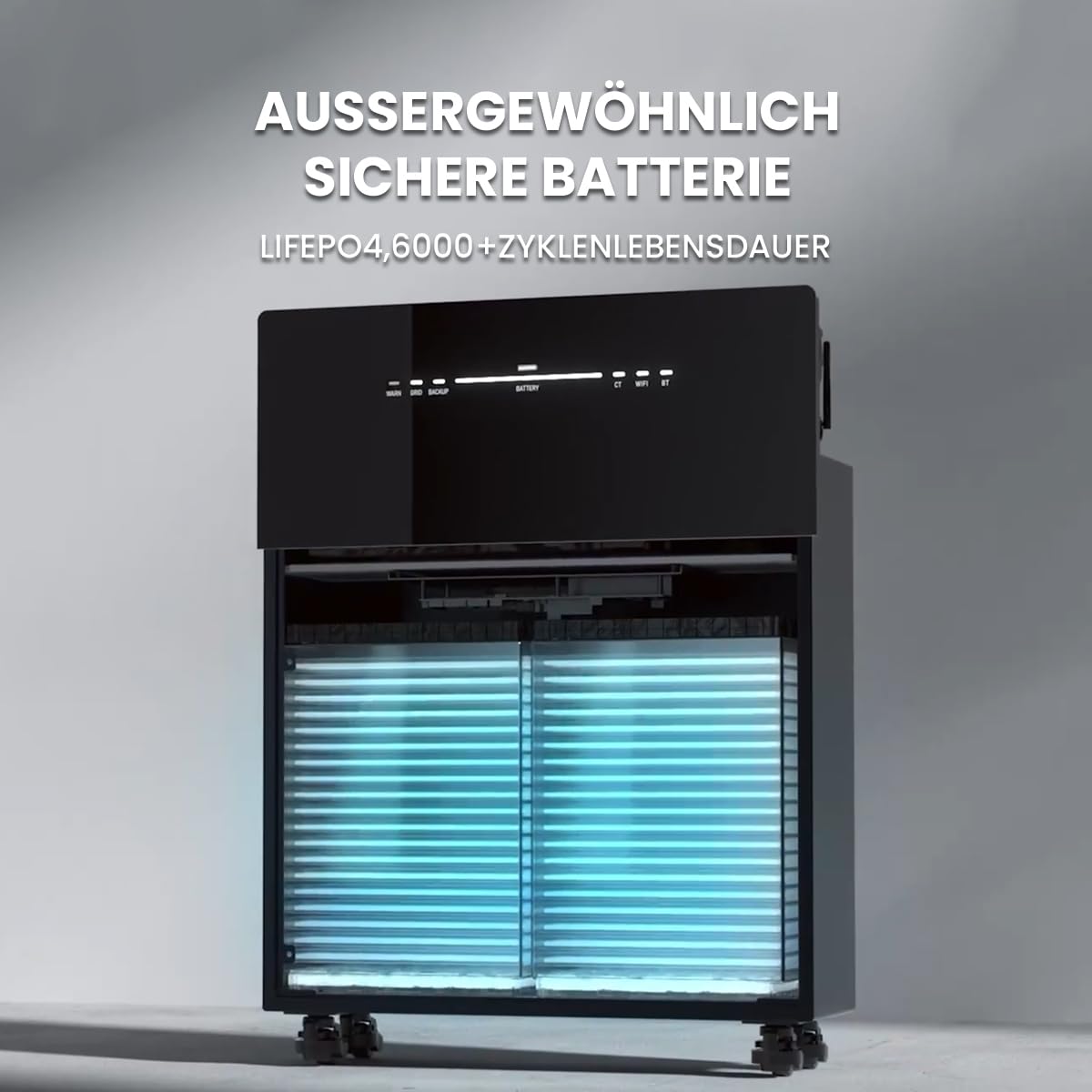
ምስል 3.2.2 - ውስጣዊ view of the Marstek Venus-E, highlighting its LiFePO4 battery cells, designed for exceptional safety and a long cycle life of over 6000 cycles.
4. ማዋቀር
4.1. ማሸግ እና መፈተሽ
- Carefully unpack the Marstek Venus-E unit and all accessories.
- በመጓጓዣ ወቅት የጉዳት ምልክቶችን ለማግኘት መሳሪያውን ይመርምሩ። ጉዳት ከተገኘ ወዲያውኑ አቅራቢዎን ያነጋግሩ።
- በክፍል 3.2 የተዘረዘሩት ሁሉም ክፍሎች መኖራቸውን ያረጋግጡ።
4.2. አቀማመጥ
- Choose a location that is dry, well-ventilated, and protected from direct sunlight.
- Ensure the ambient temperature is within the operating range specified in Section 7.
- The unit is IP65 waterproof, allowing for outdoor installation, but protection from extreme weather conditions is recommended for longevity.
- Place the unit on a flat, stable surface. The unit is equipped with wheels for easier positioning.

Figure 4.2.1: The Marstek Venus-E is designed for operation in ultra-low temperatures down to -20°C and features an IP65 waterproof rating, making it suitable for various environmental conditions.
4.3. የኤሌክትሪክ ግንኙነት
- Connect the Marstek Venus-E to a standard AC wall outlet using the provided power cable. This establishes the AC-coupled connection to your home grid.
- For optimal energy management and anti-feed-in protection, integrate a compatible smart meter (e.g., Shelly) into your main electrical distribution panel. Follow the smart meter's installation instructions for proper wiring.
- Ensure your balcony PV system is connected according to its manufacturer's instructions. The Venus-E is compatible with various PV systems.

Figure 4.3.1: The Marstek Venus-E demonstrates compatibility with various photovoltaic (PV) systems, allowing flexible integration into existing solar setups.

Figure 4.3.2: Illustration of the Marstek Venus-E system with smart meter integration, enabling anti-feed-in protection and optimizing for 100% self-consumption within the household.
5. የአሠራር መመሪያዎች
5.1. ማብራት / ማጥፋት
- አብራ፡ Locate the power button on the unit and press it to turn on the system. Status indicators will illuminate.
- ኃይል ዝጋ: መሳሪያው እስኪጠፋ ድረስ የኃይል አዝራሩን ተጭነው ይያዙት።
5.2. Marstek App Control
The Marstek App provides real-time monitoring and remote control capabilities for your Venus-E system. It connects via dual Bluetooth and WiFi modules.
- Download the Marstek App from your device's app store.
- Register an account and follow the in-app instructions to connect your Venus-E unit via Bluetooth or WiFi.
- Once connected, you can monitor battery status, power flow, and configure operating modes.

Figure 5.2.1: The Marstek App interface, offering easy control and real-time data monitoring for the Venus-E system via dual Bluetooth and WiFi modules. It includes modes like 'Electricity Trading Mode', 'Self-Adaptation Mode', and 'Manual Mode'.
5.3. የአሠራር ዘዴዎች
The Marstek App allows you to select various operating modes to optimize energy usage:
- Electricity Trading Mode (Stromhandel Modus): Optimizes charging and discharging based on dynamic electricity tariffs to maximize savings.
- Self-Adaptation Mode (Selbstanpassung Modus): The system intelligently learns your energy consumption patterns and solar generation to automatically optimize self-consumption.
- Manual Mode (Manueller Modus): Allows you to manually set charging and discharging schedules and parameters.

Figure 5.3.1: This graph illustrates how the AC-coupled energy storage system can achieve greater savings by adapting to dynamic electricity tariffs, optimizing charge and discharge cycles based on price fluctuations.
5.4. Island Operation / Backup Mode
የፍርግርግ ሁኔታ ውስጥtage, the Venus-E can automatically switch to island operation, providing up to 2500W of backup power for essential household loads.
- Ensure critical appliances are connected to circuits supported by the backup function.
- The system will automatically detect a grid failure and provide power from the stored energy.
- Monitor the remaining battery capacity via the Marstek App during backup operation.
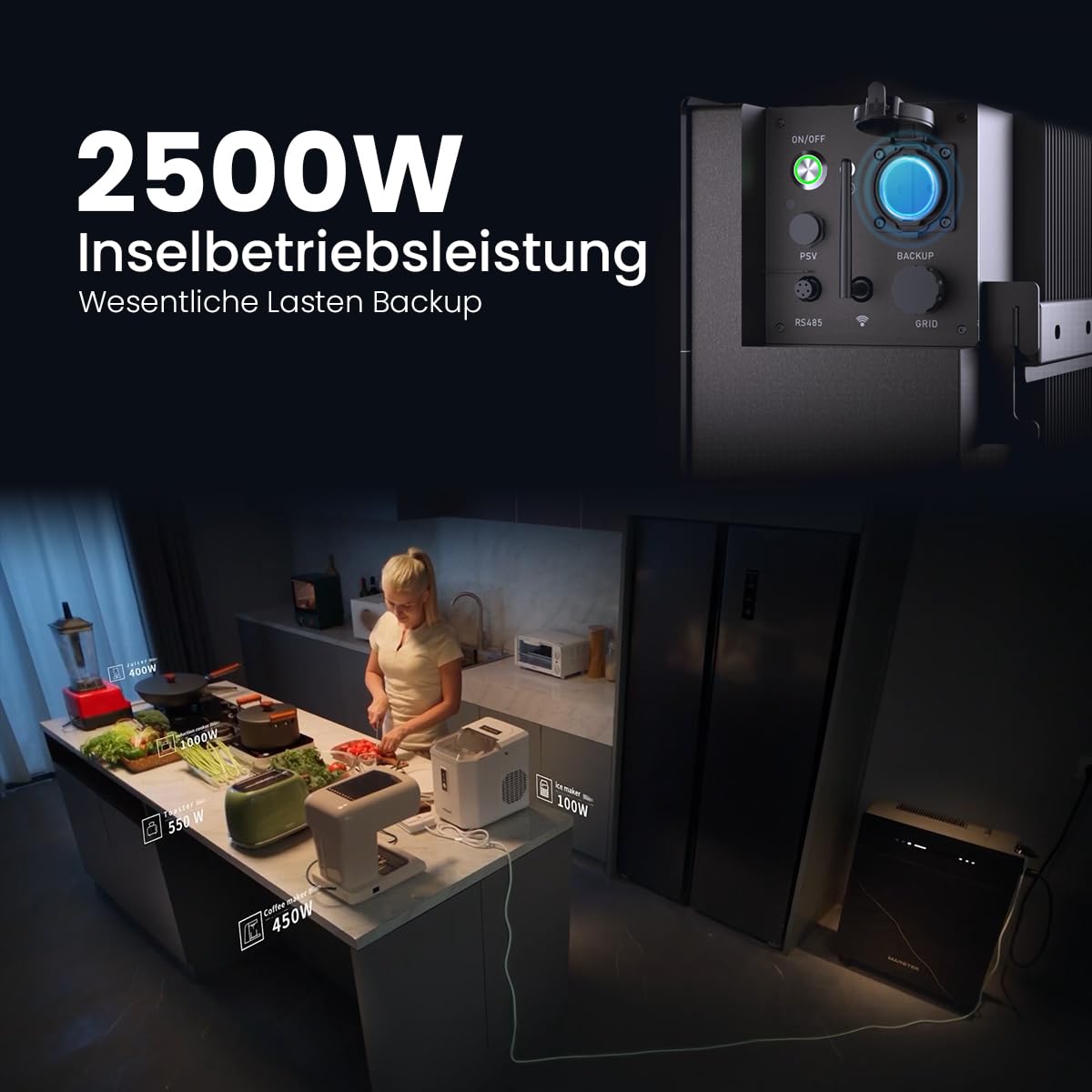
Figure 5.4.1: The Marstek Venus-E providing 2500W of power in island operation mode, demonstrating its capability to serve as a backup power source for essential household loads during grid interruptions.
6. ጥገና
መደበኛ ጥገና የማርስቴክ ቬኑስ-ኢ ስርዓትዎን ረጅም ጊዜ እና ጥሩ አፈፃፀም ያረጋግጣል።
- ማጽዳት፡ በየጊዜው የክፍሉን ውጫዊ ክፍል ለስላሳና ደረቅ ጨርቅ ያጽዱ። ሻካራ ማጽጃዎችን ወይም መሟሟቶችን አይጠቀሙ። የአየር ማናፈሻ ክፍተቶች ከአቧራና ከቆሻሻ የፀዱ መሆናቸውን ያረጋግጡ።
- የጽኑዌር ዝማኔዎች ፦ Check the Marstek App regularly for available firmware updates. Install updates to ensure your system has the latest features and performance enhancements.
- የግንኙነት ፍተሻዎች፡- ሁሉንም የኤሌክትሪክ ግንኙነቶች ጥብቅነት እና የመበስበስ ወይም የዝገት ምልክቶች በየጊዜው ይመርምሩ።
- የአካባቢ ሁኔታዎች; Ensure the unit remains within its specified operating temperature range and is not exposed to excessive moisture or heat.
7. መላ መፈለግ
If you encounter issues with your Marstek Venus-E, refer to the following common troubleshooting steps:
| ችግር | ሊሆን የሚችል ምክንያት | መፍትሄ |
|---|---|---|
| ዩኒት ኃይል የለውም። | No power supply; Power button not pressed correctly. | Check AC power cable connection. Ensure the power button is pressed firmly. |
| No power output in backup mode. | Battery depleted; Overload; Incorrect wiring. | Check battery level via app. Reduce connected load. Verify backup circuit wiring. |
| መተግበሪያው ከመሳሪያው ጋር መገናኘት አይችልም። | Bluetooth/WiFi off; Unit too far; Network issues. | Ensure Bluetooth/WiFi is enabled on unit and phone. Move closer to the unit. Check home WiFi network. Restart unit and app. |
| Solar energy not being stored. | PV system not generating; Incorrect settings; Full battery. | Check PV system operation. Verify operating mode in the app. Battery may be at 100% charge. |
እነዚህን መፍትሄዎች ከሞከሩ በኋላ ችግሩ ከቀጠለ፣ እባክዎ የደንበኛ ድጋፍን ያግኙ።
8. ዝርዝሮች
| ባህሪ | ዝርዝር |
|---|---|
| የሞዴል ስም | ቬነስ-ኢ |
| አምራች | Powerness |
| የማጣቀሻ / የሞዴል ቁጥር | 1 |
| የባትሪ አቅም | 5.12 ኪ.ወ |
| የባትሪ ዓይነት | LiFePO4 (ሊቲየም ብረት ፎስፌት) |
| ዑደት ሕይወት | 6000+ ዑደቶች |
| የስርዓት አይነት | AC-Coupled, All-in-One |
| Island Operation Power | 2500 ዋ |
| ግንኙነት | Dual Bluetooth, WiFi |
| የመግቢያ ጥበቃ (አይፒ) ደረጃ | IP65 (ውሃ መከላከያ) |
| የአሠራር ሙቀት | Down to -20°C (Ultra-low temperature operation) |
| የተካተቱ ክፍሎች | Navi 2000 x 1 (Main Unit) |
| መለዋወጫ መገኘት | መረጃ አይገኝም |
9. ዋስትና እና ድጋፍ
9.1. የዋስትና መረጃ
The Marstek Venus-E comes with a manufacturer's warranty. Please refer to the warranty card included with your product or visit the official Powerness webለዝርዝር ውሎች እና ሁኔታዎች ጣቢያ. ለዋስትና ጥያቄዎች የግዢ ማረጋገጫዎን ያስቀምጡ።
9.2. የደንበኛ ድጋፍ
For technical assistance, troubleshooting beyond this manual, or warranty inquiries, please contact Powerness customer support:
- Webጣቢያ፡ ን ይጎብኙ Powerness Brand Store ለእውቂያ መረጃ እና ተደጋጋሚ ጥያቄዎች።
- ኢሜይል፡- የምርት ማሸጊያውን ወይም ኦፊሴላዊውን ይመልከቱ webየድጋፍ ኢሜይል አድራሻ ጣቢያ።
- ስልክ፡ የምርት ማሸጊያውን ወይም ኦፊሴላዊውን ይመልከቱ website for the support phone number.
When contacting support, please have your product model (Venus-E) and ASIN (B0F444MXGP) ready.