
1. መግቢያ
Welcome to the RORSOU B8 Over-Ear Bluetooth Headphones. These headphones are designed to deliver a high-fidelity audio experience with deep bass, versatile connectivity, and exceptional comfort. This manual will guide you through the features and functions of your new headphones.
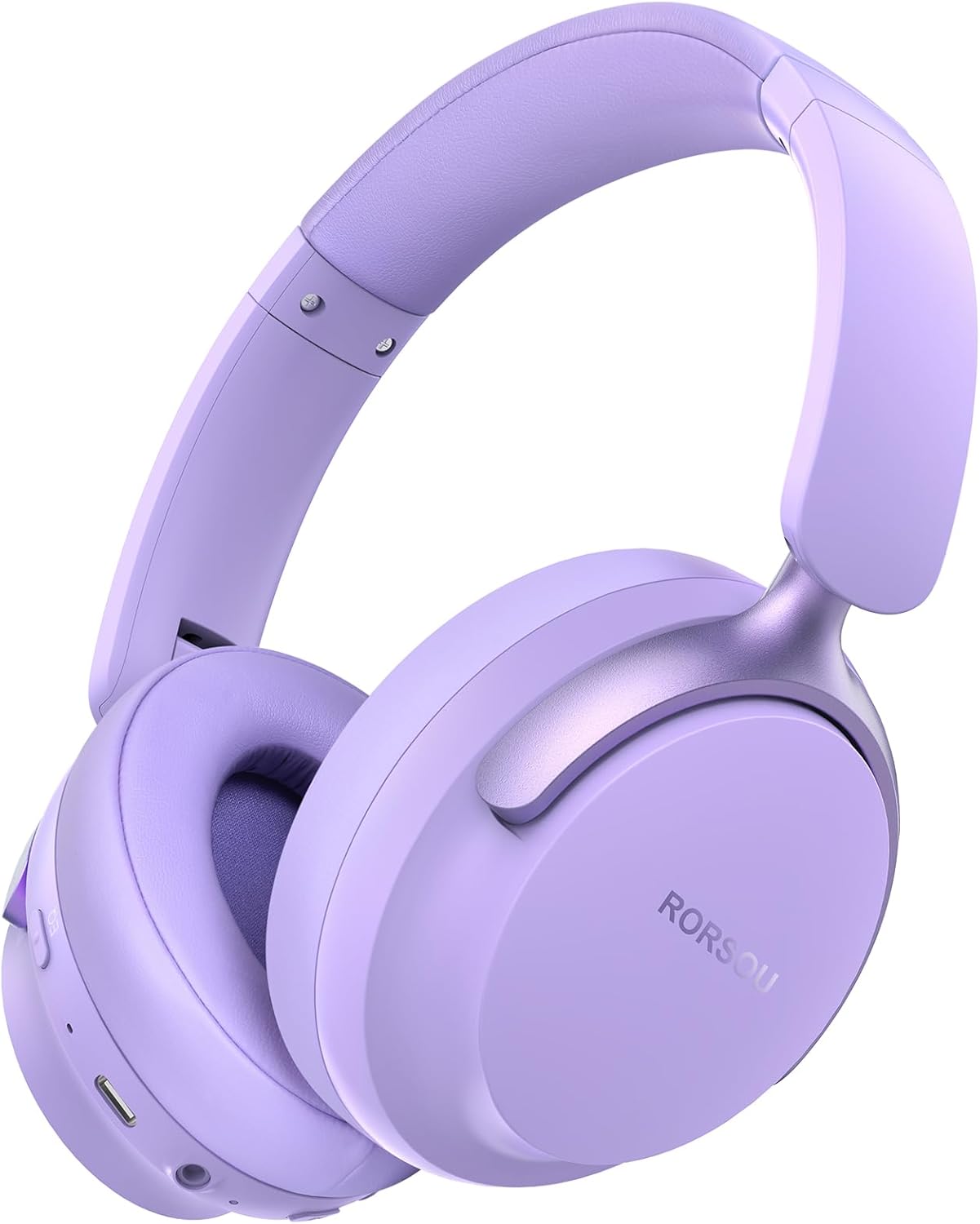
Figure 1: RORSOU B8 Over-Ear Bluetooth Headphones (Purple)
ቁልፍ ባህሪዎች
- Hi-Fi Stereo and Deep Bass Sound: Equipped with 40mm audio drivers and an advanced Bluetooth 5.4 chip for clear sound, full dynamic range, rich bass, and crisp mids.
- Strong Bluetooth 5.4 & Wired Connection: Offers faster, more stable data transmission, dual-device pairing, and a 3.5mm audio jack for wired use.
- Optimized Sound Quality with 6 EQ Modes: Allows switching between six preset EQ settings (Standard, Classical, Metal, Jazz, Rock, Bass) for different music styles. Features a built-in microphone for clear calls.
- All-day Comfort & Foldable Design: Ultra-soft protein leather earcups and an adjustable headband ensure comfort during extended use. The foldable and lightweight design enhances portability.
- የተራዘመ የጨዋታ ጊዜ፡ 400mAh battery provides up to 50 hours of playtime. Can be used in wired mode when the battery is depleted.
2. በሳጥኑ ውስጥ ያለው
- RORSOU B8 Over-Ear Bluetooth Headphones
- የዩኤስቢ-ሲ ኃይል መሙያ ገመድ
- 3.5 ሚሜ የድምጽ ገመድ
- የተጠቃሚ መመሪያ
- የተሸከመ ቦርሳ
3. ማዋቀር
3.1 የጆሮ ማዳመጫዎችን መሙላት
Before first use, fully charge your RORSOU B8 headphones. Connect the provided USB-C charging cable to the charging port on the headphone and the other end to a USB power source (e.g., computer, wall adapter). The LED indicator will show charging status and turn off when fully charged. A full charge takes approximately 2 hours.
3.2 ማብራት / ማጥፋት
- ለማብራት፡- የ LED አመልካች እስኪበራ ድረስ የኃይል ቁልፉን ለ 3 ሰከንዶች ተጭነው ይቆዩ።
- ለማጥፋት፡- የ LED አመልካች እስኪጠፋ ድረስ የኃይል ቁልፉን ለ 3 ሰከንዶች ተጭነው ይያዙ።
3.3 የብሉቱዝ ማጣመር
To connect your RORSOU B8 headphones to a Bluetooth-enabled device:
- የጆሮ ማዳመጫዎች መጥፋታቸውን ያረጋግጡ።
- የ LED አመልካች ሰማያዊ እና ቀይ በተለዋዋጭ እስኪበራ ድረስ የኃይል አዝራሩን ለ5 ሰከንዶች ያህል ተጭነው ይያዙት። ይህ የማጣመር ሁነታን ያሳያል።
- በመሳሪያዎ (ስማርትፎን፣ ታብሌት፣ ፒሲ) ላይ ብሉቱዝን አንቃ እና የሚገኙ መሳሪያዎችን ፈልግ።
- Select "RORSOU B8" from the list of available devices.
- Once connected, the LED indicator on the headphones will flash blue slowly or remain solid blue.
The headphones can be paired with two devices simultaneously and seamlessly switch between them.
3.4 ባለገመድ ግንኙነት
For a wired connection, use the provided 3.5mm audio cable. Plug one end into the 3.5mm audio jack on the headphones and the other end into your audio source. This mode does not require battery power.
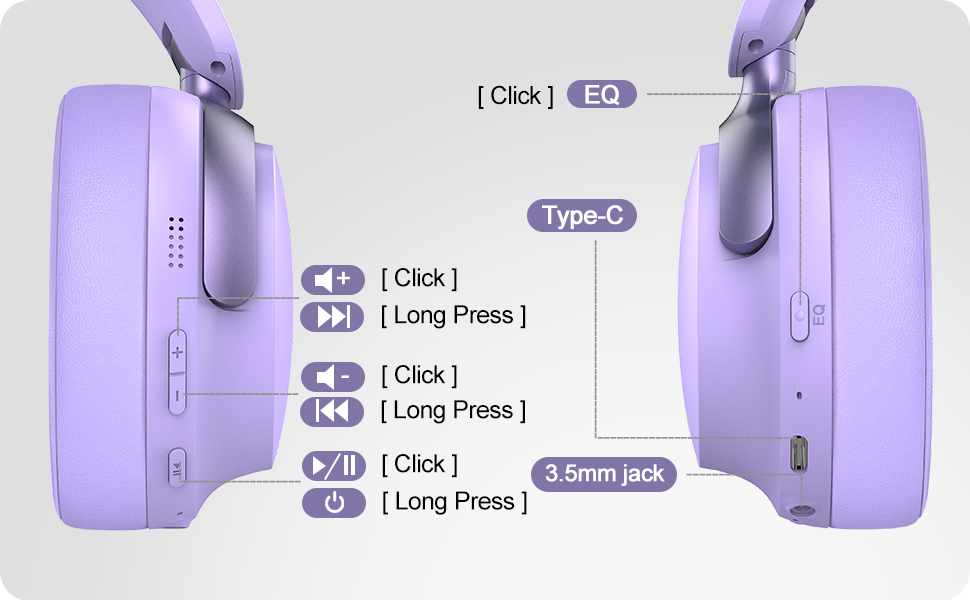
Figure 2: Bluetooth 5.4 Wireless vs. 3.5mm Wired Connection
4. የአሠራር መመሪያዎች
4.1 ይቆጣጠራልview
Figure 3: RORSOU B8 Headphone Controls
- የኃይል ቁልፍ፡- ለማብራት/ ለማጥፋት ተጭነው ይያዙ።
- የድምጽ መጠን መጨመር (+): Click to increase volume. Long press for next track.
- ድምጽ መቀነስ (-): Click to decrease volume. Long press for previous track.
- ባለብዙ ተግባር አዝራር (አጫውት/ለአፍታ አቁም): Click to play/pause music, answer/end calls. Long press to activate voice assistant.
- ኢኩኪ ቁልፍ Click to cycle through 6 preset EQ modes (Standard, Classical, Metal, Jazz, Rock, Bass).
4.2 EQ ሁነታዎች
The RORSOU B8 headphones feature 6 distinct EQ modes to enhance your listening experience based on music genre:
- መደበኛ
- ክላሲካል
- ብረት
- ጃዝ
- ሮክ
- ባስ
Press the EQ button to switch between these modes and find the optimal sound profile for your audio.
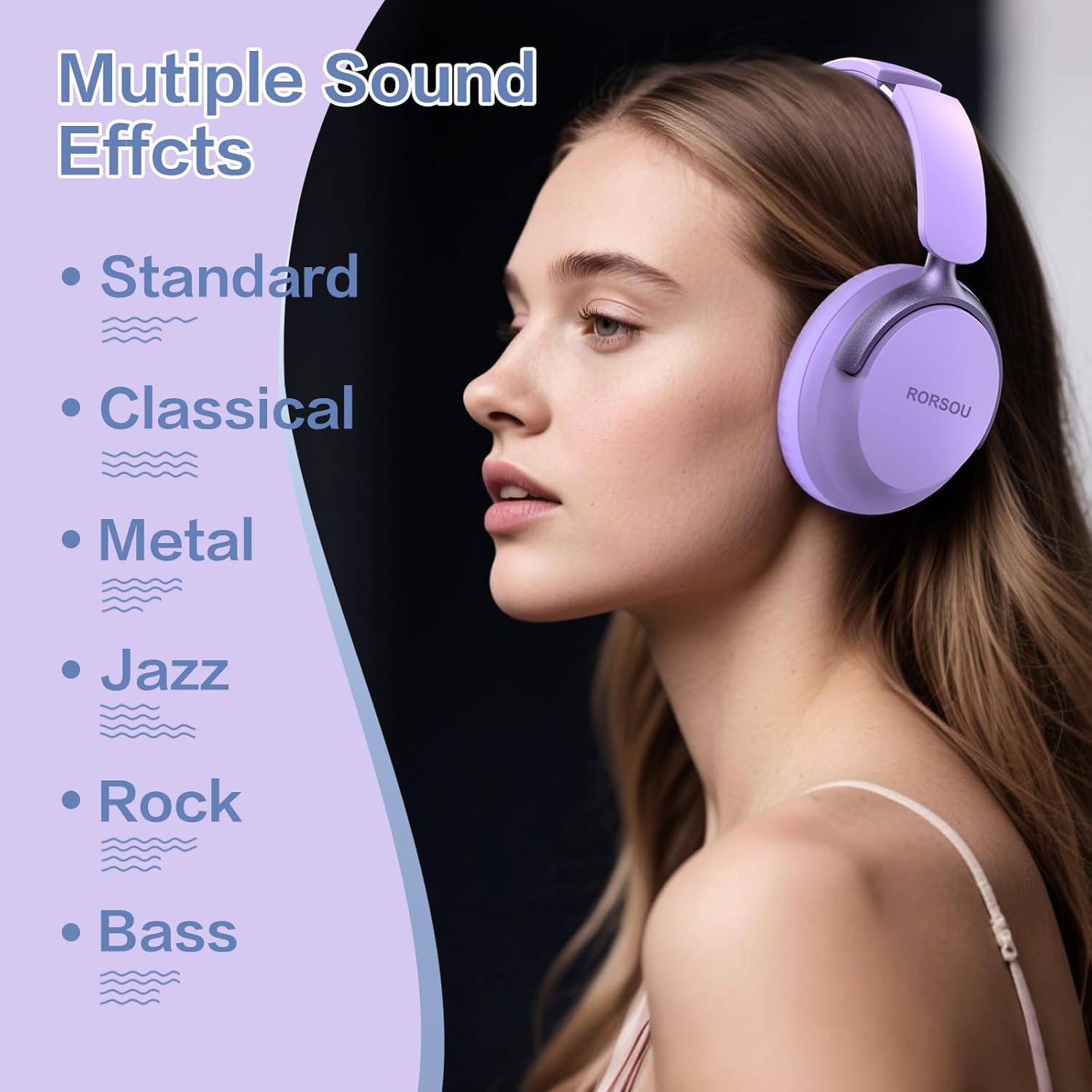
Figure 4: Multiple Sound Effects (EQ Modes)
5. ምቾት እና ተንቀሳቃሽነት
The RORSOU B8 headphones are designed for extended wear and easy transport.
- Ultra-soft Protein Leather Earcups: ለረጅም ጊዜ የማዳመጥ ክፍለ ጊዜዎች ምቾት ይሰጣል።
- የሚስተካከለው የጭንቅላት ማሰሪያ፡ ለተለያዩ የጭንቅላት መጠኖች ደህንነቱ የተጠበቀ እና ምቹ ሁኔታን ያረጋግጣል።
- የሚታጠፍ ንድፍ Earcups swivel 90 degrees and the headphones fold compactly for easy storage in the included carrying pouch, ideal for travel.

Figure 5: Comfort and Foldable Design
6. ጥገና
To ensure the longevity and optimal performance of your RORSOU B8 headphones, follow these maintenance guidelines:
- ማጽዳት፡ Wipe the headphones with a soft, dry cloth. For earcups, use a slightly damp cloth with mild soap if necessary, then wipe dry immediately. Avoid harsh chemicals or abrasive materials.
- ማከማቻ፡ የጆሮ ማዳመጫዎቹን ጥቅም ላይ በማይውሉበት ጊዜ፣ ከአቧራ እና ጭረቶች ለመከላከል በተሰጠዎት የመያዣ ከረጢት ውስጥ ያስቀምጡ። ቀዝቃዛና ደረቅ ቦታ ያስቀምጡ።
- ከባድ ሁኔታዎችን ያስወግዱ; የጆሮ ማዳመጫዎቹን ለከፍተኛ ሙቀት፣ እርጥበት ወይም ቀጥተኛ የፀሐይ ብርሃን አያጋልጡ። ውሃ የማይቋቋሙ ናቸው።
- የኬብል እንክብካቤ; የኃይል መሙያውን እና የድምጽ ገመዶቹን በቀስታ ይያዙ። ጉዳት እንዳይደርስብዎት ስለታም መታጠፊያዎችን ወይም ከመጠን በላይ መጎተትን ያስወግዱ።
7. መላ መፈለግ
If you encounter any issues with your RORSOU B8 headphones, refer to the following common solutions:
| ችግር | ሊሆን የሚችል ምክንያት | መፍትሄ |
|---|---|---|
| የጆሮ ማዳመጫዎች አይበሩም። | ዝቅተኛ ባትሪ | የጆሮ ማዳመጫዎቹን ሙሉ በሙሉ ይሙሉ (በግምት 2 ሰዓታት)። |
| በብሉቱዝ በኩል ማጣመር አይቻልም | Headphones not in pairing mode; device Bluetooth off; interference | Ensure headphones are in pairing mode (flashing blue/red). Turn off and on your device's Bluetooth. Move closer to the device. |
| ምንም ድምፅ ወይም ደካማ የድምፅ ጥራት የለም | Volume too low; incorrect EQ mode; loose wired connection; device issue | Increase headphone/device volume. Cycle through EQ modes. Re-insert 3.5mm cable firmly. Test with another audio source. |
| ማይክሮፎን አይሰራም | Device settings; microphone blocked | Check device's audio input settings. Ensure microphone port is clear. |
| Headphones disconnect frequently | ከክልል ውጪ፤ ጣልቃ ገብነት፤ ዝቅተኛ ባትሪ | Stay within Bluetooth range (up to 10 meters). Avoid obstacles. Charge headphones. |
If the issue persists after trying these steps, please contact RORSOU customer service for further assistance.
8. ዝርዝሮች
| ባህሪ | ዝርዝር |
|---|---|
| የሞዴል ስም | B8 |
| የምርት ስም | RORSOU |
| የግንኙነት ቴክኖሎጂ | Bluetooth 5.4, Wired, Wireless |
| የጆሮ ማዳመጫዎች ጃክ | 3.5 ሚሜ ሚሜ |
| የድምጽ መቆጣጠሪያ | ተገብጋቢ የጩኸት ስረዛ |
| የድምጽ ነጂ መጠን | 40 ሚሊሜትር |
| የባትሪ ህይወት | 50 ሰዓታት |
| የኃይል መሙያ ጊዜ | 2 ሰዓታት |
| የእቃው ክብደት | 0.23 ኪሎግራም (8.1 አውንስ) |
| ቁሳቁስ | ፖሊካርቦኔት (ፒሲ) |
| የመቆጣጠሪያ ዓይነት | Volume Control, Push Button |
| የተካተቱ አካላት | User Manual, USB-C Charging Cable, 3.5mm Audio Cable, Carrying Pouch |
9. ዋስትና እና ድጋፍ
RORSOU is dedicated to providing high-quality products with excellent after-sale service. Your RORSOU B8 headphones come with a 180-day Hassle-Free Limited Protection.
If you have any questions, concerns, or require technical support, please contact RORSOU customer service. We aim to respond to all inquiries within 24 hours.
For the most up-to-date support information, please visit the official RORSOU webጣቢያ ወይም ከምርት ማሸጊያው ጋር የቀረበውን የእውቂያ ዝርዝሮች ይመልከቱ።