
1. ምርት አብቅቷልview
The GEPRC Cinelog30 V3 O4 Air Unit Pro is a high-performance FPV drone designed for professional-grade aerial videography and dynamic flight. It features an O4 Pro Air Unit for ultra-sharp 4K/120fps footage, an aluminum-reinforced frame for durability, and a TAKER F722 45A AIO flight system for responsive handling.
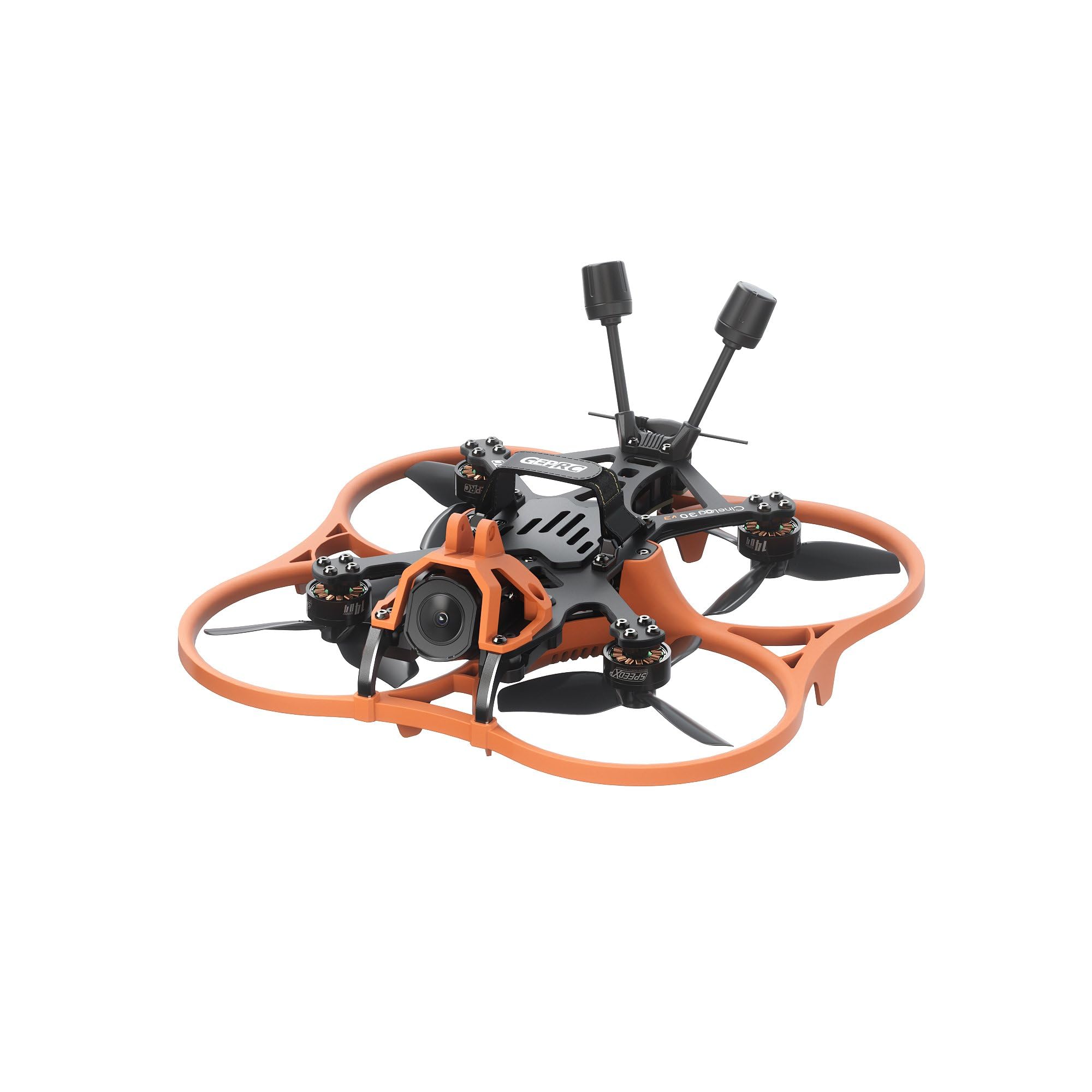
ምስል 1፡ ከላይ ወደ ታች view of the GEPRC Cinelog30 V3 O4 Air Unit Pro FPV Drone, showcasing its orange protective frame and black carbon fiber components.
2. የተካተቱ አካላት
ሁሉም የሚከተሉት ክፍሎች በጥቅልዎ ውስጥ መካተታቸውን ያረጋግጡ፡
- 1 x Cinelog30 V3 FPV Drone
- 1 x Protective Frame (transparent black)
- 2 x HQprop DT76mmx3 V2 (pair) - መለዋወጫ ፕሮፔለሮች
- 1 x 15*150mm Battery Strap
- 1 x L-shaped Screwdriver 1.5mm
- 1 x Grey Canopy
- 1 x Black Canopy
- 1 x Spare Screw Pack (includes M2 rivet nut, M2*4.5, M2*6, M2*4 button-head hex socket screws, M2*12 button-head screw, 2 x Damping Ball)
- 1 x Battery Anti-slip Pad
- 1 x ዲamping Ball Puncher
- 1 x Frequency Pairing Ejector pin
3. የመጀመሪያ ደረጃ ማዋቀር
3.1 ድሮኑን በማጠፍ ላይ
Carefully unfold the drone arms. Always unfold the front arms first, then the rear arms. Ensure they click securely into place.

ምስል 2: ማዕዘን view of the GEPRC Cinelog30 V3 FPV Drone with its arms unfolded, ready for flight.
3.2 Propeller Installation (If Required)
The drone comes with propellers pre-installed. If replacement is needed, ensure correct orientation. Match the propeller rotation direction to the motor direction. Use the provided L-shaped screwdriver for secure attachment.
3.3 የባትሪ ግንኙነት
Connect a fully charged LiHV 4S 660mAh-720mAh battery (not included) to the XT30 connector on the drone. Secure the battery using the provided battery strap and anti-slip pad.
3.4 የሸራ መጫኛ
Choose between the grey or black canopy and securely attach it to the drone frame. Ensure it does not obstruct any sensors or the camera.
4. FPV System Setup (O4 Air Unit Pro & Goggles)
The Cinelog30 V3 is equipped with the O4 Air Unit Pro for high-quality digital FPV transmission. For optimal experience, it is recommended to use compatible FPV goggles, such as the DJI Goggles 3.
4.1 ቀጥታ ስርጭትview Sharing with DJI Goggles 3
The DJI Goggles 3 allow for live view sharing to a mobile device or other goggles. This feature is useful for co-pilots or spectators to view the drone's feed.
Video 1: This video demonstrates how to set up live view sharing from DJI Goggles 3 to a mobile device or other compatible goggles, allowing multiple users to see the drone's real-time camera feed.
For detailed instructions on connecting and sharing live view with DJI Goggles 3, please refer to the video above. Ensure your mobile device has the DJI Fly app installed and that Wi-Fi and Bluetooth are enabled for wireless connections.
5. የአሠራር መመሪያዎች
5.1 የቅድመ በረራ ፍተሻዎች
- Ensure all arms are fully extended and locked.
- Check propellers for any damage and ensure they are securely fastened.
- Verify battery is fully charged and securely attached.
- Confirm FPV goggles and remote controller are powered on and connected.
- ማንኛውም የተላጡ ክፍሎች ወይም ጉዳቶች መኖራቸውን ለማየት የድሮኑን የእይታ ምርመራ ያድርጉ።
5.2 መነሳት እና ማረፍ
Place the drone on a flat, open surface, clear of obstacles. Follow your remote controller's specific instructions for arming motors and initiating take-off. For landing, gently descend the drone to a clear area.
5.3 የበረራ መቆጣጠሪያዎች
Familiarize yourself with your remote controller's stick configurations for throttle, yaw, pitch, and roll. Practice in a safe, open environment before attempting complex maneuvers.
5.4 የካሜራ አሠራር
The O4 camera captures ultra-sharp 4K/120fps footage. Use your FPV goggles or connected mobile device to view the live feed and control camera settings. The advanced structural design isolates camera vibration for smooth footage.
5.5 Active Tracking
The drone supports active tracking features, allowing it to follow moving subjects. Refer to your remote controller and FPV system manual for specific active tracking mode activation and usage.
6. ጥገና እና እንክብካቤ
6.1 ጽዳት
Regularly clean the drone, especially after flights in dusty or dirty environments. Use a soft, dry cloth to wipe down the frame and propellers. Ensure the camera lens is clean for clear footage.
6.2 የፕሮፔለር መተካት
Inspect propellers before each flight for cracks, bends, or chips. Replace damaged propellers immediately using the spare HQprop DT76mmx3 V2 pairs and the provided screwdriver. Incorrectly installed or damaged propellers can affect flight stability and safety.
6.3 የጽኑ ዝማኔዎች
የGEPRC ባለስልጣንን በየጊዜው ያረጋግጡ website for firmware updates for the TAKER F722 45A 32Bit AIO flight system (FC Firmware: GEPRC_F722_AIO). Follow the provided instructions carefully to ensure proper update installation.
6.4 የባትሪ እንክብካቤ
Store LiHV batteries in a cool, dry place away from direct sunlight. Do not overcharge or over-discharge batteries. Always use a compatible charger. Discontinue use of any damaged or swollen batteries.
7. መላ መፈለግ
- ድሮን እየበራ አይደለም፡- Ensure the battery is fully charged and correctly connected to the XT30 connector.
- ምንም FPV ምግብ የለም፡ Check the connection between the O4 Air Unit Pro and your FPV goggles. Ensure both devices are powered on and correctly paired.
- ያልተረጋጋ በረራ; Inspect propellers for damage or incorrect installation. Calibrate the gyroscope and accelerometer if necessary (refer to the flight controller manual).
- Remote controller not connecting: Ensure the remote controller is powered on and correctly bound to the drone's receiver (PNP digital built-in VTS receiver). Use the frequency pairing ejector pin if re-binding is required.
For further assistance, please contact GEPRC customer support.
8. ዝርዝሮች
| ባህሪ | ዝርዝር መግለጫ |
|---|---|
| ሞዴል | Cinelog30 V3 O4 Pro Quadcopter |
| የፍሬም ሞዴል | GEP-CL30 V3 |
| Carbon Fiber Plate Thickness | 2.5 ሚሜ |
| የዊልቤዝ | 128 ሚሜ |
| የበረራ ስርዓት | ታከር F722 45A 32ቢት ኤአይኦ |
| ኤም.ሲ.ዩ | STM32F722RET6 |
| ገይሮ | አይሲኤም 42688-ፒ |
| FC Firmware | GEPRC_F722_AIO |
| ብልጭታ | 16 ሜባ |
| ESC | 32ቢት 45A |
| ሞተር | SPEEDX2 1404 3850KV |
| ፕሮፔለሮች | HQprop DT76mmx3 V2 |
| የባትሪ አያያዥ | XT30 |
| ቪቲኤክስ | O4 AIR Unit Pro |
| ካሜራ | O4 |
| አንቴና | O4 original |
| ተቀባይ | PNP (digital built-in VTS receiver) |
| የሚመከር ባትሪ | LiHV 4S 660mAh-720mAh |
| ግምታዊ የበረራ ጊዜ | 8’10″ (Tested at slow cruising speeds; actual times may vary with flying method) |
| የቪዲዮ ቀረጻ ጥራት | 4K |
| የእቃው ክብደት | 190 ግራም (በግምት 6.7 አውንስ) |
| የምርት ልኬቶች | 7.99"ኤል x 7.99" ዋ x 3.54" ኤች |
9. ዋስትና እና ድጋፍ
For warranty information, technical support, or to purchase replacement parts, please visit the official GEPRC webጣቢያ ወይም በቀጥታ የደንበኛ አገልግሎታቸውን ያግኙ። ለዋስትና ጥያቄዎች የግዢ ደረሰኝዎን ያስቀምጡ።
እንዲሁም መጎብኘት ይችላሉ GEPRC Store on Amazon ለተጨማሪ የምርት መረጃ እና የድጋፍ ምንጮች.


