
መግቢያ
This manual provides essential information for setting up, operating, and maintaining your LEFFOT M1 Plus Android 14 TV Box. Please read it thoroughly to ensure proper usage and to maximize your entertainment experience.
በሣጥኑ ውስጥ ያለው
ከዚህ በታች የተዘረዘሩት ሁሉም እቃዎች በጥቅልዎ ውስጥ መካተታቸውን ያረጋግጡ፡-
- 1 x LEFFOT M1 Plus Android 14 TV Box
- 1 x የድምጽ የርቀት መቆጣጠሪያ
- 1 x የኃይል አስማሚ
- 1 x HD ገመድ
- 1 x የተጠቃሚ መመሪያ

ምርት አልቋልview
The LEFFOT M1 Plus is a compact 4K Ultra HD streaming device designed to enhance your television experience. It features a sleek design with various ports for connectivity.

Key Interfaces:
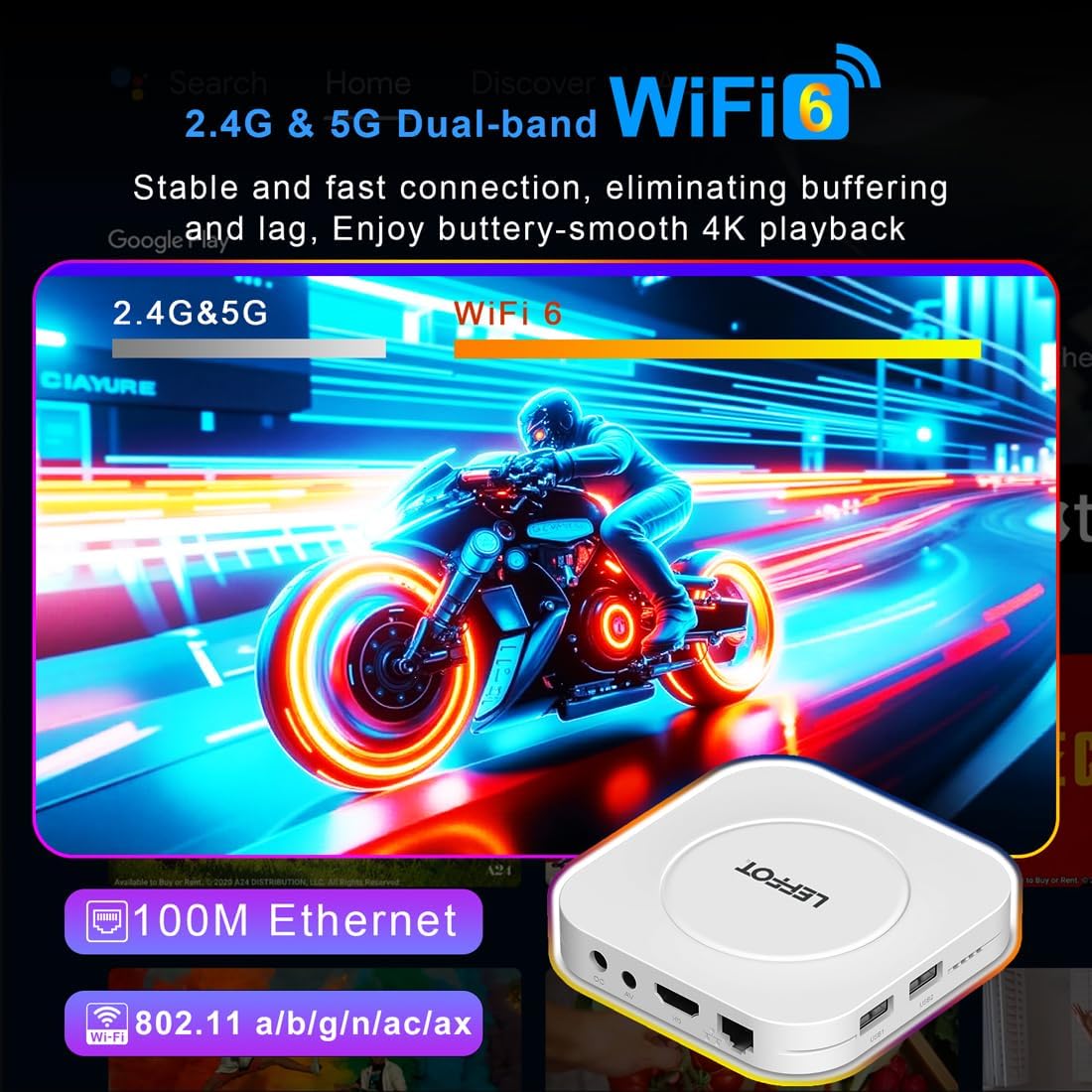
- የዲሲ የኃይል ግቤት፡- የኃይል አስማሚውን ለማገናኘት.
- የኤቪ ወደብ፡ For older televisions or audio systems.
- HD (HDMI) Output: ለከፍተኛ ጥራት ቪዲዮ እና ኦዲዮ ከቴሌቪዥንዎ ጋር ይገናኛል።
- LAN (ኢተርኔት) ወደብ፡ ለገመድ የበይነመረብ ግንኙነት።
- ዩኤስቢ 1 እና ዩኤስቢ 2 ወደቦች፡ For connecting external storage devices, game controllers, or other USB accessories.
- SPDIF፡ ዲጂታል የድምጽ ውፅዓት.
ማዋቀር
Follow these steps to set up your LEFFOT M1 Plus TV Box:
- ከቲቪ ጋር ይገናኙ፡ Connect one end of the provided HD cable to the HDMI port on your LEFFOT M1 Plus TV Box and the other end to an available HDMI input on your television.
- የግንኙነት ኃይል; Plug the power adapter into the DC power input on the TV Box, then plug the adapter into a wall outlet. The device will power on automatically.
- የርቀት ባትሪዎችን አስገባ፡ Open the battery compartment on the back of the voice remote control and insert two AAA batteries (not included), ensuring correct polarity.
- Initial Boot & Wi-Fi Setup: Turn on your TV and select the correct HDMI input. The TV Box will boot up. Follow the on-screen instructions to connect to your Wi-Fi network and log in with your Google Account.

የቪዲዮ መመሪያን ያዋቅሩ
Video: An unboxing and installation guide for the LEFFOT M1 Plus TV Box, demonstrating how to connect the device and establish a network connection.
የአሠራር መመሪያዎች
አሰሳ እና በይነገጽ
The LEFFOT M1 Plus runs on Android 14 OS, providing a user-friendly interface. Navigate using the included voice remote control. The home screen provides quick access to your favorite apps and content.

የድምጽ ቁጥጥር በGoogle ረዳት
Utilize the built-in Google Assistant via the BT 5.4 voice remote for hands-free control. Simply press the Google Assistant button on the remote and speak your commands to search for content, control playback, or check information.

4K Ultra HD Streaming
Experience stunning visuals with 8K@23fps decoding and 4K@60fps HDR10 output. The device supports a wide range of streaming services, delivering breathtaking clarity and vibrant colors.

እንከን የለሽ ግንኙነት
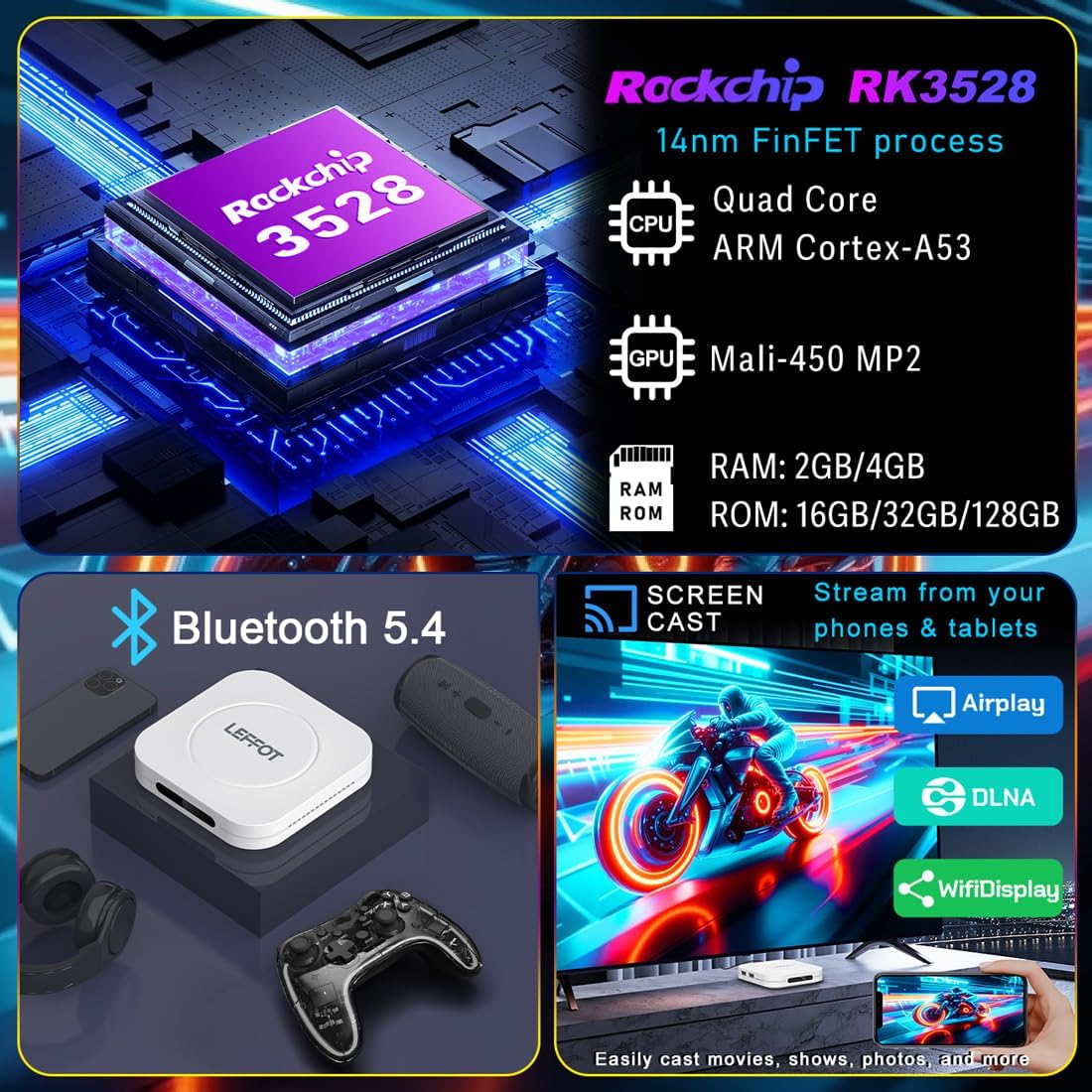
The M1 Plus offers stable and fast connectivity options including dual-band WiFi6 (802.11ax) and 100M Ethernet for buffer-free streaming. Bluetooth 5.4 allows for connection to various peripherals.
ስክሪን ማንጸባረቅ
Easily share photos and videos from your phones or tablets to your TV using Airplay, DLNA, or WiFidisplay features.
ይፋዊ የምርት ቪዲዮ
Video: A short demonstration of the Google AndroidTV Box, showcasing its voice remote control capabilities.
ዝርዝሮች
| ባህሪ | መግለጫ |
|---|---|
| የምርት ስም | LEFFOT |
| የሞዴል ስም | M1 ፕላስ |
| ስርዓተ ክወና | አንድሮይድ 14.0 |
| ፕሮሰሰር | RK3528 Quad-Core A53 CPU |
| ጂፒዩ | ማሊ-450 MP2 |
| ራም | 2 ጊባ |
| ROM | 16 ጊባ |
| ጥራት | 8K decoding, 4K@60fps HDR10 output |
| ግንኙነት | 2.4G & 5G WiFi 6 (802.11ax), Bluetooth 5.4, 100M Ethernet |
| ልዩ ባህሪያት | Google Assistant Voice Remote, Airplay, DLNA, WiFidisplay |
| ወደቦች | Dual USB 2.0, HD 2.0b, AV, LAN, DC, SPDIF |
| መጠኖች | 3.8 x 3.8 x 0.81 ኢንች |
| ክብደት | 4.4 አውንስ |
መላ መፈለግ
If you encounter issues with your LEFFOT M1 Plus, refer to the following common solutions:
- ኃይል የለም፡ የኃይል አስማሚው ከመሣሪያው እና ከሚሠራው የኃይል ምንጭ ጋር ደህንነቱ በተጠበቀ ሁኔታ መገናኘቱን ያረጋግጡ። የተለየ መውጫ ይሞክሩ።
- በቲቪ ላይ ምንም ምልክት የለም፡ Verify that the HD cable is properly connected to both the TV Box and your TV. Ensure your TV is set to the correct HDMI input source.
- የWi-Fi ግንኙነት ችግሮች፡- Check your router and modem to ensure they are working correctly. Re-enter your Wi-Fi password on the TV Box. If using 5G Wi-Fi, ensure your device is within range.
- የርቀት መቆጣጠሪያ ምላሽ አይሰጥም; Check if the batteries are correctly inserted and have sufficient charge. Try re-pairing the Bluetooth remote if necessary (refer to on-screen instructions during initial setup or in device settings).
- የመተግበሪያ መቀዝቀዝ/መበላሸት Close and restart the application. If the issue persists, clear the app's cache or data in the device settings (Settings > Apps > [App Name] > Clear Cache/Clear Data).
- ደካማ የቪዲዮ ጥራት፡ Ensure your internet connection is stable and fast enough for 4K streaming. Check your TV's display settings and the streaming app's quality settings.
ጥገና
To ensure the longevity and optimal performance of your LEFFOT M1 Plus TV Box:
- መሳሪያውን ከፀሐይ ብርሃን እና ከሙቀት ምንጮች ራቅ ባለ ቀዝቃዛና ደረቅ ቦታ ያስቀምጡት።
- መሳሪያውን ለስላሳ እና ደረቅ ጨርቅ ያጽዱ. ፈሳሽ ማጽጃዎችን ወይም ቆሻሻ ቁሳቁሶችን አይጠቀሙ.
- Avoid blocking any ventilation openings (though this model has no external vents, ensure it's not covered).
- የቅርብ ጊዜ ባህሪያትን እና የደህንነት ጥገናዎችን ለማረጋገጥ የስርዓት ዝመናዎችን በመደበኛነት ይፈትሹ እና ይጫኑ።
ዋስትና እና ድጋፍ
Your LEFFOT M1 Plus TV Box comes with a standard manufacturer's warranty. For specific warranty terms and conditions, please refer to the documentation included in your package or contact LEFFOT customer support.
For technical assistance or further inquiries, please visit the official LEFFOT webጣቢያ ወይም የደንበኛ አገልግሎት ቡድናቸውን ያነጋግሩ።