
መግቢያ
This manual provides detailed instructions for the ESR Flexible Keyboard Case, designed to enhance your iPad experience. It features a detachable magnetic keyboard, a large precision trackpad, and versatile viewing angles, offering comprehensive protection and functionality.
Please read this manual thoroughly before using the product to ensure proper operation and to maximize its features.
ተኳኋኝነት
This keyboard case is compatible only with the following iPad models:
- iPad 11" (A16) 2025
- iPad 10th Generation 2022
Compatible model numbers include: A2696, A2757, A2777, A3354, A3355, A3162, A3356.
To verify your iPad model number, locate it on the back of your iPad.

Image: Compatibility chart for ESR Flexible Keyboard Case, highlighting supported iPad 11" (A16) 2025 and iPad 10th Gen 2022 models, and illustrating where to find the model number on the back of the iPad.
ማዋቀር
- የቁልፍ ሰሌዳውን ኃይል ይሙሉት; Before initial use, ensure the keyboard is fully charged. Connect the provided charging cable to the keyboard's charging port and a power source. The charging indicator will show the charging status.
- Attach iPad to Case: Carefully place your compatible iPad into the protective case. Ensure all corners and edges are securely fitted. The reinforced Air Guard corners provide enhanced protection.
- የቁልፍ ሰሌዳ አያይዝ፡ The keyboard attaches magnetically to the case. Align the keyboard with the magnetic strip at the bottom edge of the case until it snaps into place.
- በብሉቱዝ ማጣመር፡
- የኃይል አዝራሩን በመጫን የቁልፍ ሰሌዳውን ያብሩ.
- በእርስዎ iPad ላይ፣ ወደ ይሂዱ ቅንብሮች > ብሉቱዝ.
- ብሉቱዝ እንደነቃ ያረጋግጡ።
- Select the "ESR Keyboard" (or similar name) from the list of available devices.
- የማጣመሪያ ሂደቱን ለማጠናቀቅ ማንኛውንም የስክሪን ላይ ጥያቄዎችን ይከተሉ።
- Once paired, the keyboard will automatically connect to your iPad when turned on and within range (up to 32.8 ft).
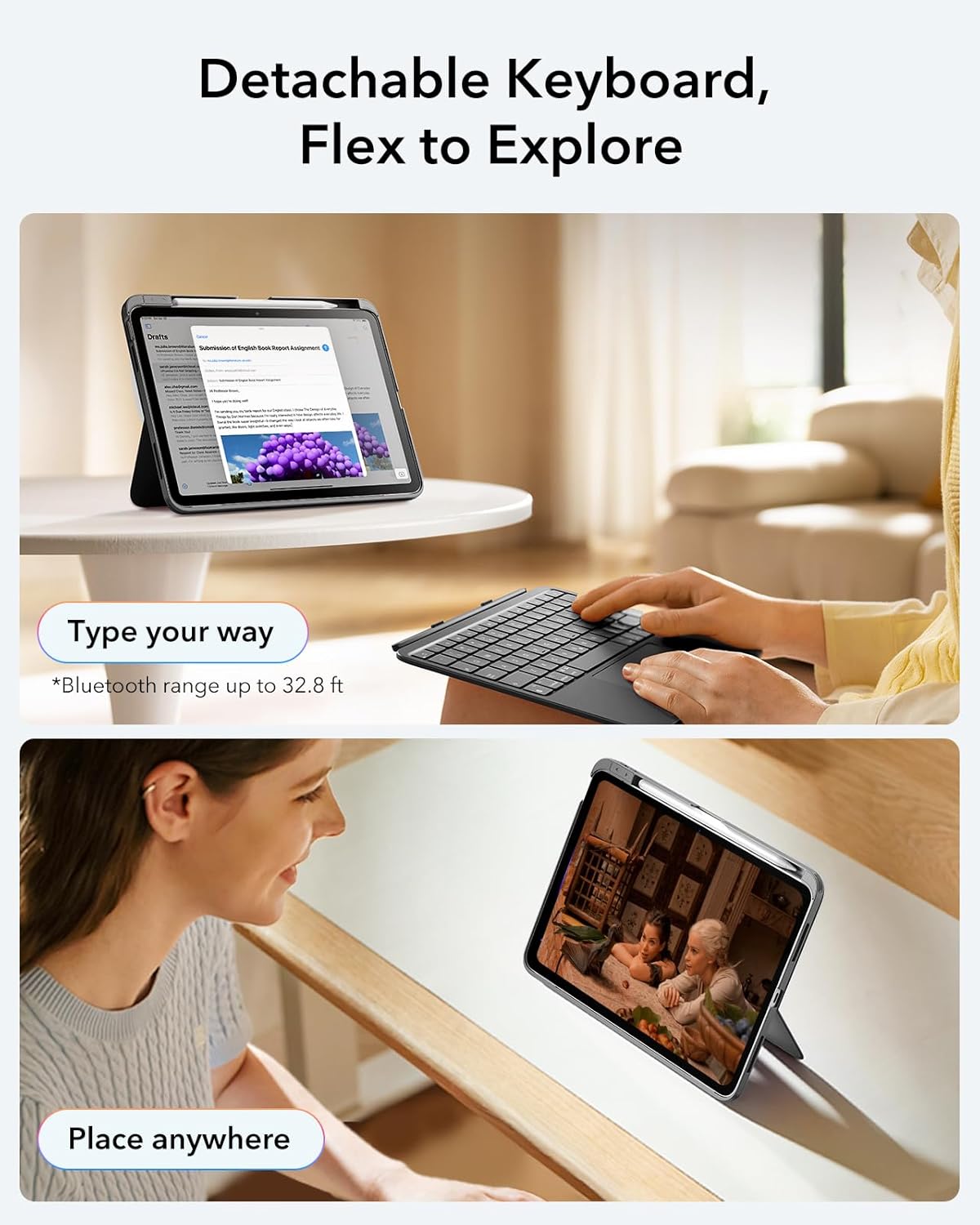
Image: The ESR Flexible Keyboard Case with the detachable keyboard in use, demonstrating its magnetic attachment and portability.
የአሠራር መመሪያዎች
Detachable Magnetic Keyboard
The keyboard can be easily attached or removed from the case due to its strong magnetic connection. This allows for flexible usage, enabling you to switch between a laptop-like setup and a pure tablet mode for reading, watching videos, or sketching.
The keyboard features a QWERTZ layout, which is standard for German-speaking regions. Please be aware of this layout difference if you are accustomed to other keyboard layouts (e.g., QWERTY or AZERTY).
የሚስተካከለው ViewAngles ውስጥ
The case offers two stable viewing angles, supported by a triangular stand design to prevent wobbling:
- 65° አንግል፡ Ideal for working, reading, or watching videos.
- 20° አንግል፡ Suitable for writing or drawing.

Image: The ESR Flexible Keyboard Case demonstrating its two stable viewing angles: 20 degrees for drawing/writing and 65 degrees for viewing/typing.
ትክክለኛነት ትራክፓድ
The extra-large trackpad provides smooth and precise navigation. It supports intuitive multi-touch gestures for efficient operation:
- ጠቅ ያድርጉ፡ Single finger tap.
- ሸብልል፡ Two-finger swipe up or down.
- አጉላ፡ በሁለት ጣቶች ይቆንጥጡ።
- ቤት፡ Three-finger swipe up.
For optimal trackpad performance, you can adjust the cursor speed on your iPad: Go to iPad Settings > አጠቃላይ > ትራክፓድ and adjust the cursor speed (10 levels available).
Note: This keyboard does not feature a backlight.

Image: A close-up of the large precision trackpad, illustrating various multi-touch gestures like click, scroll, zoom, and home.
Pencil Storage and Release
The case includes a quick-access pen slot for secure storage of your Apple Pencil. A one-handed release mechanism allows for easy retrieval.

Image: The ESR Flexible Keyboard Case featuring a dedicated slot for the Apple Pencil and a quick-release mechanism for easy access.
ጥገና
- ማጽዳት፡ Use a soft, dry, lint-free cloth to clean the keyboard and case. For stubborn dirt, slightly dampጨርቁን በውሃ. ኃይለኛ ኬሚካሎችን ወይም ሻካራ ማጽጃዎችን ከመጠቀም ይቆጠቡ።
- በመሙላት ላይ፡ Recharge the keyboard when the battery indicator shows low power. Regular charging helps maintain battery health.
- ማከማቻ፡ When not in use for extended periods, store the keyboard and case in a cool, dry place. Ensure the keyboard is turned off to conserve battery life.
- ጥበቃ፡ The robust case with reinforced Air Guard corners is designed to protect your iPad from scratches, drops, and dust. While durable, avoid exposing the case to extreme temperatures or direct impact.
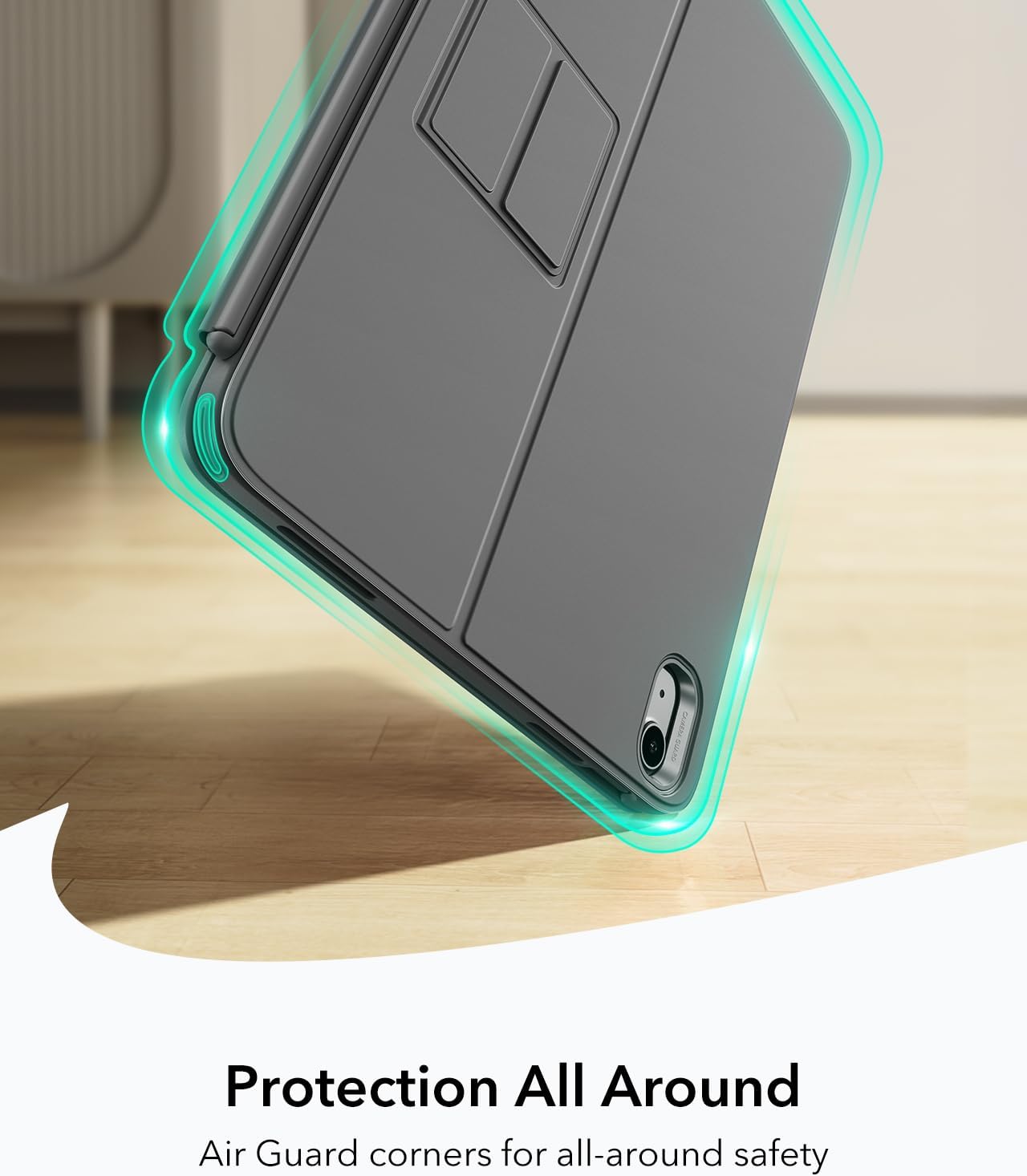
Image: The ESR Flexible Keyboard Case highlighting its Air Guard reinforced corners for all-around protection.
መላ መፈለግ
| ችግር | ሊሆን የሚችል ምክንያት | መፍትሄ |
|---|---|---|
| የቁልፍ ሰሌዳው በብሉቱዝ በኩል አይገናኝም። | Keyboard is off, low battery, Bluetooth off on iPad, or not paired. |
|
| ትራክፓድ ምላሽ እየሰጠ አይደለም። | Keyboard not connected, trackpad disabled (if applicable), or software glitch. |
|
| ቁልፎች ምላሽ እየሰጡ አይደለም። | Low battery, connection issue, or keyboard malfunction. |
|
| Incorrect key input (e.g., QWERTZ vs QWERTY). | Keyboard layout is QWERTZ. |
|
ዝርዝሮች
- የምርት ስም፡ ESR
- ሞዴል፡ Flexible Keyboard Case
- ተኳኋኝነት iPad 11" (A16) 2025, iPad 10th Gen 2022 (Models: A2696, A2757, A2777, A3354, A3355, A3162, A3356)
- ግንኙነት፡ ብሉቱዝ
- የቁልፍ ሰሌዳ አቀማመጥ QWERTZ (German style)
- የቁልፎች ብዛት፡- 78
- የመከታተያ ሰሌዳ፡ Extra-large precision trackpad with multi-touch gesture support
- የጀርባ ብርሃን፡ የጀርባ ብርሃን የለም።
- Viewአንግል ውስጥ; 65° (working/viewing), 20° (writing/drawing)
- የኃይል ምንጭ፡- ባትሪ (እንደገና ሊሞላ የሚችል)
- ቁሳቁስ፡ ፕላስቲክ
- Weight (Case & Keyboard): በግምት 530 ግ
- ውፍረት፡ በግምት 6.9 ሚሜ
- የብሉቱዝ ክልል: እስከ 32.8 ጫማ (10 ሜትር)
- ልዩ ባህሪያት፡ Detachable magnetic keyboard, reinforced Air Guard corners, quick-access pen slot.
- የስርዓተ ክወና ተኳኋኝነት; iPadOS

Image: The ESR Flexible Keyboard Case held in hand, emphasizing its lightweight design (530g) for portability.
ዋስትና እና ድጋፍ
For warranty information and customer support, please refer to the official ESR website or contact their customer service directly. Details regarding specific warranty periods and support procedures are typically provided with your purchase documentation or on the manufacturer's webጣቢያ.
እባክዎ ለማንኛውም የዋስትና ጥያቄዎች የግዢ ማረጋገጫዎን ያቆዩ።