
1. ምርት አብቅቷልview
The Bonacell RGB Wireless Controller is designed to enhance your gaming experience on PS5 Pro, PS5 Slim, and PC. It features advanced functionalities such as dual vibration, 6-axis motion sensing, customizable RGB lighting, programmable back paddles, and a turbo function. This manual provides detailed instructions for setup, operation, and troubleshooting.

Image 1: The Bonacell RGB Wireless Controller is compatible with multiple devices, including PS5 consoles and Windows PCs.
2. Controller Layout and Components
Familiarize yourself with the various buttons and components of your Bonacell RGB Wireless Controller.

Image 2: Detailed diagram showing the layout of the multifunctional controller, including all buttons, sticks, and ports.
- የመዳሰሻ ሰሌዳ Interactive surface for in-game navigation.
- አጋራ አዝራር፡- የጨዋታ ይዘትን ለማጋራት።
- የምናሌ አዝራር፡- Accesses in-game menus.
- Cross Key (D-pad): አቅጣጫዊ ግቤት።
- ተናጋሪ፡- የተቀናጀ የድምጽ ውፅዓት።
- የግራ ዱላ፡ ዋናው የእንቅስቃሴ ቁጥጥር።
- ቱርቦ አዝራር፡- Activates turbo mode for rapid input.
- 3.5 ሚሜ የጆሮ ማዳመጫ ጃክ; የጆሮ ማዳመጫዎችን ለማገናኘት ፡፡
- የብርሃን ቁልፍ; Controls RGB lighting modes.
- መነሻ አዝራር፡- የስርዓት ምናሌዎችን ማብራት/ማጥፋት እና መድረስ ይችላል።
- የቀኝ ዱላ፡ Camera and secondary movement control.
- R1/L1 Buttons: የትከሻ አዝራሮች።
- የዩኤስቢ ኃይል መሙያ ወደብ ለኃይል መሙያ እና ለገመድ ግንኙነት የአይነት-ሲ ወደብ።
- R2/L2 Triggers: አናሎግ ቀስቅሴዎች።
- SET (Marco) Button: For macro programming.
- PR/PL Paddles: Programmable rear paddles.
3. ማዋቀር እና ግንኙነት
3.1 Initial Pairing with PS5 Console
- Ensure the PS5 console is powered on.
- Connect the Bonacell RGB Wireless Controller to the PS5 console using a Type-C data cable (included or original).
- ተጭነው ይያዙት። አጋራ አዝራር + የመነሻ አዝራር on the wireless controller simultaneously for 3 seconds to initiate pairing.
- Once paired, the controller can be used wirelessly. The Home button can then activate the controller with a single click without restarting the console.
3.2 ከፒሲ ጋር መገናኘት
The controller offers two methods for PC connection:
3.2.1 ባለገመድ ግንኙነት
- Connect the controller to your PC using the Type-C data cable.
- ፒሲው አስፈላጊዎቹን አሽከርካሪዎች በራስ-ሰር ማግኘት እና መጫን አለበት።
3.2.2 የብሉቱዝ ገመድ አልባ ግንኙነት
- ኮምፒውተርዎ ብሉቱዝ መብራቱን ያረጋግጡ።
- በመቆጣጠሪያው ላይ, ተጭነው ይያዙት አጋራ አዝራር + የመነሻ አዝራር simultaneously for 3 seconds to enter pairing mode. The indicator light will flash.
- On your PC, go to Bluetooth settings and search for new devices. Select the Bonacell controller when it appears.
- የማጣመሪያ ሂደቱን ለማጠናቀቅ ማንኛውንም የስክሪን ላይ ጥያቄዎችን ይከተሉ።
4. የአሠራር መመሪያዎች
4.1 RGB የመብራት ሁነታዎች
The controller features 9 vibrant RGB lighting effects.

Image 3: The controller offers seven light colors and three light modes, including breathing, strobe, and static effects, with a color memory function.
- የሚለውን ይጫኑ የብርሃን ቁልፍ to cycle through the 9 available lighting effects (e.g., breath, strobe, static).
- The controller includes a color memory function, ensuring your preferred lighting color is displayed upon subsequent use.
4.2 Dual Vibration Feedback
Experience immersive feedback with the controller's dual vibration motors.

Image 4: The dual motor vibration feedback provides a delicate and immersive sensation during gameplay.
- The dual motors provide tactile feedback for in-game actions, such as explosions and impacts.
4.3 6-Axis Gyroscope and Sensitive Joysticks
Achieve precise control with the integrated 6-axis gyroscope and sensitive 3D joysticks.

Image 5: The sensitive 6-axis somatosensory and 3D joysticks contribute to an ultimate gaming experience with enhanced precision.
- The 6-axis gyroscope allows for motion-based controls, enhancing aiming and in-game interactions.
- Sensitive 3D joysticks provide accurate and responsive input.
4.4 Programmable Back Paddles and Macro Function
- The rear paddles (PR/PL) can be programmed to execute complex button combinations (macros).
- የሚለውን ተጠቀም SET (Marco) button to program sequences like R2 + Triangle + L3 onto a single paddle for quick execution.
4.5 ቱርቦ ሁነታ
- አግብር ቱርቦ ሁነታ to transform single button presses into rapid, automatic fire. This is useful for games requiring fast, repetitive inputs.
4.6 የድምጽ ባህሪያት
The controller supports both wired and Bluetooth audio functions.
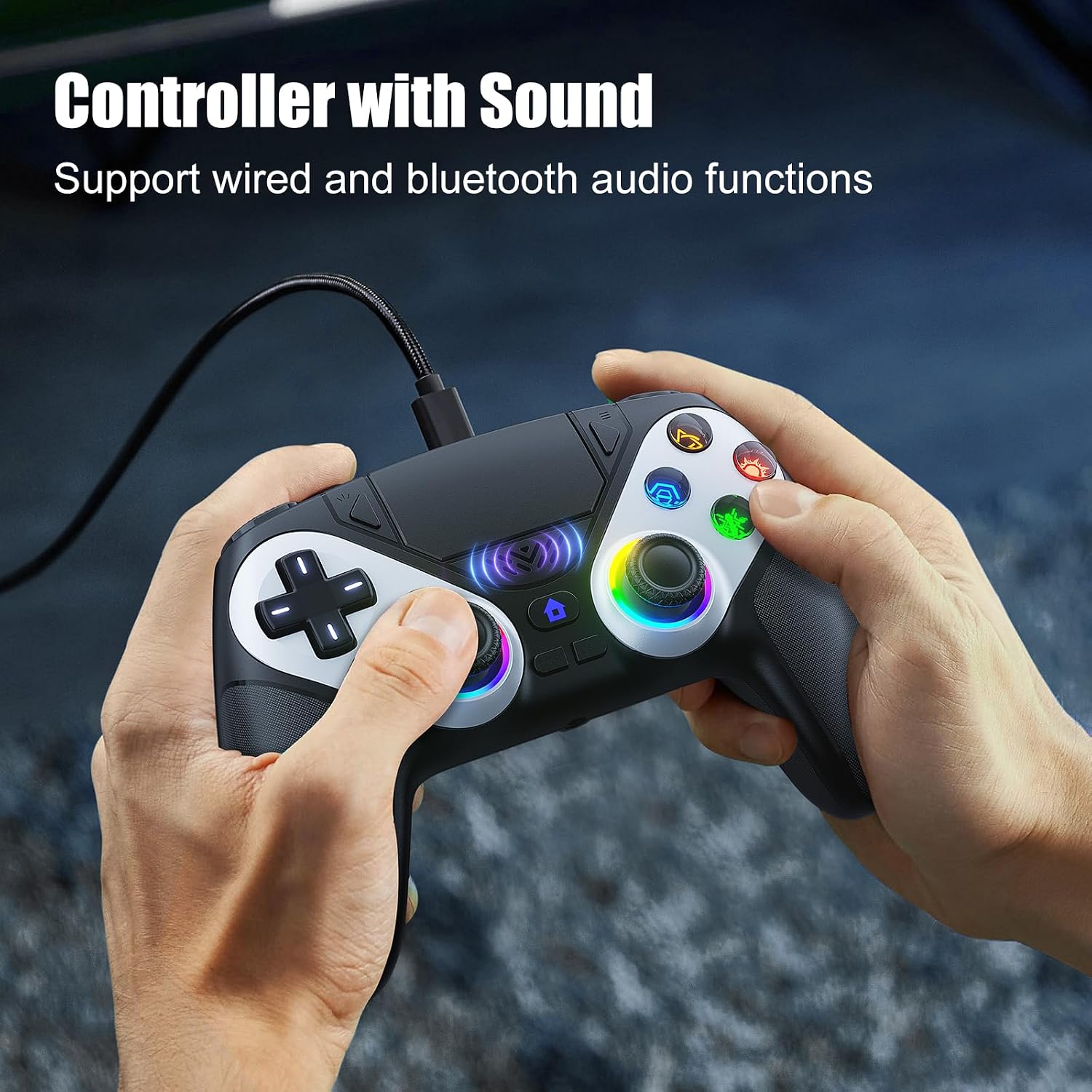
Image 6: The controller supports wired and Bluetooth audio functions, allowing for headset connection via the 3.5mm jack.
- የጆሮ ማዳመጫዎችዎን ከ 3.5 ሚሜ የጆሮ ማዳመጫ መሰኪያ for private audio.
- The built-in speaker provides in-game audio cues.
- ማስታወሻ፡- To use the controller's microphone, headphones must be connected.
5. መቆጣጠሪያውን መሙላት
- The controller has a 1000 mAh battery capacity.
- Charging can be done via the Type-C port using a cable or a compatible charging base.
- ሙሉ ክፍያ በተለምዶ 2.5 ሰአታት ይወስዳል።
- Once fully charged, the controller provides up to 16 hours of usage time.
6. መላ መፈለግ
- Controller not charging or turning on: Ensure the Type-C cable is securely connected to both the controller and a power source. Try a different cable or charging port.
- Headphones not working correctly: Verify that the headphones are fully plugged into the 3.5mm jack. Check headphone volume settings on the console/PC and the controller. Remember that a microphone requires headphones to be connected.
- የግንኙነት ችግሮች፡- For PS5, ensure initial wired pairing was successful. For PC Bluetooth, ensure PC Bluetooth is active and the controller is in pairing mode. Try re-pairing the controller.
- If issues persist, please refer to the support information provided with your purchase or contact Bonacell customer support.
7. ዝርዝሮች
| ባህሪ | ዝርዝር መግለጫ |
|---|---|
| የምርት ስም | Wireless Controller for P-5 |
| የምርት ክብደት | 0.26 kg (340 grams with packaging) |
| የምርት ልኬቶች | 165 x 105 x 45 mm (Controller) / 17 x 7 x 12 cm (Package) |
| የባትሪ አቅም | 1000 ሚአሰ |
| የአጠቃቀም ጊዜ | እስከ 16 ሰዓታት ድረስ |
| የኃይል መሙያ ጊዜ | በግምት 2.5 ሰዓታት |
| የመሙያ ዘዴ | Type-C cable or charging base |
| ተግባራት | Dual Shock Motor, 6-Axis Gyroscope, RGB Lighting, Back Paddles, Turbo Mode, Touchpad, 3.5mm Audio Jack, Speaker |
| ቁሳቁስ | ኤቢኤስ |
| ተኳኋኝነት | PS5 Pro, PS5 Slim, Windows PC |
8. ዋስትና እና ድጋፍ
For warranty information, returns, or specific support inquiries, please refer to the documentation included with your purchase or contact the seller directly. If you encounter any issues not covered in this manual, such as charging problems or audio malfunctions, please reach out to customer support for assistance.


