1. መግቢያ
PRUNUS J-139 Portable Vin ስለመረጡ እናመሰግናለንtage Radio. This device combines classic aesthetics with modern functionality, offering FM/AM/SW radio reception, Bluetooth connectivity, and versatile music playback options. Designed for ease of use and portability, it features multiple power supply methods, making it ideal for various indoor and outdoor settings.
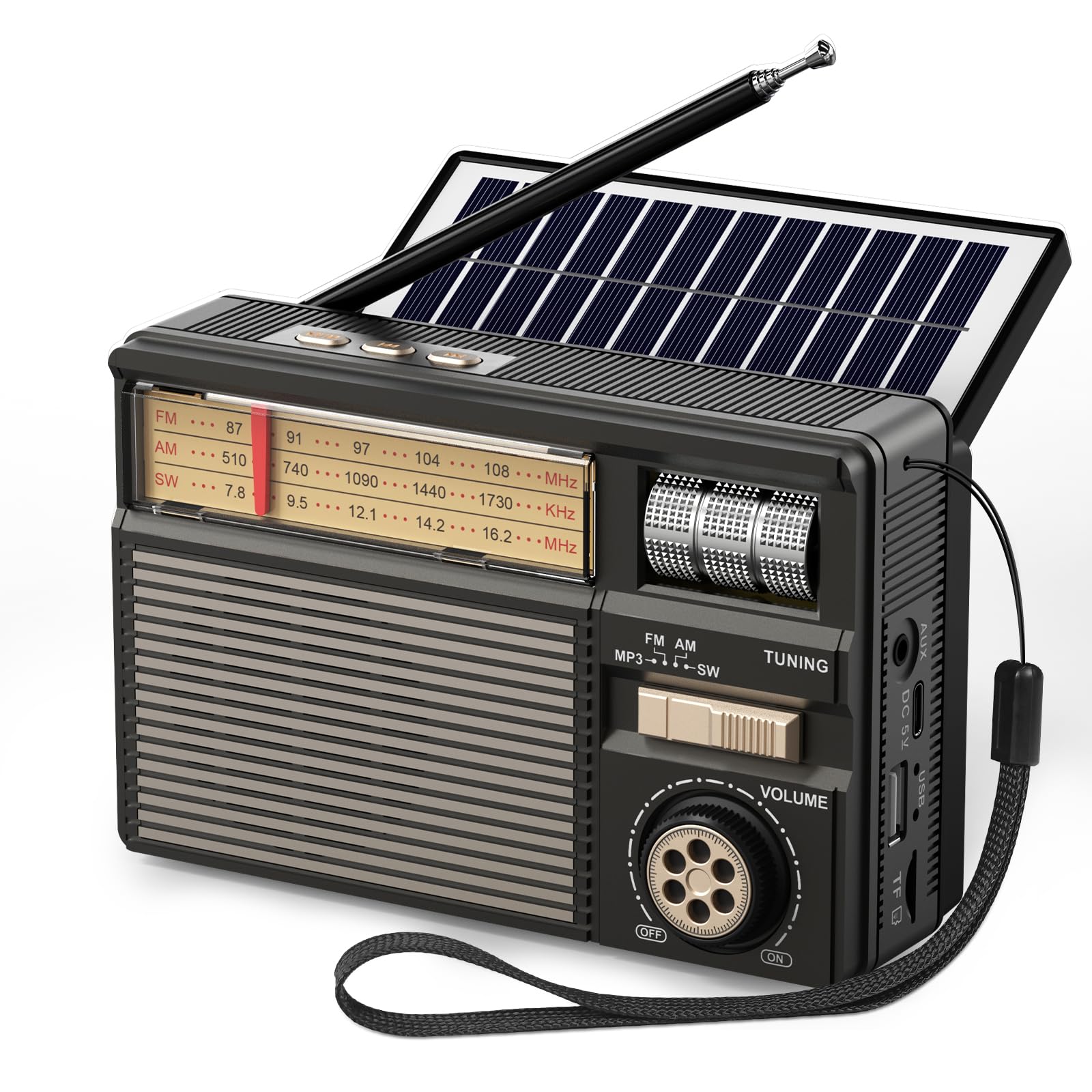
Image 1: The PRUNUS J-139 Portable Vintagኢ ሬዲዮ፣ ሾውasing its classic design and compact size.
2. የምርት ባህሪዎች
- በጣም ጥሩ አቀባበል፡ FM (87–108 MHz), AM (510–1730 kHz), and SW (7.8–16.2 MHz) with a premium American chip and a 20-inch copper antenna for clear and strong signals.
- የቅርብ ጊዜ ብሉቱዝ 6.0፡ Functions as a wireless Bluetooth speaker for faster pairing, stable connections, clear sound, and low latency.
- ሁለገብ ሙዚቃ መልሶ ማጫወት፡ Supports USB drive, TF card (up to 64GB), or AUX cable for playing MP3, WAV, APE, FLAC formats.
- Rich & Immersive Sound: Features a 3W high-performance speaker for vibrant, room-filling audio.
- 3 Power Supply Options: Built-in 1800mAh rechargeable battery, USB-C charging, and eco-friendly solar power.
- የታመቀ እና ለመሸከም ቀላል Measures 5.7 x 2.5 x 3.7 inches and weighs 13.4 oz, with a handy lanyard for portability.
- ለመጠቀም ቀላል; Intuitive rotary power/volume knob, smooth tuning roller, and sliding band switch for manual control.
3. ማዋቀር
3.1 ማሸግ
Carefully remove the radio and all accessories from the packaging. Verify that all included components are present: Owner's Manual, Quick Start Guide, Radio, and USB-C Charging Cable.
3.2 የመጀመሪያ ደረጃ መሙላት
Before first use, it is recommended to fully charge the built-in 1800mAh rechargeable battery. Connect the provided USB-C charging cable to the radio's USB-C port and a compatible USB power adapter (not included). The power indicator light will show charging status.
3.3 አንቴና ማራዘሚያ
For optimal radio reception, extend the telescopic antenna fully. The 20-inch copper antenna is designed to enhance signal strength.

Image 2: The PRUNUS J-139 radio with its 20-inch telescopic antenna fully extended for improved reception.
4. የአሠራር መመሪያዎች
4.1 Power On/Off & Volume Control
Rotate the volume knob clockwise to turn the radio on. Continue rotating to increase the volume. Rotate counter-clockwise to decrease volume and turn the radio off.
4.2 ባንድ ምርጫ
Use the sliding band switch to select between FM, AM, SW, or MP3/Bluetooth modes.
4.3 የሬዲዮ ጣቢያዎችን ማስተካከል
In FM, AM, or SW mode, use the tuning roller to scan for available radio stations. Extend the telescopic antenna for better reception. The analog dial will indicate the frequency.
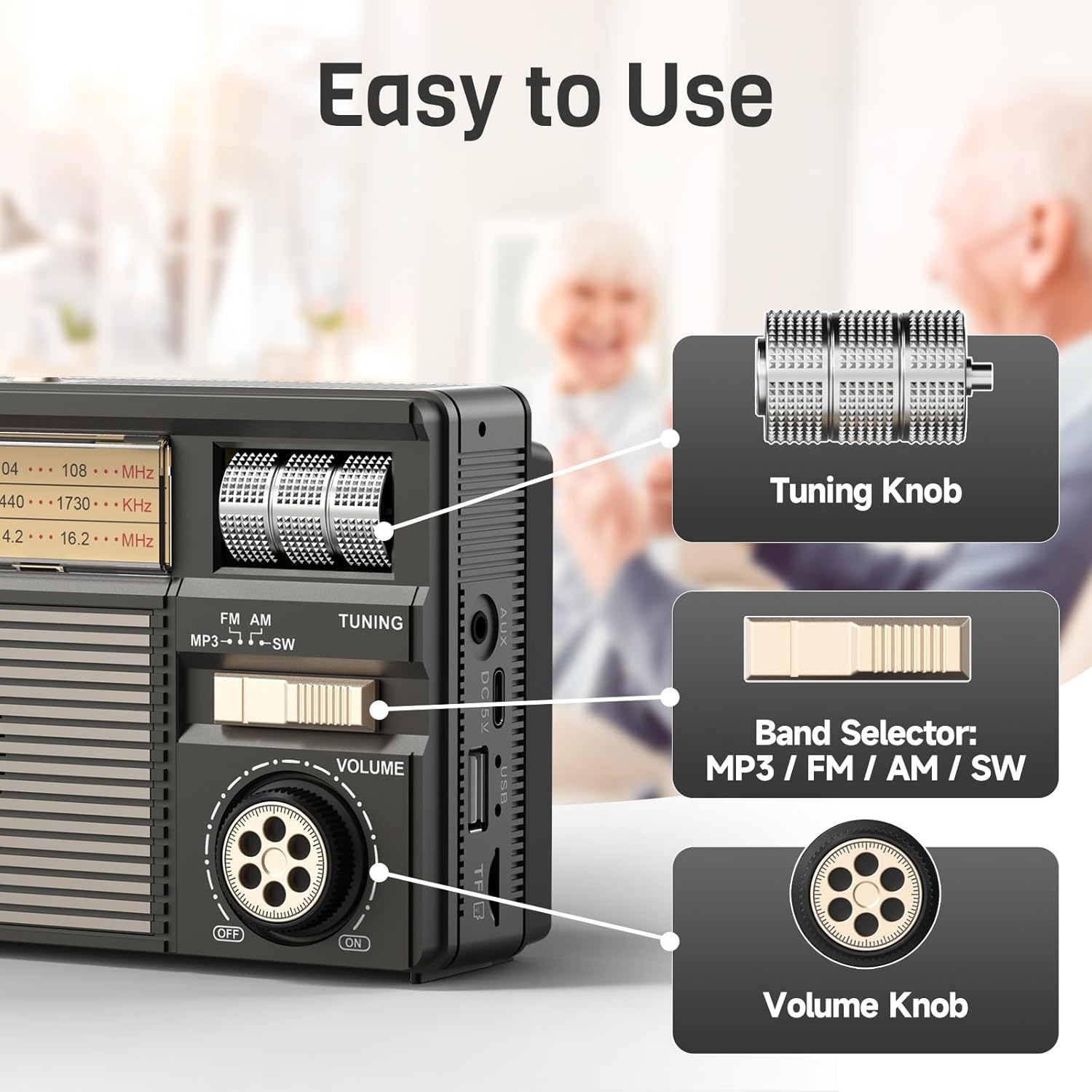
Image 3: Close-up of the PRUNUS J-139's intuitive controls, including the tuning knob, band selector, and volume knob.
4.4 የብሉቱዝ ሁነታ
Slide the band switch to the Bluetooth/MP3 position. The radio will enter Bluetooth pairing mode. On your smartphone or Bluetooth-enabled device, search for