
1. መግቢያ
Thank you for choosing the RORSOU C6 Active Noise Cancelling Headphones. These headphones are designed to provide a superior audio experience with advanced noise-cancelling technology, comfortable wear, and versatile connectivity options. This manual will guide you through the setup, operation, and maintenance of your new headphones.

Image: RORSOU C6 Active Noise Cancelling Headphones, Rose Gold variant.
2. የጥቅል ይዘቶች
እባክዎ ሁሉም እቃዎች በጥቅልዎ ውስጥ መኖራቸውን ያረጋግጡ፡-
- RORSOU C6 Active Noise Cancellation Bluetooth Headphones
- 3.5ሚሜ የመጠባበቂያ የድምጽ ገመድ
- የዩኤስቢ ባትሪ መሙያ ገመድ
- የተጠቃሚ መመሪያ (ይህ ሰነድ)
- Travel Protective Storage Bag
3. ምርት አብቅቷልview እና መቆጣጠሪያዎች
Familiarize yourself with the physical features and control buttons of your RORSOU C6 headphones.

Image: Detailed diagram illustrating the location and function of control buttons and ports on the RORSOU C6 headphones.
- የድምጽ መጠን መጨመር (+) / ቀጣይ ትራክ፡ Click for volume up, long press for next track.
- የድምጽ መጠን መቀነስ (-) / ቀዳሚ ትራክ፡ Click for volume down, long press for previous track.
- የኃይል አዝራር / አጫውት/ለአፍታ አቁም፦ Long press to power on/off, click to play/pause music.
- የኤኤንሲ ቁልፍ፡- Click to activate/deactivate Active Noise Cancelling.
- ዓይነት-ሲ ወደብ: የጆሮ ማዳመጫዎችን ለመሙላት.
- 3.5ሚሜ ኦዲዮ ጃክ፡ ባለገመድ የድምጽ ግንኙነት.
4. ማዋቀር
4.1. የብሉቱዝ ማጣመር
- የጆሮ ማዳመጫዎች መጥፋታቸውን ያረጋግጡ።
- Long press the Power Button until the LED indicator flashes blue, indicating pairing mode.
- On your device (smartphone, tablet, PC), enable Bluetooth and search for "RORSOU C6" in the list of available devices.
- Select "RORSOU C6" to connect. The LED indicator will turn solid blue once connected.
4.2. ባለገመድ ግንኙነት
የጆሮ ማዳመጫዎችን በገመድ ግንኙነት ለመጠቀም፡-
- Connect one end of the provided 3.5mm audio cable to the 3.5mm audio jack on the headphones.
- Connect the other end of the cable to your audio source's 3.5mm port.
- የጆሮ ማዳመጫዎች በራስ-ሰር ወደ ባለገመድ ሁነታ ይቀየራሉ.
5. የአሠራር መመሪያዎች
5.1. ንቁ የድምጽ መሰረዝ (ኤኤንሲ)
The RORSOU C6 features advanced Active Noise Cancelling technology to reduce ambient noise.

Image: Visual representation of Active Noise Cancelling reducing external noise.
- To activate ANC, click the dedicated ANC button. You will hear an audible confirmation.
- To deactivate ANC, click the ANC button again.
5.2. የድምጽ ጥራት
Equipped with 40mm dynamic drivers, the C6 headphones deliver high-fidelity audio with deep bass, rich mids, and crisp highs, ensuring every detail of your music is clear.
5.3. የባትሪ ህይወት እና ባትሪ መሙላት
The headphones offer up to 60 hours of playtime on a single charge. A full charge takes approximately 2 hours using the provided USB charging cable.

Image: Close-up of the RORSOU C6 earcups and adjustable headband, emphasizing comfort.
5.4. ምቾት እና ተንቀሳቃሽነት
The RORSOU C6 headphones feature ultra-soft protein leather earcups and an adjustable headband for extended comfortable wear. Their lightweight and foldable design allows for easy storage in the travel protective bag, making them ideal for travel and daily use.
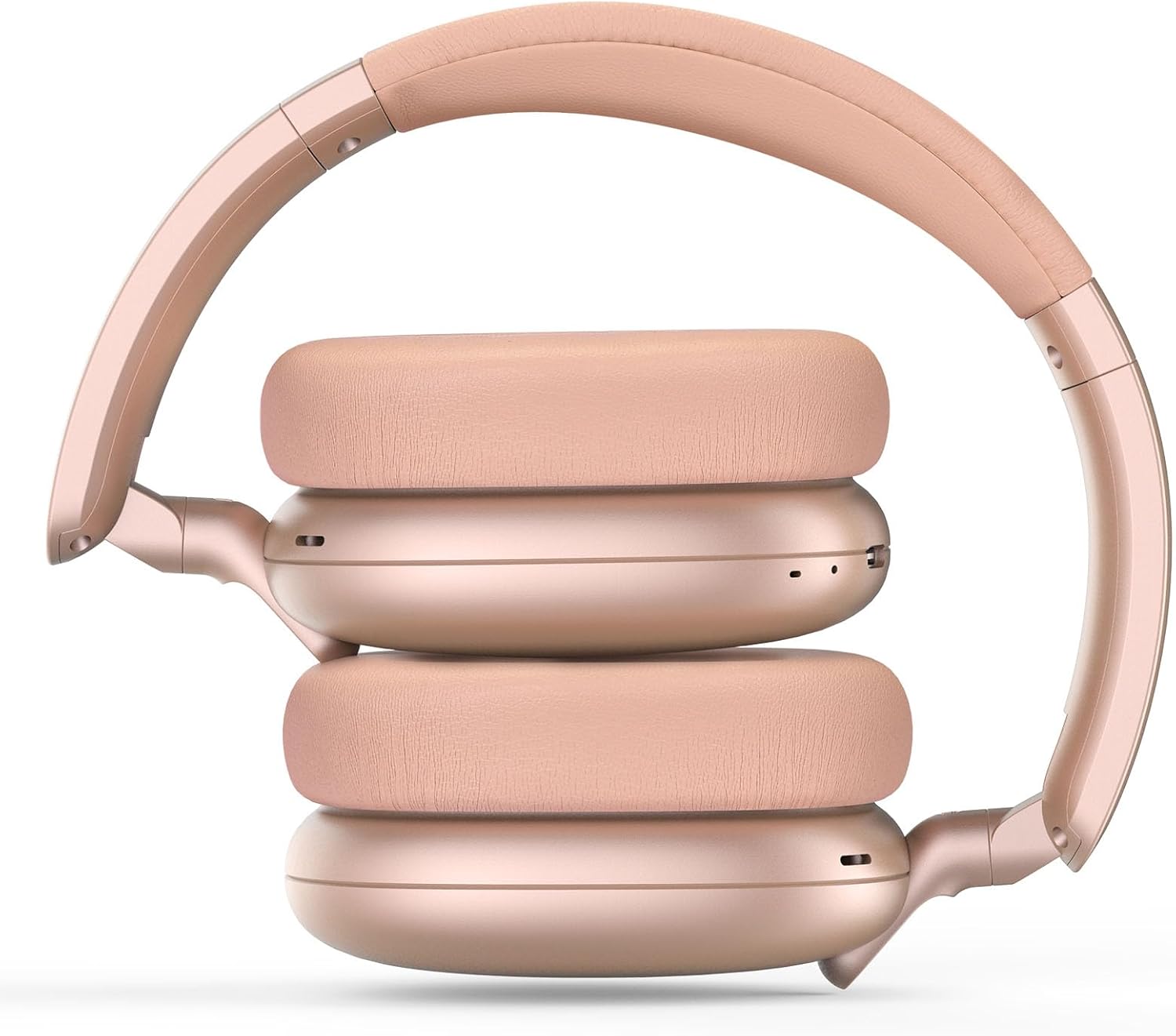
Image: RORSOU C6 headphones shown in their folded configuration, demonstrating portability.
6. ዝርዝሮች
| ባህሪ | ዝርዝር መግለጫ |
|---|---|
| የሞዴል ስም | C6 |
| የምርት ስም | RORSOU |
| የግንኙነት ቴክኖሎጂ | Bluetooth 5.4, Wired, Wireless |
| ገመድ አልባ የመገናኛ ቴክኖሎጂ | ብሉቱዝ |
| የድምፅ መቆጣጠሪያ ባህሪያት | ገባሪ የድምጽ ስረዛ |
| የጆሮ ማዳመጫዎች ጃክ | 3.5 ሚሜ ሚሜ |
| የድምጽ ነጂ መጠን | 40 ሚሊሜትር |
| የባትሪ ህይወት | 60 ሰዓታት |
| የኃይል መሙያ ጊዜ | 2 ሰዓታት |
| የእቃው ክብደት | 230 ግራም (8.1 አውንስ) |
| ልዩ ባህሪ | Adjustable Headband, Detachable Cable, Foldable, Lightweight, Noise Cancellation |
7. ጥገና
To ensure the longevity and optimal performance of your RORSOU C6 headphones, follow these maintenance guidelines:
- ማጽዳት፡ የጆሮ ማዳመጫዎቹን ለማጽዳት ለስላሳ እና ደረቅ ጨርቅ ይጠቀሙ። ጠበኛ ኬሚካሎችን ወይም ሻካራ ቁሳቁሶችን ከመጠቀም ይቆጠቡ።
- ማከማቻ፡ When not in use, store the headphones in the provided travel protective storage bag to prevent dust and scratches.
- ከባድ ሁኔታዎችን ያስወግዱ; የጆሮ ማዳመጫዎቹን ለከፍተኛ ሙቀት፣ እርጥበት ወይም ቀጥተኛ የፀሐይ ብርሃን አያጋልጡ።
- የውሃ መቋቋም; These headphones are not water resistant. Avoid contact with liquids.
8. መላ መፈለግ
If you encounter any issues with your RORSOU C6 headphones, please refer to the following common solutions:
- ኃይል የለም፡ የጆሮ ማዳመጫዎቹ ሙሉ በሙሉ መሞላቸውን ያረጋግጡ። የዩኤስቢ ኃይል መሙያ ገመድ በመጠቀም ከኃይል ምንጭ ጋር ያገናኙዋቸው።
- በብሉቱዝ በኩል ማጣመር አይቻልም፦ Make sure the headphones are in pairing mode (flashing blue LED). Ensure Bluetooth is enabled on your device and it is within range (10 meters). Try restarting both the headphones and your device.
- ድምጽ የለም፡ Check the volume levels on both the headphones and your connected device. If using a wired connection, ensure the 3.5mm cable is securely plugged into both ends.
- ኤኤንሲ አይሰራም፡ Ensure the ANC function is activated by pressing the ANC button.
- ደካማ የድምጽ ጥራት፡ Ensure the headphones are within Bluetooth range of your device. If using a wired connection, try a different 3.5mm cable.
9. ዋስትና እና ድጋፍ
RORSOU is dedicated to providing high-quality products with excellent after-sale service. Your RORSOU C6 headphones come with a 365-day Hassle-Free Limited Protection. If you have any questions or require support, please contact RORSOU customer service. We aim to respond within 12 hours.