
1. መግቢያ
Thank you for choosing the CORBOBO LEOBOG AMG65 Wireless Mechanical Keyboard. This keyboard is designed for versatility and performance, featuring a 65% compact layout, dual smart screens, hot-swappable switches, and multi-mode connectivity. This manual provides detailed instructions for setup, operation, maintenance, and troubleshooting to ensure optimal use of your device.
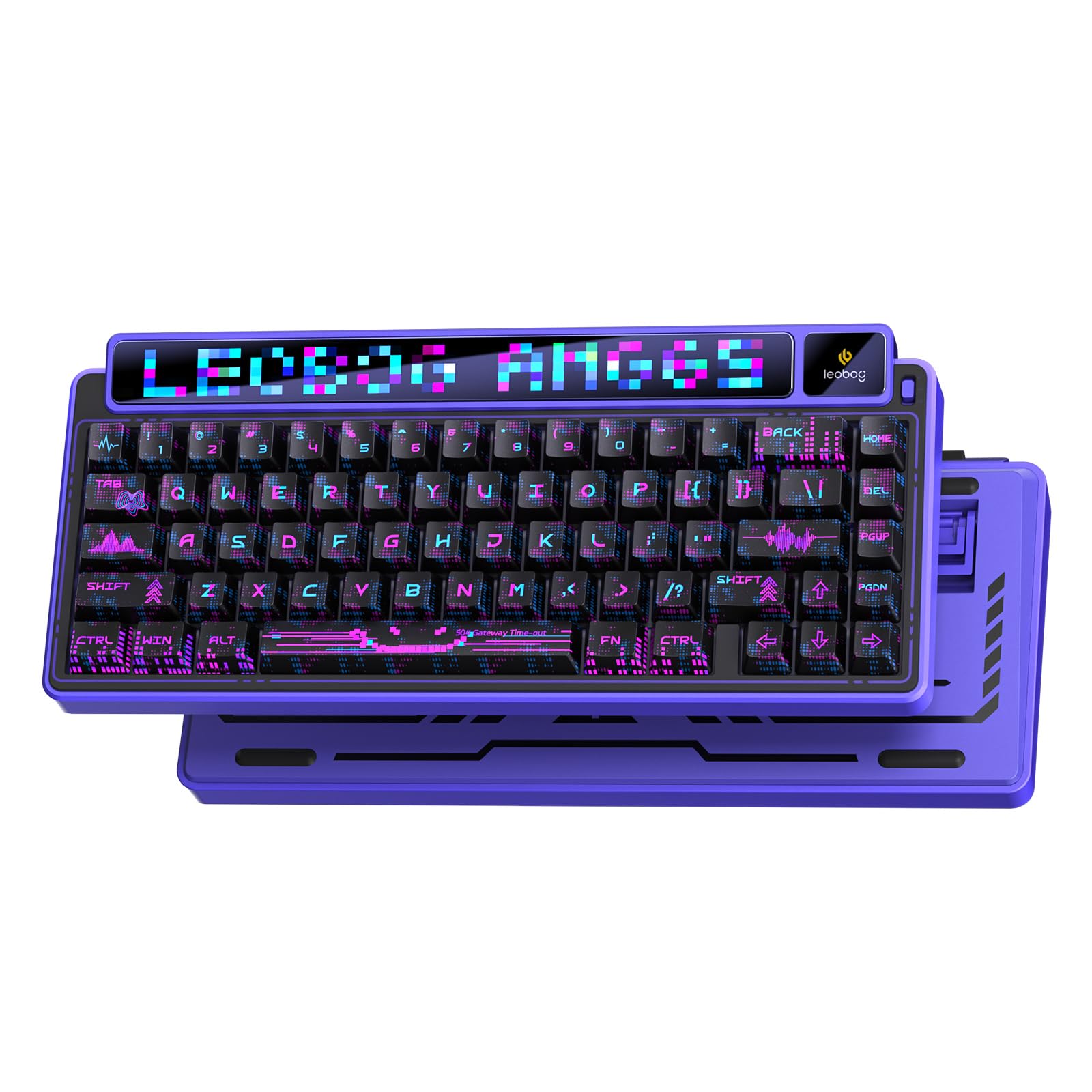
Image 1: The LEOBOG AMG65 Wireless Mechanical Keyboard, showcasing its compact design and dual screens.
2. የጥቅል ይዘቶች
እባክዎ ሁሉም እቃዎች በጥቅልዎ ውስጥ መኖራቸውን ያረጋግጡ፡-
- የቁልፍ ሰሌዳ x 1
- የተጠቃሚ መመሪያ x1
- ዩኤስቢ-ሲ ኬብል x 1
- የቁልፍ መጎተቻ x 1
- Extra Leobog Switches x 2
3. ማዋቀር
3.1 የመጀመሪያ ደረጃ መሙላት
Before first use, it is recommended to fully charge the keyboard. Connect the provided USB-C cable to the keyboard's USB-C port and to a power source (e.g., computer USB port or wall adapter). The keyboard features an 8000mAh battery, providing extended usage time.
3.2 የግንኙነት ሁነታዎች
The LEOBOG AMG65 keyboard supports three connection modes: 2.4GHz wireless, Bluetooth (BT5.0), and wired (USB-C). You can switch between these modes using the dedicated switch on the keyboard.

Image 2: The keyboard supports 2.4G wireless, Bluetooth, and USB-C wired connections across various devices and operating systems.
3.2.1 2.4GHz ገመድ አልባ ግንኙነት
- የ2.4GHz የዩኤስቢ መቀበያውን ያግኙ።
- መቀበያውን በኮምፒዩተርዎ ላይ ባለው የዩኤስቢ ወደብ ይሰኩት።
- Switch the keyboard to 2.4GHz mode using the mode switch. The keyboard will automatically connect.
3.2.2 የብሉቱዝ ግንኙነት
- Switch the keyboard to Bluetooth mode using the mode switch.
- On your device (PC, laptop, smartphone, tablet), enable Bluetooth and search for new devices.
- Select "LEOBOG AMG65" from the list of available devices to pair. The keyboard can save up to 5 different Bluetooth devices.
3.2.3 ባለገመድ ግንኙነት
- የቀረበውን የዩኤስቢ-ሲ ገመድ ከቁልፍ ሰሌዳው ዩኤስቢ-ሲ ወደብ ያገናኙ።
- Connect the other end of the USB-C cable to your computer's USB port.
- የቁልፍ ሰሌዳው በራስ-ሰር ወደ ባለገመድ ሁነታ ይቀየራል እና ኃይል መሙላት ይጀምራል።
4. ኦፕሬሽን
4.1 Smart Dot Matrix LED Screen
The 6.9-inch dot matrix LED screen displays custom animations and can be modified via software or web drivers. It supports 315 different RGB dot matrix displays. During use, it can display sound effect rhythms by intelligently recognizing computer sound information in real-time.

Image 3: The keyboard's dual screens, including the larger dot matrix LED screen for custom animations.
4.2 1.14-inch TFT Smart Screen
The 1.14-inch smart display automatically shows the date, time, connection mode, and battery level. It functions as a multimedia control center, allowing adjustments to keyboard lighting effects, language settings, and computer volume using shortcut keys. GIF animations can be uploaded to customize the interface. ማስታወሻ፡- The screen time needs to be calibrated via the driver software.
4.3 RGB የጀርባ ብርሃን መቆጣጠሪያ
The keyboard features 16.8 million colors for personalized RGB backlighting. Lighting effects can be quickly switched using shortcut keys. The RGB lighting can also follow the rhythm of computer music via the driver software.

Image 4: Control RGB backlighting and TFT screen settings using dedicated function key combinations.
- FN + BACK: Turn on/off the TFT screen.
- FN + ENTER: Enter/Confirm and exit options within the TFT screen.
- FN + Left/Right Arrow: Switch to select options within the TFT screen.
- FN + SHIFT: Switch dot matrix screen lighting effects.
4.4 ትኩስ-መለዋወጥ የሚችሉ ማብሪያና ማጥፊያዎች እና የPBT ቁልፍ ካፕስ
The keyboard is equipped with pre-lubed LEOBOG linear switches and a full-key hot-swappable design, allowing users to easily replace 3-pin/5-pin mechanical switches for customization. The two-color injection-molded PBT keycaps are wear-resistant, ensuring character longevity.
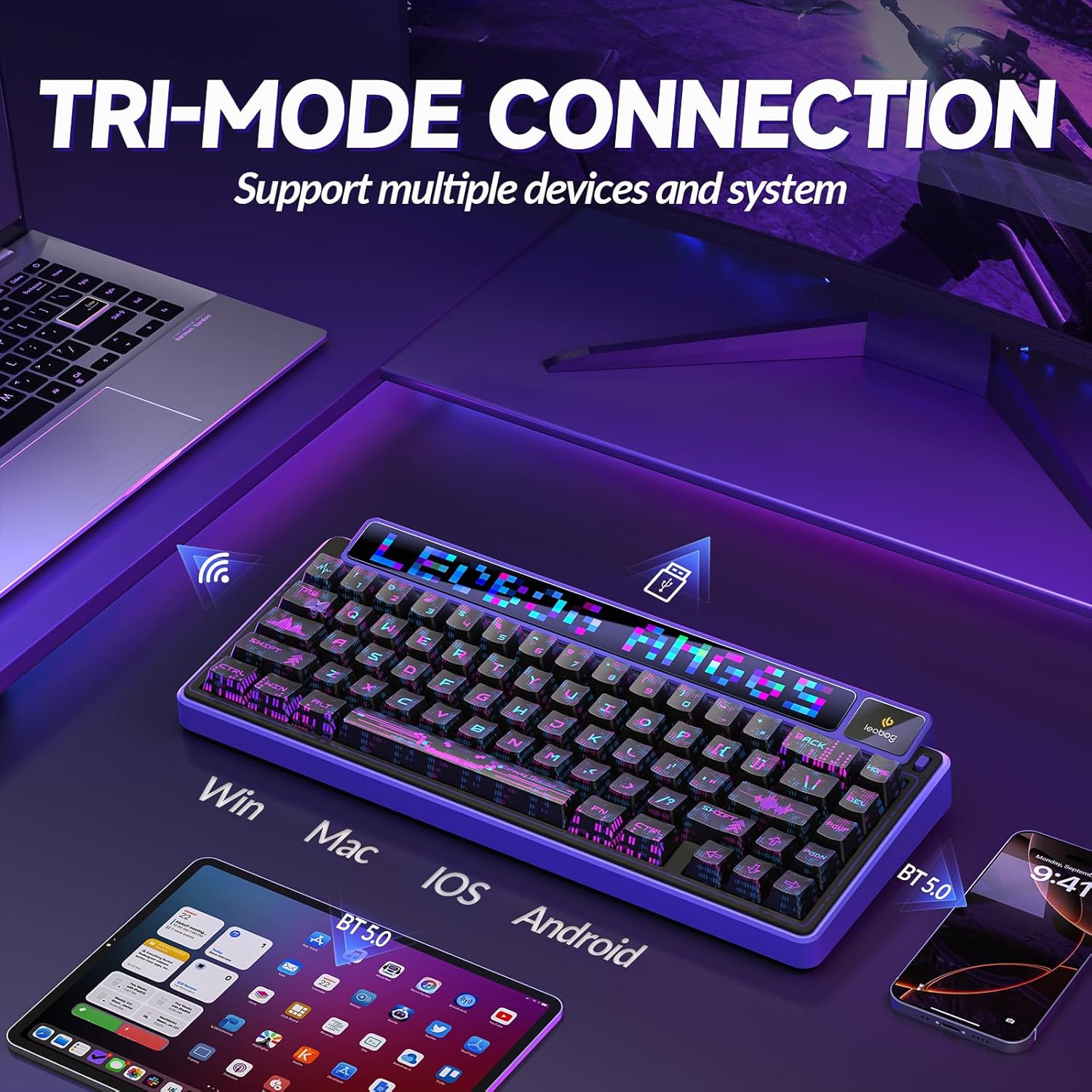
Image 5: Detail of the hot-swappable switch sockets and durable PBT keycaps.
4.5 Programmable Driver
The 65% 68-key layout supports full-key macro programming through dedicated software or web-based drivers. This allows for deep customization of key functions and lighting. ማስታወሻ፡- Driver settings are only supported on Windows systems and require a wired connection for operation. Driver download: bit.ly/m/AULA

Image 6: The software driver interface for advanced customization of keyboard functions and lighting effects.
5. የምርት ቪዲዮዎች
5.1 Leobog AMG65 Mechanical Keyboard Overview
ቪዲዮ 1፡ አንድ ባለሥልጣን አብቅቷል።view of the Leobog AMG65 Mechanical Keyboard, demonstrating its features, lighting, and sound.
6. ጥገና
6.1 ጽዳት
To maintain the keyboard's appearance and functionality, regularly clean it with a soft, dry cloth. For deeper cleaning, use a can of compressed air to remove dust and debris from between the keycaps. Avoid using harsh chemicals or abrasive materials.
6.2 የቁልፍ እና የመቀየሪያ ምትክ
The hot-swappable design allows for easy replacement of keycaps and switches. Use the provided keycap puller to carefully remove keycaps. For switches, use a switch puller (not included unless specified) to gently extract them. Ensure proper alignment when inserting new switches to avoid bending pins.
7. መላ መፈለግ
- የቁልፍ ሰሌዳ ምላሽ አይሰጥም፡- Ensure the keyboard is charged. Check the connection mode (2.4GHz, Bluetooth, or wired) and ensure it matches your device's connection. For wired mode, try a different USB port or cable.
- የብሉቱዝ ግንኙነት ችግሮች፡- Ensure Bluetooth is enabled on your device and the keyboard is in pairing mode. Remove previous pairings and try reconnecting.
- የማይመዘገቡ ቁልፎች፡- If specific keys are not working, try replacing the switch for that key, as the keyboard is hot-swappable.
- የማያ ገጽ ማሳያ ችግሮች፡ Ensure the keyboard is powered on. If the TFT screen time is incorrect, calibrate it using the driver software (wired connection required on Windows).
- የRGB መብራት አይሰራም፦ Check the keyboard's lighting settings using the function keys or the driver software.
8. ዝርዝሮች
| ባህሪ | ዝርዝር |
|---|---|
| የምርት ልኬቶች | 14.7 x 7.2 x 2.95 ኢንች |
| የእቃው ክብደት | 3.63 ፓውንድ |
| አምራች | ኮርቦቦ |
| የንጥል ሞዴል ቁጥር | AMG65 |
| ባትሪዎች | 2 መደበኛ ያልሆኑ የባትሪ ባትሪዎች ያስፈልጋሉ (ተካትቷል) |
| የግንኙነት ቴክኖሎጂ | 2.4GHz, BT5.0, USB-C |
| የቁልፍ ሰሌዳ መግለጫ | መካኒካል ጨዋታ ቁልፍ ሰሌዳ |
| ልዩ ባህሪያት | Backlit, Customizable Display Keys, Hot-Swappable, Mechanical keyboard, Rechargeable |
| የቁልፍ ሰሌዳ የጀርባ ብርሃን ቀለም ድጋፍ | አርጂቢ |
9. ዋስትና እና ድጋፍ
For warranty information and technical support, please refer to the documentation provided with your purchase or visit the official CORBOBO webጣቢያ. ለማንኛውም የዋስትና ጥያቄዎች የግዢ ማረጋገጫዎን ያስቀምጡ።