
መግቢያ
ስለገዙ እናመሰግናለንasing the Hisense 43A69Q 4K UHD Smart VIDAA TV. This manual provides essential information for setting up, operating, and maintaining your television. Please read it thoroughly before using the product to ensure safe and correct operation. Keep this manual for future reference.
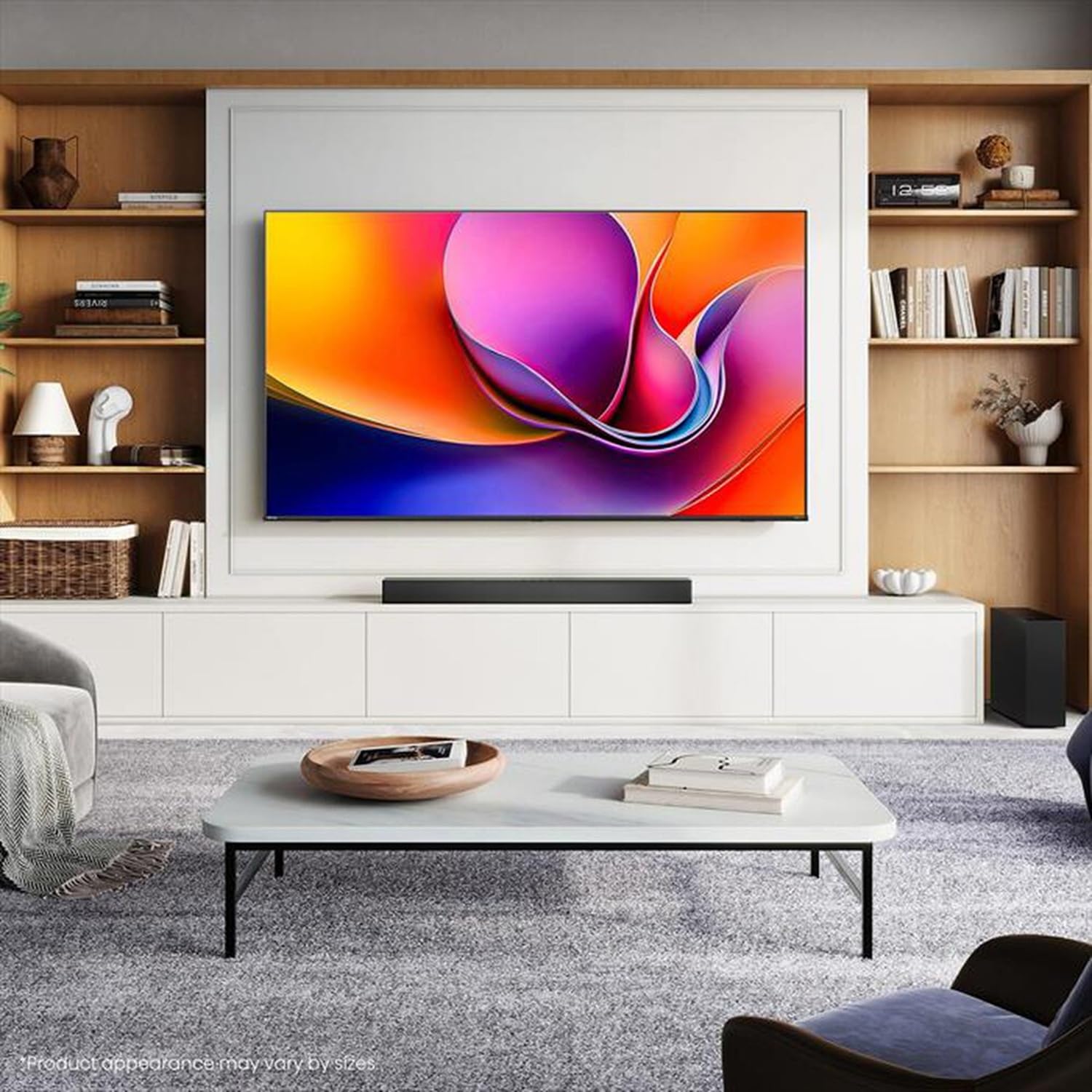
Image: Hisense 43A69Q 4K UHD Smart VIDAA TV. This image shows the television from the front, highlighting its slim bezel design and display.
የደህንነት መረጃ
ቴሌቪዥንዎን ሲጠቀሙ ሁል ጊዜ እነዚህን መሰረታዊ የደህንነት ጥንቃቄዎች ይከተሉ፡-
- ቴሌቪዥኑን ለዝናብ እና ለእርጥበት አያጋልጡት።
- Do not open the TV cabinet. Refer all servicing to qualified personnel.
- በቴሌቪዥኑ ዙሪያ ትክክለኛ አየር ማናፈሻን ያረጋግጡ። የአየር ማናፈሻ ክፍተቶችን አያግዱ.
- የኤሌክትሪክ ገመዱን እንዳይራመድ ወይም እንዳይቆንጥ ይጠብቁ.
- በመብረቅ አውሎ ንፋስ ጊዜ ወይም ለረጅም ጊዜ ጥቅም ላይ በማይውልበት ጊዜ ቴሌቪዥኑን ይንቀሉ.
- Keep the TV away from heat sources like radiators, heat registers, stoves, or other heat-producing appliances.
በሣጥኑ ውስጥ ያለው
ሁሉም ክፍሎች መኖራቸውን ያረጋግጡ፡-
- Hisense 43A69Q 4K UHD Smart VIDAA TV
- የርቀት መቆጣጠሪያ ከባትሪዎች ጋር
- የኃይል ገመድ
- TV Stand Components (2 legs)
- ለመቆሚያ መጫኛ ብሎኖች
- ፈጣን ማዋቀር መመሪያ
- የተጠቃሚ መመሪያ (ይህ ሰነድ)
ማዋቀር
1. ማሸግ
Carefully remove the TV from its packaging. It is recommended that two people handle the TV to prevent damage or injury. Retain the packaging materials for future transport or servicing.
2. የቁም መጫኛ
If you are not wall-mounting the TV, attach the stand:
- ስክሪኑ እንዳይጎዳ ለመከላከል ቴሌቪዥኑን ለስላሳ እና ንጹህ በሆነ ቦታ ላይ ያድርጉት።
- እያንዳንዱን የቆመ እግር በቴሌቪዥኑ ስር ካሉት ተጓዳኝ ክፍተቶች ጋር ያስተካክሉ።
- እያንዳንዱን እግር በተሰጡት ብሎኖች ያስጠብቁ። እነሱ በጥብቅ መያዛቸውን ያረጋግጡ።
- ቴሌቪዥኑን በጥንቃቄ ወደ ቋሚ ቦታ ከፍ ያድርጉት፤ በተረጋጋና በተስተካከለ ቦታ ላይ።
3. ግድግዳ መለጠፍ (አማራጭ)
The Hisense 43A69Q is compatible with VESA standard wall mounts (200x300 mm). Wall mount kits are sold separately. Follow the instructions provided with your wall mount kit and ensure professional installation if you are unsure.
4. የውጭ መሳሪያዎችን ማገናኘት
መሣሪያዎችዎን ከቴሌቪዥኑ ወደቦች ጋር ያገናኙ፡
- ኤችዲኤምአይ: Connect Blu-ray players, game consoles, or set-top boxes to the HDMI ports (HDMI1, HDMI2, HDMI3). This model features HDMI 2.1 with ALLM and VRR (60Hz) support on all ports, and eARC on HDMI3.
- ዩኤስቢ፡ Plug in USB drives for media playback (2 USB 2.0 ports).
- አንቴና/ገመድ፡ Connect your antenna or cable TV signal to the RF tuner input.
- ኢተርኔት፡ የተረጋጋ ባለገመድ የኢንተርኔት ግንኙነት እንዲኖርዎት፣ የኤተርኔት ገመድን ከRJ45 ወደብ ጋር ያገናኙ።
- ኦዲዮ ወጥቷል ፦ Use the S/PDIF optical output for digital audio to a soundbar or receiver, or the headphone jack for private listening.
5. Power On & First-Time Setup
After connecting all devices:
- የኃይል ገመዱን በቴሌቪዥኑ ውስጥ ይሰኩት እና ከዚያ ወደ ግድግዳ መውጫ ውስጥ ያስገቡ።
- በርቀት መቆጣጠሪያው ላይ ወይም በቴሌቪዥኑ በራሱ ላይ የኃይል ቁልፉን ይጫኑ።
- ለመጀመሪያ ጊዜ ማዋቀር የማያ ገጽ ላይ መመሪያዎችን ይከተሉ፣ የቋንቋ ምርጫን፣ የአውታረ መረብ ግንኙነትን (ዋይፋይ ወይም ኤተርኔት) እና የቻናል ቅኝትን ጨምሮ።
- Log in to your VIDAA account or create a new one to access smart features.
ቴሌቪዥኑን በመስራት ላይ
1. የርቀት መቆጣጠሪያ በላይview
Familiarize yourself with the remote control buttons for basic functions like power, volume, channel, input selection, and smart app shortcuts.
2. Navigating VIDAA Smart OS
The VIDAA Smart OS provides a user-friendly interface. Use the directional buttons and OK button on your remote to navigate menus, launch applications, and adjust settings.
3. ስማርት ባህሪያትን መጠቀም
Access pre-installed applications like Netflix, YouTube, and Amazon Prime Video directly from the home screen. Additional apps can be downloaded from the VIDAA App Store.
4. የምስል እና የድምጽ ቅንጅቶች
Adjust picture modes (Standard, Dynamic, Cinema, Game) and sound modes (Standard, Music, Speech) to optimize your viewing experience. Advanced settings allow fine-tuning of brightness, contrast, color, and audio equalizer.
This TV supports Dolby Vision and HDR10 for enhanced picture quality, and DTS Virtual X for immersive audio.
5. የግንኙነት ባህሪያት
- ዋይ ፋይ እና ብሉቱዝ፡ Connect wirelessly to your home network and Bluetooth devices like headphones or speakers.
- ማያ ገጽ መጋራት፡ Use built-in screen sharing features (e.g., AirPlay 2 support) to mirror content from compatible mobile devices.
- የጨዋታ ሁነታ ፕላስ፡ For gaming, enable Game Mode PLUS to reduce input lag (≤ 20 ms) and utilize VRR (Variable Refresh Rate) for smoother gameplay.
ጥገና
1. ቴሌቪዥኑን ማጽዳት
ስክሪኑን ለማፅዳት በለስላሳ እና ከተሸፈነ ጨርቅ በጥንቃቄ ያጥፉት። ለግትር ምልክቶች፣ በትንሹ መampen the cloth with water or a specialized screen cleaner. Never spray cleaner directly onto the screen. Clean the TV cabinet with a soft, dry cloth.
2. የሶፍትዌር ዝመናዎች
Your TV may receive software updates to improve performance and add new features. Ensure your TV is connected to the internet. You can usually check for updates in the TV's settings menu under 'System' or 'About TV'.
መላ መፈለግ
ችግሮች ካጋጠሙዎት እነዚህን የተለመዱ መፍትሄዎች ይሞክሩ:
- ኃይል የለም፡ የኤሌክትሪክ ገመዱ በቴሌቪዥኑ እና በግድግዳው መውጫው ላይ ደህንነቱ በተጠበቀ ሁኔታ መያያዙን ያረጋግጡ። የተለየ መውጫ ይሞክሩ።
- ምንም ምስል/ድምጽ የለም፡ Ensure the correct input source is selected. Check all cable connections. Restart connected devices.
- የርቀት መቆጣጠሪያ አይሰራም; ባትሪዎችን ይተኩ. በርቀት መቆጣጠሪያው እና በቴሌቪዥኑ IR ዳሳሽ መካከል ምንም እንቅፋቶች አለመኖራቸውን ያረጋግጡ።
- የአውታረ መረብ ግንኙነት ጉዳዮች፡- Restart your router and modem. Reconnect the TV to your Wi-Fi network or check the Ethernet cable.
- ደካማ የምስል ጥራት፡ የአንቴና/ኬብል ግንኙነቶችን ያረጋግጡ። የስዕል ቅንብሮችን ያስተካክሉ። የምንጭ ይዘቱ ከፍተኛ ጥራት ያለው መሆኑን ያረጋግጡ።
For persistent problems, consult the Hisense support webጣቢያ ወይም የደንበኛ አገልግሎትን ያነጋግሩ።
ዝርዝሮች
| ባህሪ | ዝርዝር መግለጫ |
|---|---|
| የምርት ስም | ሂንሴ |
| የሞዴል ስም | 43A69Q |
| የስክሪን መጠን | 43 ኢንች (108 ሴሜ) |
| ጥራት | 4K Ultra HD 3840x2160 |
| የማደስ ደረጃ | 60 Hz |
| ስርዓተ ክወና | VIDAA Smart OS |
| ኤችዲአር ቴክኖሎጂ | HDR, HDR10, HDR10+ decoding, Dolby Vision, HLG |
| የድምጽ ቴክኖሎጂ | DTS Virtual X (2x7W speakers) |
| HDMI ወደቦች | 3 (HDMI 2.1 with ALLM, VRR (60Hz); HDMI3 also with eARC) |
| የዩኤስቢ ወደቦች | 2 (ዩኤስቢ 2.0) |
| ግንኙነት | Wi-Fi (IEEE 802.11 a/b/g/n/ac-2.4G,5G), Bluetooth, Ethernet |
| የ VESA ተኳኋኝነት | 200x300 ሚ.ሜ |
| Energy Efficiency Class (SDR/HDR) | E / G |
| መጠኖች (ከቆመበት ጋር) | 963 ሚሜ (ወ) x 608 ሚሜ (ኤች) x 222 ሚሜ (ዲ) |
| የተጣራ ክብደት (ከቆመበት ጋር) | 6.9 ኪ.ግ |
ዋስትና እና ድጋፍ
Hisense products are covered by a manufacturer's warranty. Please refer to the warranty card included with your product or visit the official Hisense webለክልልዎ የተወሰኑ የዋስትና ውሎች እና ሁኔታዎች ጣቢያ።
For technical support, troubleshooting assistance, or service requests, please contact Hisense customer support through their official webበምርት ሰነድዎ ውስጥ የቀረበው ጣቢያ ወይም የእውቂያ መረጃ።