
ምርት አልቋልview
The amFilm OneTouch Privacy Screen Protector is designed specifically for the iPhone 17 Pro Max (6.9"). It provides privacy, protection, and an easy installation experience. This package also includes camera lens protectors for comprehensive device safeguarding.
- Ultra-Fast Installation: Features an automatic alignment kit for quick and precise application in approximately 30 seconds.
- 28° Privacy Protection: Screen content is visible only when viewed directly from the front. Viewing from angles greater than 28 degrees will blur or black out the screen.
- Anti-Fingerprint Resistance: A hydrophobic and oil-repellent transparent layer effectively prevents fingerprints and smudges.
- Ultra-Clear and Ultra-Sensitive: High-quality materials and advanced coating technology ensure a clear visual experience and sensitive touch response.
- 9H Tempered Glass: Provides robust shatterproof protection against drops and impacts.
- ጉዳዩ ተስማሚ Designed to be slightly smaller than the phone's panel size to ensure compatibility with most phone cases.
በሣጥኑ ውስጥ ያለው
Your amFilm OneTouch Privacy Screen Protector package includes the following components:
- 2 x amFilm OneTouch Screen Protectors (with pre-installed auto-alignment tool)
- 4 x የካሜራ ሌንስ ተከላካዮች
- 2 x እርጥብ መጥረጊያዎች
- 2 x ማይክሮፋይበር ጨርቆች
- 1 x Squeegee
- 2 x Large Dust Removal Covers
- 2 x Sheets of Dust Removal Stickers
- 1 x የመጫኛ መመሪያ

Image: Kit Contents for amFilm OneTouch Privacy Screen Protector.
የመጫኛ መመሪያ
Follow these steps for a bubble-free and perfectly aligned installation of your screen protector.
የቪዲዮ አጋዥ ስልጠና፡-
Video: Step-by-step guide on how to install the amFilm OneTouch Privacy Screen Protector.
የደረጃ በደረጃ መመሪያዎች፡-
-
Clean Your Phone Screen:
- Use the provided wet wipe to thoroughly clean the iPhone 17 Pro Max screen, removing all dirt and oils.
- Dry the screen completely with the microfiber cloth to eliminate any moisture or streaks.
- Use the large dust removal cover and dust removal stickers to pick up any remaining dust particles from the screen. Ensure the screen is completely dust-free.
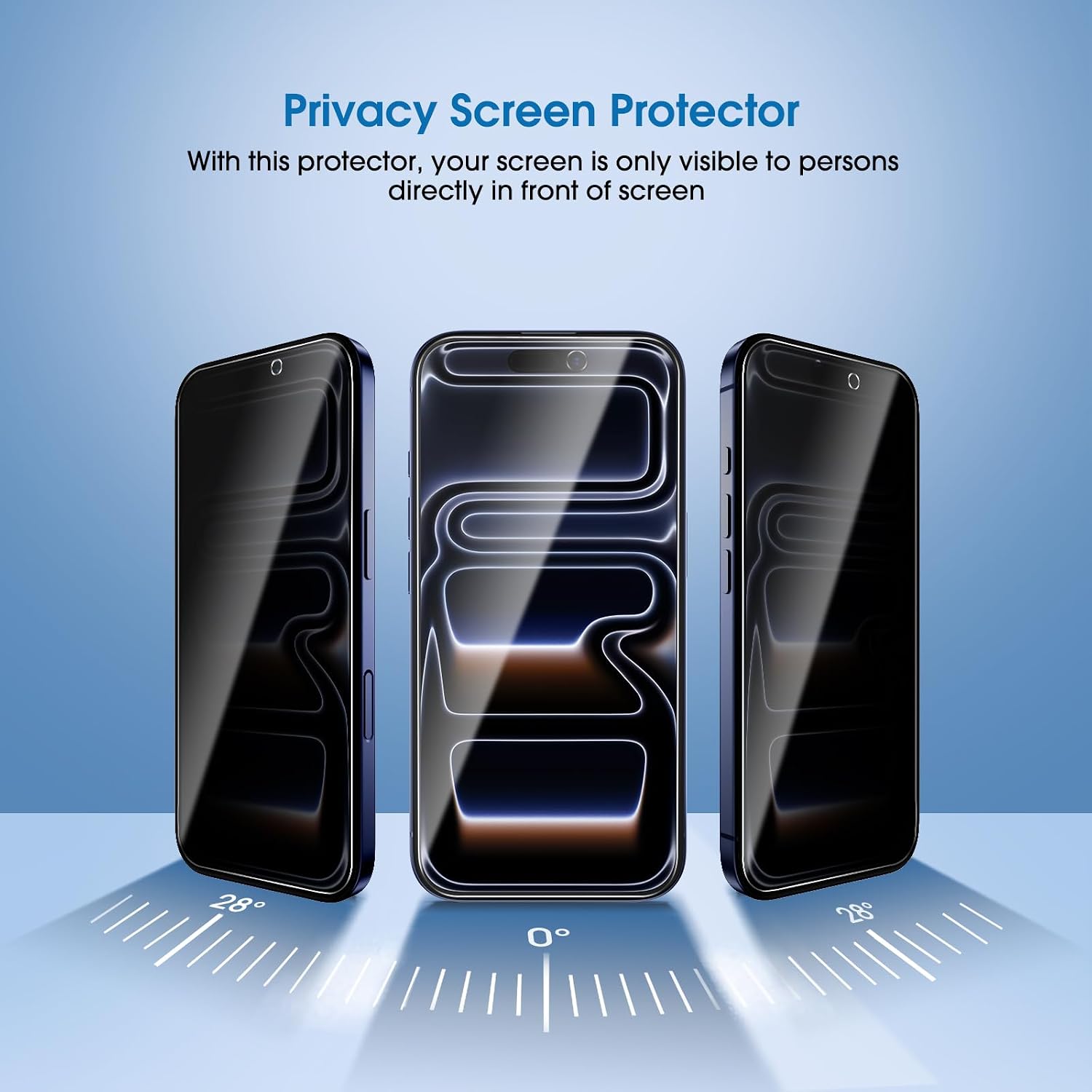
Image: Cleaning the screen with a wet wipe.
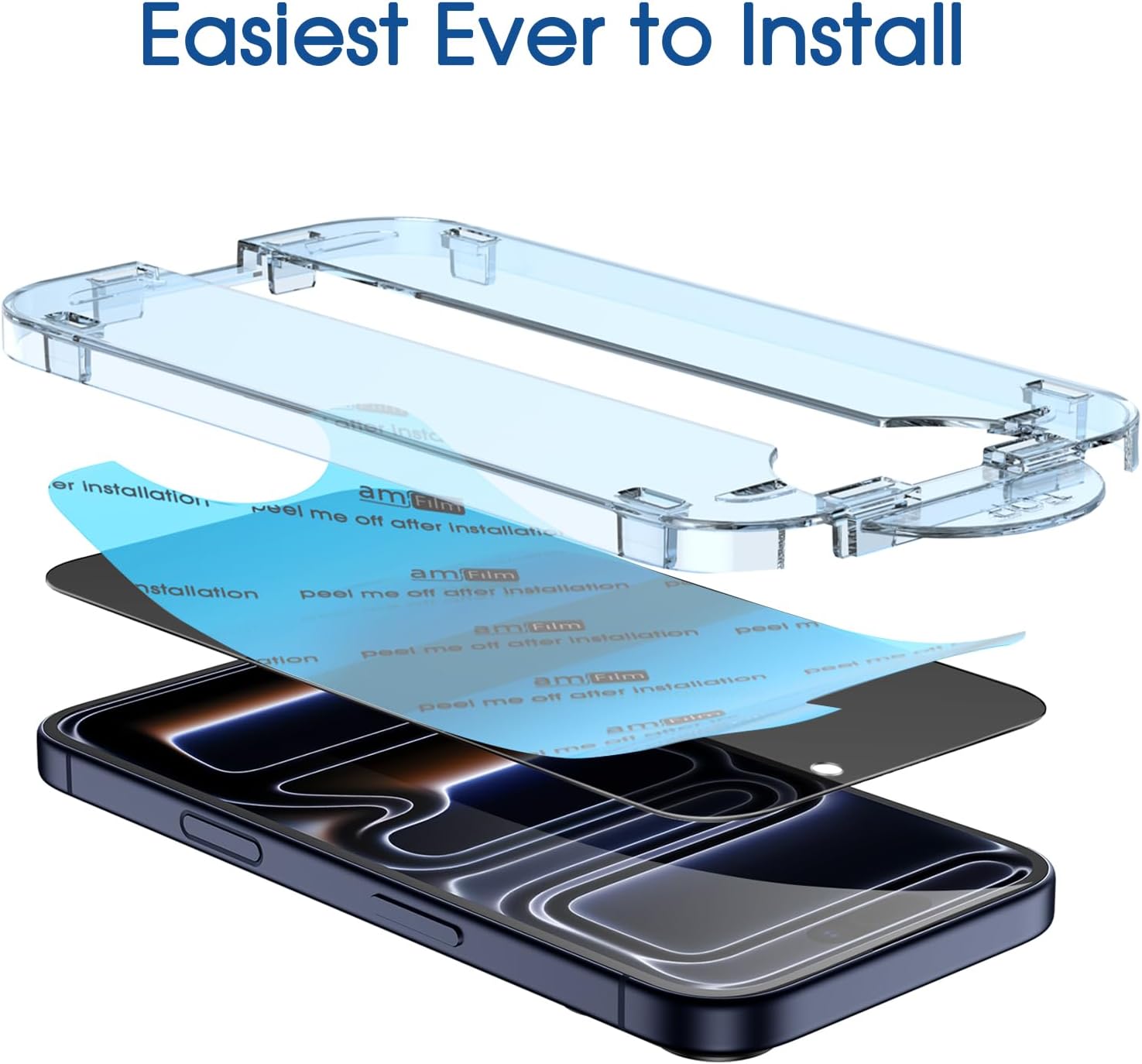
Image: Drying the screen with a microfiber cloth.
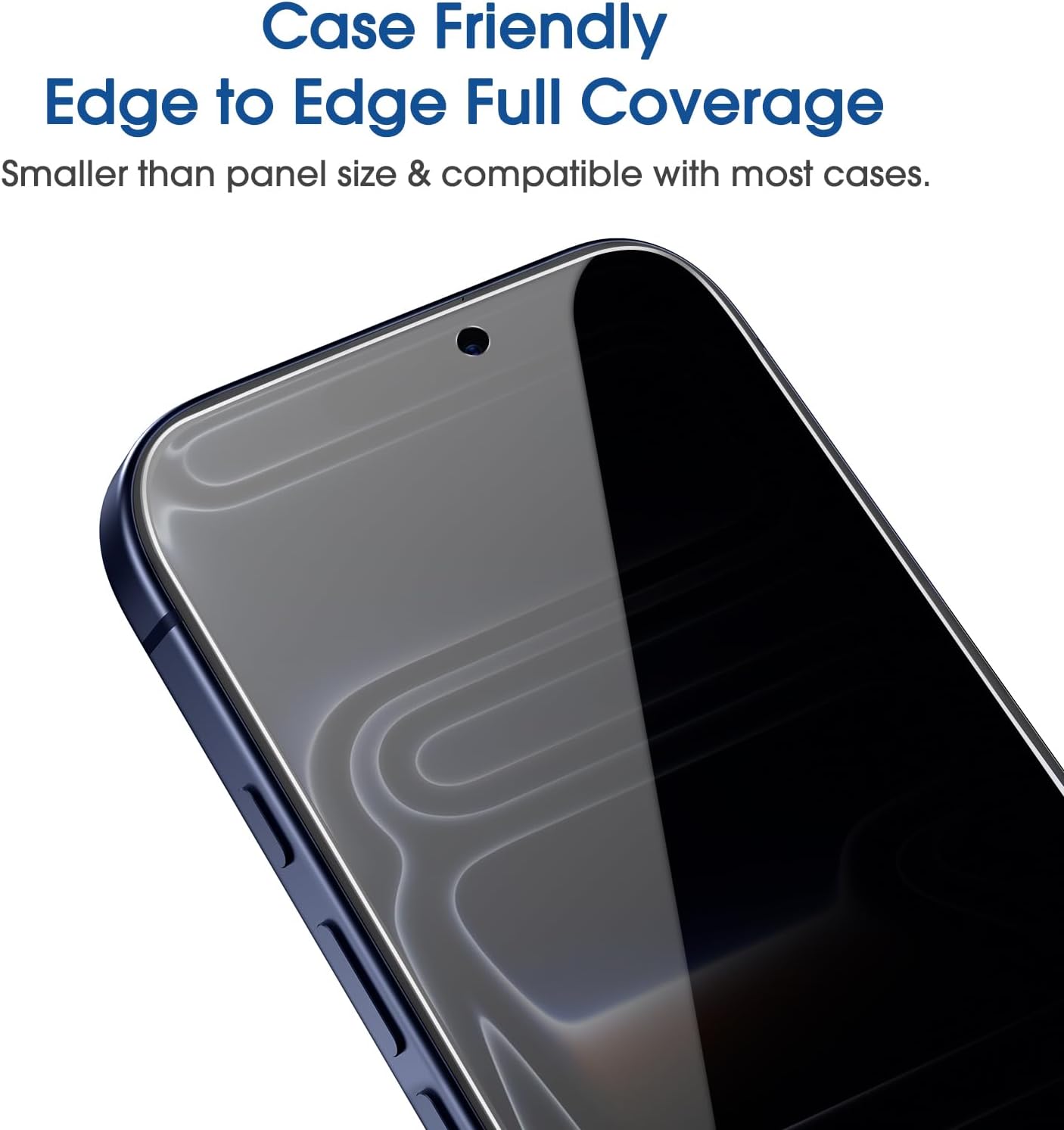
Image: Using a dust removal cover.
-
Prepare the Screen Protector:
- Place your iPhone 17 Pro Max into the auto-alignment installation tray, ensuring it is securely seated.
- Gently pull the tab downwards to remove the mask film from the screen protector. This exposes the adhesive side.

Image: Removing the mask film from the screen protector.
-
የማያ ገጽ መከላከያውን ይተግብሩ፦
- Align the installation tray over your phone. The auto-alignment tool will guide the screen protector into the correct position.
- Press down gently on the circular cutout area of the screen protector for 3 seconds to initiate adhesion.
- Once initial adhesion begins, press the screen protector firmly from the top and slide your finger downwards to ensure full contact and remove air bubbles.

Image: Aligning and applying the screen protector.
-
የመጨረሻ ደረጃዎች፡-
- Carefully remove the application tray from your phone.
- If any small bubbles remain, use the provided squeegee to gently push them towards the nearest edge of the screen.
- Install the camera lens protectors on the rear camera lenses. Ensure the lenses are clean before application.
Operating the Privacy Feature
The amFilm OneTouch Privacy Screen Protector incorporates a 28-degree privacy filter. This feature ensures that your screen content is only visible to you when viewing your device directly from the front. Individuals attempting to view your screen from an angle greater than 28 degrees will see a blurred or blacked-out display, protecting your sensitive information from prying eyes.

Image: Visual representation of the 28-degree privacy angle.
ጥገና
To maintain the clarity and effectiveness of your amFilm screen protector:
- Regularly wipe the screen with a clean, soft microfiber cloth to remove dust and smudges.
- ለግትር ምልክቶች፣ በትንሹ መampen the microfiber cloth with water or a screen-safe cleaning solution. Avoid harsh chemicals.
- The anti-fingerprint coating helps reduce oil and sweat residue, keeping your screen cleaner for longer.
መላ መፈለግ
የተለመዱ ጉዳዮች እና መፍትሄዎች:
- ከተጫነ በኋላ አረፋዎች፡ Small bubbles often disappear within 24-48 hours. For larger or persistent bubbles, gently push them towards the nearest edge using the provided squeegee or a credit card wrapped in a microfiber cloth.
- Dust Under the Screen Protector: If dust particles are trapped, carefully lift the nearest corner of the screen protector using a dust removal sticker. Use another dust removal sticker to dab the dust off the screen and the adhesive side of the protector, then reapply.
- Screen Protector Not Adhering Properly: Ensure the screen was thoroughly cleaned and free of oil and dust before application. Re-press firmly from the center outwards.
ዝርዝሮች
| የምርት ስም | amፊልም |
| የሞዴል ስም | አይፎን 17 ፕሮ ማክስ |
| ተስማሚ መሣሪያዎች | Apple iPhone 17 Pro Max (6.9 Inches) |
| የንጥል ጥንካሬ | 9H |
| የስክሪን ወለል መግለጫ | ለስላሳ |
| ግልጽነት | 10 (Ultra-Clear) |
| ልዩ ባህሪያት | Privacy Filter (28°), Anti-Fingerprint, Shatterproof, Auto-Alignment Installation |
ዋስትና እና ድጋፍ
amFilm products typically come with a lifetime warranty. For specific warranty details, product registration, or technical support, please visit the official amFilm website or contact their customer service directly. You can often find support information on the packaging or by visiting the የአማዞን የamFilm መደብር.