
መግቢያ
The TECPHILE InCard Finder is a versatile smart tracker designed to help you locate your valuable items. It offers dual compatibility with both Apple Find My and Google Find My Device networks, providing broad tracking capabilities. Its ultra-slim, credit card-sized design allows for discreet placement in wallets, bags, and other personal items. This manual provides detailed instructions for setup, operation, and maintenance of your InCard Finder.
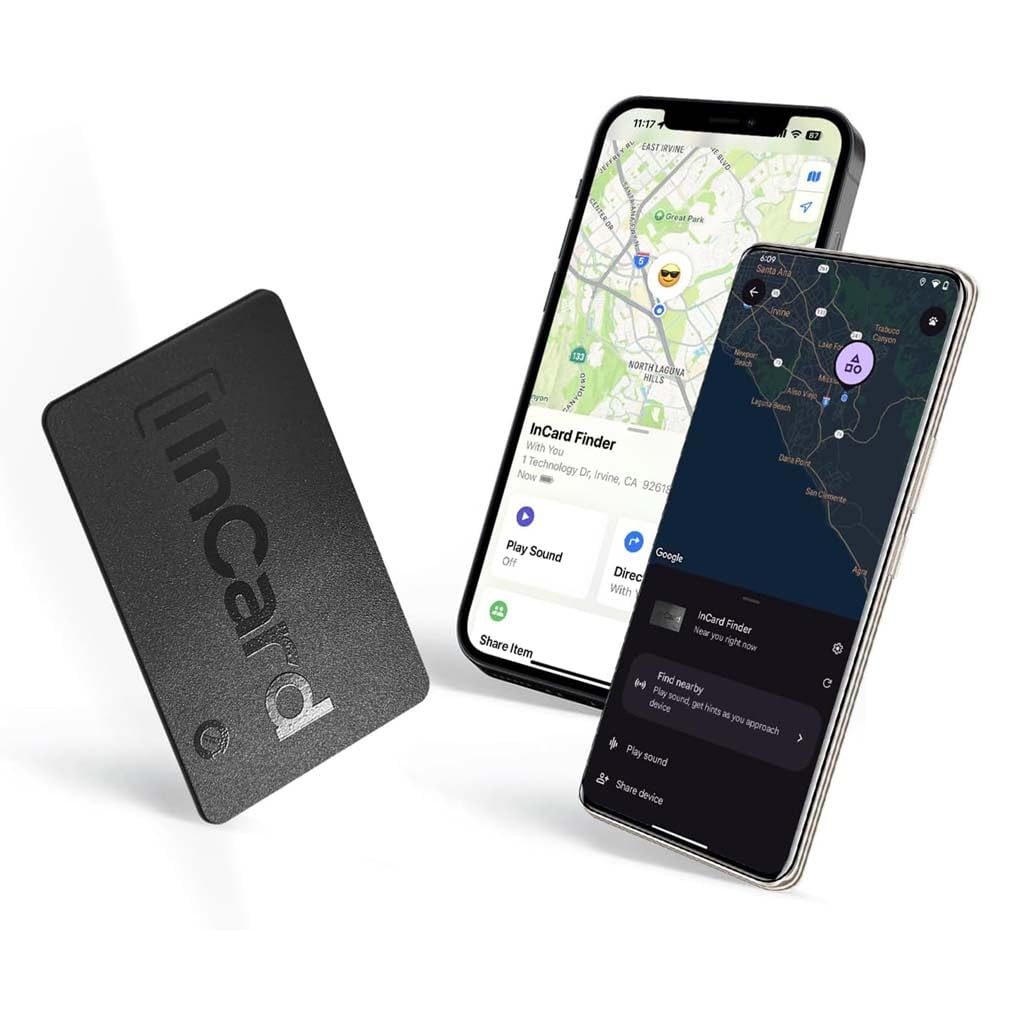
Image: The InCard Finder smart tracker shown alongside two smartphones, one displaying Apple Find My and the other Google Find My Device, illustrating its dual network compatibility.
ቁልፍ ባህሪያት
- Dual Network Compatibility: Works with both Apple Find My (iOS) and Google Find My Device (Android) networks.
- ረጅም የባትሪ ህይወት; Up to 5 years on Android devices and up to 3 years on iOS devices, with no recharging required.
- እጅግ በጣም ቀጭን ንድፍ; Measures just 1.7mm thin, fitting seamlessly into wallet slots or passport covers.
- Loud 90dB Alert: Emits a clear audible alert to help locate items quickly, even in noisy environments.
- IP68 Water and Dust Resistant: Provides protection against spills, rain, and dust, ensuring durability.
- Global Finding Network: Utilizes millions of Apple and Google devices worldwide for location tracking beyond Bluetooth range.
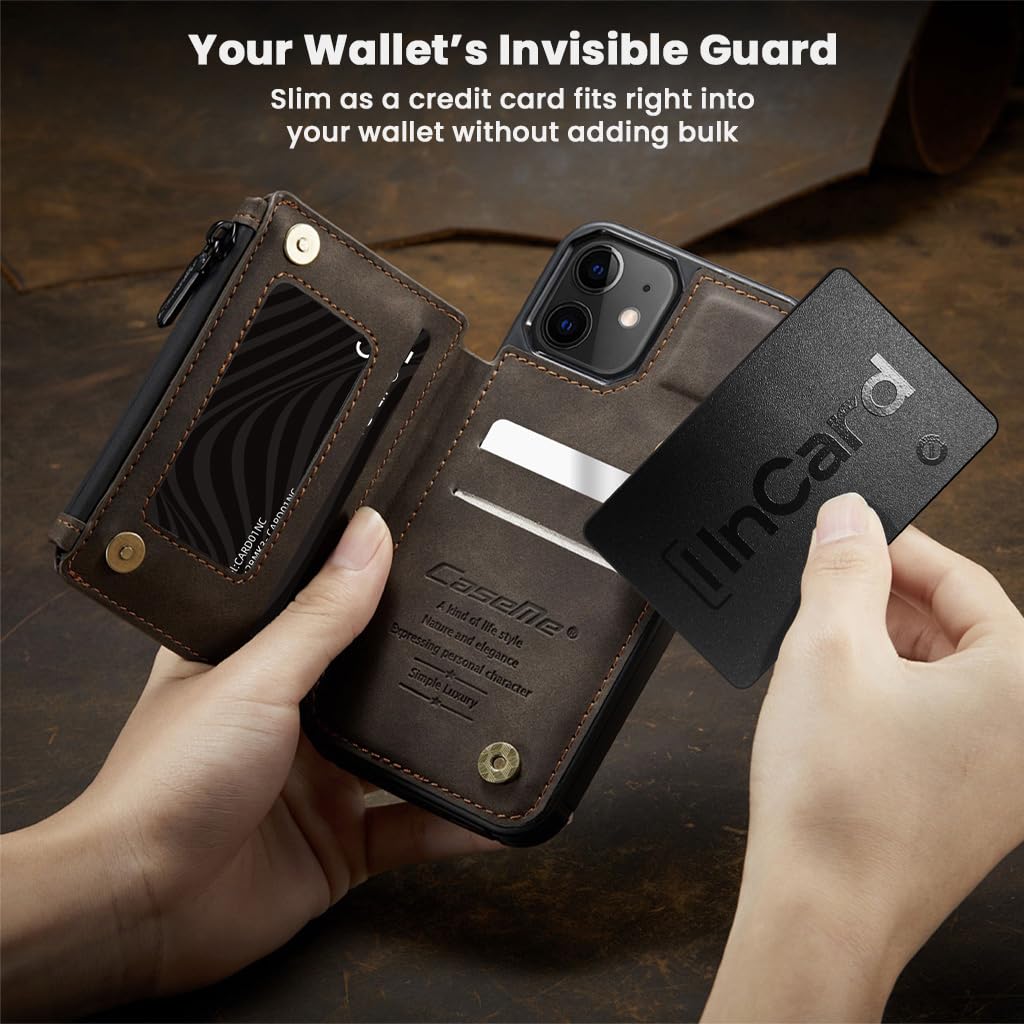
Image: A hand demonstrating how the ultra-slim InCard Finder fits discreetly into a wallet slot, highlighting its credit card-like dimensions.

Image: Two InCard Finder devices being splashed with water, demonstrating their IP68 water and dust resistance for various environments.
የማዋቀር መመሪያዎች
Before you begin, ensure your smartphone has Wi-Fi or mobile data enabled.
- Locate the button on the front of your InCard Finder.
- Place the InCard Finder near your smartphone.
- Press the button on the InCard Finder once. You will hear a beep, and an LED light will blink, confirming activation.
- ለአንድሮይድ መሳሪያዎች፡- A pop-up notification will appear on your phone. Follow the on-screen instructions to connect via Google Find My Device.
- ለ iOS መሣሪያዎች Open the Apple Find My app. Navigate to "Items" and select "Add Other Item" to connect to the Apple Find My network.

Image: Visual guide demonstrating the setup process for the InCard Finder, highlighting the button and LED, and showing distinct steps for Android and iOS device pairing.
Switching Networks (Factory Reset)
To switch your InCard Finder between the Apple Find My and Google Find My Device networks, a quick factory reset is required. The procedure for this is typically detailed within the respective Find My applications or the device's support documentation. This allows for seamless transition if you change phone ecosystems or share the tracker.
የአሠራር መመሪያዎች
ንጥልዎን በማግኘት ላይ
- መተግበሪያውን በመጠቀም፡- Open the Apple Find My app (for iOS) or Google Find My Device app (for Android) on your smartphone.
- View ቦታ፡ The app will display the last known location of your InCard Finder on a map.
- ድምጽ አጫውት ፦ If your item is nearby, select the "Play Sound" option within the app. The InCard Finder will emit a loud 80-90dB alert to help you pinpoint its exact location.

Image: A user interacting with their smartphone to locate the InCard Finder, with visual cues indicating sound alerts both indoors (on a sofa) and outdoors (on a park bench).
Global Tracking
The InCard Finder leverages the extensive Apple Find My and Google Find My Device networks. If your item is out of Bluetooth range, the location will be updated anonymously by other Apple or Google devices that come within range of your InCard Finder. This crowd-sourced network allows for tracking over long distances, ensuring your valuables can be located virtually anywhere.

Image: A visual representation of global cloud tracking, showing the InCard Finder and smartphones connected to a worldwide network for location updates.
ጥገና
The TECPHILE InCard Finder is designed for minimal maintenance. It features a non-rechargeable, non-replaceable internal battery with an estimated lifespan of up to 5 years for Android devices and 3 years for iOS devices. No charging or battery replacement is required during its operational life.
To ensure optimal performance, keep the device clean and free from excessive dirt or debris. While it is IP68 water and dust resistant, prolonged submersion or exposure to harsh chemicals should be avoided.
መላ መፈለግ
- መሳሪያ አለመገናኘት;
- በእርስዎ ዘመናዊ ስልክ ላይ ብሉቱዝ መንቃቱን ያረጋግጡ።
- Verify your phone has an active internet connection (Wi-Fi or mobile data).
- Perform a factory reset on the InCard Finder and attempt to re-pair.
- Ensure the InCard Finder is within Bluetooth range of your phone during initial pairing.
- የድምፅ ማንቂያ በቂ አይደለም፡
- The sound can be muffled if the InCard Finder is deeply embedded in a wallet or bag. Try to move the item to a more open area.
- The 90dB alert is designed to be audible in most environments, but extreme noise levels may reduce its effectiveness.
- ትክክለኛ ያልሆነ ቦታ፡
- Location accuracy depends on the density of the Find My network in the area. In remote locations, updates may be less frequent.
- Ensure your phone's location services are enabled for the Find My app.
- የባትሪ ህይወት ስጋቶች፡-
- The battery is designed for long-term use (up to 5 years Android, 3 years iOS) and is non-replaceable. If the device is no longer functioning after this period, it has reached the end of its battery life.
ዝርዝሮች
| የምርት ስም | TECPHILE |
| ሞዴል | Card Air Tag መከታተያ |
| የምርት ልኬቶች | 8.56 x 5.8 x 0.17 ሴ.ሜ |
| የእቃው ክብደት | 12 ግ |
| ቁሳቁስ | PVC |
| የግንኙነት ቴክኖሎጂ | ብሉቱዝ |
| የሚደገፍ መተግበሪያ | Apple Find My, Google Find My Device |
| ልዩ ባህሪያት | Location History, Real Time Tracking, Up to 5 Years battery life, Water Resistant (IP68) |
| የባትሪ አማካይ ሕይወት | Up to 5 Years (Android), Up to 3 Years (iOS) |
| ባትሪዎች ያስፈልጋሉ። | No (Internal, non-replaceable) |
| የትውልድ ሀገር | ቻይና |
ዋስትና እና ድጋፍ
For warranty information and customer support, please refer to the official TECPHILE website or contact their customer service directly. The product may be eligible for an extended warranty plan, such as the "1 Year Extended Warranty by Onsitego" mentioned in the product details.
Manufacturer: TECPHILE, 2nd Floor, A36, Block B, Naraina Industrial Area Phase 2, Naraina, New Delhi, Delhi, 110028
ለተጨማሪ እርዳታ፣ ይጎብኙ TECPHILE Store on Amazon.