1. መግቢያ
This manual provides detailed instructions for the installation, operation, and maintenance of your Generic 5-inch Motorcycle Multimedia System. Please read this manual thoroughly before using the device to ensure proper function and safety. Keep this manual for future reference.
2. ምርት አብቅቷልview እና ቁልፍ ባህሪዎች
The Generic 5-inch Motorcycle Multimedia System is designed to enhance your riding experience with advanced connectivity and navigation features. It integrates seamlessly with your smartphone, offering wireless CarPlay and Android Auto functionality.
ቁልፍ ባህሪዎች
- 5-ኢንች IPS ንክኪ ስክሪን፡ High-resolution (800x480P) display for clear visuals and responsive touch control, even in bright sunlight.
- IP67 የውሃ እና አቧራ መቋቋም; Ensures durability and reliable performance in various weather conditions, protecting against rain and dust.
- ገመድ አልባ CarPlay እና አንድሮይድ አውቶ Connect your smartphone wirelessly for navigation, music, calls, and messages directly on the device screen.
- ባለሁለት የብሉቱዝ ግንኙነት፦ Pair two devices simultaneously for managing calls, streaming audio, or voice commands.
- የብዙ ቋንቋ ድጋፍ; Supports multiple languages for a personalized user experience.
- ቀላል መጫኛ; Designed for motorcycle handlebar mounting with a U-shaped bracket.
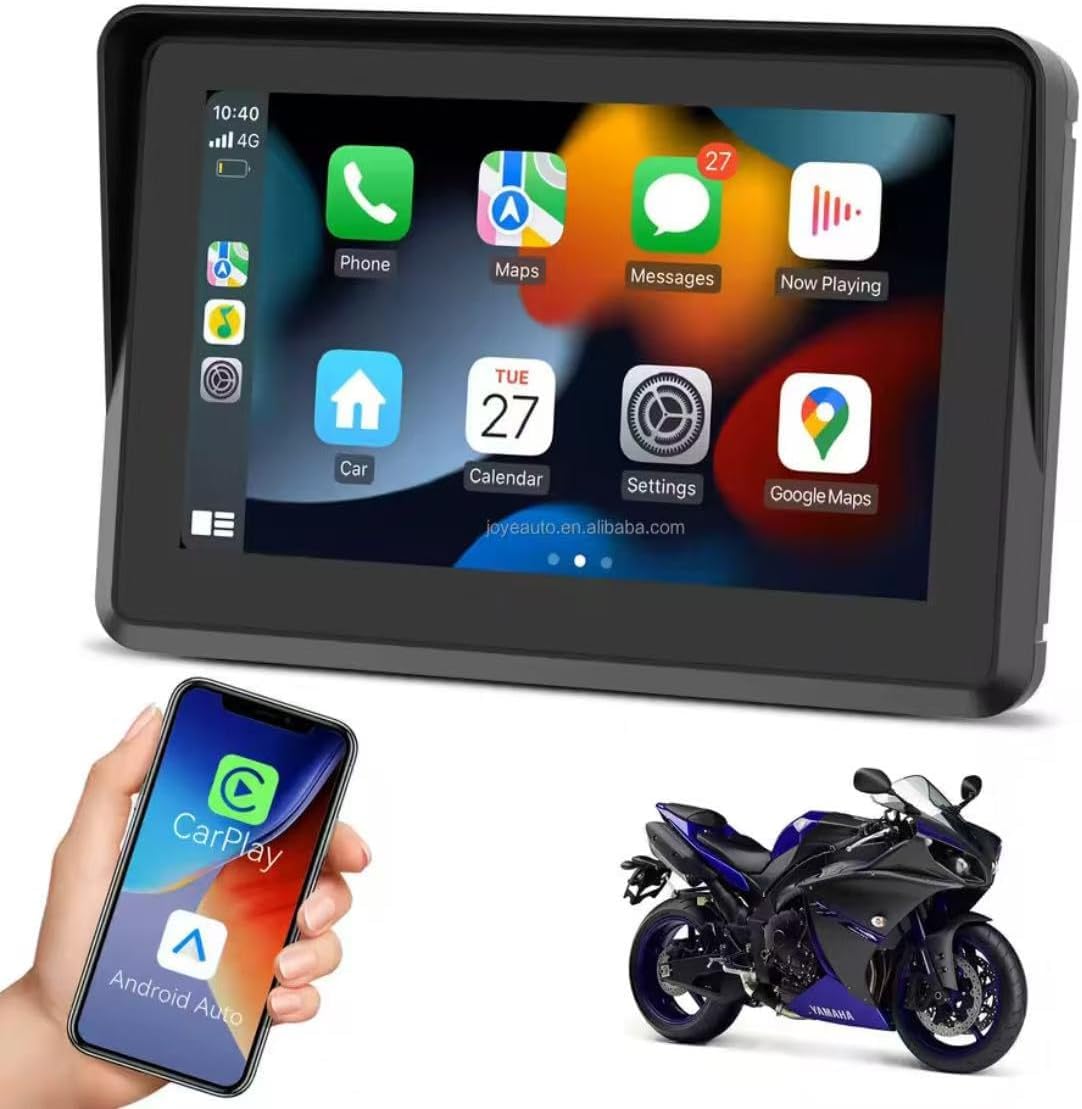
Figure 2.1: Device displaying the CarPlay interface with various applications.

Figure 2.2: Demonstrating the device's resilience in various riding conditions, including snow, dirt, water, and extreme temperatures.
3. የጥቅል ይዘቶች
የጥቅሉን ይዘቶች ከሳጥኑ ሲያወጡ ያረጋግጡ። ማንኛውም እቃ ከጠፋ ወይም ከተበላሸ፣ ቸርቻሪዎን ያነጋግሩ።
- Motorcycle Multimedia System Unit
- U-shaped Handlebar Mounting Bracket (approx. 33 mm diameter)
- Power Cable (9V-12V)
- Mounting Accessories (screws, spacers, ball joints)

Figure 3.1: Included mounting accessories and power cable.
4. ማዋቀር እና መጫን
Follow these steps to properly install your multimedia system on your motorcycle.
4.1 መሳሪያውን መጫን
- Select a suitable position on your motorcycle handlebar for mounting. Ensure it does not obstruct your view ወይም የሞተር ሳይክል ቁጥጥር።
- Attach the U-shaped mounting bracket to the handlebar. The bracket is designed for handlebars with an approximate diameter of 33 mm. Use the provided screws and spacers to secure it firmly.
- Connect the multimedia system unit to the mounting bracket using the ball joint and tightening mechanism. Adjust the viewለተመቻቸ ታይነት ing አንግል።

Figure 4.1: Device mounted on a handlebar bracket.
4.2 የኃይል ግንኙነት
- Connect the provided power cable to the multimedia system.
- Connect the other end of the power cable to your motorcycle's 9V-12V power supply. Ensure correct polarity (red for positive, black for negative). Consult your motorcycle's manual or a professional if unsure about wiring.
- Secure all cable connections to prevent accidental disconnection or damage during riding.
5. የአሠራር መመሪያዎች
This section details how to operate your multimedia system.
5.1 ማብራት / ማጥፋት
- አብራ፡ Once connected to power, the device should automatically power on. If not, press and hold the power button (if available) until the screen illuminates.
- ኃይል ዝጋ: To turn off the device, press and hold the power button until a power-off prompt appears, then confirm. Alternatively, disconnect from the power source.
5.2 የንክኪ ማያ ገጽ ዳሰሳ
The device features an IPS touch screen for intuitive control.
- መታ ያድርጉ፡ አንድ ንጥል ይምረጡ ወይም አንድ ተግባር ያግብሩ።
- ያንሸራትቱ Navigate through menus or screens.
- Pinch/Zoom: Adjust map views (where applicable).
5.3 ገመድ አልባ CarPlay / አንድሮይድ ራስ-ሰር ግንኙነት
This device supports wireless connectivity for both Apple CarPlay and Android Auto.
- የስማርትፎንዎ ብሉቱዝ እና ዋይ ፋይ መንቃታቸውን ያረጋግጡ።
- On the multimedia system, navigate to the CarPlay or Android Auto icon and tap it.
- The system will enter pairing mode. On your smartphone, search for the device's Bluetooth name (e.g., "MP5-M5" or similar) and pair with it.
- Once Bluetooth is paired, the system will automatically establish a Wi-Fi connection for CarPlay or Android Auto.
- Follow any on-screen prompts on both the device and your smartphone to complete the connection.
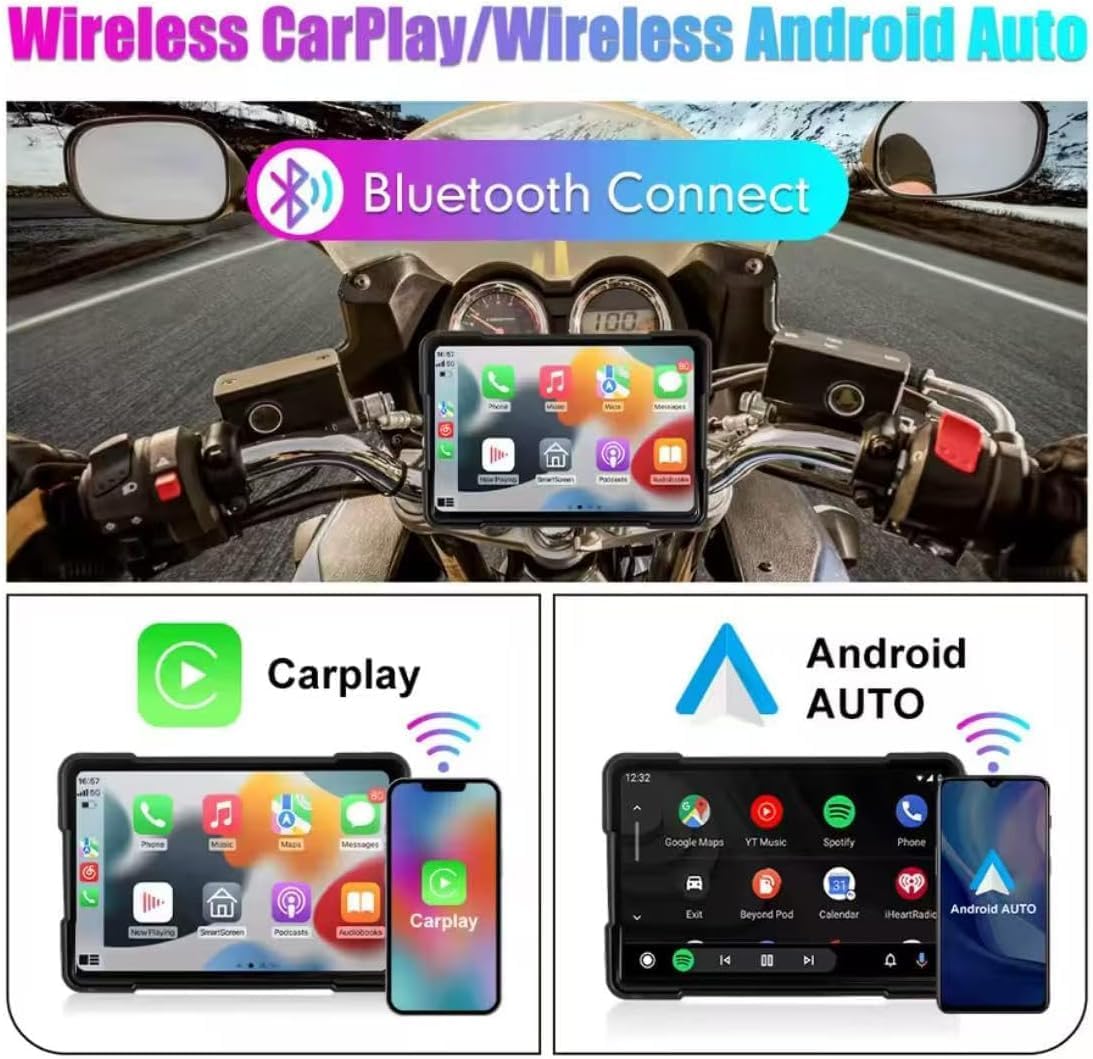
Figure 5.1: Wireless CarPlay and Android Auto connectivity.
5.4 Using Navigation, Music, and Calls
Once connected via CarPlay or Android Auto, you can access your smartphone's features directly from the multimedia system.
- አሰሳ፡ Use your preferred map application (e.g., Google Maps, Apple Maps) for turn-by-turn directions.
- ሙዚቃ፡ Stream audio from your favorite music apps.
- ጥሪዎች፡- ጥሪዎችን በነፃ እጅ ያድርጉ እና ይቀበሉ።
- የድምፅ ረዳት Utilize voice commands for various functions (e.g., "Hey Siri" or "Ok Google").

Figure 5.2: Device mounted on a motorcycle, showing key functions.
5.5 Bluetooth Dual Connectivity
The device supports connecting two Bluetooth devices simultaneously. This allows for flexible use, such as connecting your phone for CarPlay/Android Auto and a Bluetooth headset for audio output.
5.6 የቋንቋ ቅንጅቶች
የስርዓት ቋንቋውን ለመቀየር፦
- በመሳሪያው ላይ ወዳለው 'ቅንብሮች' ምናሌ ይሂዱ።
- Locate and select 'Language' or a similar option.
- ከዝርዝሩ ውስጥ የሚፈልጉትን ቋንቋ ይምረጡ።
6. ጥገና
Proper maintenance ensures the longevity and optimal performance of your multimedia system.
- ማያ ገጹን ማጽዳት; ስክሪኑን በቀስታ ለማጽዳት ለስላሳ፣ ከቆሻሻ ነጻ የሆነ ጨርቅ ይጠቀሙ። ለግትር ማጭበርበሮች በትንሹ መampጨርቁን በውሃ ወይም በስክሪኑ ደህንነቱ የተጠበቀ ማጽጃ። ኃይለኛ ኬሚካሎችን ወይም ገላጭ ቁሳቁሶችን ያስወግዱ.
- የውሃ መቋቋም (IP67) While the device is IP67 rated for water and dust resistance, avoid submerging it for extended periods or exposing it to high-pressure water jets. Ensure all ports are properly sealed if applicable.
- የሙቀት መጠን፡ Operate the device within the specified temperature range (-20°C to 80°C). Avoid prolonged exposure to extreme heat or cold, which can affect battery life and screen performance.
- የኬብል ግንኙነቶች; Periodically check all cable connections for tightness and signs of wear.
7. መላ መፈለግ
If you encounter issues with your multimedia system, refer to the following common problems and solutions.
- መሣሪያው አይበራም፦
- Check the power cable connection to both the device and the motorcycle's power source.
- Ensure the motorcycle's power supply is active (e.g., ignition is on).
- Verify the power cable for any damage.
- CarPlay/አንድሮይድ አውቶ በገመድ አልባ አለመገናኘት፡-
- በእርስዎ ዘመናዊ ስልክ ላይ ብሉቱዝ እና ዋይ ፋይ መንቃታቸውን ያረጋግጡ።
- መሣሪያውን ከስልክዎ የብሉቱዝ ቅንብሮች ይርሱት እና እንደገና ለማጣመር ይሞክሩ።
- Restart both the multimedia system and your smartphone.
- የስልክዎ ኦፕሬቲንግ ሲስተም የተዘመነ መሆኑን ያረጋግጡ።
- የንክኪ ማያ ምላሽ የማይሰጥ፡
- መሣሪያውን እንደገና ያስጀምሩ.
- ማያ ገጹ ንጹህ እና ከቆሻሻ ወይም እርጥበት የጸዳ መሆኑን ያረጋግጡ።
- ምንም የድምጽ ውፅዓት የለም፡
- Check the volume settings on both the multimedia system and your connected smartphone/headset.
- Ensure your Bluetooth audio device is properly paired and selected as the output.
እነዚህ እርምጃዎች ችግሩን ካልፈቱ፣ እባክዎ የደንበኛ ድጋፍን ያግኙ።
8. ዝርዝሮች
| ባህሪ | ዝርዝር መግለጫ |
|---|---|
| የስክሪን መጠን | 5 ኢንች |
| የስክሪን አይነት | አይፒኤስ ንክኪ ማያ ገጽ |
| የማያ ጥራት | 800x480 ፒ |
| የውሃ መቋቋም | IP67 |
| ግንኙነት | ገመድ አልባ ካርፕሌይ፣ ገመድ አልባ አንድሮይድ አውቶ፣ ብሉቱዝ |
| የኃይል አቅርቦት | 9 ቪ-12 ቪ |
| የአሠራር ሙቀት | -20°ሴ እስከ 80°ሴ (-4°F እስከ 176°ፋ) |
| Handlebar Mount Diameter | በግምት. 33 ሚ.ሜ |
| ልኬቶች (ማሸጊያ) | 15 x 10 x 8 ሴ.ሜ |
| ክብደት (ማሸጊያ) | 500 ግ |
| ልዩ ባህሪያት | Android Auto and Carplay, Touchscreen |
9. ዋስትና እና ድጋፍ
This product comes with a standard manufacturer's warranty. Please refer to your purchase documentation for specific warranty terms and duration. For technical support, troubleshooting assistance, or warranty claims, please contact your retailer or the manufacturer's customer service department.


