
መግቢያ
Thank you for choosing the EMG Gaming Controller Artic Devo PC01. This manual provides essential information for the proper setup, operation, and maintenance of your new gaming controller. Please read this manual thoroughly before use to ensure optimal performance and longevity of the device.
The EMG Artic Devo PC01 is a versatile gaming controller designed for multi-platform compatibility, offering advanced features for an enhanced gaming experience. It supports PC, Nintendo Switch, Android, and iOS devices.
ምርት አልቋልview
የመቆጣጠሪያ አካላት
The EMG Artic Devo PC01 features a standard controller layout with several advanced components:
- Mechanical ABXY Buttons: For precise and responsive input.
- የሆል ኢፌክት ጆይስቲክስ፡ Provides drift-free, accurate control.
- የአዳራሽ ተፅእኖ ቀስቅሴዎች፡- Offers smooth and precise analog input with adjustable travel distance.
- Programmable Back Buttons (M1, M2): Two customizable buttons on the rear for advanced control.
- አብሮ የተሰራ የእንቅስቃሴ ዳሳሽ፡- For motion-controlled gaming experiences.
- Changeable Faceplate: Allows for customization of the controller's appearance.
- ዩኤስቢ-ሲ ወደብ ለኃይል መሙያ እና ባለገመድ ግንኙነት።
- የUSB Dongle ማከማቻ፡- A dedicated slot under the faceplate for the PC USB dongle.
የጥቅል ይዘቶች
- EMG Gaming Controller Artic Devo PC01
- የዩኤስቢ-ሲ ኃይል መሙያ ገመድ
- USB Dongle (for PC connection)
- Interchangeable D-pad options
- Interchangeable Thumbstick options
- የተጠቃሚ መመሪያ
- መያዣ

ምስል፡ ፊት ለፊት view of the EMG Gaming Controller Artic Devo PC01, showcasinየአዝራር አቀማመጡ እና ዲዛይኑ።

Image: The EMG Gaming Controller Artic Devo PC01 with its customizable faceplate detached, revealing the internal structure.

ምስል: የኋላ view of the EMG Gaming Controller Artic Devo PC01, highlighting the programmable back buttons and charging pins.
ማዋቀር
መቆጣጠሪያውን በመሙላት ላይ
- Connect the provided USB-C cable to the controller's USB-C port (located on the top edge).
- Connect the other end of the USB-C cable to a USB power source (e.g., PC, USB wall adapter).
- The indicator lights on the controller will show charging status. Once fully charged, the lights will change or turn off.
ከመሳሪያዎች ጋር በመገናኘት ላይ
The EMG Artic Devo PC01 supports multiple connection methods:
1. PC Connection (Wireless via USB Dongle)
- Retrieve the USB dongle from its storage slot under the controller's faceplate.
- የዩኤስቢ ዶንግልን በፒሲዎ ላይ ወዳለው የዩኤስቢ ወደብ ያስገቡ።
- Turn on the controller. It should automatically pair with the dongle. The indicator lights will confirm a successful connection.

ምስል: ከፍተኛ view of the EMG Gaming Controller Artic Devo PC01, showing the USB-C port for charging and wired connection.
2. PC Connection (Wired)
- Connect the controller to your PC using the provided USB-C cable.
- The PC should automatically detect the controller.
3. የኒንቴንዶ ማብሪያ / ማጥፊያ ግንኙነት
- በኒንቴንዶ ስዊችዎ ላይ ወደ የስርዓት ቅንብሮች > መቆጣጠሪያዎች እና ዳሳሾች > ተቆጣጣሪዎችን ያላቅቁ ይሂዱ።
- Then, go to Change Grip/Order.
- Press and hold the pairing button on the EMG controller until the indicator lights flash rapidly.
- Once paired, the controller will be recognized by the Switch.
4. Android/iOS Connection (Bluetooth 5.3)
- ብሉቱዝ በአንድሮይድ ወይም በ iOS መሳሪያዎ ላይ መንቃቱን ያረጋግጡ።
- Turn on the EMG controller and press and hold the pairing button until the indicator lights flash rapidly.
- On your device, search for Bluetooth devices and select "EMG PC01" (or similar name) from the list.
- አንዴ ከተጣመሩ በኋላ በመቆጣጠሪያው ላይ ያሉት የአመላካች መብራቶች ይረጋጋሉ።
Customizing D-pad and Thumbsticks
The controller comes with interchangeable D-pad and thumbstick options to suit your preference.
- Gently pull off the existing D-pad or thumbstick from the controller.
- Align the desired D-pad or thumbstick with its base and push it firmly into place until it clicks.

Image: Various D-pad options for the EMG Gaming Controller Artic Devo PC01, allowing users to customize their control preference.
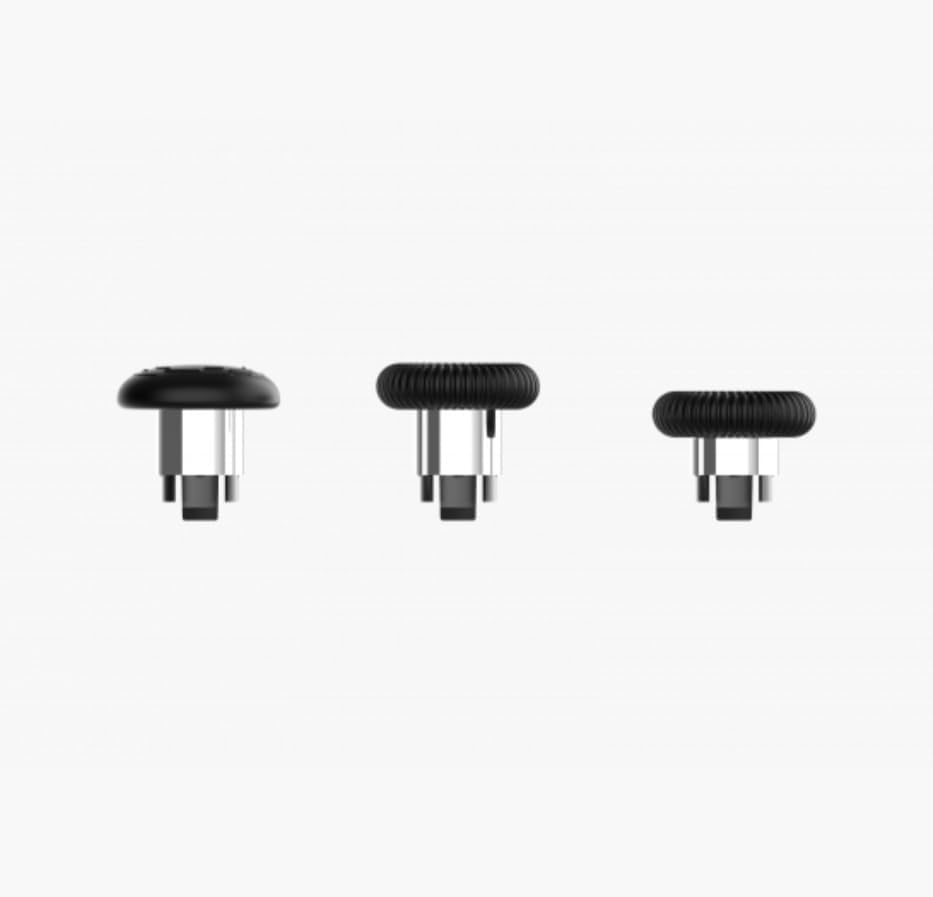
Image: A selection of interchangeable thumbstick options for the EMG Gaming Controller Artic Devo PC01, providing different heights and grips.
የአሠራር መመሪያዎች
ኃይል አብራ/ አጥፋ
- አብራ፡ የመነሻ አዝራሩን አንድ ጊዜ ይጫኑ።
- ኃይል ዝጋ: Press and hold the Home button for 3-5 seconds. The controller will also automatically power off after a period of inactivity.
Adjusting Trigger Travel Distance
The Hall Effect triggers offer three adjustable travel distance options. Consult the controller's specific buttons or switches (usually located near the triggers) to cycle through the short, medium, and long travel settings. This allows for optimization based on game type (e.g., short travel for shooting games, long for racing games).
Programming Back Buttons (M1, M2)
The two back buttons (M1 and M2) can be programmed to replicate other button inputs for convenience.
- Press and hold the Program button (refer to controller diagram for location) for 3 seconds until the indicator light flashes.
- ፕሮግራም ማድረግ የሚፈልጉትን የM1 ወይም M2 አዝራር ይጫኑ።
- Press the button (e.g., A, B, X, Y, L1, R1, etc.) you want M1/M2 to emulate.
- Press the Program button again to save the setting. The indicator light will stop flashing.
የእንቅስቃሴ ዳሳሽ ተግባራዊነት
The built-in motion sensor is automatically active when connected to compatible platforms (e.g., Nintendo Switch) and games that support motion controls. No additional setup is typically required.
ጥገና
ማጽዳት
- Use a soft, dry cloth to wipe the controller's surface.
- ለግትር ቆሻሻ፣ በትንሹ መampበጨርቁ ላይ በውሃ ወይም ለስላሳ የጽዳት መፍትሄ. ከመጠን በላይ እርጥበትን ያስወግዱ.
- ጠንከር ያሉ ኬሚካሎችን፣ ገላጭ ማጽጃዎችን ወይም ፈሳሾችን አይጠቀሙ።
ማከማቻ
When not in use, store the controller in a cool, dry place away from direct sunlight and extreme temperatures. The provided carrying case is ideal for protection during storage and transport.
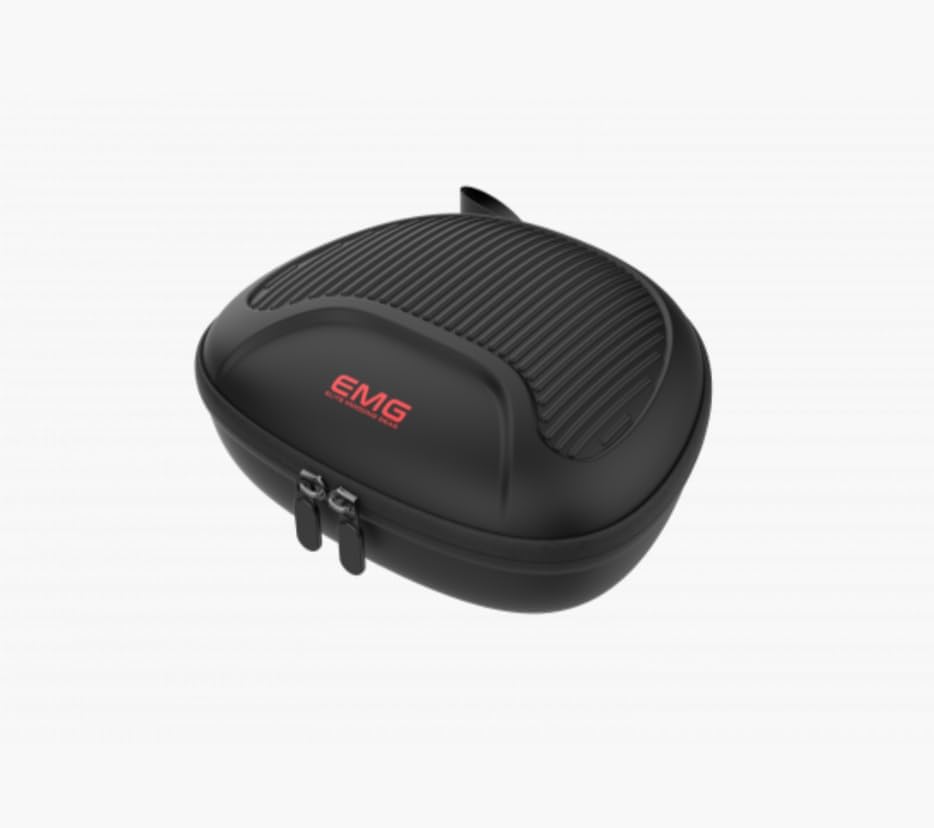
Image: The protective carrying case for the EMG Gaming Controller Artic Devo PC01, designed for safe storage and transport.
የባትሪ እንክብካቤ
- በተደጋጋሚ ባትሪውን ሙሉ በሙሉ ከመሙላት ይቆጠቡ።
- ለረጅም ጊዜ ከተከማቸ፣ ባትሪውን እስከ 50% ድረስ ይሙሉት እና የአገልግሎት ዘመኑን ያራዝሙ።
መላ መፈለግ
መቆጣጠሪያው እየበራ አይደለም
- Ensure the controller is charged. Connect it to a power source and wait a few minutes before attempting to power on.
- If the issue persists, try a different charging cable or power adapter.
የግንኙነት ጉዳዮች
- For Wireless (PC): Ensure the USB dongle is securely inserted into the PC and the controller is within range. Try re-pairing by pressing the pairing button on the controller.
- ለብሉቱዝ (አንድሮይድ/አይኦኤስ/ስዊች): Ensure Bluetooth is enabled on your device. Forget the controller from your device's Bluetooth settings and attempt to pair again. Ensure the controller is in pairing mode (rapidly flashing lights).
- For Wired: Try a different USB-C cable or a different USB port on your device.
Buttons/Joysticks Not Responding
- Ensure the controller is properly connected and powered on.
- መቆጣጠሪያውን እና የተገናኘውን መሳሪያ እንደገና ያስጀምሩ።
- በአዝራሮቹ ወይም በጆይስቲክስ ዙሪያ ያሉ ማንኛውንም አካላዊ እንቅፋቶች ወይም ፍርስራሾችን ያረጋግጡ።
- If using a PC, ensure controller drivers are up to date.
የእንቅስቃሴ ዳሳሽ አይሰራም
- Verify that the game and platform you are using support motion controls.
- Ensure the controller is properly connected to the device.
- Try recalibrating the motion sensor if your device or game offers this option.
ዝርዝሮች
| ባህሪ | ዝርዝር |
|---|---|
| የሞዴል ቁጥር | PC01 |
| ግንኙነት | Bluetooth 5.3, Wired (USB-C), 2.4GHz Wireless (via USB Dongle) |
| ተኳኋኝነት | ፒሲ፣ ኒንቴንዶ ስዊች፣ አንድሮይድ፣ አይኦኤስ |
| የባትሪ አቅም | 1000 ሚአሰ ሊቲየም ባትሪ |
| ዳሳሽ ዓይነት | Hall Effect (Joysticks & Triggers), Built-in Motion Sensor |
| ሊዘጋጁ የሚችሉ አዝራሮች | 2 Back Buttons (M1, M2) |
| ቀስቅሴ ማስተካከያ | 3 Travel Distance Options |
| መጠኖች | 19 x 17 x 7 ሴ.ሜ |
| ክብደት | 700 ግራም |
| ASIN | B0FPCY6TM5 |
| የተለቀቀበት ቀን | 2025 ኦገስት 31 |
ዋስትና እና ድጋፍ
For warranty information and technical support, please refer to the warranty card included with your product or visit the official EMG webጣቢያ. ለዋስትና ጥያቄዎች የግዢ ማረጋገጫዎን ያስቀምጡ።
በዚህ መመሪያ ውስጥ ያልተካተቱ ማናቸውም ችግሮች ካጋጠሙዎት፣ እባክዎን ለእርዳታ የደንበኞች ድጋፍን ያነጋግሩ።


