
1. መግቢያ
This manual provides essential information for the proper use and maintenance of your ZWP Replacement Remote Control. This remote is designed to be compatible with JOWLURK M7, OWNKNEW GC357, and HORLAT T10PRO Projectors, offering a direct replacement solution without the need for complex programming.

Image 1.1: The ZWP Replacement Remote Control is built for durability, featuring a long lifespan, advanced internal chip, construction from ABS safety materials, and quality assurance.

Image 1.2: The remote control offers a stable link, fast response time of 0.2 seconds, an ergonomic design for easy grip and control, and power-saving capabilities.
2. ማዋቀር
2.1 የባትሪ ጭነት
The remote control requires two (2) AAA batteries for operation. Batteries are not included with the product. Follow these steps to install the batteries:
- የባትሪውን ክፍል ከርቀት መቆጣጠሪያው ጀርባ ላይ ያግኙት።
- ሽፋኑን ወደ ታች ያንሸራትቱ ወይም ክፍሉን ለመክፈት መከለያውን (ካለ) ይጫኑ.
- ሁለት የ AAA ባትሪዎችን አስገባ፣ አወንታዊው (+) እና አሉታዊ (-) ተርሚናሎች በክፍሉ ውስጥ ካሉት ምልክቶች ጋር በትክክል መገጣጠም።
- ደህንነቱ በተጠበቀ ሁኔታ ጠቅ እስኪያደርግ ድረስ የባትሪውን ክፍል ሽፋን ወደ ቦታው በማንሸራተት ይተኩ።
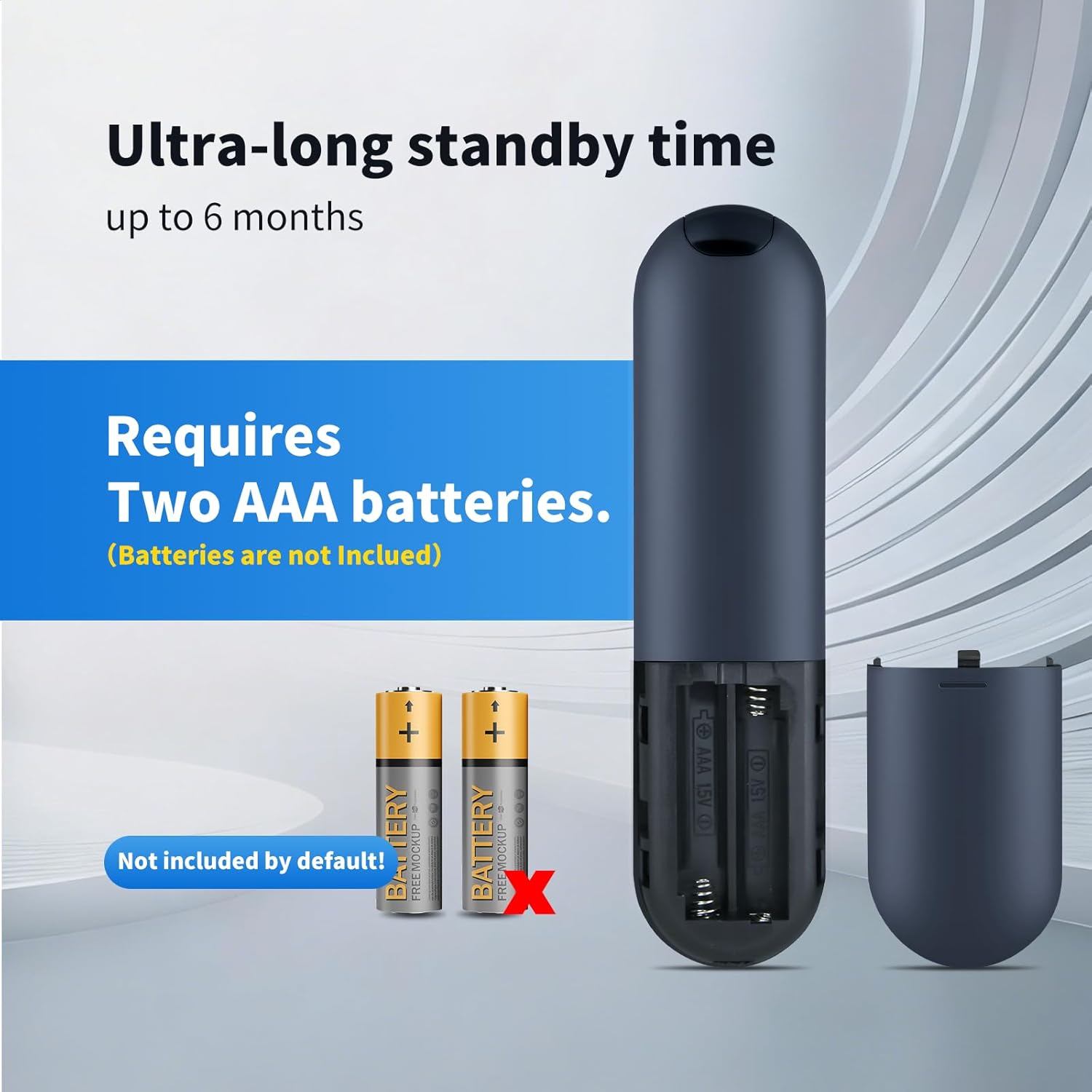
Image 2.1: The remote control requires two AAA batteries, which are not included. Ensure correct polarity when inserting.
2.2 Compatibility and Initial Use
This ZWP Replacement Remote Control is designed for direct use with the following projector models:
- JOWLURK M7 Projector
- OWNKNEW GC357 Projector
- HORLAT T10PRO Projector
No programming or setup is required. Once batteries are correctly installed, the remote control is ready for immediate use with your compatible projector.

Image 2.2: The remote control is perfectly compatible with specified projector models and requires no setup.
3. የአሠራር መመሪያዎች
3.1 የአዝራር ተግባራት
The remote control features a standard layout for intuitive operation. Refer to the image below for a visual guide to the buttons:
ምስል 3.1፡ አልቋልview የርቀት መቆጣጠሪያ አዝራሮች።
- ማብሪያ ማጥፊያ (⏻): ፕሮጀክተሩን ያበራል ወይም ያጠፋል.
- እሺ አዝራር; ምርጫዎችን ያረጋግጣል ወይም ምናሌዎችን ይገባል።
- የማውጫ ቁልፎች (ላይ፣ ታች፣ ግራ፣ ቀኝ) በምናሌዎች እና አማራጮች ውስጥ ይዳስሳል።
- Volume Up (F+): የድምጽ መጠን ይጨምራል።
- Volume Down (F-): የድምጽ መጠን ይቀንሳል።
- ድምጸ-ከል አድርግ (🔇): ድምጸ-ከል ያደርጋል ወይም ድምጸ-ከል ያደርጋል።
- የምናሌ አዝራር (☰): የፕሮጀክተሩን ዋና ምናሌ ይደርስበታል።
- የመነሻ ቁልፍ (⌂): ወደ መነሻ ማያ ገጽ ወይም ዋና በይነገጽ ይመለሳል።
- Return/Back Button (↶): ወደ ቀዳሚው ማያ ገጽ ወይም ምናሌ ይመለሳል።
3.2 Operating Range and Angle
The remote control operates using infrared (IR) technology. For optimal performance, ensure a clear line of sight between the remote control and the projector's IR receiver. The remote offers:
- ከፍተኛው ክልል፡ Up to 10 meters (approximately 33 feet).
- Multi-Angle Induction: Effective operation within a 120-degree angle from the projector's IR receiver.

Image 3.2: The remote control supports multi-angle operation up to 120 degrees and has an effective range of up to 40 feet (approximately 12 meters).
4. ጥገና
4.1 ጽዳት
የርቀት መቆጣጠሪያውን ገጽታ እና ተግባራዊነት ለመጠበቅ፡-
- ንጣፉን ለስላሳ እና ደረቅ ጨርቅ ይጥረጉ.
- ለግትር ቆሻሻ፣ በትንሹ መampጨርቁን በውሃ ወይም መለስተኛ ፣ የማይበላሽ ማጽጃ።
- ኃይለኛ ኬሚካሎችን፣ መሟሟቶችን ወይም ጠለፋ ቁሳቁሶችን ከመጠቀም ይቆጠቡ፣ ምክንያቱም እነዚህ መሳሪያዎች የርቀት መቆጣጠሪያውን አጨራረስ ወይም የውስጥ ክፍሎችን ሊጎዱ ይችላሉ።
4.2 የባትሪ መተካት
Replace batteries when the remote control's response becomes sluggish or it stops functioning. Always replace both AAA batteries at the same time with new ones. Do not mix old and new batteries, or different types of batteries.
5. መላ መፈለግ
If you experience issues with your ZWP Replacement Remote Control, refer to the following troubleshooting tips:
- የርቀት ምላሽ አለመስጠት፡-
- ባትሪዎቹ በትክክል ከትክክለኛው ፖላሪቲ ጋር በትክክል መጨመሩን ያረጋግጡ.
- ባትሪዎቹን በአዲስ የ AAA ባትሪዎች ይተኩ።
- Ensure there is a clear line of sight between the remote's IR emitter and the projector's IR receiver. Remove any obstructions.
- Confirm the remote is within the effective operating range (up to 10 meters).
- የማይሰሩ አዝራሮች፡-
- ምንም አይነት ቆሻሻ በአዝራር ፕሬሶች ላይ ጣልቃ እንዳይገባ ለማረጋገጥ የርቀት መቆጣጠሪያውን ገጽ እና አዝራሮችን ያጽዱ።
- ባትሪዎችን ይተኩ.
6. ዝርዝሮች
Detailed specifications for the ZWP Replacement Remote Control:
| ባህሪ | ዝርዝር መግለጫ |
|---|---|
| የምርት ስም | ZWP |
| ተስማሚ መሣሪያዎች | JOWLURK M7, OWNKNEW GC357, HORLAT T10PRO Projectors |
| የግንኙነት ቴክኖሎጂ | ኢንፍራሬድ (IR) |
| የመቆጣጠሪያ አይነት | የአዝራር መቆጣጠሪያ |
| ከፍተኛው ክልል | 10 ሜትር (33 ጫማ አካባቢ) |
| Multi-Angle Operation | እስከ 120 ዲግሪዎች |
| የኃይል ምንጭ | 2 x AAA ባትሪዎች (አልተካተተም) |
| ቁሳቁስ | ከፍተኛ ጥራት ያለው ABS |
| ቀለም | ጥቁር |
| ልዩ ባህሪ | Ergonomic ንድፍ |
6.1 የምርት ልኬቶች

Image 6.1: The ergonomic design of the remote control, with dimensions: Length 6.10 inches, Width 1.57 inches, Height 0.47 inches.
- ርዝመት፡ 6.10 ኢንች (15.5 ሴሜ)
- ስፋት፡ 1.57 ኢንች (4.0 ሴሜ)
- ቁመት፡- 0.47 ኢንች (1.2 ሴሜ)
7. ድጋፍ
For any questions, concerns, or issues not covered in this manual, please do not hesitate to contact the seller or manufacturer. We are committed to assisting you and resolving any problems you may encounter with your ZWP Replacement Remote Control.