
1. መግቢያ
This manual provides detailed instructions for the installation, configuration, and operation of the D-Link Guardian 700 Pro Multi-Gig Business Router (DBR-700). The DBR-700 is designed to provide enterprise-level networking capabilities for small and medium businesses, offering high-speed connectivity, robust security features, and simplified management.
Key features include a 2.5GbE WAN port, six 2.5GbE LAN ports, a 2.5GbE SFP uplink for flexible fiber connections, Multi-WAN failover, SPI Firewall, VPN support (IPSec, WireGuard, OpenVPN), and centralized management for up to 15 D-Link Guardian Wi-Fi 6 Smart Access Points (DBR-X3000-AP, sold separately).

Image: The D-Link Guardian 700 Pro Multi-Gig Router (DBR-700) designed for small and medium business environments.
2. የጥቅል ይዘቶች
ጥቅልዎ የሚከተሉትን ንጥሎች መያዙን ያረጋግጡ፡-
- D-Link Guardian 700 Pro Multi-Gig Business Router (DBR-700)
- የኃይል አስማሚ
- ፈጣን ጭነት መመሪያ (QIG)
ማንኛቸውም እቃዎች ከጠፉ ወይም ከተበላሹ እባክዎን የአካባቢዎን የዲ-ሊንክ ሻጭ ያነጋግሩ።
3. ሃርድዌር አልቋልview
3.1. የፊት ፓነል
The front panel of the DBR-700 features status indicators and network ports.

ምስል፡ ፊት ለፊት view of the DBR-700 router, showing LED indicators, Console port, LAN ports, WAN port, and LAN/WAN SFP port.
- SYS LED፡ የስርዓት ሁኔታን ያመለክታል.
- SFP LED፡ Indicates status of the SFP port.
- ዳግም አስጀምር አዝራር፡- Used to reset the device or restore factory defaults.
- ኮንሶል ወደብ፡ For command-line interface access.
- LAN ወደቦች (1-6)፦ Six 2.5GbE LAN ports for connecting local network devices.
- የላን/ዋን ወደብ፡ A 2.5GbE port configurable as either a LAN or WAN interface.
- የ WAN ወደብ; A dedicated 2.5GbE WAN port for internet connectivity.
- LAN/WAN SFP Port: A 2.5GbE/1GbE SFP port for fiber or copper connections, configurable as LAN or WAN.
3.2. የኋላ ፓነል
The rear panel includes the power input and power switch.

ምስል: የኋላ view of the DBR-700 router, showing the DC 12V/2A power input and On/Off switch.
- ዲሲ 12 ቮ/2ኤ፡ የኃይል ማስገቢያ አያያዥ.
- ማብሪያ / ማጥፊያ ለመሳሪያው የኃይል መቆጣጠሪያ.
4. መጫን
Follow these steps for the initial setup of your DBR-700 router:
- የኃይል ግንኙነት; Connect the provided power adapter to the DC 12V/2A port on the rear panel of the router and plug it into a power outlet. Turn on the router using the On/Off switch.
- የ WAN ግንኙነት Connect your internet service provider's modem or main network line to the WAN port on the router using an Ethernet cable. If using fiber, insert the SFP module (sold separately) into the LAN/WAN SFP port and connect the fiber cable.
- የ LAN ግንኙነት፡- Connect your local network devices (e.g., computers, switches, access points) to the LAN ports (1-6) or the configurable LAN/WAN port using Ethernet cables.
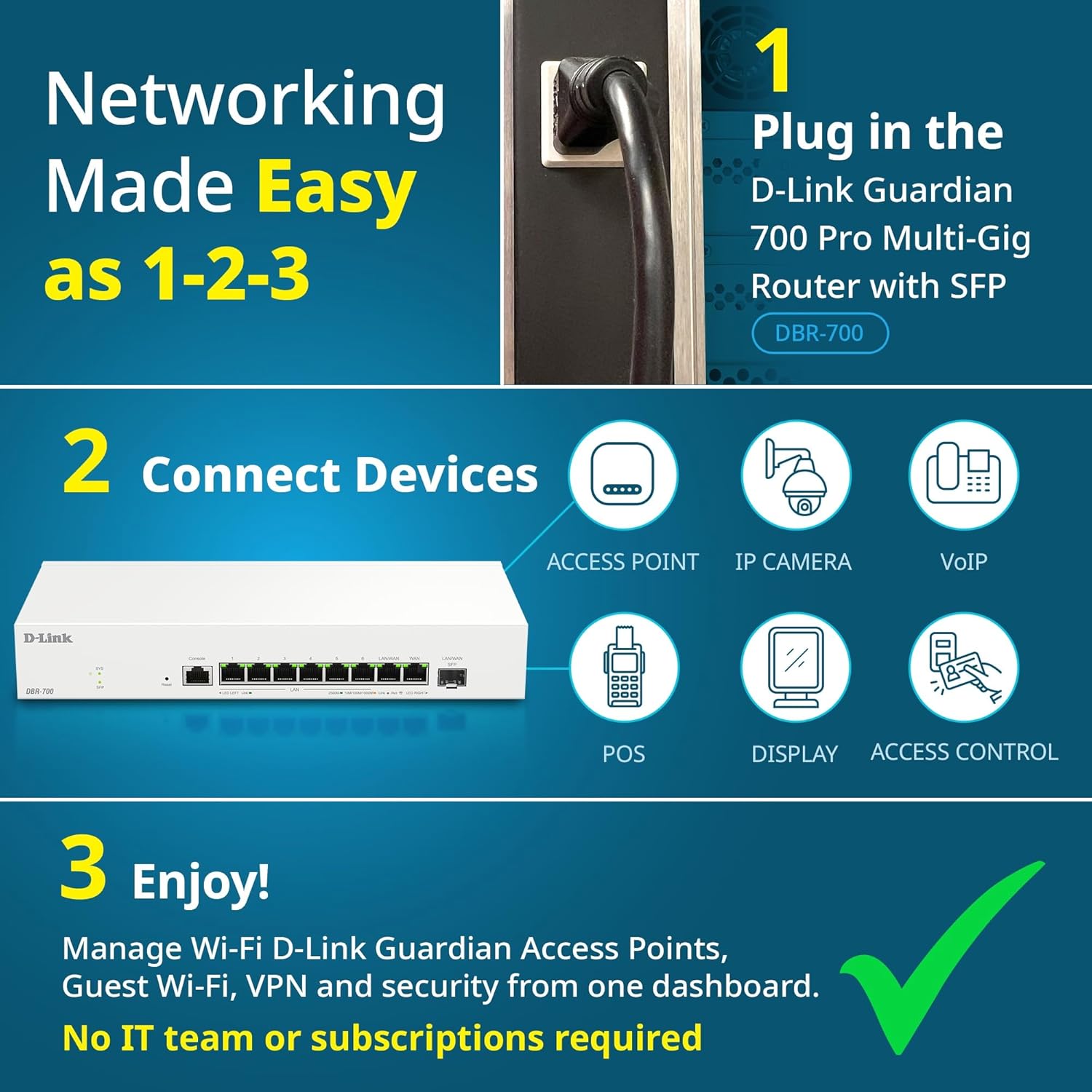
Image: Visual guide for router installation: 1. Plug in the DBR-700 router. 2. Connect devices like access points, IP cameras, VoIP, POS, displays, and access control. 3. Enjoy managed Wi-Fi, Guest Wi-Fi, VPN, and security from one dashboard.
5. ውቅር
5.1. ወደ ላይ መድረስ Web በይነገጽ
To configure the DBR-700, access its webየአስተዳደር በይነገጽ;
- ኮምፒውተርዎ ከራውተሩ የላን ወደቦች በአንዱ መገናኘቱን ያረጋግጡ።
- ክፈት ሀ web አሳሽ (ለምሳሌ Chrome፣ Firefox፣ Edge)።
- Enter the router's default IP address (typically
192.168.1.1or similar, refer to the Quick Installation Guide for the exact address) into the address bar and press Enter. - Enter the default username and password when prompted. (Refer to the Quick Installation Guide for default credentials).
5.2. Basic Network Settings
Once logged in, you can configure basic network settings:
- የWAN ቅንብሮች፡ Configure your internet connection type (e.g., DHCP, Static IP, PPPoE) as provided by your ISP.
- የ LAN ቅንብሮች Adjust the router's internal IP address, subnet mask, and DHCP server settings for your local network.
- የጊዜ ቅንብሮች፡- Set the correct time zone and synchronize the router's clock.
6. የላቁ ባህሪያት
6.1. Multi-WAN Failover
The DBR-700 supports Multi-WAN with intelligent failover, ensuring business continuity by providing redundant internet connections. If the primary WAN link fails, the router automatically switches to a secondary WAN link.

Image: The DBR-700's ports, illustrating the Primary 2.5GbE WAN, Secondary 2.5GbE LAN/WAN, and SFP Uplink for Multi-WAN failover capabilities.
6.2. የቪፒኤን ውቅር
The router includes built-in VPN support for IPSec, WireGuard, and OpenVPN, enabling secure remote access for employees and branch office connectivity. It supports up to 100 VPN tunnels.
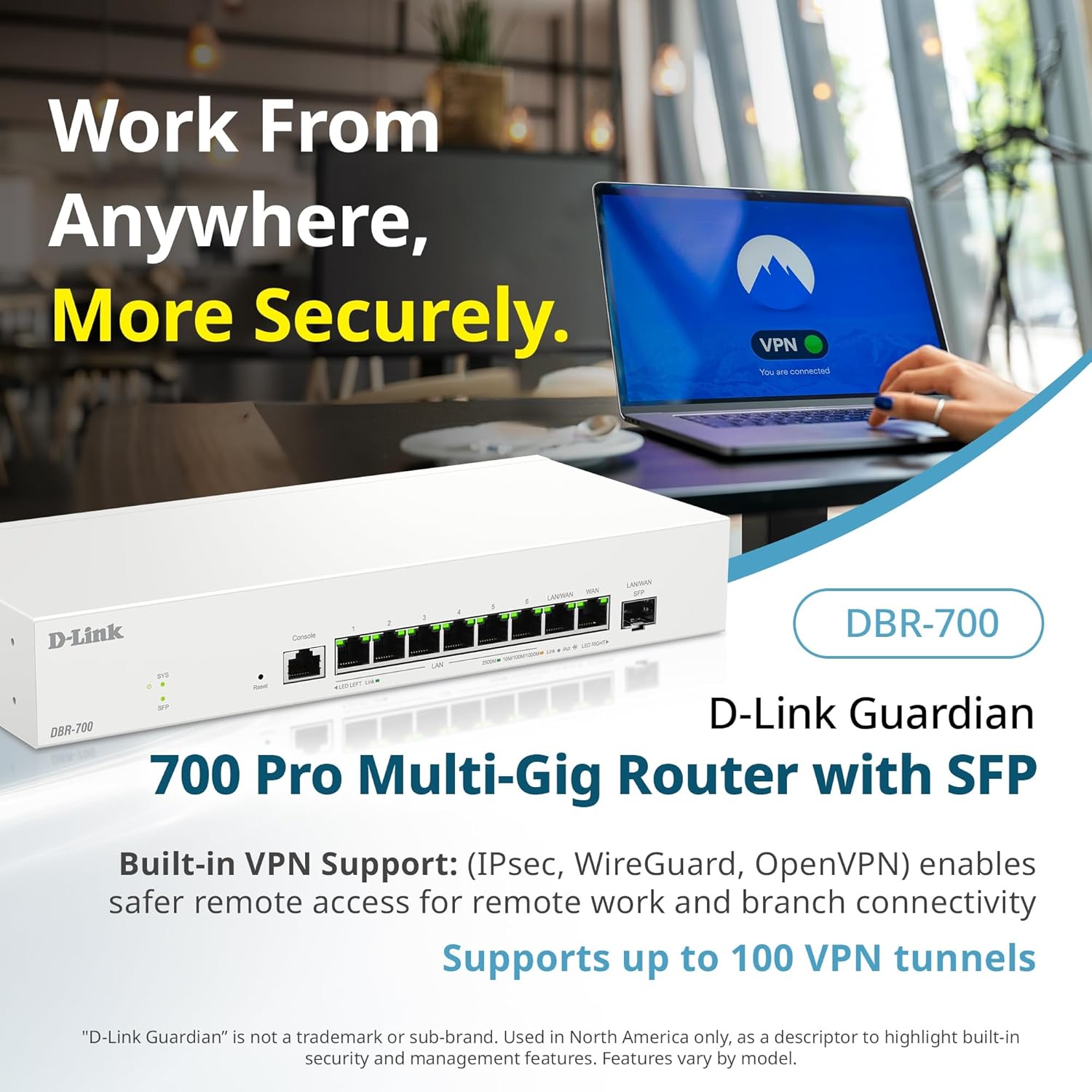
Image: A laptop displaying a 'VPN Connected' status, with the DBR-700 router in the foreground, illustrating secure remote access.
6.3. Centralized Access Point Management
The DBR-700 can discover and manage up to 15 D-Link Guardian Wi-Fi 6 Smart Access Points (DBR-X3000-AP, sold separately) from a single intuitive dashboard. This simplifies Wi-Fi network deployment and management.

Image: A tablet showing the D-Link Wi-Fi management dashboard, demonstrating centralized control over D-Link Guardian Access Points, with the DBR-700 router and a DBR-X3000-AP in the background.
6.4. Guest Wi-Fi Management
Set up and manage guest Wi-Fi networks with a Captive Portal. This allows for branded sign-in pages for guests while keeping business systems separate and secure. Configuration and management are done from the router dashboard.

Image: A smartphone screen showing a customizable guest Wi-Fi login portal, highlighting the DBR-700's ability to manage and customize guest networks.
7. ጥገና
7.1. የጽኑ ዝማኔዎች
ጥሩ አፈጻጸምን፣ ደህንነትን እና የአዳዲስ ባህሪያትን መዳረሻ ለማረጋገጥ የጽኑ ትዕዛዝ ዝመናዎችን በመደበኛነት ያረጋግጡ እና ይጫኑ። የጽኑዌር ዝመናዎች በተለምዶ በዲ-ሊንክ ድጋፍ ላይ ሊገኙ ይችላሉ። webጣቢያ ለእርስዎ የተለየ ሞዴል።
7.2. የፋብሪካ ዳግም ማስጀመር
If you encounter persistent issues or wish to clear all configurations, you can perform a factory reset. To do this, locate the Reset button on the front panel. With the router powered on, use a paperclip or similar pointed object to press and hold the Reset button for approximately 5-10 seconds until the SYS LED blinks. Release the button, and the router will restart with factory default settings.
8. መላ መፈለግ
This section addresses common issues you might encounter with your DBR-700 router.
8.1. ምንም የበይነመረብ ግንኙነት የለም
- ኬብሎችን ይፈትሹ፡ ሁሉም የኤተርኔት ገመዶች ከትክክለኛዎቹ ወደቦች (WAN፣ LAN) ጋር ደህንነቱ በተጠበቀ ሁኔታ መገናኘታቸውን ያረጋግጡ።
- የሞደም ሁኔታ፡- Verify that your internet service provider's modem is working correctly and has an active internet connection.
- የWAN ውቅር፡ ወደ ራውተር ይግቡ web interface and verify that the WAN settings (e.g., IP address, DNS) are correctly configured according to your ISP's requirements.
- መሣሪያዎችን ዳግም ማስጀመር; Power cycle your modem, then the router, and then your connected devices.
8.2. መድረስ አልተቻለም Web በይነገጽ
- አይፒ አድራሻ፡- Ensure your computer is configured to obtain an IP address automatically (DHCP) or has a static IP address within the router's subnet.
- ራውተር አይፒ: Double-check the router's default IP address. It might be printed on a label on the router itself or in the Quick Installation Guide.
- ፋየርዎል/ጸረ-ቫይረስ፡ በኮምፒተርዎ ላይ ያለውን መዳረሻ የሚከለክል ማንኛውንም ፋየርዎል ወይም ጸረ-ቫይረስ ሶፍትዌር ለጊዜው ያሰናክሉ።
- የአሳሽ መሸጎጫ፡- የእርስዎን ያጽዱ web የአሳሽ መሸጎጫ እና ኩኪዎች፣ ወይም ሌላ አሳሽ ይሞክሩ።
8.3. Slow Network Speeds
- የኬብል ጥራት Ensure you are using high-quality Ethernet cables (Cat5e or Cat6) for multi-gig connections.
- የመሣሪያ ተኳኋኝነት Verify that connected devices and network adapters support 2.5GbE speeds.
- የአይኤስፒ ፍጥነት፡- Confirm your internet service plan provides the expected speeds.
- የትራፊክ አስተዳደር; Check router settings for any Quality of Service (QoS) or bandwidth limits that might be affecting performance.
9. ቴክኒካዊ ዝርዝሮች
| ባህሪ | ዝርዝር መግለጫ |
|---|---|
| የምርት ስም | ዲ-ሊንክ |
| የሞዴል ቁጥር | ዲቢአር-700 |
| WAN ወደቦች | 1x 2.5GbE WAN, 1x 2.5GbE/1GbE SFP (configurable as WAN) |
| LAN ወደቦች | 6x 2.5GbE LAN, 1x 2.5GbE (configurable as LAN) |
| የቪፒኤን ድጋፍ | IPSec, WireGuard, OpenVPN (up to 100 tunnels) |
| የ AP አስተዳደር | Manages up to 15 D-Link Guardian Wi-Fi 6 Smart Access Points |
| የደህንነት ባህሪያት | SPI Firewall, WPA3 encryption, VLANs |
| ልኬቶች (LxWxH) | 11.02 x 1.73 x 4.96 ኢንች |
| የእቃው ክብደት | 2 ፓውንድ |
| ጥራዝtage | 120 ቮልት (ኤሲ) |
| ቀለም | ነጭ |
10. ዋስትና እና ድጋፍ
ለዝርዝር የዋስትና መረጃ፣ የቴክኒክ ድጋፍ እና ተጨማሪ ግብዓቶች፣ እባክዎን ኦፊሴላዊውን D-Link ይጎብኙ website. You can find product registration, FAQs, firmware downloads, and contact information for customer service.
ዲ-ሊንክ ኦፊሴላዊ Webጣቢያ፡ www.dlink.com
Please have your product model number (DBR-700) and serial number ready when contacting support.