
መግቢያ
This manual provides detailed instructions for the setup, operation, and maintenance of your Bmax Mini PC B1 Pro. Please read this manual thoroughly before using the device to ensure proper functionality and to prevent damage.
የጥቅል ይዘቶች
ማሸጊያውን ሲከፍቱ፣ እባክዎን ከዚህ በታች የተዘረዘሩት ሁሉም እቃዎች መኖራቸውን እና በጥሩ ሁኔታ ላይ መሆናቸውን ያረጋግጡ፡-
- Bmax Mini PC B1 Pro unit
- የኃይል አስማሚ
- HDMI ገመድ
- የተጠቃሚ መመሪያ (ይህ ሰነድ)
- Mounting Bracket (if included)
If any items are missing or damaged, please contact Bmax customer support.
ምርት አልቋልview
The Bmax Mini PC B1 Pro is a compact computing solution designed for home and office use. It features various ports for connectivity and expansion.
Internal Chassis View
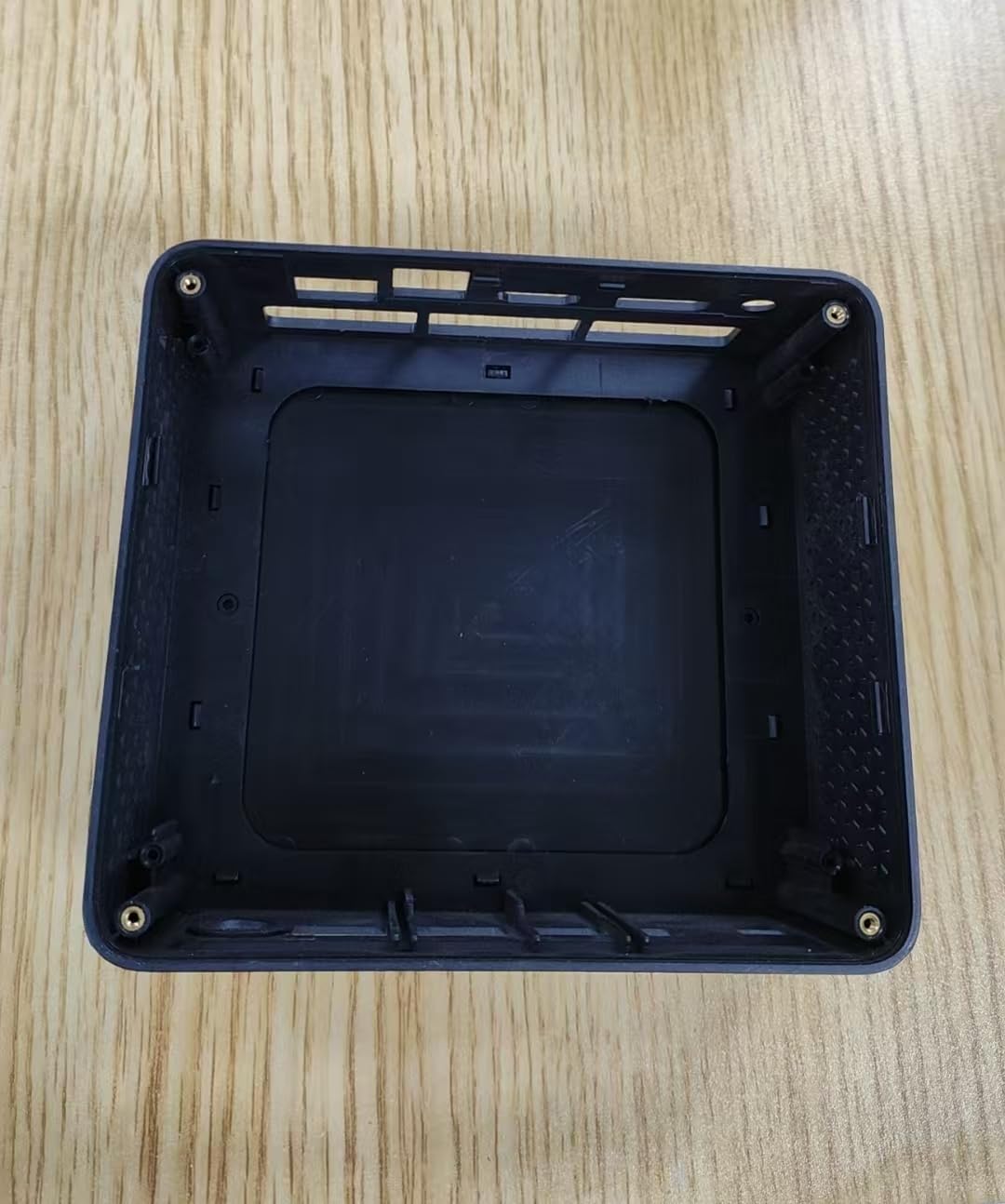
This image displays the internal housing of the Bmax Mini PC B1 Pro, showing the structural components and mounting points within the device's casing. It illustrates the design of the enclosure without the internal electronic components installed.
Port Layout (Typical)
The B1 Pro typically includes the following ports:
- የኤችዲኤምአይ ወደብ For connecting to a display (supports 4K 60Hz).
- የዩኤስቢ 3.0 ወደቦች; Two ports for high-speed data transfer and peripheral connection.
- የዩኤስቢ 2.0 ወደቦች; Two ports for connecting standard peripherals.
- ጊጋቢት ኢተርኔት ወደብ፡ ለገመድ አውታረ መረብ ግንኙነት።
- የኃይል ግቤት፡ የኃይል አስማሚውን ለማገናኘት.
- ኦዲዮ ጃክ ፦ ለጆሮ ማዳመጫዎች ወይም ድምጽ ማጉያዎች.
ማዋቀር
1. ተያያዥ መሳሪያዎች
- Connect your monitor or TV to the HDMI ወደብ የኤችዲኤምአይ ገመድ በመጠቀም።
- Connect your keyboard and mouse to the available የዩኤስቢ ወደቦች (USB 2.0 or USB 3.0).
- (Optional) For a wired internet connection, connect an Ethernet cable to the ጊጋቢት ኤተርኔት ወደብ.
- (Optional) Connect speakers or headphones to the የድምጽ መሰኪያ.
2. ማብራት
- የኃይል አስማሚውን ከ ጋር ያገናኙ power input port on the Mini PC.
- የኃይል አስማሚውን ወደ ግድግዳ መውጫ ይሰኩት.
- የሚለውን ይጫኑ የኃይል አዝራር (location may vary, typically on the front or side) to turn on the device.
- The power indicator light will illuminate, and the system will begin to boot.
3. የመጀመሪያ ውቅር
Follow the on-screen instructions to complete the initial setup of the operating system (e.g., Windows, Linux). This typically includes setting up user accounts, network connections, and regional settings.
የአሠራር መመሪያዎች
መሰረታዊ አጠቃቀም
- ማብራት/ማጥፋት፡ Press the power button to turn on. To shut down, use the operating system's shutdown function. A short press of the power button can put the device to sleep.
- እንደገና ጀምር፥ የስርዓተ ክወናውን ዳግም ማስጀመሪያ ተግባር ይጠቀሙ።
- የዩኤስቢ መሳሪያዎችን በማገናኘት ላይ; Insert USB drives, external hard drives, or other peripherals into the available USB 2.0 or USB 3.0 ports.
ከአውታረ መረብ ጋር በመገናኘት ላይ
- ዋይ ፋይ፡ The B1 Pro supports Dual-Band Wi-Fi. Access your operating system's network settings, select your desired Wi-Fi network, and enter the password.
- ኢተርኔት፡ If you connected an Ethernet cable during setup, the system should automatically detect and connect to the wired network.
- ብሉቱዝ፡ The B1 Pro features Bluetooth 5.0. Enable Bluetooth in your operating system settings to pair with compatible devices like keyboards, mice, or headphones.
የማሳያ ውጤት
The Mini PC supports 4K resolution at 60Hz via its HDMI port. Ensure your display and HDMI cable are compatible with these specifications for optimal performance.
ጥገና
- ማጽዳት፡ Use a soft, dry cloth to clean the exterior of the Mini PC. Avoid liquid cleaners directly on the device. Use compressed air to clear dust from vents periodically.
- የሶፍትዌር ማሻሻያ ከፍተኛ አፈፃፀም እና ደህንነት ለማረጋገጥ የእርስዎን ስርዓተ ክወና እና ነጂዎች በመደበኛነት ያዘምኑ።
- የአየር ማናፈሻ; Ensure the Mini PC is placed in a well-ventilated area to prevent overheating. Do not block the ventilation holes.
መላ መፈለግ
| ችግር | ሊሆን የሚችል ምክንያት | መፍትሄ |
|---|---|---|
| ኃይል የለም | የኃይል አስማሚ አልተገናኘም ወይም የተሳሳተ መውጫ። | የኃይል ግንኙነቶችን ይፈትሹ. የተለየ መውጫ ይሞክሩ። |
| ምንም የማሳያ ውጤት የለም። | Incorrect HDMI connection, faulty cable, or incorrect input selected on monitor. | Ensure HDMI cable is securely connected. Try a different HDMI cable. Select correct input source on your monitor. |
| Wi-Fi አይገናኝም። | የተሳሳተ የይለፍ ቃል፣ ከክልል ውጪ ወይም የራውተር ችግር። | Verify Wi-Fi password. Move closer to the router. Restart router. |
| ዘገምተኛ አፈጻጸም | Too many applications running, insufficient storage, or outdated drivers. | Close unnecessary applications. Free up disk space. Update operating system and drivers. |
For further assistance, please contact Bmax customer support.
ዝርዝሮች
| ባህሪ | ዝርዝር |
|---|---|
| ሞዴል | B1 ፕሮ |
| ፕሮሰሰር | Intel Celeron (2.4 GHz) |
| ራም | LPDDR4 |
| ማከማቻ | 128 GB SSD (PCIE x 4 interface) |
| ግራፊክስ | Integrated, 8 GB Graphics RAM |
| ስርዓተ ክወና | OS (Pre-installed or user-installable) |
| የዩኤስቢ ወደቦች | 2x ዩኤስቢ 3.0፣ 2x ዩኤስቢ 2.0 |
| የቪዲዮ ውፅዓት | HDMI (supports 4K 60Hz) |
| አውታረ መረብ | Gigabit Ethernet, Dual-Band Wi-Fi, Bluetooth 5.0 |
| መጠኖች | 10.5 x 6 x 2.8 ኢንች |
| ክብደት | 1.3 ፓውንድ |
| የታሰበ አጠቃቀም | Business, Home & Office |
የደህንነት መረጃ
- መሳሪያውን ለከፍተኛ ሙቀት፣ እርጥበት ወይም ቀጥተኛ የፀሐይ ብርሃን አያጋልጡት።
- መሳሪያውን ለጠንካራ ተጽእኖዎች ከመጣል ወይም ከማስገዛት ተቆጠብ።
- መሳሪያውን እራስዎ ለመበተን ወይም ለመጠገን አይሞክሩ. ብቃት ያላቸውን የአገልግሎት ሰራተኞች ይመልከቱ።
- የቀረበውን የኃይል አስማሚ ብቻ ይጠቀሙ።
- መሳሪያውን ከፈሳሾች ያርቁ.
ዋስትና እና ድጋፍ
The Bmax Mini PC B1 Pro comes with a standard manufacturer's warranty. Please refer to the warranty card included in your package or visit the official Bmax webለዝርዝር የዋስትና ውሎች እና ሁኔታዎች ጣቢያ።
For technical support, troubleshooting, or service inquiries, please contact Bmax customer support through their official channels. Contact information can typically be found on the Bmax webጣቢያ ወይም በምርቱ ማሸጊያ ላይ.
Bmax Official Webጣቢያ፡ Visit the Bmax Store on Amazon