
መግቢያ
This manual provides essential instructions for the safe operation, setup, and maintenance of your DEERC M66 1080P Drone. Designed for beginners, teenagers, and families, this drone features a 4.3-inch screen remote control, a 1080P camera for close-up aerial photography, a brushless motor for stable flight, and 5G transmission for a smooth live view. Please read this manual thoroughly before operating the drone to ensure proper use and to prevent damage or injury.
የደህንነት መረጃ
ማስጠንቀቂያ፡- በቀጥታ በአዋቂዎች ቁጥጥር ስር ብቻ ጥቅም ላይ የሚውል.
- ድሮን ሁል ጊዜ ከሰዎች፣ ከእንስሳት እና እንቅፋት ርቀው በሚገኙ ክፍት ቦታዎች ላይ ያንቀሳቅሱት።
- ከበረራዎ በፊት ሁሉም ፕሮፔለሮች ደህንነቱ በተጠበቀ ሁኔታ መያዛቸውን ያረጋግጡ።
- አየር ማረፊያዎች ወይም የተከለከሉ የአየር ክልል አጠገብ አይበሩ።
- በጠንካራ ንፋስ ወይም መጥፎ የአየር ሁኔታ ከመብረር ተቆጠብ።
- ጣቶችን እና ፀጉርን ከሚሽከረከሩ ማራመጃዎች ያርቁ።
- Do not touch the motors immediately after flight as they may be hot.
- Always turn off the drone and remote control when not in use.
- Follow all local regulations and laws regarding drone operation.
የጥቅል ይዘቶች
ከዚህ በታች የተዘረዘሩት ሁሉም እቃዎች በጥቅልዎ ውስጥ መካተታቸውን ያረጋግጡ፡-
- 1 x DEERC M66 Drone
- 1 x Remote Control with 4.3-inch Screen
- 2 x Drone Batteries (Lithium-polymer)
- 4 x መለዋወጫ ፕሮፔለሮች
- 1 x የዩኤስቢ ባትሪ መሙያ ገመድ
- 1 x Screwdriver
- 1 x ማህደረ ትውስታ ካርድ
- 1 x የእጅ ቦርሳ
- የተጠቃሚ መመሪያ (ይህ ሰነድ)

ምስል፡ A visual representation of all components included in the DEERC M66 drone package, laid out neatly. This includes the folded drone, the remote control, two batteries, spare propellers, a USB charging cable, a screwdriver, a memory card, and a carrying bag.
ማዋቀር
1. የባትሪ መጫን እና መሙላት
The DEERC M66 drone comes with two Lithium-polymer batteries, providing up to 40 minutes of total flight time. Ensure batteries are fully charged before each flight.
- የድሮብ ባትሪ: Insert the drone battery into the battery compartment on the rear of the drone until it clicks into place. To charge, connect the USB charging cable to the battery and a suitable USB power source (e.g., computer, USB adapter). The charging indicator will show the charging status.
- የርቀት መቆጣጠሪያ ባትሪ; The remote control requires 2 D batteries (not included). Open the battery compartment on the back of the remote control and insert the batteries, observing the correct polarity.
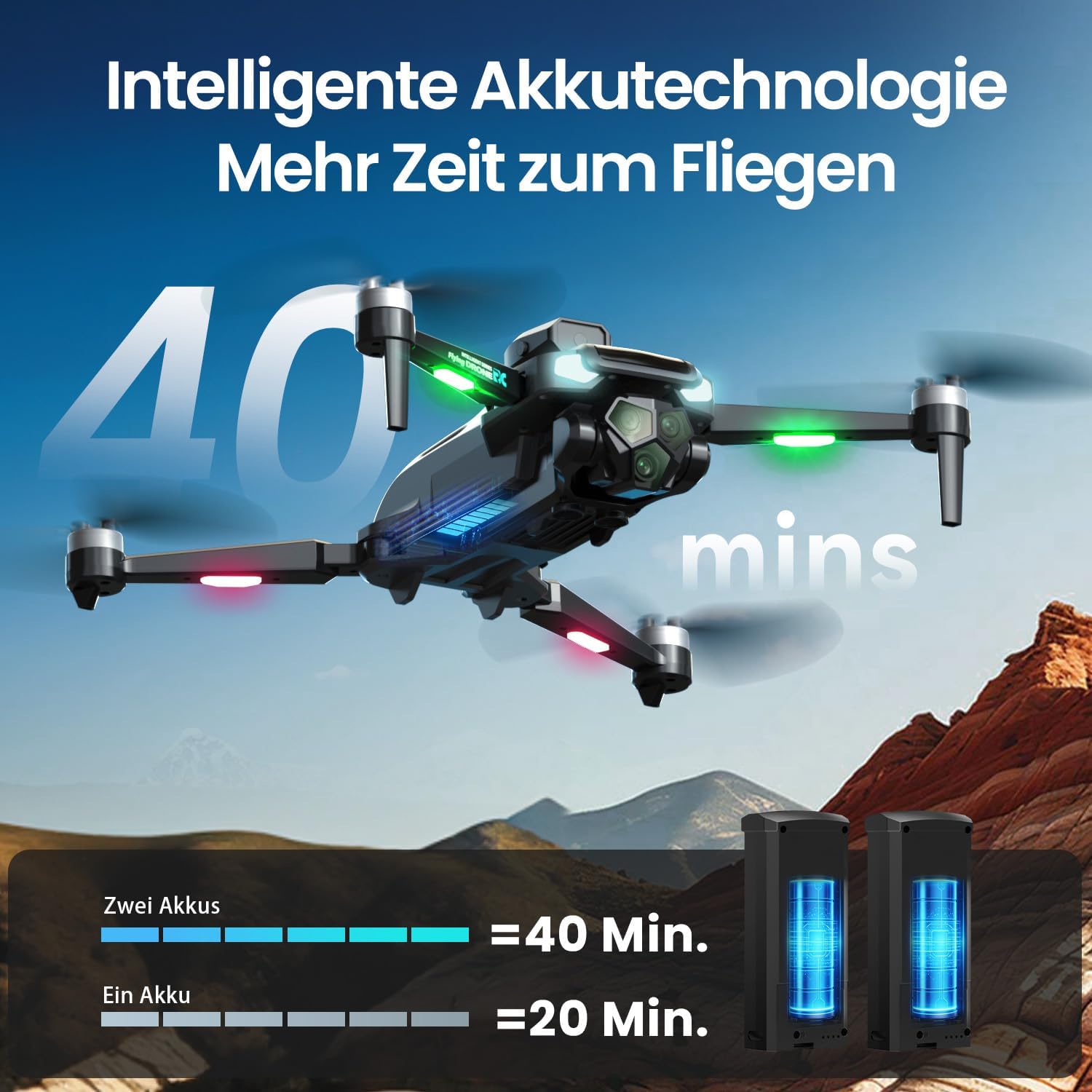
ምስል፡ The DEERC M66 drone in flight, with an overlay indicating "40 mins" flight time. Below, two drone batteries are shown, illustrating that two batteries provide 40 minutes of flight, while one provides 20 minutes. This highlights the extended flight capability.
2. የፕሮፔለር መጫኛ
The drone's propellers are designed for easy replacement. If a propeller is damaged, replace it with a spare from the package.
- Identify the correct propeller type (A or B) for each motor arm.
- Align the propeller with the motor shaft and press down firmly until it is securely attached.
- Ensure all propellers spin freely without obstruction.
3. የርቀት መቆጣጠሪያ ማዋቀር
The remote control features an integrated 4.3-inch screen, eliminating the need for a smartphone.
- Unfold the remote control's screen and antennas.
- የርቀት መቆጣጠሪያውን ለማብራት የኃይል ቁልፉን ይጫኑ።
- Power on the drone. The remote control and drone will automatically pair. A successful connection will be indicated by a stable light on the drone and a live video feed on the remote's screen.
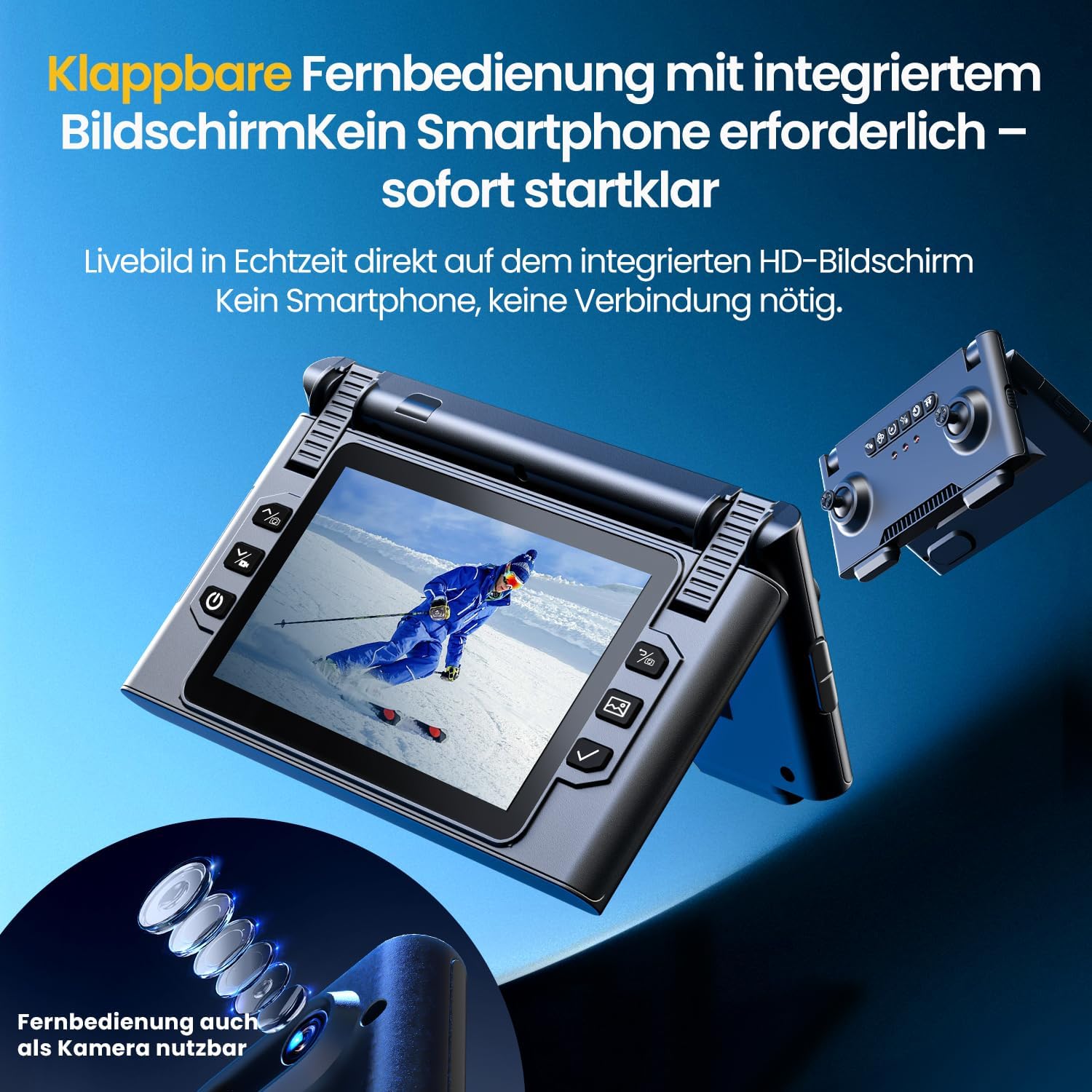
ምስል፡ መቀራረብ view of the DEERC M66 drone's foldable remote control, showcasing its integrated 4.3-inch HD screen. The screen displays a live feed, and the remote's buttons and joysticks are visible. This design allows for immediate flight without a smartphone connection.
የአሠራር መመሪያዎች
1. መሰረታዊ የበረራ መቆጣጠሪያዎች
- አንድ-ቁልፍ መነሳት/ማረፍ፡ Press the dedicated button on the remote control for automatic takeoff or landing.
- ጭንቅላት የሌለው ሁነታ: Activate Headless Mode to simplify flight orientation. In this mode, the drone's front will always be the direction the remote control is facing, regardless of the drone's actual orientation.
- የአደጋ ጊዜ ማቆሚያ፡ ድንገተኛ አደጋ ሲከሰት፣ ሞተሮቹን ወዲያውኑ ኃይል ለመቀነስ የአደጋ ጊዜ ማቆሚያ ቁልፍን ይጫኑ።

ምስል፡ Three distinct panels illustrating beginner-friendly flight features. The first shows the drone taking off from a landing pad, representing one-button start and landing. The second depicts the drone in headless mode, with arrows indicating simplified directional control. The third shows the drone descending rapidly, symbolizing the emergency stop function.
2. Flight Modes and Tricks
- የፍጥነት ማስተካከያ; The drone offers 3 speed levels (Slow, Medium, Fast) to accommodate different skill levels and flying environments. Adjust the speed using the dedicated button on the remote control.
- 360° መገልበጥ፡ Perform impressive aerial stunts with a single button press. Ensure sufficient altitude and clear surroundings before attempting flips.

ምስል፡ Two panels demonstrating advanced flight capabilities. The top panel shows the drone performing a 360-degree flip with a single button press, illustrating an aerial trick. The bottom panel displays three drones at different speeds (Slow, Medium, Fast), indicating the adjustable speed settings for varied flight experiences.
3. Camera Operation and Features
The integrated 1080P camera is designed for clear close-up shots and everyday scenes.
- 1080P HD ካሜራ፡ Capture high-definition photos and videos. The camera features a 90° adjustable lens for flexible wide-angle shots.
- የእጅ ምልክት ቁጥጥር፡- Initiate photo and video recording with simple hand gestures, making it easy to capture moments without touching the remote.
- 5ጂ ማስተላለፊያ፡ Enjoy a stable live image feed on the remote control's screen up to approximately 100 meters, providing real-time visual feedback for precise control.

ምስል፡ ዝርዝር view of the DEERC M66 drone, highlighting its 1080P HD camera with a 90-degree adjustable lens. The image also shows a comparison between 1080P and 720P resolution, emphasizing the clarity of the 1080P camera for aerial views.
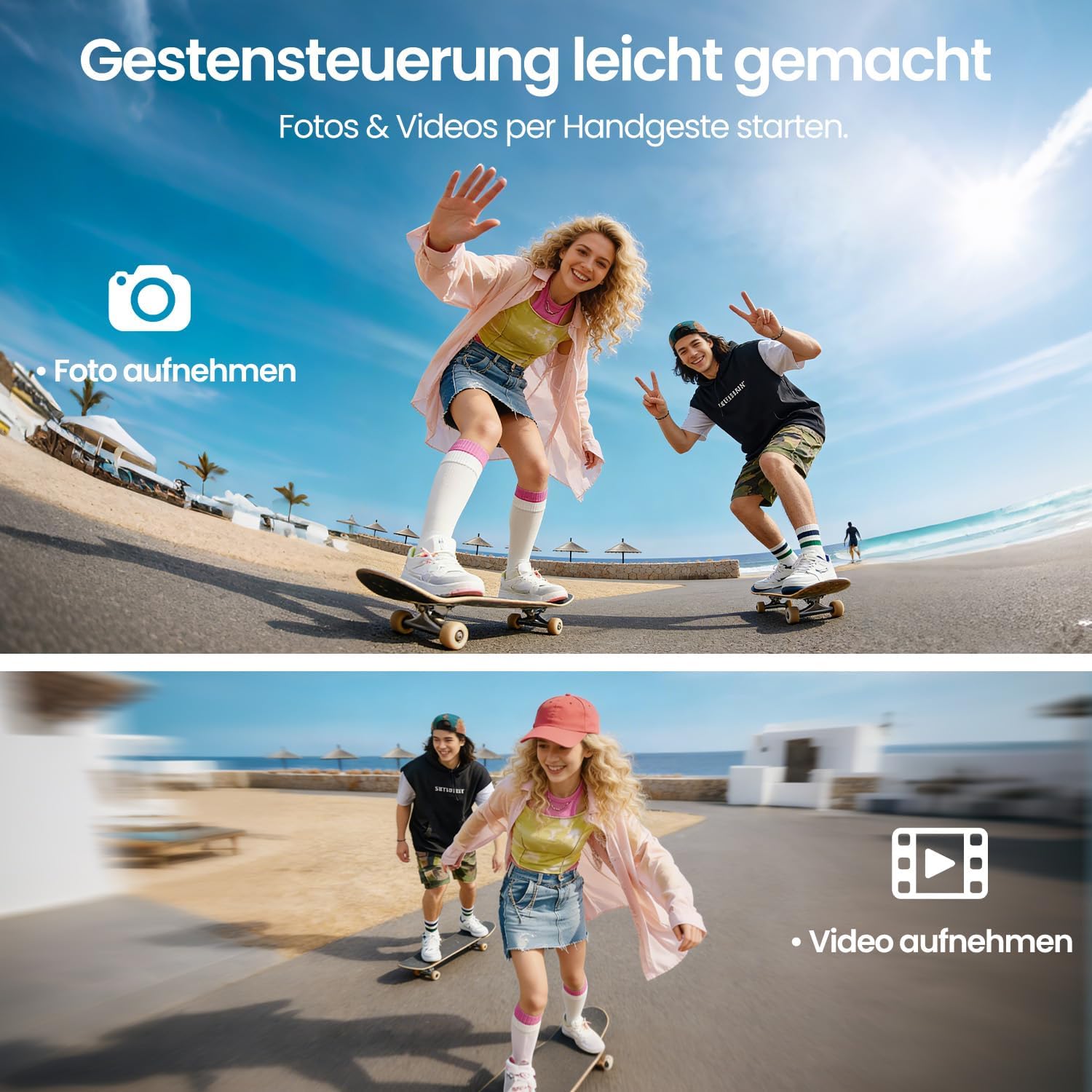
ምስል፡ Two panels demonstrating gesture control. The top panel shows a person making a hand gesture to take a photo, indicated by a camera icon. The bottom panel shows another person making a different hand gesture to record a video, indicated by a video camera icon. This illustrates the ease of capturing media hands-free.
4. Obstacle Avoidance and Stability
- 360° እንቅፋትን ማስወገድ፦ The drone is equipped with 360° obstacle avoidance to help reduce collisions, making it safer for beginners.
- የኦፕቲካል ፍሰት አቀማመጥ፡- Optical flow sensors ensure stable positioning at low altitudes, contributing to a calm and uniform flight experience, especially indoors or in confined outdoor spaces.
- ብሩሽ-አልባ ሞተር: The brushless motor provides quiet and stable flight performance, enhancing durability and efficiency.

ምስል፡ The DEERC M66 drone flying near a rocky surface, with visual cues indicating obstacle avoidance sensors and stable flight. An inset shows a brushless motor, emphasizing its quiet and uniform operation. This image highlights the drone's stability features and collision prevention.
ጥገና
- ማጽዳት፡ የድሮን ብልቱን፣ ፕሮፔለሩን እና የካሜራ ሌንስን ለስላሳ እና ደረቅ ጨርቅ አዘውትረው ያጽዱ። ፈሳሾችን ወይም ሟሟቶችን ከመጠቀም ይቆጠቡ።
- የፕሮፔለር መተካት Inspect propellers for damage before each flight. Replace any bent, cracked, or chipped propellers immediately using the provided screwdriver and spare propellers.
- የባትሪ እንክብካቤ Store batteries in a cool, dry place. Do not overcharge or over-discharge batteries. If the drone will not be used for an extended period, charge batteries to approximately 50% before storage.
- የሞተር ምርመራ; Periodically check the brushless motors for any debris or obstructions. Ensure they spin freely.
መላ መፈለግ
| ችግር | ሊሆን የሚችል ምክንያት | መፍትሄ |
|---|---|---|
| ድሮን አይበራም። | ባትሪ አልተሞላም ወይም በትክክል አልገባም። | Ensure drone battery is fully charged and correctly inserted. Check remote control batteries. |
| Remote control does not connect to drone. | Drone and remote are not paired or too far apart. | Ensure both devices are powered on and within range. Restart both devices and try pairing again. |
| Drone is unstable during flight. | Damaged propellers, uncalibrated sensors, or strong winds. | Check and replace damaged propellers. Perform sensor calibration (refer to advanced settings in the remote control). Avoid flying in windy conditions. |
| Poor camera image quality or no live feed. | Weak 5G signal, dirty lens, or memory card issue. | Ensure drone is within 5G transmission range (approx. 100m). Clean the camera lens. Check if the memory card is properly inserted and has free space. |
| Drone drifts during hover. | Uncalibrated gyroscope or optical flow sensor. | Perform gyroscope and optical flow sensor calibration as per remote control instructions. |
ዝርዝሮች
| ባህሪ | ዝርዝር |
|---|---|
| የሞዴል ቁጥር | M66 |
| የምርት ስም | DEERC |
| ልኬቶች (L x W x H) | 15 x 8 x 7.5 ሴሜ (አጣጥፎ) |
| የእቃው ክብደት | 148 ግራም |
| የካሜራ ጥራት | 1080p (Video Capture) |
| የርቀት መቆጣጠሪያ ማያ | 4.3 ኢንች |
| የበረራ ጊዜ | እስከ 40 ደቂቃዎች (ከ 2 ባትሪዎች ጋር) |
| የሞተር ዓይነት | ብሩሽ የሌለው ሞተር |
| የማስተላለፊያ ቴክኖሎጂ | 5 ጂ Wi-Fi |
| ልዩ ባህሪያት | Optical Flow Positioning, 360° Obstacle Avoidance, 360° Flip, Headless Mode, 3 Speed Levels |
| የባትሪ ቅንብር | ሊቲየም-ፖሊመር |
| የርቀት መቆጣጠሪያ ባትሪ | 2 x D batteries (not included) |
| የዕድሜ ክልል (መግለጫ) | 12 ዓመት እና ከዚያ በላይ |
ዋስትና እና ድጋፍ
For warranty information and technical support, please refer to the contact details provided with your purchase or visit the official DEERC webጣቢያ. ለዋስትና ጥያቄዎች የግዢ ማረጋገጫዎን ያስቀምጡ።
- የመመለሻ መመሪያ፡ 30-day refund/replacement policy (as per Amazon.com.be).
- አምራች፡ DEERC
- ሻጭ፡ HOLYTON (fulfilled by Amazon)