
1. መግቢያ
This manual provides essential information for setting up, operating, and maintaining your DOOGEE Anywise W1 Smart Watch. Please read this manual thoroughly to ensure proper use and to fully utilize all features of your device.
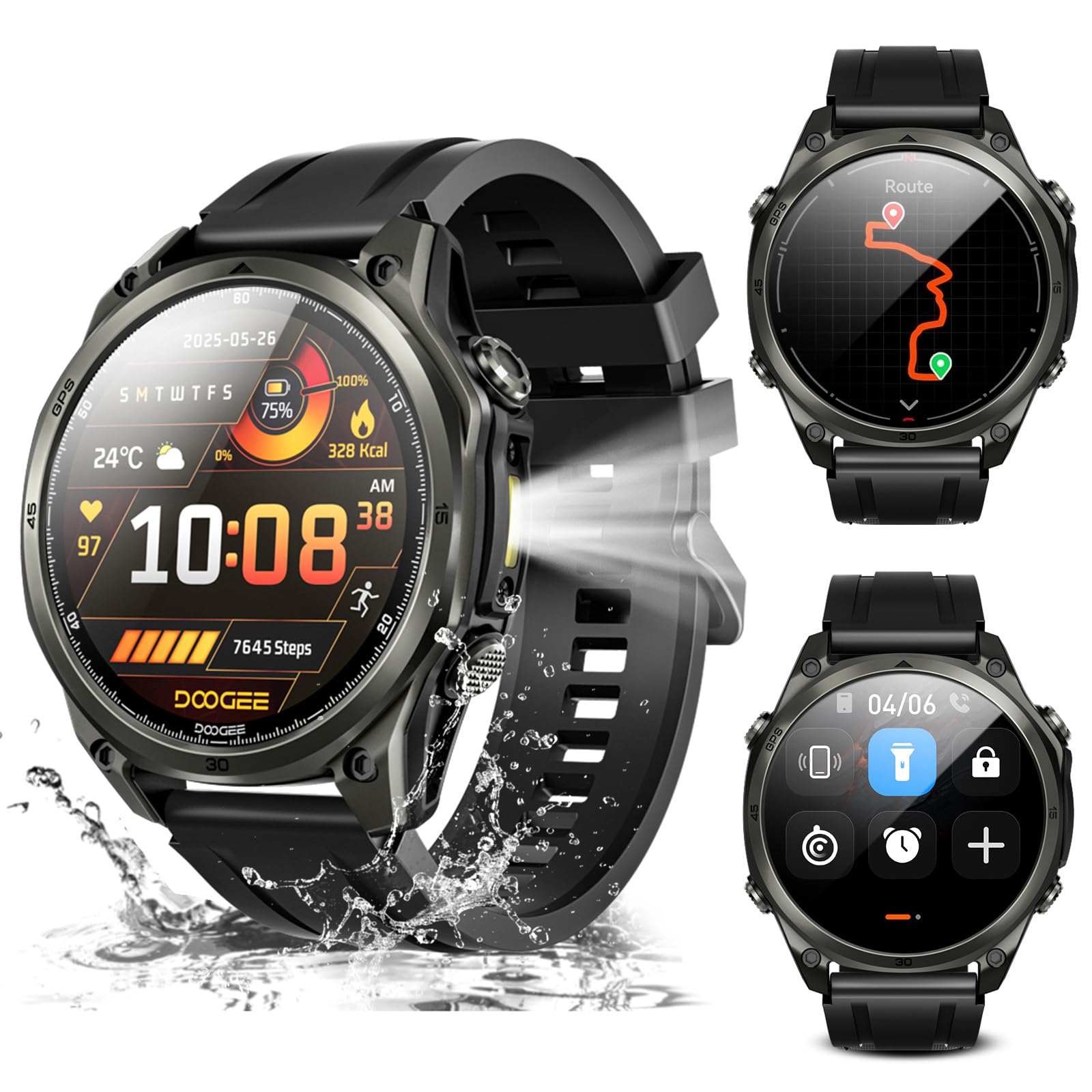
ምስል፡ አልቋልview of the DOOGEE Anywise W1 Smart Watch and its main features.
2. የጥቅል ይዘቶች
ሁሉም እቃዎች በምርት ጥቅልዎ ውስጥ መኖራቸውን ያረጋግጡ፡-
- 1 X Anywise W1 Smartwatch
- 1 X መግነጢሳዊ ኃይል መሙያ ገመድ
- 2 X Watch Straps (1*Silicone Strap + 1*Braided Strap)
- 1 X የተጠቃሚ መመሪያ
- 1 X የመማር ማስተማር መመሪያ
- 1 X Service Card
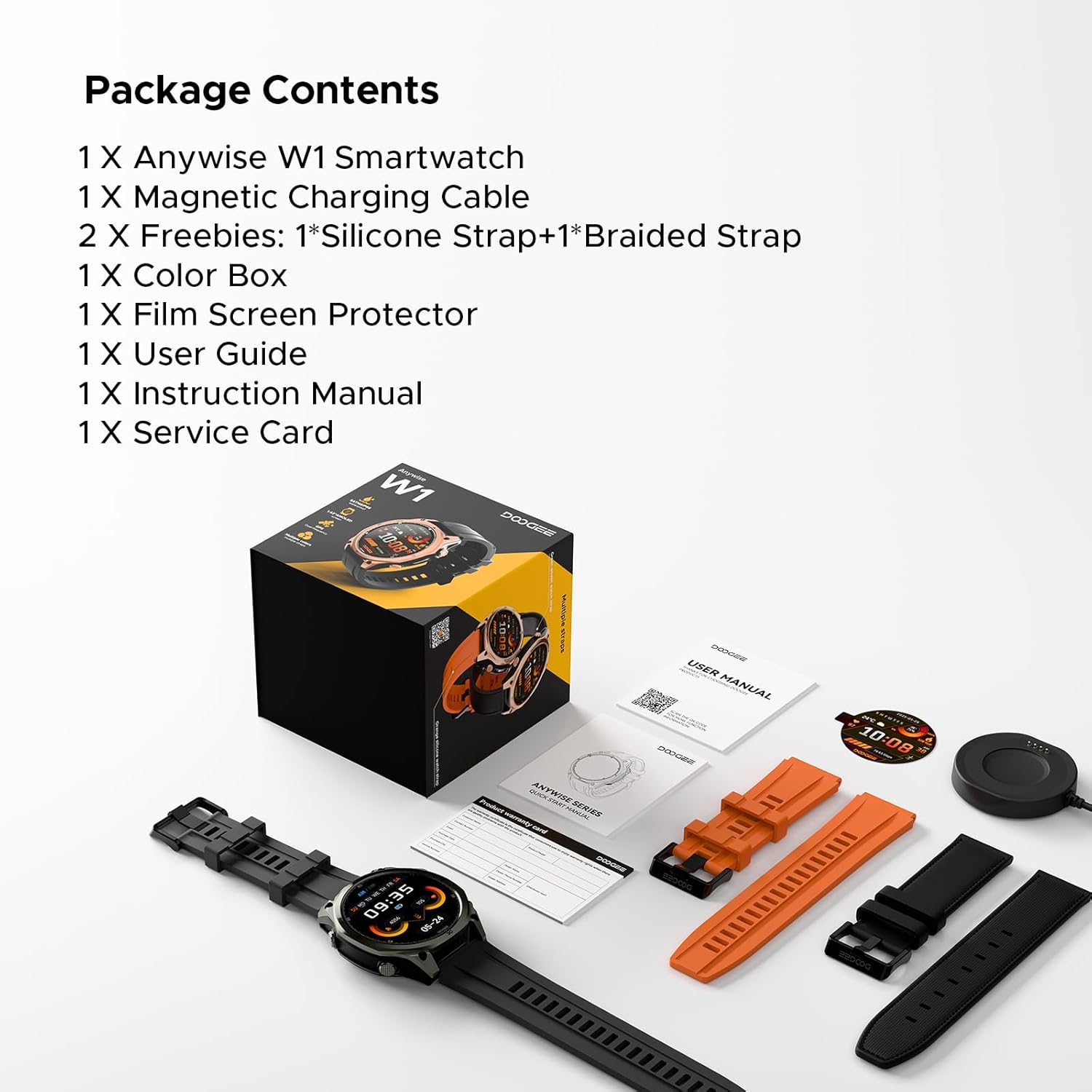
Image: The DOOGEE Anywise W1 Smart Watch and its accessories as found in the box.
3. ማዋቀር
3.1 የመጀመሪያ ደረጃ መሙላት
Before first use, fully charge your DOOGEE Anywise W1 Smart Watch. Connect the magnetic charging cable to the charging pins on the back of the watch and plug the USB-A end into a compatible power source. The watch display will indicate charging status.
Video: Demonstrates connecting the magnetic charging cable to the watch and a USB power source.
3.2 መተግበሪያ መጫን እና ማጣመር
- Download the official DOOGEE Fit application from your smartphone's app store (compatible with Android and iPhone).
- መተግበሪያውን ይክፈቱ እና መለያ ይፍጠሩ ወይም ይግቡ።
- Follow the on-screen prompts to set up your personal profile (gender, height, weight, age, daily goals).
- Enable Bluetooth on your smartphone and allow the DOOGEE Fit app to access Bluetooth.
- In the app, select 'Add Device' and choose 'DOOGEE Anywise W1' from the list of available devices.
- በሁለቱም በስማርትፎንዎ እና በሰዓቱ ላይ የማጣመር ጥያቄን ያረጋግጡ።
Video: Shows the process of setting up the DOOGEE Fit application on a smartphone and pairing it with the watch.
3.3 የቋንቋ ምርጫ
After initial charging and pairing, you may need to select your preferred language on the watch. Tap the screen to navigate through language options and select 'English'.
4. የአሠራር መመሪያዎች
4.1 ማሳያ እና አሰሳ
The DOOGEE Anywise W1 features a 1.43-inch AMOLED high-definition touch screen, providing clear visibility in various conditions. Navigate the watch interface by swiping left, right, up, or down, and tapping to select options.

Image: The watch display showing a notification, highlighting its clarity.
4.2 የጂፒኤስ ተግባራዊነት
The watch includes built-in Dual-Band GPS (L1+L5) with six-satellite support (GPS, GLONASS, Beidou, Galileo, QZSS, AGPS) for fast and accurate location tracking during outdoor activities.

Image: The watch displaying GPS navigation during a run.
4.3 የውሃ መቋቋም
The DOOGEE Anywise W1 has a 5ATM waterproof rating, making it suitable for swimming, showering, and use in various harsh environments.

Image: The watch being used in water, showcasinግ የውሃ መቋቋም ችሎታ።
4.4 የባትሪ ህይወት
Equipped with a 550mAh high-capacity battery, the watch offers up to 12 days of daily use and 40 hours of continuous GPS positioning.

Image: Visual representation of the watch's extended battery life.
4.5 የስፖርት ሁነታዎች
The watch supports over 170 sports modes. Connect to the app to download more. It monitors critical data like workout heart rate, distance, speed, and calories in real-time.

ምስል፡ ዘጸamples of different sports modes available on the watch.
4.6 የጤና ክትትል
The watch provides comprehensive health monitoring, including real-time heart rate, sleep tracking, stress levels, and blood oxygen saturation. Access these metrics through the DOOGEE Fit app.
4.7 Communication & AI Features
- የብሉቱዝ ጥሪ፡ Make and answer calls directly from the watch. Up to 100 contacts can be imported via the app.
- AI ድምጽ ረዳት፡ Utilize AI functions for dialing, Q&A, and real-time translation (voice input to text display and voice announcements).
- ማሳወቂያዎች፡- The watch alerts you to incoming messages and calls. Note: The watch cannot reply to messages.
4.8 ተጨማሪ ባህሪያት
- የ LED የእጅ ባትሪ; A 60 LM LED flashlight with 4 brightness levels.
- ኮምፓስ፡ Integrated compass function for outdoor navigation.
- ዕለታዊ መሳሪያዎች፡ Music control, weather updates, stopwatch, alarm, camera control, SOS mode, and voice recording.
4.9 የሰዓት ፊቶችን መቀየር
Customize your watch's appearance by changing watch faces through the DOOGEE Fit app. Navigate to the watch face section in the app to browse and apply different styles.
4.10 የሰዓት ማሰሪያዎችን መቀየር
The watch comes with two interchangeable straps (silicone and braided). To change a strap, locate the small pin on the underside of the strap connection point, slide it to release, and then attach the new strap by aligning the pins and releasinወደ ሰዓቱ ጆሮዎች ውስጥ g እነሱን.
5. ጥገና
To ensure the longevity and optimal performance of your DOOGEE Anywise W1 Smart Watch, follow these maintenance guidelines:
- ማጽዳት፡ Regularly clean the watch and straps with a soft, damp ጨርቅ. ኃይለኛ ኬሚካሎችን ወይም ገላጭ ቁሳቁሶችን ያስወግዱ.
- ማድረቅ፡ After exposure to water, ensure the watch is completely dry before charging or using buttons.
- ማከማቻ፡ በማይጠቀሙበት ጊዜ ሰዓቱን በቀዝቃዛና ደረቅ ቦታ ያከማቹ።
- ከባድ ሁኔታዎችን ያስወግዱ; While rugged, prolonged exposure to extreme temperatures or direct sunlight can affect battery life and component integrity.
6. መላ መፈለግ
If you encounter issues with your DOOGEE Anywise W1 Smart Watch, refer to the following common solutions:
- ሳይበራ ይመልከቱ፡ ሰዓቱ ሙሉ በሙሉ መሙላቱን ያረጋግጡ። ቢያንስ ለ 30 ደቂቃዎች ከኃይል መሙያው ጋር ያገናኙት.
- ከስማርትፎን ጋር ማጣመር አልተቻለም፡- Check that Bluetooth is enabled on your phone and the watch. Ensure the watch is within range of your phone. Restart both devices and try pairing again.
- ትክክለኛ ያልሆነ የጤና መረጃ፡ ሰዓቱ በጣም ጥብቅ ወይም በጣም ልቅ ያልሆነ ሳይሆን በእጅ አንጓዎ ላይ በደንብ መልበስዎን ያረጋግጡ። በሰዓቱ ጀርባ ላይ ያሉትን ዳሳሾች ያፅዱ።
- ጂፒኤስ አይገናኝም: ከቤት ውጭ ክፍት በሆነ ቦታ ላይ መሆንዎን ያረጋግጡ view of the sky. Allow a few minutes for the watch to acquire a signal.
- ማሳወቂያዎች አይታዩም: Check the notification settings in the DOOGEE Fit app and your smartphone's system settings to ensure permissions are granted.
For further assistance, consult the DOOGEE Fit app's help section or contact customer support.
7. ዝርዝሮች
| ባህሪ | ዝርዝር መግለጫ |
|---|---|
| የማህደረ ትውስታ ማከማቻ አቅም | 35 ጊባ |
| ሽቦ አልባ የግንኙነት ደረጃ | ብሉቱዝ |
| የስክሪን መጠን | 1.43 ኢንች |
| የምርት ስም | DOGEE |
| ቀለም | ጥቁር |
| ባንድ ቁሳቁስ አይነት | Silicone, Braided |
| የሚደገፍ መተግበሪያ | Fitness Tracker, Sleep Monitor, Heart Rate Monitor, Pedometer, Blood Pressure Monitor, Multisport Tracker, Reminders, Calendar |
| መለኪያዎች ይለካሉ | Heart Rate Monitor, Sleep Duration, Stress Monitor, Blood Oxygen Monitor |
| Maximum Display Brightness | 800 ኒት |
| Communication Feature | ብሉቱዝ |
8. ዋስትና እና ድጋፍ
For warranty information and customer support, please refer to the Service Card included in your package or visit the official DOOGEE website. You can also find additional resources and FAQs within the DOOGEE Fit application.