
1. መግቢያ
Thank you for choosing the DUDGSIS Portable Bluetooth Speaker X2. This manual provides essential information for setting up, operating, and maintaining your speaker. Please read it carefully before use.
ቁልፍ ባህሪዎች
- IPX7 Waterproof & Rugged Design: Fully submersible in 1 meter of water for 30 minutes, dustproof, and durable for outdoor use.
- 20W Crystal Clear Sound: Equipped with a 53mm high-performance driver for 20W peak power, punchy bass, and crisp highs.
- Dynamic Beat-Driven RGB Light Show: Multi-color light display that syncs with music, offering 7 RGB colors.
- Stable Bluetooth 5.4 & Multi-Mode Connectivity: Fast pairing and stable connection. Supports Bluetooth, AUX input (WAV/FLAC/APE/MP3).
- Ultra-Portable with 15H Playtime: Weighs 300g (0.66 lbs), 4.25 inches tall, with a 2600mAh battery for up to 15 hours of continuous music. Includes a convenient lanyard.
2. የጥቅል ይዘቶች
ሁሉም እቃዎች በሳጥኑ ውስጥ መኖራቸውን ያረጋግጡ:
- DUDGSIS Portable Bluetooth Speaker X2
- የዩኤስቢ-ሲ ኃይል መሙያ ገመድ
- ፈጣን ጅምር መመሪያ
- የዋስትና ካርድ

Figure 2.1: Speaker packaging showing the X2 model and waterproof feature.

Figure 2.2: Unboxed items: DUDGSIS X2 speaker, USB-C charging cable, and user manual.
3. ማዋቀር
3.1 ድምጽ ማጉያውን መሙላት
Before first use, fully charge the speaker. The battery indicator lights will show the charging status.
- Locate the rubber flap on the side of the speaker, covering the charging port.
- Open the flap and connect the USB-C charging cable to the speaker's charging port.
- የዩኤስቢ-ሲ ገመድ ሌላኛውን ጫፍ ወደ ተኳሃኝ የዩኤስቢ ኃይል አስማሚ (ያልተካተተ) ያገናኙ።
- The LED indicators on the speaker will light up to show the charging progress. All four LEDs will be solid when fully charged.

Figure 3.1: Speaker displaying the battery indicator lights during charging.
3.2 ማብራት / ማጥፋት
ድምጽ ማጉያውን ለማብራት ወይም ለማጥፋት፡-
- አብራ፡ ተጭነው ይያዙት። የኃይል አዝራር (
 ) ለ2-3 ሰከንዶች ያህል የድምጽ መልእክት እስኪሰሙ እና የ LED መብራቶች እስኪበሩ ድረስ።
 - ኃይል ዝጋ: ተጭነው ይያዙት። የኃይል አዝራር for 2-3 seconds until the LED lights turn off.
3.3 የብሉቱዝ ማጣመር
ድምጽ ማጉያዎን ብሉቱዝ ከነቃለት መሳሪያ ጋር ለማገናኘት፡-
- Ensure the speaker is powered on and in Bluetooth pairing mode (the LED light ring will flash).
- በመሳሪያዎ (ስማርትፎን፣ ታብሌት፣ ወዘተ) ላይ ወደ ብሉቱዝ ቅንብሮች ይሂዱ።
- ፈልግ የሚገኙ መሳሪያዎችን ይምረጡ እና ከዝርዝሩ ውስጥ "X2" ን ይምረጡ።
- Once connected, you will hear an audible confirmation, and the LED light ring will become solid.
Video 3.1: Demonstrates unboxing, power on, Bluetooth pairing, and basic controls of the DUDGSIS X2 speaker.
4. ተናጋሪውን መስራት
4.1 መቆጣጠሪያዎች
ድምጽ ማጉያው ለቀላል ቁጥጥር ሊታወቁ የሚችሉ አዝራሮች አሉት፦
- የኃይል ቁልፍ፡- ለማብራት/ለማጥፋት ተጭነው ይያዙ። የRGB ብርሃን ሁነታዎችን ለመቀየር አጭር ይጫኑ።
- የድምጽ መጠን መጨመር (+): ድምጽን ለመጨመር አጭር ተጫን። ለቀጣይ ትራክ በረጅሙ ተጫን።
- አጫውት/አፍታ አቁም አዝራር (): ሙዚቃን ለማጫወት ወይም ለአፍታ ለማቆም አጭር ይጫኑ።
- ድምጽ መቀነስ (-): ድምጽን ለመቀነስ አጭር ተጫን። ለቀደመው ትራክ በረጅሙ ይጫኑ።
ምስል 4.1: ዝርዝር view የተናጋሪው የቁጥጥር ፓነል።
4.2 Dynamic RGB Light Show
The speaker features a dynamic RGB light ring that can be customized:
- አጭር ተጫን የኃይል አዝራር to cycle through 7 different RGB color modes.
- The lights can sync with your music's rhythm, creating an enhanced audio-visual experience.

ምስል 4.2፡ የድምጽ ማጉያ ማሳያasinጂ ተለዋዋጭ የ RGB ብርሃን ባህሪው ነው።
Video 4.1: Demonstrates the various LED light modes and their responsiveness to music.
4.3 እውነተኛ ገመድ አልባ ስቴሪዮ (TWS) ማጣመር
For an immersive stereo experience, you can pair two DUDGSIS X2 speakers together:
- ሁለቱም ድምጽ ማጉያዎች መብራታቸውን እና ከሌላ የብሉቱዝ መሳሪያ ጋር አለመገናኘታቸውን ያረጋግጡ።
- በአንድ ድምጽ ማጉያ (ይህ ዋናው ድምጽ ማጉያ ይሆናል) ተጭነው ይያዙት። አጫውት/አፍታ አቁም አዝራር for 3-5 seconds until you hear a pairing tone.
- ሁለቱ ድምጽ ማጉያዎች በራስ-ሰር እርስ በርስ ይገናኛሉ. አንዴ ከተገናኙ በኋላ የማረጋገጫ ድምጽ ይሰማሉ።
- አሁን፣ በክፍል 3.3 እንደተገለጸው መሳሪያዎን ከዋናው ድምጽ ማጉያ ጋር በብሉቱዝ ያገናኙ።

Figure 4.3: Two speakers connected via TWS for a wider soundstage.
5. ጥገና
5.1 IPX7 የውሃ መከላከያ ደረጃ
The DUDGSIS X2 speaker is IPX7 rated, meaning it can be submerged in water up to 1 meter (3 feet) for 30 minutes. This makes it suitable for use in showers, by the pool, or at the beach.
- Ensure the rubber flap covering the charging port is securely closed before exposing the speaker to water.
- ከውሃ ጋር ከተጋለጡ በኋላ ድምጽ ማጉያውን በለስላሳ ጨርቅ ያድርቁት።
- Do not charge the speaker if the charging port is wet.
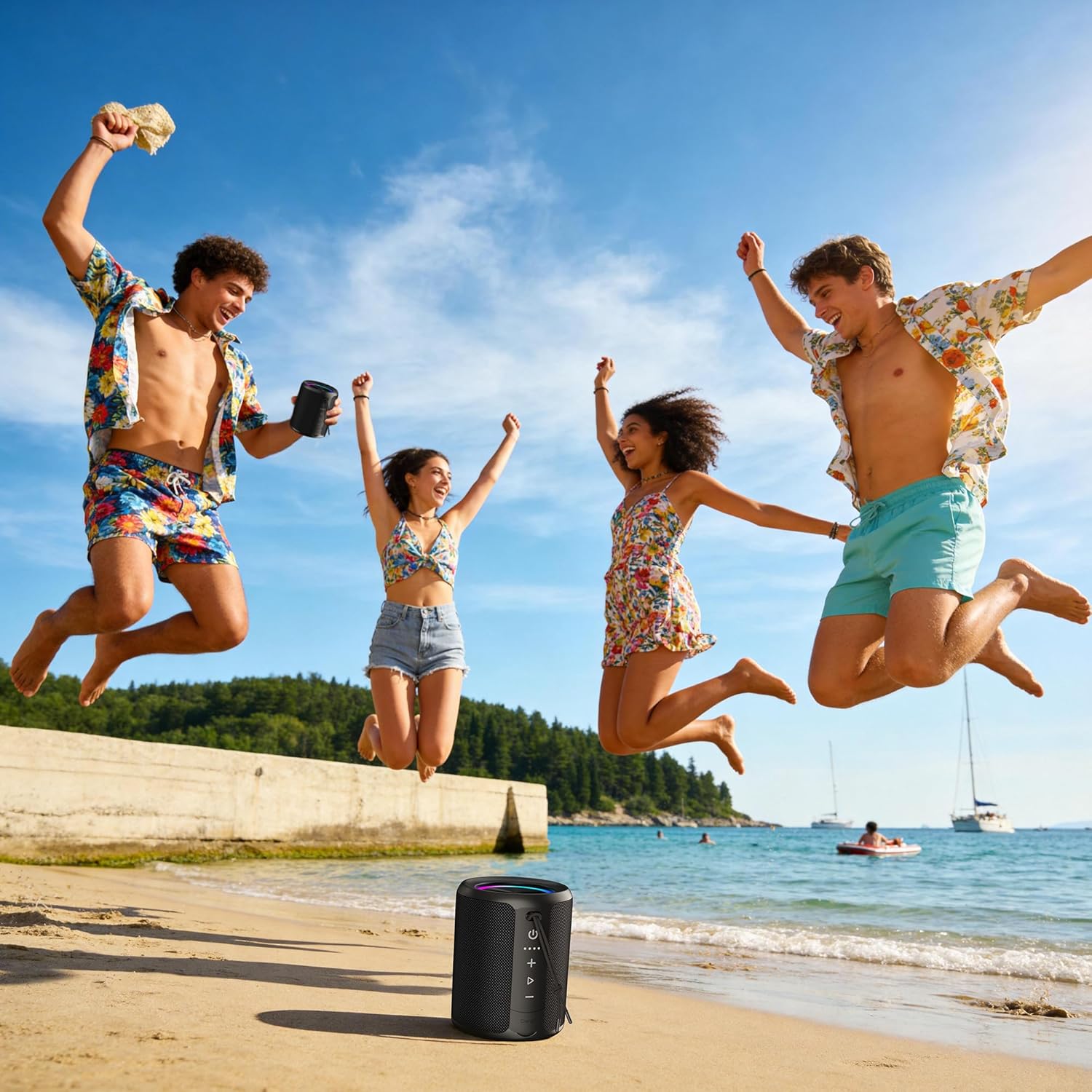
Figure 5.1: Speaker demonstrating its IPX7 waterproof capability in various environments.
Video 5.1: A demonstration of the speaker's waterproof capabilities by submerging it in water.
6. ዝርዝሮች
| ባህሪ | ዝርዝር መግለጫ |
|---|---|
| የሞዴል ቁጥር | X2 |
| የምርት ስም | DUDGSIS |
| የድምጽ ማጉያ ከፍተኛ የውጤት ኃይል | 20 ዋት |
| የብሉቱዝ ስሪት | 5.4 |
| የውሃ መቋቋም ደረጃ | IPX7 |
| የባትሪ አቅም | 2600 ሚአሰ |
| የባትሪ አማካይ ሕይወት | 15 ሰዓታት |
| የግንኙነት ቴክኖሎጂ | ረዳት፣ ብሉቱዝ፣ ዩኤስቢ |
| የድምጽ ውፅዓት ሁኔታ | ስቴሪዮ |
| የእቃው ክብደት | 300 ግራም |
| የንጥል መጠኖች (D x W x H) | 2.99" ዲ x 2.99" ዋ x 4.25" ኤች |
| የመቆጣጠሪያ ዘዴ | የግፊት ቁልፍ |
7. መላ መፈለግ
If you encounter any issues with your DUDGSIS X2 speaker, please refer to the following common solutions:
- ድምጽ ማጉያው አይበራም፦ ባትሪው መሙላቱን ያረጋግጡ። የዩኤስቢ-ሲ ገመድ በመጠቀም ድምጽ ማጉያውን ከኃይል ምንጭ ጋር ያገናኙ።
- በብሉቱዝ ማጣመር አይቻልም፡-
- Make sure the speaker is in pairing mode (LED light ring flashing).
- በመሳሪያዎ ላይ ብሉቱዝ መንቃቱን ያረጋግጡ።
- ድምጽ ማጉያውን ወደ መሳሪያዎ ያቅርቡ።
- ድምጽ ማጉያውን ከመሳሪያዎ የብሉቱዝ ዝርዝር ውስጥ ይርሱት እና እንደገና ለማጣመር ይሞክሩ።
- ዝቅተኛ ድምጽ ወይም ድምጽ የለም;
- በሁለቱም በተናጋሪው እና በተገናኘው መሳሪያዎ ላይ ድምጽን ይጨምሩ።
- ድምጽ ማጉያው በትክክል በብሉቱዝ ወይም AUX መገናኘቱን ያረጋግጡ።
- ተናጋሪው ድምጸ-ከል መሆኑን ያረጋግጡ።
- የTWS ማጣመር ችግሮች፡ Ensure both speakers are fully charged and not connected to any other device before attempting TWS pairing.
8. ዋስትና እና ድጋፍ
The DUDGSIS Portable Bluetooth Speaker X2 comes with a የ 1 ዓመት የአምራች ዋስትናየዋስትና ጥያቄዎችን ለማግኘት የግዢ ደረሰኝዎን ያስቀምጡ።
For further assistance or support, please refer to the contact information provided on the warranty card included in your package.