
1. መግቢያ
This manual provides detailed instructions for the safe and effective use of your LOOP GEAR SK05PRO Power Bank Flashlight and LOOPDOT EDC RGB Flashlight. Please read this manual thoroughly before operating the devices and retain it for future reference.
ምርት አልቋልview
The LOOP GEAR SK05PRO is a high-lumen flashlight that also functions as an 8000mAh power bank. It features dual-light sources (flood and spot) and fast charging capabilities. The LOOPDOT is a compact, interactive EDC (Everyday Carry) RGB flashlight with a pixel display and built-in mini-games.
2. የደህንነት መረጃ
- የዓይን ጉዳትን ለማስወገድ በቀጥታ ወደ ፍላሽ ጨረሩ አይመልከቱ።
- መሣሪያዎችን ከልጆች ያርቁ።
- የተወሰኑ የኃይል መሙያ ገመዶችን እና የኃይል አስማሚዎችን ብቻ ይጠቀሙ።
- መሳሪያዎቹን አትሰብስቡ ወይም አይቀይሩ.
- Ensure the charging port covers are securely closed when not in use, especially in wet conditions, to maintain IP68 waterproof rating.
3. ማዋቀር
3.1 Initial Charging (SK05PRO)
Before first use, fully charge the SK05PRO flashlight. Connect the provided USB-C cable to the charging port on the SK05PRO and plug the other end into a compatible USB power adapter (not included). The charging indicator will show progress. A full charge ensures optimal performance and battery life.
The SK05PRO supports 20W fast charging.

Image: The SK05PRO flashlight connected via USB-C cable to charge a smartphone, demonstrating its power bank functionality.
3.2 Battery Installation (SK05PRO)
The SK05PRO uses replaceable 18650 lithium-ion batteries. To install or replace batteries:
- የባትሪውን ክፍል ክዳን ይክፈቱ።
- Insert the 18650 batteries according to the polarity markings (+/-) inside the compartment.
- የባትሪውን ክፍል ክዳን ደህንነቱ በተጠበቀ ሁኔታ መልሰው ይከርክሙት።

Image: The SK05PRO flashlight with its battery compartment open, displaying two 4000mAh 18650 rechargeable lithium-ion batteries ready for installation or replacement.
3.3 Initial Charging (LOOPDOT)
The LOOPDOT also features a built-in rechargeable battery. Connect a USB-C cable to its charging port and a power source. The pixel display may indicate charging status.
4. የአሠራር መመሪያዎች
4.1 SK05PRO Power Bank Flashlight
የማብራት / ማጥፊያ እና የብርሃን ሁነታዎች
- አብራ፡ የኃይል አዝራሩን ለ 1-2 ሰከንዶች ተጭነው ይያዙ.
- የመቀየሪያ ሁነታዎች፡- Short press the power button to cycle through different brightness levels and modes (e.g., Floodlight, Spotlight, combined).
- ኃይል ዝጋ: የኃይል አዝራሩን እንደገና ተጭነው ይያዙት።

Image: The SK05PRO flashlight illustrating its dual-light capability, showing a wide floodlight beam (3060 Lumens) and a focused spotlight beam (1300 Lumens) in different outdoor scenarios.
የኃይል ባንክ ተግባር
To use the SK05PRO as a power bank, connect your external device (e.g., smartphone) to the USB-C output port on the flashlight using a compatible charging cable. The SK05PRO will automatically begin charging your device.
4.2 LOOPDOT EDC RGB Flashlight
የኃይል ማብራት/ማጥፋት እና የብሩህነት ማስተካከያ
- ማብራት/ማጥፋት፡ Refer to the specific button or twist mechanism on your LOOPDOT.
- ደረጃ የሌለው መፍዘዝ; Twist the gear dial on the LOOPDOT to adjust the brightness from a soft glow to high brightness.

Image: A hand holding the LOOPDOT flashlight, illustrating the 'Shake to Switch' feature that allows users to toggle between flood and spot light modes with a simple motion.

Image: Multiple LOOPDOT flashlights showcasing different ambient pixel light patterns, including Red-Blue, Red Flash, and Red-White flash alerts.
Interactive Mini Games
The LOOPDOT features 11 built-in mini pixel games. To access and play games, refer to the specific button presses or gestures outlined in the quick start guide included with your LOOPDOT. Examples of games include 'Catch-the-Gems', 'Lucky Direction', and 'Rock-paper-scissors'.
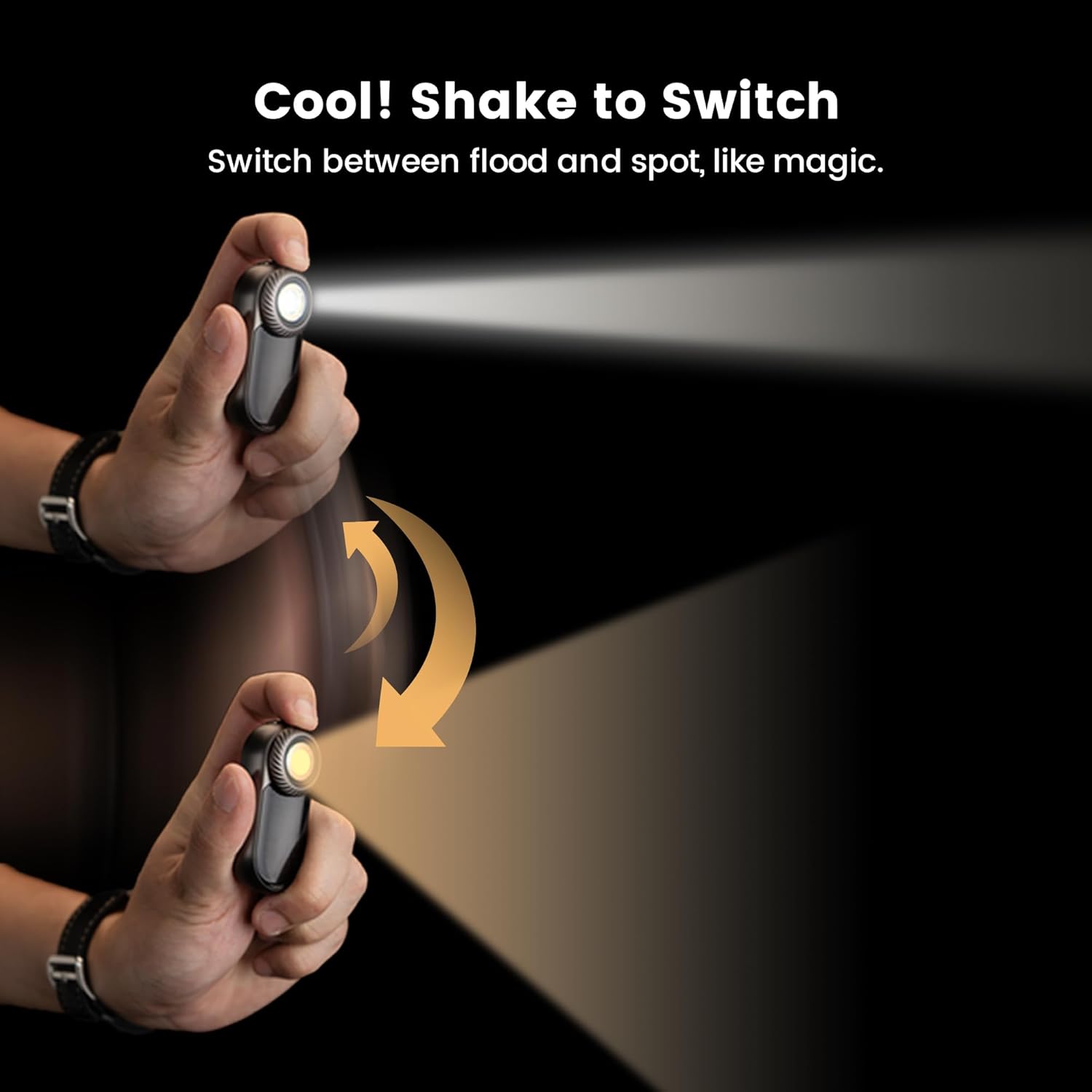
Image: Two LOOPDOT flashlights held in hands, displaying pixelated graphics from interactive mini-games such as 'Catch-the-Gems' and 'Rock-paper-scissors'.
5. ጥገና
5.1 ጽዳት
መሳሪያዎቹን ለስላሳ, መamp cloth. Do not use abrasive cleaners or solvents. Ensure all ports are closed before cleaning if using a damp ጨርቅ.
5.2 የባትሪ እንክብካቤ
- Recharge the devices regularly, even if not in frequent use, to maintain battery health.
- ባትሪዎቹን ለረጅም ጊዜ ሙሉ በሙሉ ከመሙላት ይቆጠቡ።
- If the SK05PRO batteries are replaceable, ensure to use high-quality 18650 batteries.
5.3 ማከማቻ
Store the devices in a cool, dry place away from direct sunlight and extreme temperatures. For long-term storage, charge the batteries to approximately 50% capacity.
6. መላ መፈለግ
6.1 መሳሪያ አይበራም
- Ensure the battery is charged. Connect to a power source and attempt to charge.
- For SK05PRO, check if batteries are correctly installed with proper polarity.
6.2 የመሙላት ጉዳዮች
- Verify the charging cable and adapter are working correctly. Try a different cable or adapter.
- የኃይል መሙያ ወደቡ ንጹህ እና ከቆሻሻ የጸዳ መሆኑን ያረጋግጡ።
6.3 Light Output is Weak or Inconsistent
- Charge the device fully. Low battery can affect light output.
- ሌንሱ ንጹህ መሆኑን ያረጋግጡ።
7. ዝርዝሮች
| ባህሪ | SK05PRO Power Bank Flashlight | LOOPDOT EDC RGB Flashlight |
|---|---|---|
| ሞዴል | SK05PRO | LOOPDOT |
| የባትሪ አቅም | 8000mAh | ውስጣዊ ዳግም ሊሞላ የሚችል |
| ከፍተኛ Lumens | 4360 Lumens | የሚስተካከለው |
| ከፍተኛ የጨረር ርቀት | 405 ሜትር | ኤን/ኤ |
| በመሙላት ላይ | USB-C, 20W Fast Charging | ዩኤስቢ-ሲ |
| የብርሃን ምንጮች | Floodlight (3060 Lumens), Spotlight (1300 Lumens) | RGB LED, Flood/Spot (Shake to Switch) |
| የውሃ መከላከያ ደረጃ | IP68 | IP68 |
| ማሳያ | ኤን/ኤ | 52-pixel Dot-Matrix |
| በይነተገናኝ ባህሪያት | የኃይል ባንክ ተግባር | 11 Mini Pixel Games, Ambient Pixel Lights |
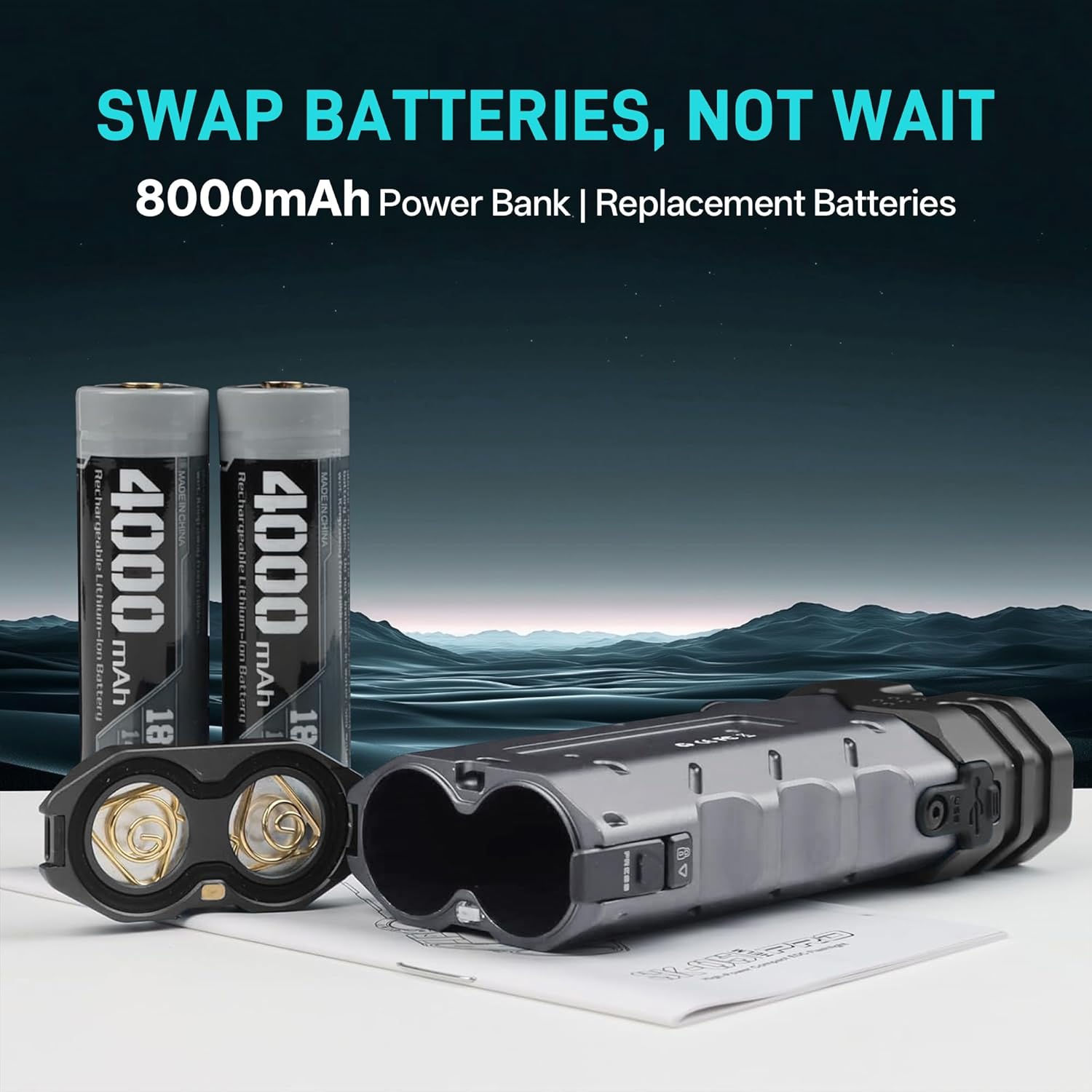
Image: The SK05PRO flashlight highlighting its maximum output of 4360 Lumens and a maximum beam distance of 405 meters, emphasizing its high power in a compact size.