
መግቢያ
This instruction manual provides essential information for the safe and effective use of your Vivitar KidsTech Kidzcam Digital Camera. Please read this manual thoroughly before operating the device and retain it for future reference. This camera is designed for children and beginners to capture photos and videos with simple, intuitive controls.
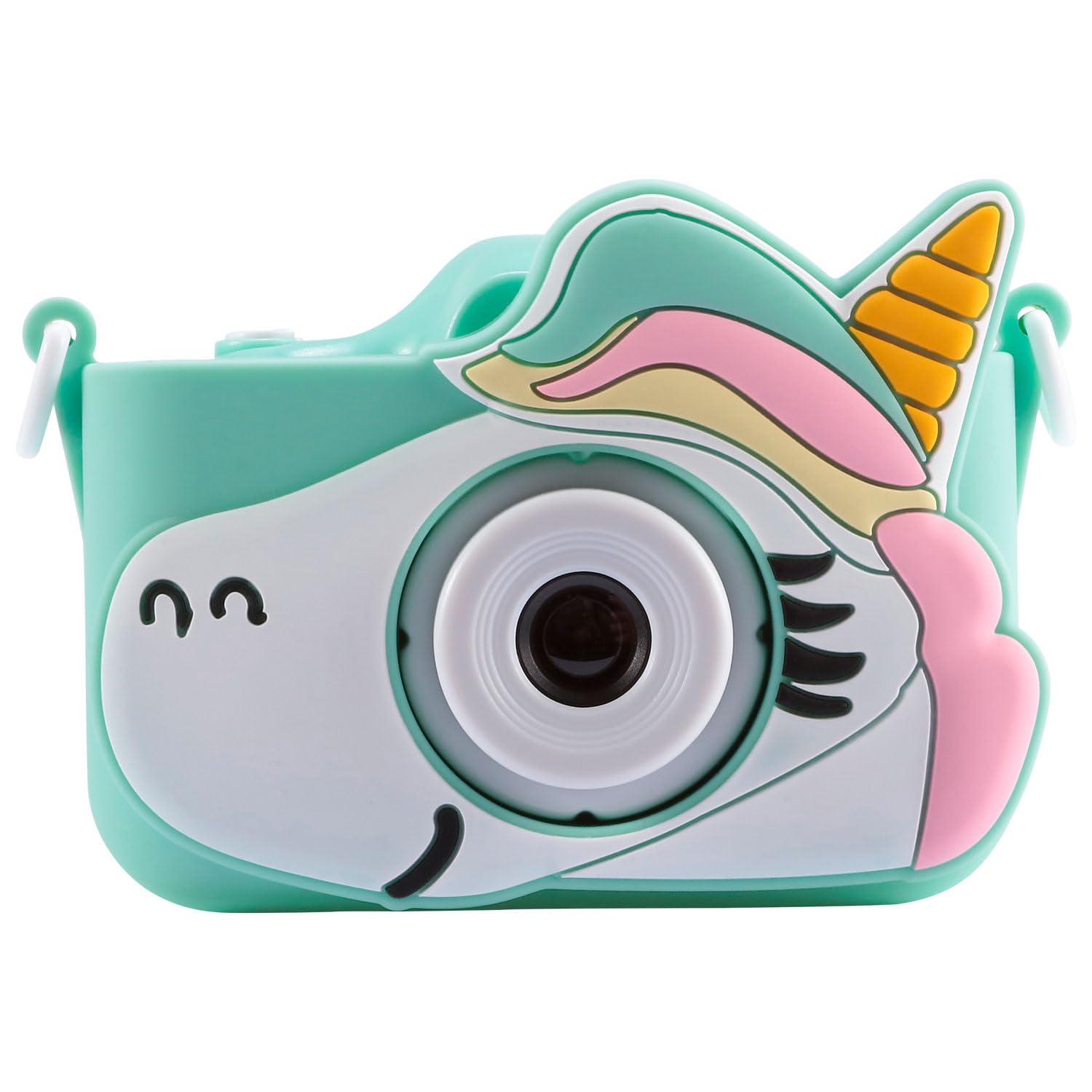
Image: Vivitar KidsTech Kidzcam Digital Camera (Green).
በሣጥኑ ውስጥ ያለው
ጥቅሉን ሲከፍቱ፣ ሁሉም የሚከተሉት ዕቃዎች መኖራቸውን ያረጋግጡ።
- Vivitar KidsTech Kidzcam Digital Camera (Green)
- USB Cable / Adapter
- Protective Silicone Case (Unicorn design)
- Wrist Strap (beaded)


Image: Protective silicone case and camera with wrist strap.
ማዋቀር
1. ካሜራውን መሙላት
Before first use, fully charge the camera's internal battery.
- Connect the small end of the provided USB cable to the camera's USB port.
- የዩኤስቢ ገመዱን ትልቁን ጫፍ ከዩኤስቢ የኃይል አስማሚ (ያልተካተተ) ወይም ከኮምፒዩተር የዩኤስቢ ወደብ ጋር ያገናኙ።
- The charging indicator light will illuminate. Once charging is complete, the light may change color or turn off.
- ኃይል መሙላት ሲጠናቀቅ የዩኤስቢ ገመዱን ያላቅቁ።
2. ማብራት / ማጥፋት
- ለማብራት፦ ተጭነው ይያዙት የኃይል አዝራር (usually located on the top or back of the camera) for a few seconds until the screen illuminates.
- ለማጥፋት፡ ተጭነው ይያዙት። የኃይል አዝራር ማያ ገጹ እስኪጠፋ ድረስ እንደገና።

ምስል: የኋላ view of the camera with screen and buttons.
የአሠራር መመሪያዎች
1. ምናሌውን ማሰስ
Use the directional buttons (Up, Down, Left, Right) and the OK/Shutter button to navigate through the camera's menu options displayed on the LCD screen.
2. ፎቶዎችን ማንሳት
- ካሜራውን ያብሩ።
- Ensure the camera is in photo mode. If not, navigate to the photo icon on the screen and select it.
- የኤልሲዲ ስክሪን በመጠቀም ፎቶዎን ይሳሉ።
- የሚለውን ይጫኑ የመዝጊያ ቁልፍ (often the OK button or a dedicated button on top) to capture the image.
3. ቪዲዮዎችን መቅዳት
- ካሜራውን ያብሩ።
- Navigate to the video mode icon on the screen and select it.
- የሚለውን ይጫኑ የመዝገብ አዝራር (often the Shutter/OK button) to start recording. A timer or indicator will show that recording is in progress.
- የሚለውን ይጫኑ የመዝገብ አዝራር እንደገና መቅዳት ለማቆም።
4. Viewበፎቶዎች እና በቪዲዮዎች ውስጥ
- ካሜራውን ያብሩ።
- Navigate to the playback/gallery icon on the screen and select it.
- Use the directional buttons to scroll through your captured photos and videos.
- የሚለውን ይጫኑ እሺ አዝራር ወደ view ፎቶ ወይም ቪዲዮ ያጫውቱ.
5. በማስተላለፍ ላይ Files ወደ ኮምፒውተር
- ካሜራው መጥፋቱን ያረጋግጡ።
- የቀረበውን የዩኤስቢ ገመድ በመጠቀም ካሜራውን ከኮምፒዩተርዎ ጋር ያገናኙት።
- The camera should appear as a removable disk or device on your computer.
- Open the camera's folder to access and transfer your photos and videos.
- የዩኤስቢ ገመዱን ከማላቀቅዎ በፊት ካሜራውን ከኮምፒዩተርዎ ደህንነቱ በተጠበቀ ሁኔታ ያውጡት።
ጥገና
1. ካሜራውን ማጽዳት
- የካሜራውን አካል ለማጽዳት ለስላሳ እና ደረቅ ጨርቅ ይጠቀሙ።
- For the lens and screen, use a specialized lens cleaning cloth. Do not use abrasive cleaners or solvents.
- ከማጽዳትዎ በፊት ካሜራው መብራቱን ያረጋግጡ።
2. የባትሪ እንክብካቤ
- ካሜራውን ለከፍተኛ ሙቀት ከማጋለጥ ይቆጠቡ።
- የባትሪውን ጤና ለመጠበቅ ካሜራው በተደጋጋሚ ጥቅም ላይ የማይውል ቢሆንም እንኳ ባትሪውን በየጊዜው ቻርጅ ያድርጉ።
3. ማከማቻ
- ካሜራውን ከፀሐይ ብርሃን በቀጥታ ራቅ ባለ ቀዝቃዛና ደረቅ ቦታ ያስቀምጡት።
- Use the protective silicone case to prevent scratches and minor impacts.
መላ መፈለግ
በካሜራዎ ላይ ችግሮች ካጋጠሙዎት የሚከተሉትን የተለመዱ ችግሮች እና መፍትሄዎች ይመልከቱ፡
| ችግር | መፍትሄ |
|---|---|
| ካሜራ አይበራም። | Ensure the battery is charged. Connect the camera to a power source using the USB cable and try again. |
| ፎቶ/ቪዲዮ ማንሳት አይቻልም። | Check if the camera is in the correct mode (photo or video). Ensure there is sufficient internal storage. |
| ምስሎች/ቪዲዮዎች ደብዛዛ ናቸው። | Ensure the lens is clean. Hold the camera steady when capturing. |
| ኮምፒዩተሩ ካሜራውን አያውቀውም። | Ensure the camera is powered off before connecting. Try a different USB port or cable. Restart your computer. |
ዝርዝሮች
| ባህሪ | ዝርዝር |
|---|---|
| የምርት ስም | ቫይቫታ |
| የሞዴል ስም | Kidzcam |
| ቀለም | Kidzcam Camera (Green) |
| የፎቶ ዳሳሽ ቴክኖሎጂ | CMOS |
| ውጤታማ አሁንም ጥራት | 1080 ፒ |
| ከፍተኛ Webየካሜራ ምስል ጥራት | 1080 ሚ.ፒ |
| የቪዲዮ ጥራት | 1080i |
| የሚደገፍ File ቅርጸት | MP4 |
| የስክሪን መጠን | 2 ኢንች |
| የግንኙነት ቴክኖሎጂ | ዩኤስቢ |
| የማሳያ ዓይነት | LCD |
| አብሮ የተሰራ ሚዲያ | Cable / Adapter (for connectivity) |
| ዩፒሲ | 681066116609 |
| ASIN | B0GGTYLHVV |
የዋስትና መረጃ
This Vivitar KidsTech Kidzcam Digital Camera comes with a 30-ቀን የተወሰነ ዋስትና from the date of purchase. This warranty covers manufacturing defects. Please retain your proof of purchase for warranty claims. For specific terms and conditions, refer to the warranty card included with your product or visit the official Vivitar webጣቢያ.
ድጋፍ
For further assistance, technical support, or inquiries regarding your Vivitar KidsTech Kidzcam Digital Camera, please visit the official Vivitar webጣቢያ ወይም የደንበኞች አገልግሎት ክፍልን ያነጋግሩ።
- ቪቪታር ኦፊሴላዊ Webጣቢያ፡ www.vivitar.com
- Refer to the packaging for specific contact information or support hours.


