
1. መግቢያ
This manual provides detailed instructions for the installation, operation, and maintenance of your ANJIELO SMART 4-Wire Video Door Intercom System. Please read this manual thoroughly before installation and use to ensure proper function and safety. Keep this manual for future reference.
2. ምርት አብቅቷልview
The ANJIELO SMART 4-Wire Video Door Intercom System offers enhanced security and convenience for your home. It features a 7-inch WiFi-enabled monitor and a 1080p outdoor doorbell camera. Key functionalities include two-way audio communication, remote monitoring via the Tuya app, night vision, and multiple unlocking methods.
ቁልፍ ባህሪዎች
- ባለሁለት መንገድ ኦዲዮ፡- Communicate with visitors at your door from the indoor monitor or your smartphone.
- 7-Inch Touch Monitor: High-resolution display with touch controls and hands-free function.
- 1080p Doorbell Camera: Features a 120° wide-angle lens, built-in infrared sensor for night vision, and an IP65 waterproof and dustproof rating.
- Tuya WiFi Smart Home Compatible: Seamless integration with the Tuya app for remote monitoring and control.
- 3-in-1 Unlock Methods: Unlock your door using an IC card, the Tuya app, or directly from the indoor monitor.
- ሊሰፋ የሚችል ስርዓት; Supports up to 1 outdoor unit and 4 indoor monitors, allowing internal communication between monitors.

ምስል፡ አልቋልview of the ANJIELO SMART 4-Wire Video Door Intercom System, highlighting its main components and smart home integration.
3. በሳጥኑ ውስጥ ያለው
ሳጥኑን በጥንቃቄ ይክፈቱ እና ሁሉም እቃዎች መኖራቸውን እና በጥሩ ሁኔታ ላይ መሆናቸውን ያረጋግጡ። ማንኛውም እቃ ከጎደለ ወይም ከተበላሸ፣ እባክዎን የደንበኞች ድጋፍን ያነጋግሩ።
- Outdoor Doorbell Unit
- 7-ኢንች የቤት ውስጥ መቆጣጠሪያ
- የኃይል አስማሚ (15V 1.2A)
- መመሪያ መመሪያ
- Unlock Cable
- 4-ፒን ገመድ
- Screws and Rubber Plugs for mounting
- Hanging Plate for monitor
- IC Cards (7 included)

Image: All components included in the product package, such as the outdoor doorbell, indoor monitor, cables, power supply, mounting hardware, and IC cards.
4. ማዋቀር እና መጫን
The system uses a 4-wire connection for communication between the outdoor doorbell and the indoor monitor. Ensure power is disconnected before beginning installation.
4.1 Mounting the Outdoor Doorbell
- Choose a suitable location near your entrance, approximately 1.5 meters (5 feet) from the ground, avoiding direct sunlight or rain exposure (though the unit is IP65 rated).
- Use the provided screws and rubber plugs to securely mount the doorbell unit.
- ካሜራው ግልጽ እና ያልተዘጋ መሆኑን ያረጋግጡ view የመግቢያው ክፍል።

Image: The outdoor doorbell camera providing a 120-degree ultra-wide-angle view የመግቢያ ቦታ።
4.2 የቤት ውስጥ መቆጣጠሪያውን መትከል
- Select a convenient indoor location for the monitor, such as a wall in your living room or kitchen.
- Attach the hanging plate to the wall using screws.
- Connect the wiring to the monitor as per the wiring diagram (refer to the included instruction manual for detailed diagram).
- Mount the monitor onto the hanging plate.
4.3 የወልና ግንኙነቶች
Connect the outdoor doorbell unit to the indoor monitor using the provided 4-pin cable. Ensure correct polarity and secure connections. If connecting an electronic lock, use the unlock cable and refer to the detailed wiring diagram in the included manual.
4.4 የኃይል ግንኙነት
Connect the 15V 1.2A power adapter to the indoor monitor and plug it into a standard power outlet. The system will power on automatically.
4.5 የቱያ መተግበሪያ ማዋቀር
- የቱያ ስማርት ወይም ስማርት ላይፍ መተግበሪያን ከስማርትፎንዎ የመተግበሪያ መደብር ያውርዱ።
- ወደ መለያዎ ይመዝገቡ ወይም ይግቡ ፡፡
- Follow the in-app instructions to add your ANJIELO SMART monitor to the app. This typically involves putting the monitor into pairing mode and connecting it to your home WiFi network.
5. የአሠራር መመሪያዎች
5.1 ጥሪን መመለስ
When a visitor presses the doorbell button, the indoor monitor(s) will ring, and a live video feed from the outdoor camera will appear. Your smartphone (if connected via Tuya app) will also receive a notification.
- From Monitor: Tap the 'Answer' icon on the screen to initiate two-way audio communication.
- ከስማርትፎን፡ Open the Tuya app and tap the notification to view the live feed and communicate.

Image: Illustration of the two-way video intercom function, demonstrating communication between a visitor at the doorbell and a resident using the indoor monitor.
5.2 በሩን መክፈት
You have three methods to unlock a connected electronic lock:
- Via Indoor Monitor: During a call or while viewing the live feed, tap the 'Unlock' icon on the monitor screen.
- በቱያ መተግበሪያ በኩል፦ ከቀጥታ view in the app, tap the 'Unlock' button.
- Via IC Card: Present a pre-programmed IC card to the card reader on the outdoor doorbell unit.
5.3 የርቀት ክትትል
Using the Tuya app on your smartphone, you can view the live feed from the outdoor doorbell camera anytime, anywhere, as long as your monitor is connected to WiFi and your phone has internet access.

Image: Users accessing the video intercom system remotely via their smartphones, enabling two-way audio and viewing from different locations.
5.4 Surveillance Footagሠ መልሶ ማጫወት
The system supports 24-hour real-time monitoring and recording. You can review recorded video clips directly from the indoor monitor or through the Tuya app.
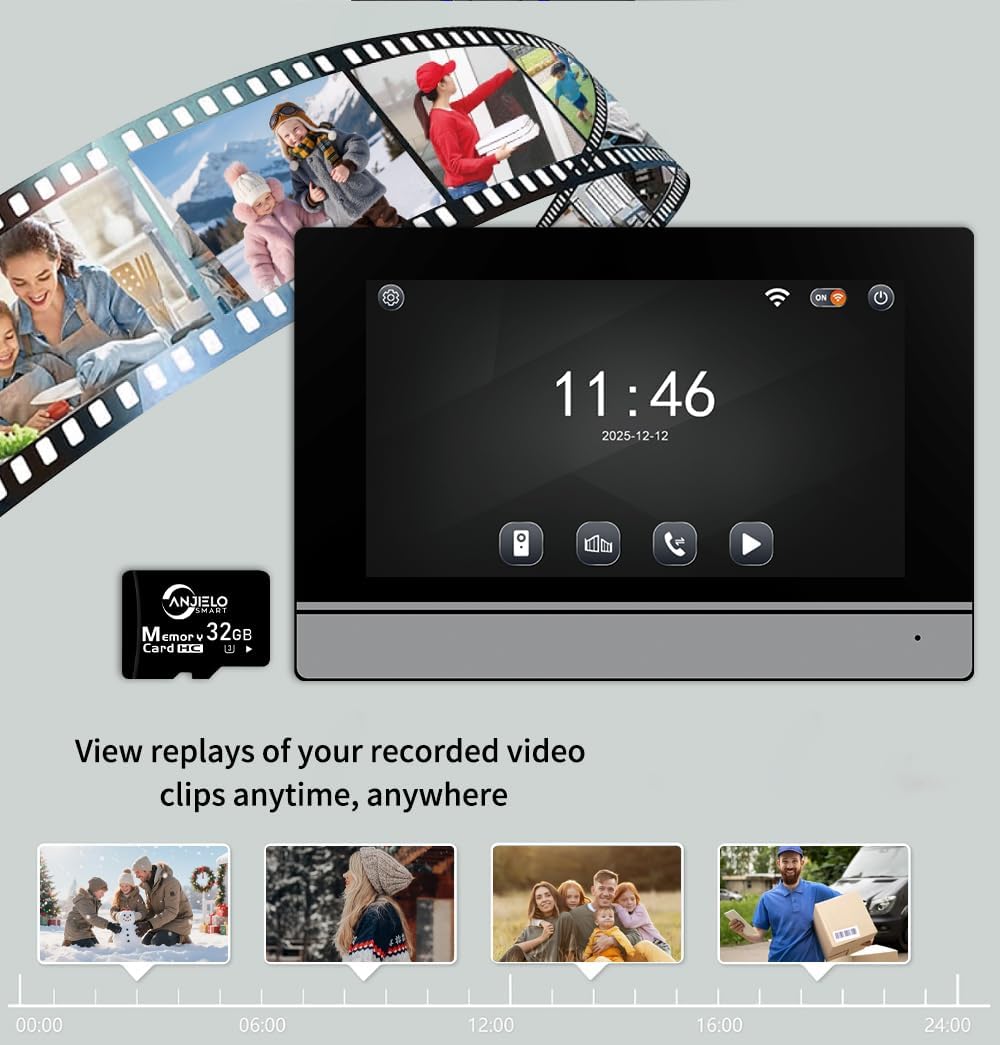
Image: The indoor monitor screen showing a timeline for playback of recorded surveillance footage, demonstrating 24-hour monitoring.
5.5 Internal Communication (Multi-Monitor Systems)
If you have multiple indoor monitors, they can communicate with each other (audio only). Refer to the detailed instructions in the included manual for initiating internal calls.

Image: A diagram illustrating the system's capability to support one outdoor unit and up to four indoor units, with internal communication between monitors.
6. ጥገና
መደበኛ ጥገና የኢንተርኮም ሲስተምዎን ረጅም ጊዜ እና ጥሩ አፈፃፀም ያረጋግጣል።
- ማጽዳት፡ ለስላሳ ይጠቀሙ, መamp cloth to clean the outdoor doorbell camera lens and the indoor monitor screen. Avoid abrasive cleaners or solvents.
- የግንኙነት ፍተሻ፡- ሁሉንም የገመድ ግንኙነቶች ደህንነታቸው የተጠበቀ እና ከዝገት የፀዱ መሆናቸውን ለማረጋገጥ በየጊዜው ይፈትሹ።
- የሶፍትዌር ማሻሻያ Keep the Tuya app updated to the latest version. Check the app or manufacturer's website for any firmware updates for the monitor or doorbell.
- የአካባቢ ጥበቃ; While the outdoor unit is IP65 rated, extreme weather conditions can still affect performance. Ensure proper installation to minimize exposure to harsh elements.

Image: The outdoor doorbell unit, showcasing its IP65 protection rating, indicating resistance to dust and water.
7. መላ መፈለግ
በስርዓትዎ ላይ ችግሮች ካጋጠሙዎት የሚከተሉትን የተለመዱ ችግሮች እና መፍትሄዎች ይመልከቱ፡
| ችግር | ሊሆን የሚችል ምክንያት | መፍትሄ |
|---|---|---|
| No video on monitor/app | Loose wiring, power issue, camera malfunction. | Check all 4-wire connections. Ensure power adapter is plugged in. Restart the system. |
| በጥሪ ወቅት ምንም ድምጽ የለም | የማይክሮፎን/ድምጽ ማጉያ ችግር፣ የሽቦ ችግር። | Verify wiring. Check monitor volume settings. |
| Cannot unlock door | Electronic lock not connected, wiring issue, IC card not programmed. | Ensure electronic lock is properly wired. Program IC cards as per manual. |
| የ WiFi ግንኙነት ያልተረጋጋ | Weak WiFi signal, incorrect password, router issue. | Ensure monitor is within WiFi range. Re-enter WiFi password. Restart router. |
| የምሽት እይታ አይሰራም | Infrared sensor blocked or faulty. | Clean the camera lens. Ensure no obstructions. |
If the problem persists after attempting these solutions, please contact ANJIELO SMART customer support.
8. ዝርዝሮች
| ባህሪ | ዝርዝር |
|---|---|
| የምርት ስም | ANJIELO ስማርት |
| የሞዴል ቁጥር | 64008F-B+67024C-B |
| የኃይል ምንጭ | ገመድ ያለው ኤሌክትሪክ (15V 1.2A) |
| የግንኙነት ቴክኖሎጂ | Wired (4-wire), WiFi (for app) |
| የቪዲዮ ቀረጻ ጥራት | 1080 ፒ |
| Doorbell Camera Angle | 120° ሰፊ አንግል |
| የመቆጣጠሪያ ዘዴ | መተግበሪያ፣ ንካ |
| ተስማሚ መሣሪያዎች | Smartphone (Tuya App) |
| ከፍተኛው ክልል | 100 Meters (wired connection) |
| የንጥል መጠኖች (L x W x H) | 5.9 x 1.9 x 8.6 ኢንች (ግምታዊ) |
| የመከላከያ ደረጃ (ከቤት ውጭ ክፍል) | IP65 አቧራ መከላከያ እና የውሃ መከላከያ |
| የአሠራር ሙቀት | -30 ° ሴ እስከ +60 ° ሴ |
| የመጫኛ ዘዴ | ስክሩ-ውስጥ |
9. ዋስትና እና ድጋፍ
For warranty information and customer support, please refer to the warranty card included in your product package or visit the official ANJIELO SMART website. You can also contact the seller directly through your purchase platform for assistance.
አምራች፡ ANJIELO ስማርት
ASIN: B0GL212P4W