
1. የማዋቀር መመሪያ
1.1 Unboxing እና ጥቅል ይዘቶች
Carefully unpack your LG OLED77C6HUP TV. Ensure all components listed below are present. Retain the packaging materials for future transport or service needs.
- LG 77-ኢንች ክፍል OLED evo AI 4K C6 ተከታታይ ስማርት ቲቪ
- አስማት የርቀት መቆጣጠሪያ
- የርቀት መቆጣጠሪያ ባትሪዎች (2 AAA)
- የኃይል ገመድ
- የቁም ክፍሎች
- የተጠቃሚ መመሪያ (ይህ ሰነድ)
- ፈጣን ጅምር መመሪያ

Image: LG OLED evo AI TV showing overall dimensions and included accessories.
1.2 የቆመ መጫኛ
If you are not wall-mounting the TV, attach the included stand. Follow the instructions provided in the Quick Start Guide for secure assembly. The stand footprint is 20.5 inches wide.

ምስል፡ ዝርዝር view የቴሌቪዥን ማቆሚያው መሠረት።
1.3 ግድግዳ መትከል
For wall mounting, use a VESA compatible mount with a standard of 300 x 200 mm. Consult a professional for installation to ensure safety and proper mounting.

ምስል: የጎን ፕሮfile of the LG OLED TV, illustrating its thin design suitable for wall mounting.
1.4 ማገናኛ ፔሪፈራል
Connect your external devices to the TV's ports. The TV features 4 HDMI ports, 2 USB 2.0 ports, 1 USB 3.0 port, an Ethernet port, and an antenna input.
- ኤችዲኤምአይ: For Blu-ray players, gaming consoles, and set-top boxes.
- ዩኤስቢ፡ For external storage devices or compatible accessories.
- ኤተርኔት (ላን) ፦ ለገመድ የበይነመረብ ግንኙነት።
- አንቴና/ገመድ፡ For over-the-air broadcasts or cable TV.

ምስል: የኋላ view of the LG OLED TV highlighting the connectivity ports.
1.5 የርቀት መቆጣጠሪያ ባትሪ መጫን
Open the battery compartment on the back of the Magic Remote. Insert two AAA batteries, ensuring correct polarity (+/-). Close the compartment securely.
1.6 የመጀመሪያ ኃይል አብራ እና webየስርዓተ ክወና ማዋቀር
Connect the power cable to the TV and a wall outlet. Press the power button on the remote or TV. Follow the on-screen instructions to complete the initial setup of webOS, including network connection, channel scanning, and basic settings.
2. ቴሌቪዥንዎን ሥራ ላይ ማዋል
2.1 መሰረታዊ ተግባራት
- ኃይል፡- ቴሌቪዥኑን ለማብራት ወይም ለማጥፋት በርቀት መቆጣጠሪያው ላይ ያለውን የኃይል ቁልፍ ይጫኑ።
- መጠን፡- የድምጽ ደረጃውን ለማስተካከል የድምጽ ወደላይ/ወደታች ቁልፎችን ይጠቀሙ።
- ቻናል፡ Use the channel up/down buttons to change channels or navigate lists.
- ግቤት፡ Press the input button to select connected devices (HDMI, USB, etc.).
2.2 የስማርት ቲቪ ባህሪዎች (webስርዓተ ክወና)
ቴሌቪዥንዎ በ ላይ ይሰራል webOS operating system, providing access to various streaming services and smart features. Use the Magic Remote to navigate the intuitive interface.

ምስል: The webOS smart TV platform interface, showcasing available applications and content.
AI Hub for Personalization
The AI Hub, accessible via the AI button on your remote, offers personalized AI experiences including Multi AI Search, AI Concierge, AI Picture Wizard, AI Sound Wizard, AI Voice ID, and AI Chatbot.
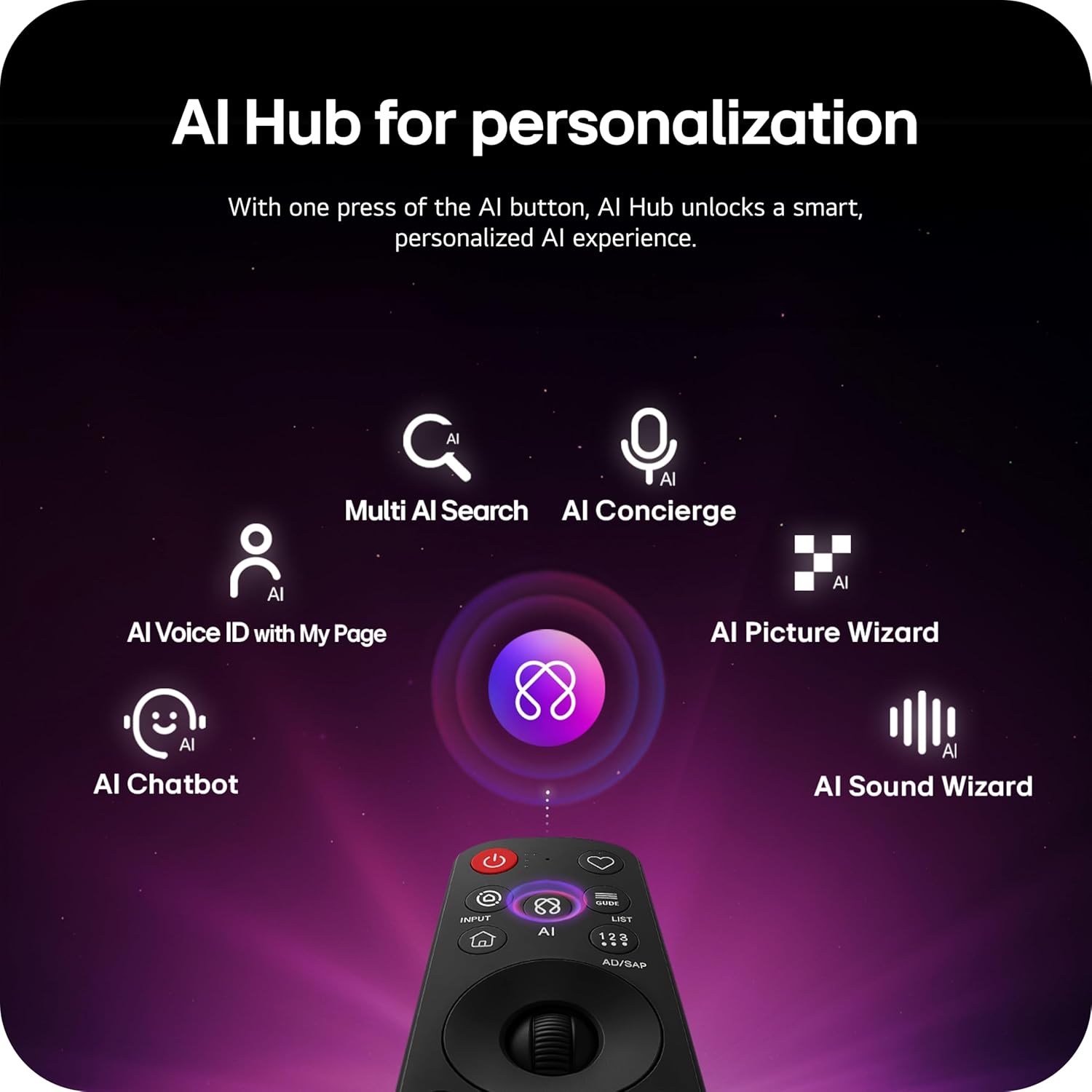
Image: Magic Remote highlighting the AI button and various AI Hub features.
Multi AI Search with Google Gemini and Microsoft Copilot
Utilize the Multi AI search function to find content and information across multiple AI models, including Google Gemini and Microsoft Copilot, for broader and more relevant results.
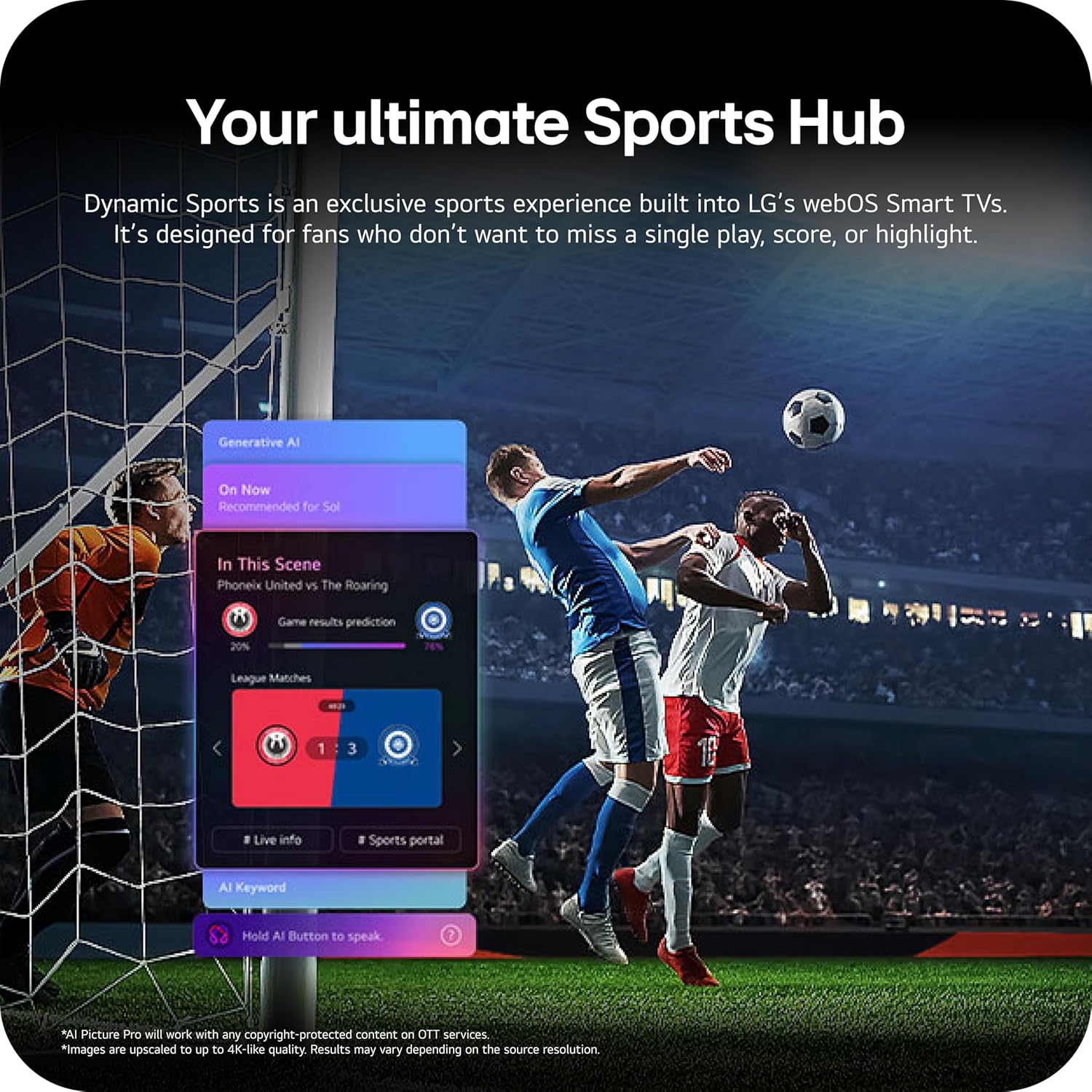
Image: Multi AI search interface displaying integration with Google Gemini and Microsoft Copilot.
2.3 የምስል ቅንብሮች
Your LG OLED TV offers advanced picture technologies for optimal viewing
- Brightness Booster Pro: Magnifies each pixel to shine up to 3.2 times brighter for enhanced luminosity.
- ፍጹም ጥቁር እና ፍጹም ቀለም; Over 8.3 million self-lit pixels deliver perfect black levels and accurate colors in any lighting condition.
- Dolby Vision፣ HDR10፣ HLG፡ Supports multiple HDR formats for extraordinary color, contrast, and brightness.
- የፊልም ሰሪ ሁኔታ፡- የድህረ-ሂደት ውጤቶችን በማሰናከል የዳይሬክተሩን የመጀመሪያ ራዕይ ይጠብቃል።
- AI ስዕል፡ The a11 AI Processor Gen3 optimizes picture quality in real-time.
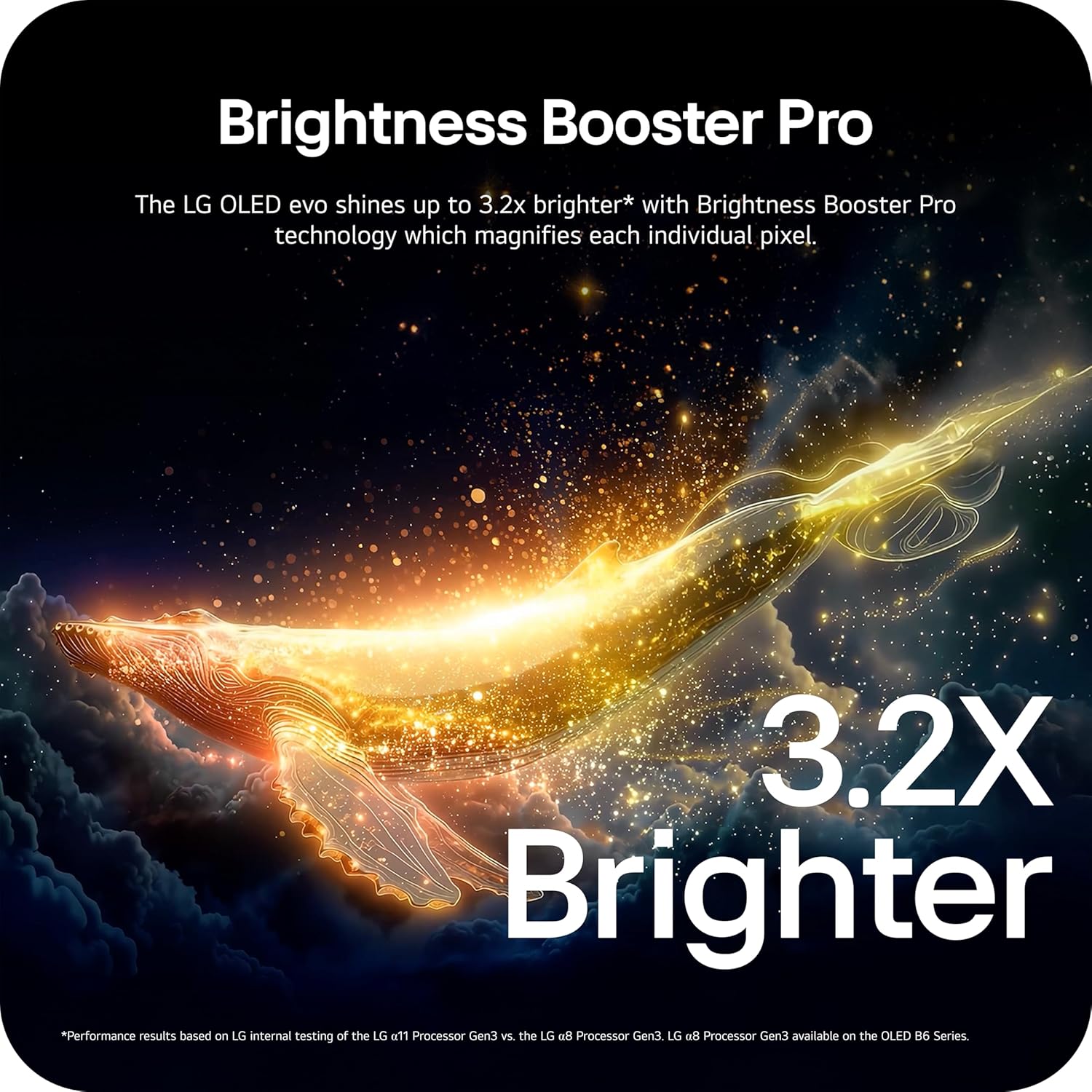
Image: Visual representation of Brightness Booster Pro technology, illustrating increased brightness.

Image: Display demonstrating Perfect Black and Perfect Color capabilities in various light conditions.
2.4 የድምጽ ቅንብሮች
Experience immersive audio with your TV's sound features.
- Dolby Atmos: በዙሪያዎ የሚንቀሳቀስ ባለብዙ ገጽታ ድምፅ ያቀርባል።
- Wow Orchestra: Integrates the TV's speakers with a compatible LG soundbar for an enhanced audio experience.
2.5 የጨዋታ ባህሪያት
The TV is equipped with features for an optimal gaming experience.
- 165Hz የማደሻ መጠን፡- Supports high frame rates for smooth gameplay.
- 0.1ሚሴ ምላሽ ጊዜ፡- Minimizes input lag for quick reactions.
- NVIDIA G-Sync እና AMD FreeSync Premium፡ Reduces screen tearing and stuttering for fluid visuals.

Image: Dynamic gaming visual highlighting the 165Hz refresh rate and G-Sync/FreeSync compatibility.
2.6 Sports Hub
The Dynamic Sports Hub provides an exclusive sports experience, ensuring you don't miss any key moments, scores, or highlights.

Image: Screenshot of the Dynamic Sports Hub interface during a live soccer game.
3. ጥገና እና እንክብካቤ
3.1 OLED Care
To maintain the best picture quality and longevity of your OLED display, utilize the built-in OLED Care features. These features help protect the display from potential issues over time.
3.2 የጽዳት መመሪያዎች
- ስክሪን፡ Gently wipe the screen with a soft, dry, microfiber cloth. For stubborn marks, lightly dampጨርቁን በተጣራ ውሃ ያጠቡ። ጠጣር ኬሚካሎችን ወይም ሻካራ ቁሳቁሶችን ያስወግዱ።
- የቲቪ አካል፡ ክፈፉን እና መቆሚያውን ለማጽዳት ለስላሳ እና ደረቅ ጨርቅ ይጠቀሙ።
- የርቀት መቆጣጠሪያ፡- ለስላሳ እና ደረቅ ጨርቅ ይጥረጉ.
3.3 የሶፍትዌር ዝመናዎች
Ensure your TV's software is up-to-date for optimal performance and new features. webOS 26 automatically downloads updates for up to 5 years. If auto-update is disabled, you will receive a notification to accept or deny updates. An LG account is required to access network-based smart services.
3.4 LG Shield Security
LG Shield provides digital protection against malware, viruses, and other cyber threats through real-time scanning and automatic updates. An LG account is required to access network-based smart services.

Image: LG Shield security feature, represented by shield and lock icons, indicating digital protection.
4. የተለመዱ ጉዳዮችን መላ መፈለግ
This section addresses common problems you might encounter with your TV. If the issue persists, contact customer support.
| ችግር | ሊሆን የሚችል መፍትሄ |
|---|---|
| ኃይል የለም | የኃይል ገመዱ ደህንነቱ በተጠበቀ ሁኔታ ከቴሌቪዥኑ እና ከሚሠራው የኤሌክትሪክ ሶኬት ጋር መገናኘቱን ያረጋግጡ። መውጫውን በሌላ መሳሪያ ይሞክሩት። |
| ምንም ስዕል / ጥቁር ማያ | Check if the TV is turned on. Verify the correct input source is selected. Ensure all HDMI cables are securely connected. Try restarting the TV by unplugging it for 30 seconds and plugging it back in. |
| ድምጽ የለም | የድምጽ መጠኑን ያረጋግጡ እና ቴሌቪዥኑ ድምጸ-ከል አለመሆኑን ያረጋግጡ። ውጫዊ የድምጽ መሳሪያዎች (የድምፅ አሞሌ፣ ተቀባይ) በትክክል መገናኘታቸውን እና መብራታቸውን ያረጋግጡ። በቴሌቪዥን ምናሌ ውስጥ የድምጽ ውፅዓት ቅንብሮችን ያረጋግጡ። |
| የርቀት መቆጣጠሪያ ምላሽ አይሰጥም | ባትሪዎቹን በማጂክ ሪሞት ውስጥ ይተኩ። በርቀት መቆጣጠሪያው እና በቴሌቪዥኑ መካከል ምንም እንቅፋት አለመኖሩን ያረጋግጡ። አስፈላጊ ከሆነ የርቀት መቆጣጠሪያውን እንደገና ያጣምሩ (የፈጣን ጅምር መመሪያውን ይመልከቱ)። |
| Network Connectivity Issues (Wi-Fi/Ethernet) | Check your router and modem to ensure they are working correctly. Restart your network equipment. Re-enter Wi-Fi password or check Ethernet cable connection. |
| Picture Quality Issues (e.g., motion blur, color smearing) | Adjust picture settings (e.g., sharpness, color, motion interpolation). Ensure Filmmaker Mode is off if you prefer motion smoothing. Check the source content quality. |
5. ቴክኒካዊ ዝርዝሮች
Below are the key technical specifications for the LG OLED77C6HUP TV.
| ባህሪ | ዝርዝር መግለጫ |
|---|---|
| የሞዴል ቁጥር | OLED77C6HUP |
| የስክሪን መጠን | 77 ኢንች |
| የማሳያ ቴክኖሎጂ | OLED (Self-Luminous Pixels) |
| ጥራት | 4ኬ (3840 x 2160) |
| የማደስ ደረጃ | 120 Hz (Native), up to 165 Hz (PC Gaming) |
| ፕሮሰሰር | a11 AI ፕሮሰሰር 4ኬ Gen3 |
| የኤችዲአር ድጋፍ | Dolby Vision፣ HDR10፣ HLG |
| የምላሽ ጊዜ | 0.1 ሚሊሰከንዶች |
| ስርዓተ ክወና | webOS |
| የድምጽ ውፅዓት | 2.2 ሰርጥ, Dolby Atmos |
| HDMI ወደቦች | 4 |
| የዩኤስቢ ወደቦች | 2 (ዩኤስቢ 2.0) ፣ 1 (ዩኤስቢ 3.0) |
| ግንኙነት | Wi-Fi, Bluetooth 5.3, Ethernet |
| ስክሪን ማንጸባረቅ | አየርልፕሌይ፣ ጉግል ካስት |
| VESA ማውንት ስታንዳርድ | 300 x 200 ሚ.ሜ |
| የምርት ልኬቶች (ከቆመበት ጋር) | 67.4" ዋ x 40.7" ኤች x 10.5" ዲ |
| የምርት ልኬቶች (ያለ ማቆሚያ) | 67.4" ዋ x 38.7" ኤች x 1.9" ዲ |
| የንጥል ክብደት (ከቆመበት ጋር) | 59.5 ፓውንድ £ |
| የእቃው ክብደት (ያለ ማቆሚያ) | 51.8 ፓውንድ £ |
6. የዋስትና መረጃ
Your LG OLED77C6HUP TV comes with a የ 1 ዓመት ክፍሎች እና የጉልበት ሥራ limited warranty. Please retain your proof of purchase for warranty claims. For detailed terms and conditions, refer to the warranty card included with your product or visit the official LG webጣቢያ.
7. የደንበኛ ድጋፍ
ለተጨማሪ እርዳታ፣ የቴክኒክ ድጋፍ ወይም የአገልግሎት ጥያቄዎች፣ እባክዎን ኦፊሴላዊውን የLG ድጋፍ ይጎብኙ website or contact their customer service. You can also refer to the comprehensive User Manual (PDF) available for download on the LG support page.
የ LG ድጋፍ Webጣቢያ፡ https://www.lg.com/us/support
የተጠቃሚ መመሪያ (ፒዲኤፍ)፡- ፒዲኤፍ አውርድ