
መግቢያ
This manual provides instructions for the J36 Ultra Handheld Video Game Console. The J36 Ultra is a compact, portable gaming device designed for playing a variety of retro games across multiple simulator platforms. It features a 3.5-inch display, responsive controls, and a built-in 64GB memory card with a large game library.
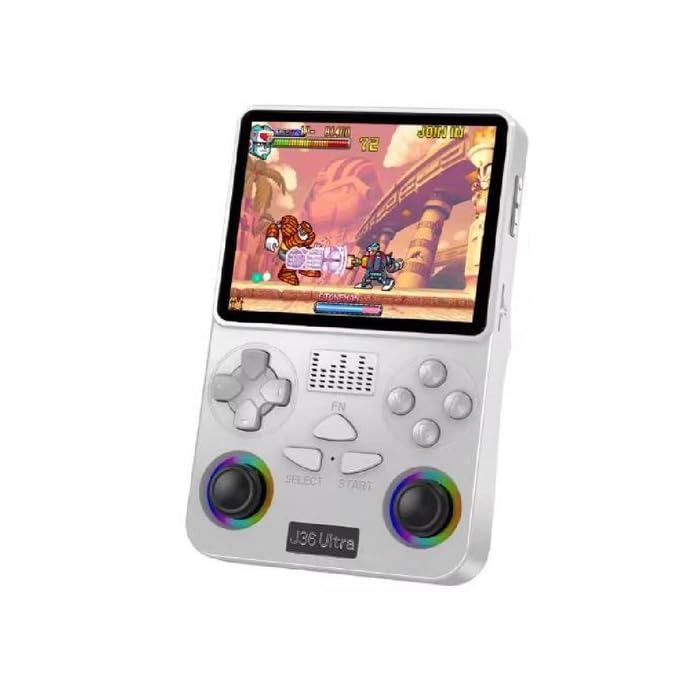
ምስል፡ ፊትና ጀርባ view of the J36 Ultra Game Console, showcasinግ የእሱ ውሱን ዲዛይን እና የአዝራር አቀማመጥ።
የደህንነት መረጃ
ማስጠንቀቂያ፡- All packaging materials (tape, labels, plastic sheets, binding wires) and small internal machine accessories are choking risks. Keep away from children under 3 years of age. Use only with adult supervision.
የጥቅል ይዘቶች
ሁሉም እቃዎች በጥቅሉ ውስጥ መኖራቸውን ያረጋግጡ፡-
- J36 Ultra Handheld Game Console
- TYPE-C የኃይል መሙያ ገመድ
- የማጠራቀሚያ ሳጥን
- የስክሪን ፊልም
- የተጠቃሚ መመሪያ (ይህ ሰነድ)
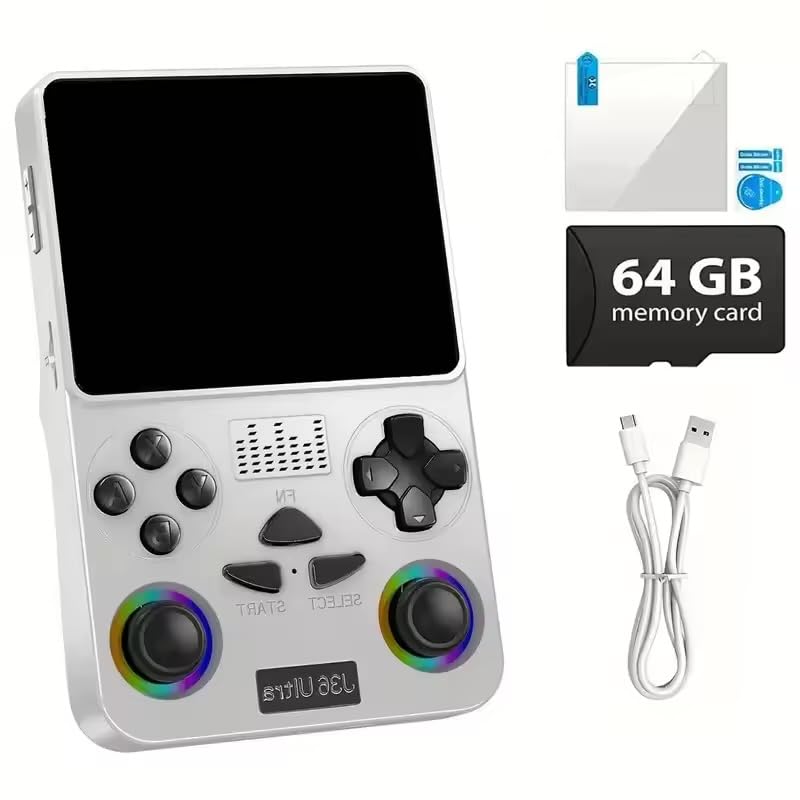
Image: The J36 Ultra Game Console displayed with its accessories, including the charging cable, screen film, and 64GB memory card.
ማዋቀር
1. Charging the Console
Before first use, fully charge the console.
- Connect the provided TYPE-C charging cable to the console's charging port.
- የኬብሉን ሌላኛውን ጫፍ ከተኳሃኝ የዩኤስቢ የኃይል አስማሚ (ያልተካተተ) ወይም ከኮምፒዩተር የዩኤስቢ ወደብ ጋር ያገናኙ።
- የኃይል መሙያ አመልካች መብራቱ ይበራል። ሙሉ በሙሉ ከተሞላ በኋላ ብርሃኑ ቀለሙን ሊቀይር ወይም ሊጠፋ ይችላል።
The console features a 3000mAh rechargeable battery, providing approximately 6 hours of continuous gameplay on a full charge.

ምስል: የኋላ view of the J36 Ultra Game Console, illustrating its internal components and emphasizing the battery.
2. Applying the Screen Film
To protect the display, carefully apply the included screen film according to the instructions provided with the film.
3. ማህደረ ትውስታ ካርድ
The console comes with a 64GB memory card pre-installed, containing over 20,000 games. Ensure the memory card is securely inserted into its slot before powering on the device.
የአሠራር መመሪያዎች
1. ማብራት / ማጥፋት
- ለማብራት፦ ማያ ገጹ እስኪበራ ድረስ የኃይል አዝራሩን ተጭነው ይያዙ።
- To power off: Press and hold the Power button, then follow the on-screen prompts to shut down the system.
2. መሰረታዊ ቁጥጥሮች
The J36 Ultra features a classic button layout with dual joysticks for precise control.
- D-Pad / Left Joystick: Navigation in menus and directional control in games.
- የቀኝ ጆይስቲክ፡ Secondary directional control, often used for camera or specific game actions.
- ኤ፣ ቢ፣ ኤክስ፣ ዋይ አዝራሮች፡ ለጨዋታ ጨዋታ የድርጊት አዝራሮች።
- አዝራር ምረጥ ፦ Typically used for menu selections or in-game functions.
- የጀምር አዝራር፡- Used to start games, pause, or confirm selections.
- L1፣ L2፣ R1፣ R2 አዝራሮች፡ ለተጨማሪ የጨዋታ ውስጥ እርምጃዎች የትከሻ አዝራሮች።

ምስል፡ መቀራረብ view of the J36 Ultra Game Console's front, highlighting the dual joysticks and button layout for precise control.

ምስል: ጎን view of the J36 Ultra Game Console, illustrating its ergonomic curved grip design for comfortable handling during extended gameplay.
3. Navigating the Game Library
The console supports over 20 simulator platforms and includes a library of more than 20,000 games.
- From the main menu, use the D-Pad or left joystick to navigate through the available simulator platforms.
- Select a platform to view the list of games.
- Choose a game from the list and press the A button (or equivalent) to start playing.
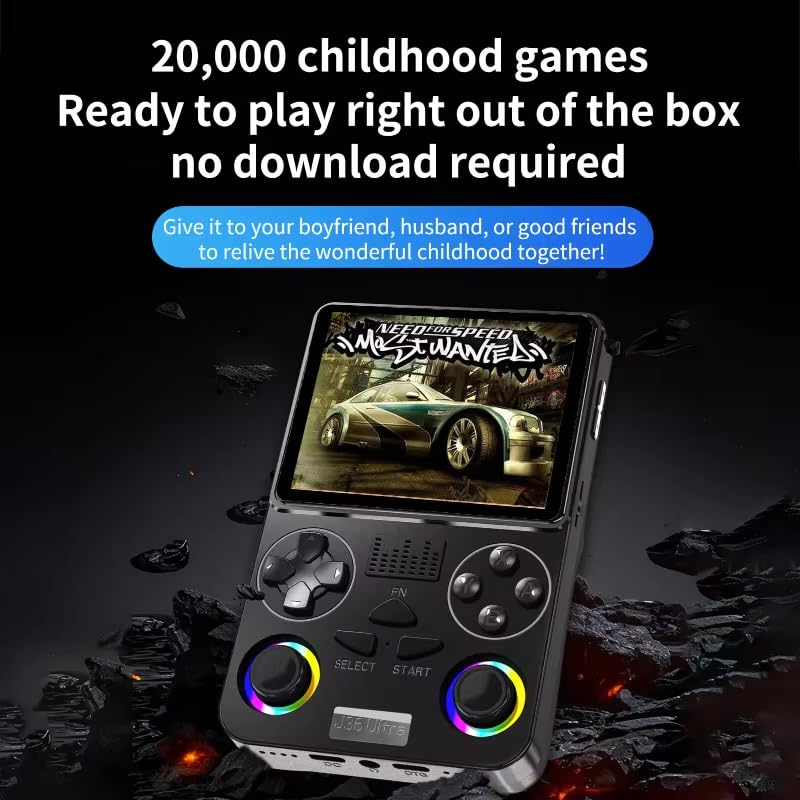
Image: The J36 Ultra Game Console displaying a game on its screen, demonstrating the extensive library of pre-installed games.
4. የድምጽ መቆጣጠሪያ
Locate the volume buttons on the side or back of the console to adjust the audio level.
ጥገና
1. ኮንሶሉን ማጽዳት
- የኮንሶሉን ውጫዊ ክፍል ለማጽዳት ለስላሳ፣ ደረቅ፣ ከላጣ ነፃ የሆነ ጨርቅ ይጠቀሙ።
- ለግትር ምልክቶች፣ በትንሹ መampጨርቁን በውሃ. ኃይለኛ ኬሚካሎችን ወይም ሻካራ ማጽጃዎችን ከመጠቀም ይቆጠቡ።
- Do not spray cleaning solutions directly onto the console.
2. የባትሪ እንክብካቤ
- የባትሪ ዕድሜን ለማራዘም በተደጋጋሚ ባትሪውን ሙሉ በሙሉ ከመሙላት ይቆጠቡ።
- ኮንሶሉን ለረጅም ጊዜ ጥቅም ላይ በማይውልበት ጊዜ ቀዝቃዛና ደረቅ ቦታ ያስቀምጡት።
- If storing for a long time, charge the battery to approximately 50% every few months.
መላ መፈለግ
Console Does Not Power On
- Ensure the battery is sufficiently charged. Connect the console to a power source and allow it to charge for at least 30 minutes before attempting to power it on again.
- Verify that the power button is being pressed and held correctly.
Games Are Not Loading or Displaying Correctly
- Check if the memory card is properly inserted. Remove and re-insert it firmly.
- ኮንሶሉን እንደገና ያስጀምሩ.
- ጨዋታውን ያረጋግጡ file አልተበላሸም።
የስክሪን ችግሮች (ማሳያ የለም፣ ማብረር)
- ኮንሶሉን እንደገና ያስጀምሩ.
- Ensure the console has sufficient power.
- ችግሩ ከቀጠለ የደንበኛ ድጋፍን ያግኙ።
ዝርዝሮች
| ሞዴል | ጄ36 አልትራ |
| ማሳያ | 3.5-inch LCD, 640x480 pixels, Full OCA Technology |
| ፕሮሰሰር | RK3326 1.5 GHz 64-bit processor |
| የማህደረ ትውስታ ማከማቻ | 64 GB (pre-installed memory card) |
| ባትሪ | 3000mAh Lithium-Ion, approx. 6 hours average life |
| የሚደገፉ መድረኮች | 20+ simulator platforms (e.g., puzzle, arcade, shooting, racing, fighting, adventure) |
| የመቆጣጠሪያ አይነት | Button Control, Dual Joysticks |
| ልኬቶች (L x W x H) | 7.6 x 2.5 x 12.7 ሴንቲሜትር (በግምት 3 x 1 x 5 ኢንች) |
| ክብደት | 200 ግራም |
| ቁሳቁስ | ፕላስቲክ |
| የዕድሜ ክልል | ከ 3 ዓመት በላይ (ከአዋቂዎች ቁጥጥር ጋር) |

Image: Diagram illustrating the RK3326 professional gaming chip, a 1.5 GHz 64-bit processor, responsible for smooth game performance.

Image: Visual representation of the console's screen, highlighting its display quality and features.


