
1. መግቢያ
The IRiver IAB60 is a versatile audio system designed to enhance your daily life with multiple entertainment and utility features. It combines a CD player, FM radio, Bluetooth connectivity, wireless charging, and an alarm clock into a compact and stylish unit. This manual provides detailed instructions for setup, operation, and maintenance to ensure optimal performance and longevity of your device.

2. የጥቅል ይዘቶች
- IRiver IAB60 Main Unit
- የኃይል ገመድ
- የርቀት መቆጣጠሪያ
- የተጠቃሚ መመሪያ (ይህ ሰነድ)
3. ማዋቀር
3.1 የኃይል ግንኙነት
- Connect the provided power cable to the DC IN port on the rear of the IAB60 unit.
- Plug the other end of the power cable into a standard AC power outlet (100-240V, 60Hz).
3.2 Battery Installation (for Clock Memory)
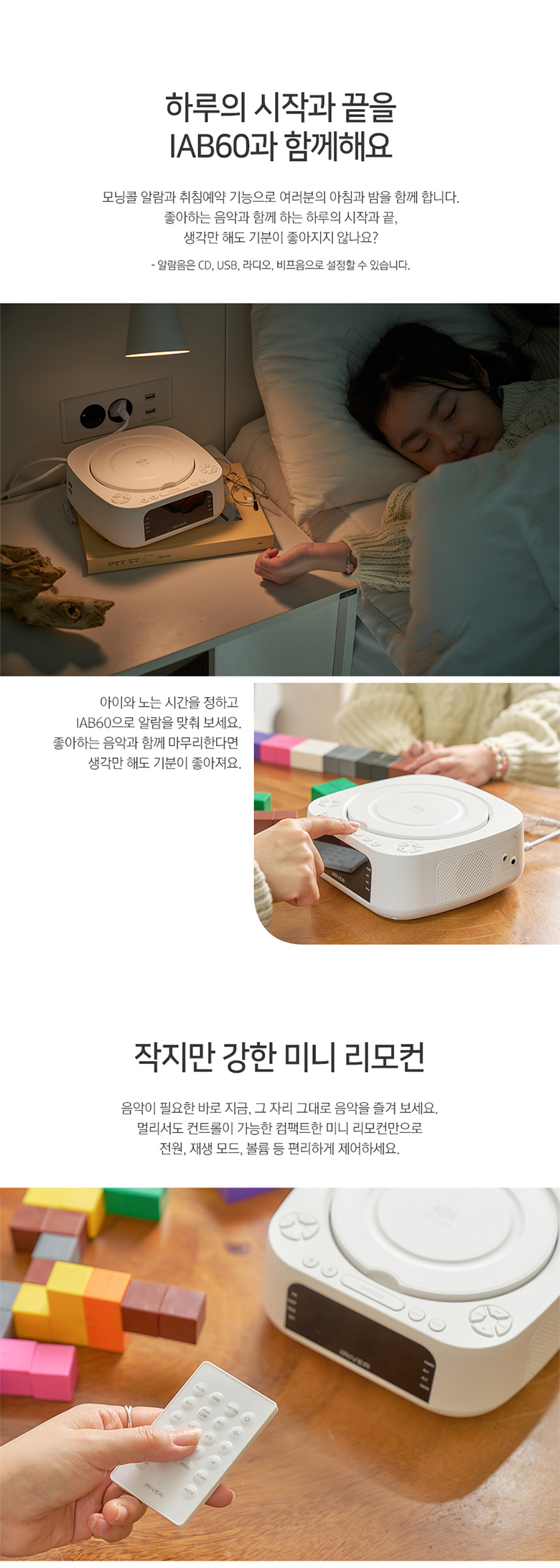
በኃይል ጊዜ ውስጥ የሰዓት እና የማንቂያ ቅንብሮችን ለማቆየትtage, install two AAA batteries (not included) in the battery compartment located on the bottom of the unit.
3.3 ኤፍኤም አንቴና ግንኙነት
For optimal FM radio reception, connect the included FM antenna wire to the FM ANT port on the rear of the unit. Extend the antenna fully and position it for best signal.
4. የአሠራር መመሪያዎች
4.1 ማብራት / ማጥፋት
የሚለውን ይጫኑ ኃይል መሣሪያውን ለማብራት ወይም ለማጥፋት በላይኛው ፓነል ወይም በርቀት መቆጣጠሪያ ላይ ያለውን ቁልፍ።
4.2 የሰዓት እና የማንቂያ ቅንብሮች
The IAB60 features a clear LED display for time and alarm functions.
- የማቀናበር ጊዜ፡ የሚለውን ተጠቀም ሰዓት ተዘጋጅቷል የጊዜ ቅንብር ሁነታን ለማስገባት አዝራሩን ይጠቀሙ። +/- ሰዓቶችን እና ደቂቃዎችን ለማስተካከል አዝራሮች።
- ማንቂያዎችን ማቀናበር; ተጫን AL1 or AL2 to set individual alarms. You can choose to wake up to CD, FM radio, or a buzzer sound.
4.3 ሲዲ ማጫወቻ ክወና
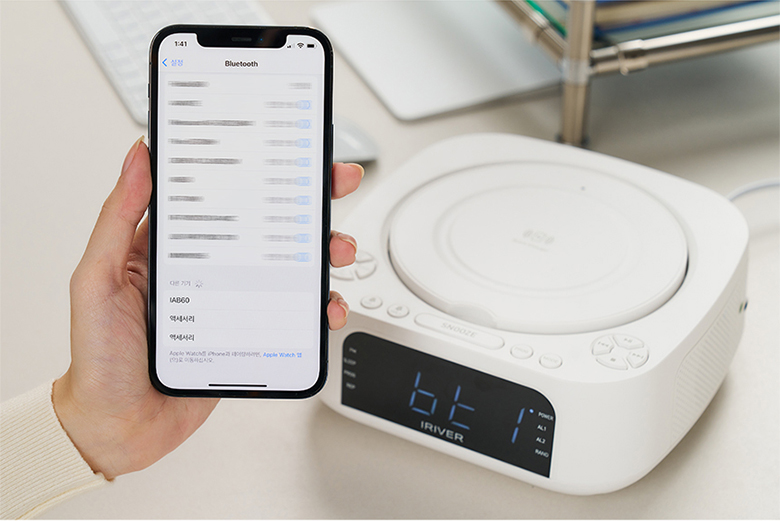
The IAB60 supports AUDIO CD, CD-R, and CD-RW discs with MP3/WMA formats.
- Gently open the top cover of the CD player.
- የመለያው ጎን ወደ ላይ የሚያይበት ሲዲ ወደ ስፒኑል ያስቀምጡ።
- Close the top cover. The unit will automatically detect the CD and begin playback or display 'OP' if no disc is detected.
- የሚለውን ተጠቀም አጫውት/አፍታ አቁም, ተወ, SKIP (◀◀/▶▶), ድገም, እና ፕሮግ (program up to 20 tracks) buttons for control.
4.4 Bluetooth Connectivity (v5.0)
The IAB60 supports Bluetooth v5.0 for both input (playing audio from your phone) and output (connecting to Bluetooth headphones/speakers).
- የማጣመር ሁኔታ የሚለውን ይጫኑ MODE button until 'BT' appears on the display. The unit will enter pairing mode.
- Connecting to a Device (Input): On your smartphone or other Bluetooth device, search for 'IAB60' in the Bluetooth settings and connect.
- Connecting to Headphones/Speakers (Output): Refer to the specific instructions for your Bluetooth headphones or speakers to put them into pairing mode, then initiate pairing from the IAB60 (specific button or menu option may vary, refer to remote control functions).
4.5 ኤፍኤም ሬዲዮ
Enjoy clear FM radio reception with the built-in tuner.
- የሚለውን ይጫኑ MODE 'ኤፍኤም' በስክሪኑ ላይ እስኪታይ ድረስ አዝራር።
- የሚለውን ተጠቀም TUNE +/- ወደ አንድ ጣቢያ በእጅ ለማስተካከል አዝራሮችን ይጫኑ ወይም ለሚቀጥለው የሚገኝ ጣቢያ በራስ-ሰር ለመቃኘት ይጫኑ እና ይያዙ።
- የሚለውን ይጫኑ ፕሮግ button to save favorite stations.
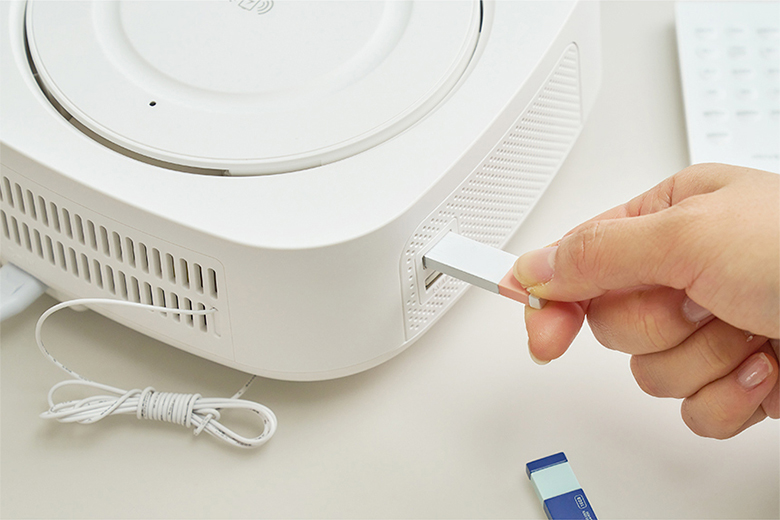
4.6 የዩኤስቢ ሙዚቃ መልሶ ማጫወት
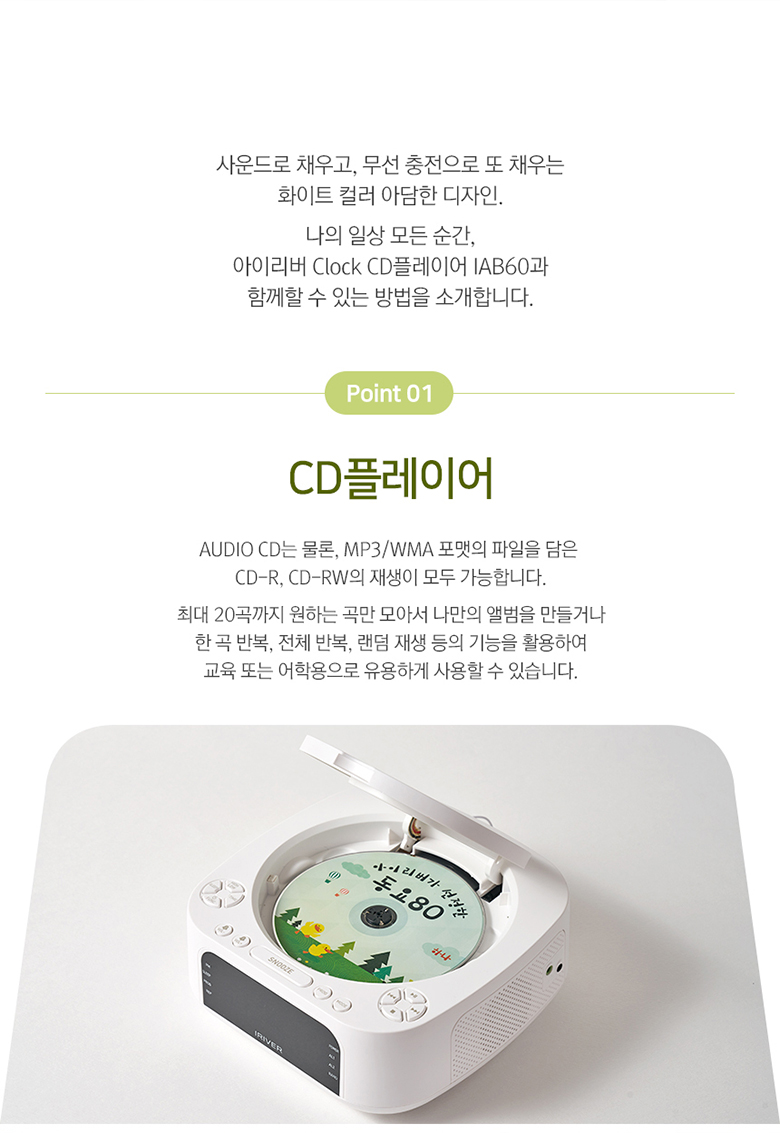
Play MP3/WMA audio files directly from a USB flash drive (up to 32GB).
- Insert a USB flash drive into the USB port on the side of the unit.
- የሚለውን ይጫኑ MODE 'ዩኤስቢ' በማሳያው ላይ እስኪታይ ድረስ አዝራሩን ይጫኑ።
- የመልሶ ማጫወት መቆጣጠሪያዎችን ይጠቀሙ (አጫውት/አፍታ አቁም, ዝለል) to navigate your music.
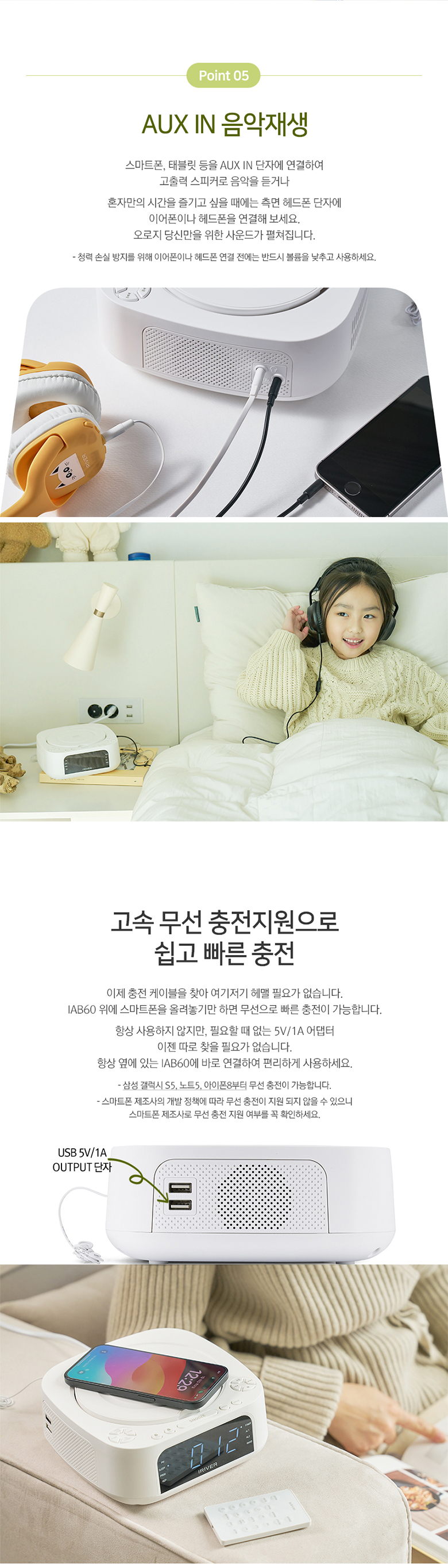
4.7 AUX IN
Connect external audio devices (e.g., MP3 players, smartphones) using a 3.5mm audio cable.
- Connect one end of a 3.5mm audio cable to the AUX IN port on the side of the IAB60.
- ሌላውን ጫፍ ከጆሮ ማዳመጫ መሰኪያ ወይም ከውጫዊ መሳሪያዎ የድምጽ ውፅዓት ጋር ያገናኙ።
- የሚለውን ይጫኑ MODE 'AUX' በማሳያው ላይ እስኪታይ ድረስ አዝራር።
- ከውጫዊ መሣሪያዎ መልሶ ማጫወትን ይቆጣጠሩ።
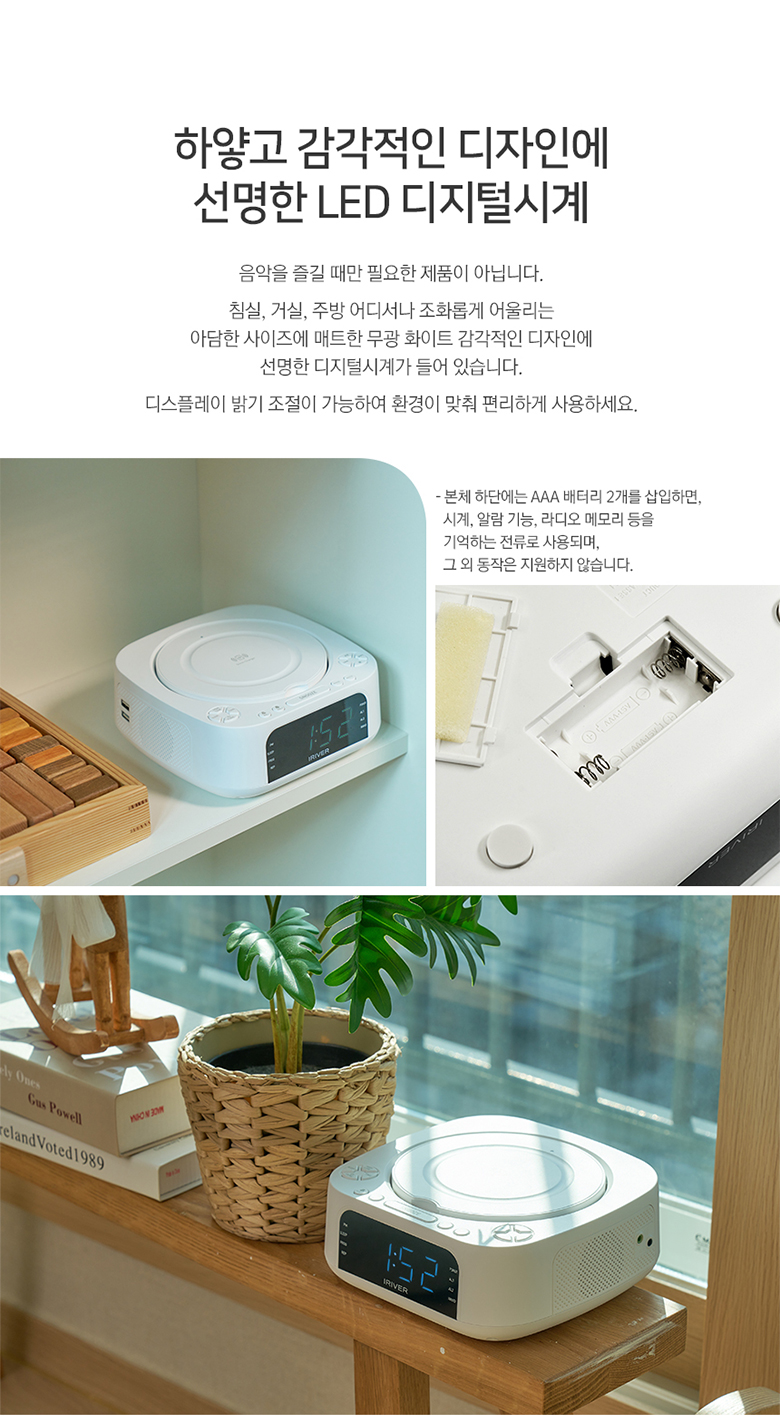
4.8 ገመድ አልባ ባትሪ መሙላት
The IAB60 features a high-speed wireless charging pad on its top surface.
- Ensure the IAB60 is powered on.
- Place your Qi-compatible smartphone or device on the center of the wireless charging pad.
- The device should indicate that it is charging. If not, adjust its position slightly.
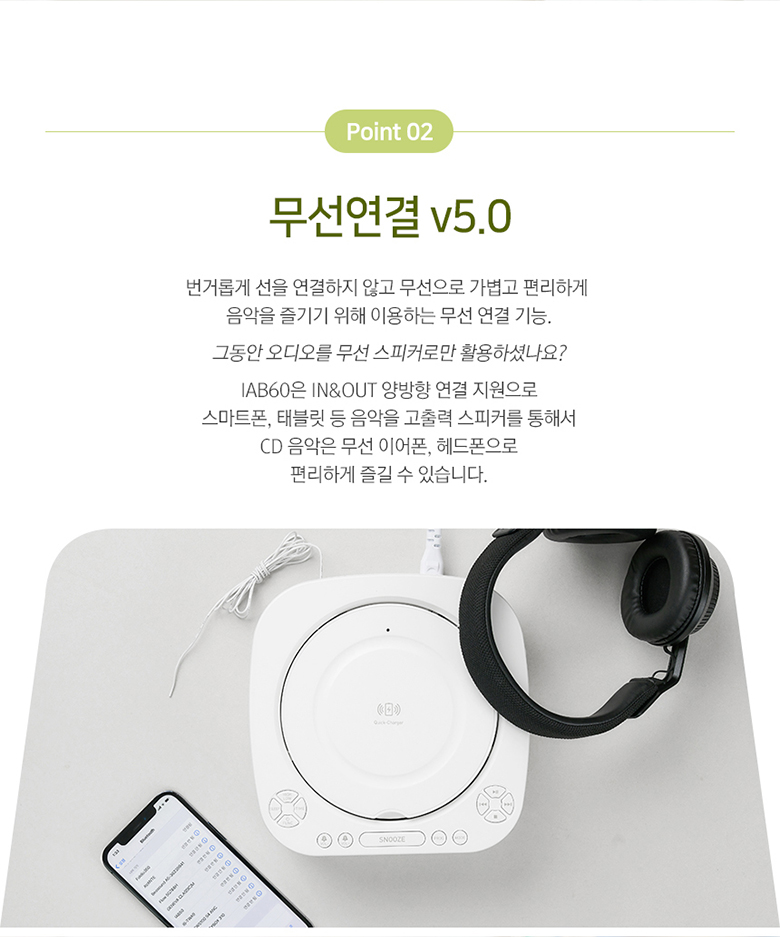
4.9 የርቀት መቆጣጠሪያ
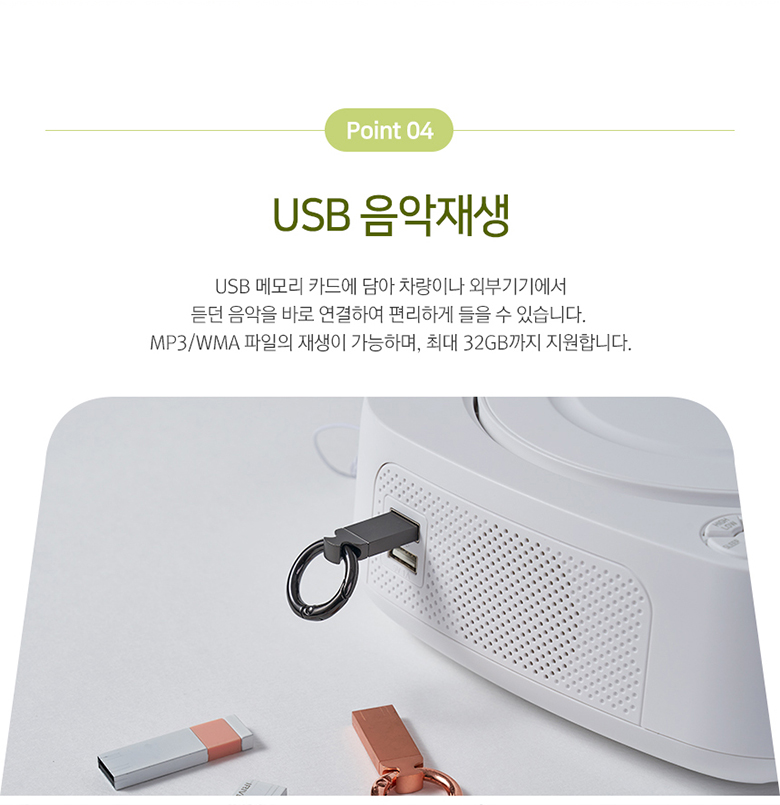
The included mini remote control provides convenient access to all major functions, including power, mode selection, playback controls, volume, alarm settings, and sleep timer.
5. ጥገና
- ማጽዳት፡ የክፍሉን ውጫዊ ክፍል ለማጽዳት ለስላሳ እና ደረቅ ጨርቅ ይጠቀሙ. ገላጭ ማጽጃዎችን ወይም ፈሳሾችን አይጠቀሙ.
- ሲዲ ማጫወቻ፡ Keep the CD compartment clean and free of dust. Avoid touching the lens.
- የባትሪ መተካት፡ Replace the AAA backup batteries annually or when the clock settings are not retained during power interruptions.
- ማከማቻ፡ If storing the unit for an extended period, disconnect it from power and remove the backup batteries.
6. መላ መፈለግ
- ኃይል የለም፡ Ensure the power cable is securely connected to both the unit and the power outlet.
- ድምጽ የለም፡ Check the volume level. Ensure the correct mode (CD, FM, BT, USB, AUX) is selected. If using Bluetooth output, ensure your external device is properly paired and connected.
- ሲዲ የማይጫወት፡ ሲዲው በትክክል መገባቱን (መለያው ወደ ላይ) እና ንጹህ እና ጭረት የሌለበት መሆኑን ያረጋግጡ። ሌላ ሲዲ ይሞክሩ።
- ብሉቱዝ አለመገናኘት; Ensure the IAB60 is in Bluetooth mode and your external device's Bluetooth is enabled and in pairing mode. Move devices closer together.
- ገመድ አልባ ባትሪ መሙላት አይሰራም; Ensure your device is Qi-compatible and placed centrally on the charging pad. Remove any thick cases that might interfere with charging.
- ደካማ የኤፍኤም አቀባበል፡ Adjust the position of the FM antenna. Try moving the unit to a different location.
7. ዝርዝሮች
| ባህሪ | ዝርዝር መግለጫ |
|---|---|
| ሞዴል | IAB60 |
| ቀለም | ነጭ |
| መጠኖች (ወ x D x H) | 180.5 x 198 x 73.5 ሚ.ሜ |
| ክብደት | በግምት. 1.13 ኪ.ግ |
| የኃይል ግቤት | AC 100-240V ፣ 60Hz |
| የኃይል ውፅዓት | ዲሲ 9V, 2A |
| የአሠራር ሙቀት | 0 ° ሴ - 40 ° ሴ |
| የድምጽ ማጉያ ውፅዓት | 5 ዋ x 2 (ጠቅላላ 10 ዋ) |
| የብሉቱዝ ስሪት | 5.0 |
| ብሉቱዝ ፕሮfiles | A2DP ፣ AVRCP |
| የብሉቱዝ ክልል | እስከ 10 ሜትር (33 ጫማ) |
| ሲዲ መልሶ ማጫወት | AUDIO CD, CD-R, CD-RW |
| የሚደገፉ የድምጽ ቅርጸቶች | MP3፣ WMA |
| ኤፍኤም ሬዲዮ ድግግሞሽ | 87.5 - 108.0 MHz (0.1 MHz step) |
| የዩኤስቢ ወደብ | 5V 1A output, Max 32GB support |
| ኤክስኤክስ IN | 3.5 ሚሜ ስቴሪዮ መሰኪያ |
| የመጠባበቂያ ባትሪ | 2 x AAA batteries (for clock memory) |

8. ዋስትና እና ድጋፍ
የዋስትና መረጃ እና የቴክኒክ ድጋፍ ለማግኘት፣ እባክዎን በግዢው ጊዜ የቀረቡትን ሰነዶች ይመልከቱ ወይም ቸርቻሪዎን ያነጋግሩ። ለማንኛውም የዋስትና ጥያቄ የግዢ ማረጋገጫዎን ያስቀምጡ።
9. የተጠቃሚ ምክሮች
- የገመድ አልባ የኃይል መሙያ አቀማመጥ፡ For optimal wireless charging, ensure your device is centered on the charging pad. Slight adjustments may be needed for different phone models.
- የርቀት መቆጣጠሪያ ክልል; Ensure there are no obstructions between the remote control and the main unit for best performance.
- የድምጽ ጥራት፡ Experiment with the unit's placement in your room to find the best acoustic environment for sound quality.


