1. ጠቃሚ የደህንነት መረጃ
Please read all instructions carefully before operating your Thomson RR 68 M clock. Keep this manual for future reference.
- ሰዓቱን ለከፍተኛ ሙቀት፣ ቀጥተኛ የፀሐይ ብርሃን ወይም ከፍተኛ እርጥበት አያጋልጥ።
- ሰዓቱን ከመጣል ወይም ለጠንካራ ተጽእኖዎች ከማድረግ ተቆጠብ።
- ሰዓቱን ለመበተን ወይም ለመለወጥ አይሞክሩ. ይህ ዋስትናውን ያጣል።
- የተጠቀሰውን የባትሪ ዓይነት ብቻ ይጠቀሙ። ባትሪዎችን በሚያስገቡበት ጊዜ ትክክለኛውን ፖላሪቲ ያረጋግጡ.
- መፍሰስን ለመከላከል ሰዓቱ ረዘም ላለ ጊዜ ጥቅም ላይ የማይውል ከሆነ ባትሪዎችን ያስወግዱ።
2. ምርት አብቅቷልview
Familiarize yourself with the components of your Thomson RR 68 M clock.
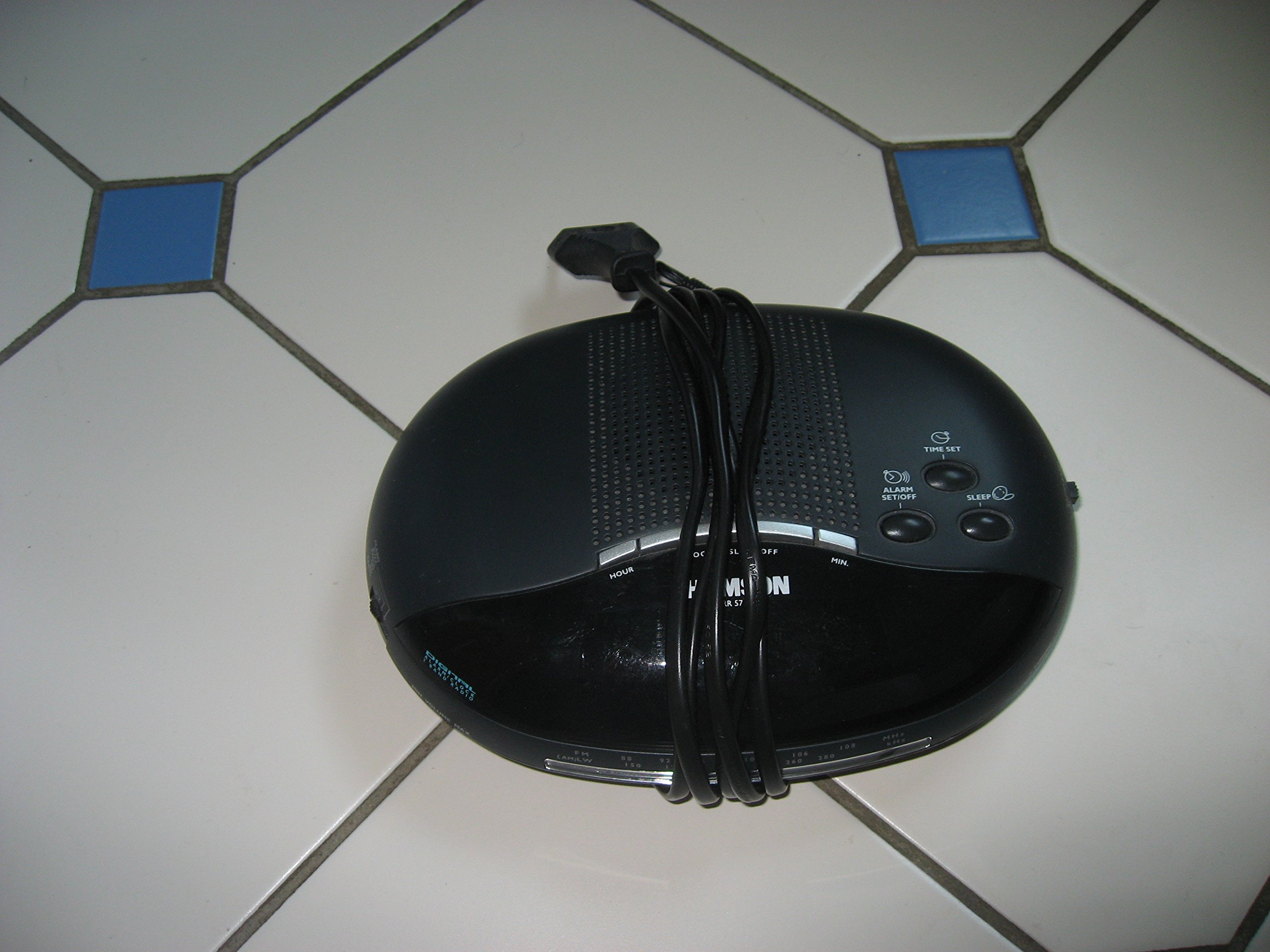
ምስል 1፡ ፊት ለፊት view of the Thomson RR 68 M clock, showing the digital display and control buttons. This image illustrates the compact design suitable for tabletop placement.
2.1 የጥቅል ይዘቶች
- Thomson RR 68 M Clock Unit
- የተጠቃሚ መመሪያ (ይህ ሰነድ)
3. ማዋቀር
3.1 ሰዓቱን ማብቃት
The Thomson RR 68 M clock operates on batteries (not included). Ensure you have the correct type and quantity of batteries before proceeding.
- Locate the battery compartment cover on the back or bottom of the clock.
- Remove the battery compartment cover by sliding or unlatching it.
- Insert the required batteries, paying close attention to the polarity markings (+ and -) inside the compartment.
- Replace the battery compartment cover securely. The clock display should now illuminate.
4. የአሠራር መመሪያዎች
4.1 ጊዜን ማቀናበር
To set the current time on your Thomson RR 68 M clock:
- Locate the 'SET' or 'MODE' button, usually on the back or side of the clock. Press and hold this button for a few seconds until the hour digits begin to flash.
- Use the '+' or 'HOUR' button to adjust the hour. Press repeatedly to advance the hour.
- Press the 'SET' or 'MODE' button again. The minute digits will begin to flash.
- Use the '+' or 'MINUTE' button to adjust the minutes. Press repeatedly to advance the minutes.
- Press the 'SET' or 'MODE' button one last time to confirm the time setting and exit the setting mode. The display will stop flashing.
Note: This model does not feature an alarm function.
5. ጥገና
5.1 ጽዳት
የሰዓትዎን ገጽታ ለመጠበቅ፦
- Wipe the clock's exterior with a soft, dry cloth.
- የማጽጃ ማጽጃዎችን፣ ሟሟቶችን ወይም ኬሚካል የሚረጩ ነገሮችን አይጠቀሙ፤ ምክንያቱም እነዚህ ማጽጃዎች ጨርቁን ሊጎዱ ይችላሉ።
5.2 የባትሪ መተካት
When the display dims or the clock stops functioning, it is time to replace the batteries. Follow the steps in Section 3.1 to replace the old batteries with new ones. Dispose of used batteries responsibly according to local regulations.
6. መላ መፈለግ
If you encounter issues with your Thomson RR 68 M clock, refer to the following common problems and solutions:
6.1 Clock Display is Blank or Dim
- ባትሪዎችን ይፈትሹ፡ ባትሪዎቹ በትክክለኛው ፖላራይት በትክክል መተከላቸውን ያረጋግጡ። አስፈላጊ ከሆነ በአዲስ ባትሪዎች ይተኩ።
- የባትሪ ክፍል፡ የባትሪው ክፍል ሽፋን ደህንነቱ በተጠበቀ ሁኔታ መዘጋቱን ያረጋግጡ።
6.2 ጊዜው የተሳሳተ ነው።
- ዳግም ማስጀመሪያ ጊዜ Follow the instructions in Section 4.1 to manually set the time.
- የባትሪ ሃይል፡- If the time frequently resets or loses accuracy, the batteries may be low and require replacement.
7. ዝርዝሮች
| የሞዴል ቁጥር | RR 68 M |
| የምርት ስም | ቶምሰን |
| የመጫኛ አይነት | የጠረጴዛ ጫፍ |
| የኃይል ምንጭ | ባትሪዎች (አልተካተተም) |
| የማንቂያ ተግባር | አይ |
8. የዋስትና መረጃ
Specific warranty details for the Thomson RR 68 M clock are not provided within this user manual. Please refer to the product packaging, the point of purchase, or the official Thomson webለአጠቃላይ የዋስትና ውሎች እና ሁኔታዎች ጣቢያ።
9. የደንበኛ ድጋፍ
For further assistance, technical support, or inquiries regarding your Thomson RR 68 M clock, please visit the official Thomson webየደንበኛ አገልግሎት ክፍላቸውን ያግኙ ወይም ያግኙ። የእውቂያ መረጃ በተለምዶ በአምራቹ webጣቢያ ወይም ምርት ማሸጊያ.


