መግቢያ
This manual provides essential instructions for the safe and efficient operation of your NEC VT670 Value LCD Video Projector. Please read this manual thoroughly before using the projector and keep it for future reference. The NEC VT670 is designed for clear image projection with a native resolution of 1024 x 768 and a brightness of up to 2,100 ANSI lumens.
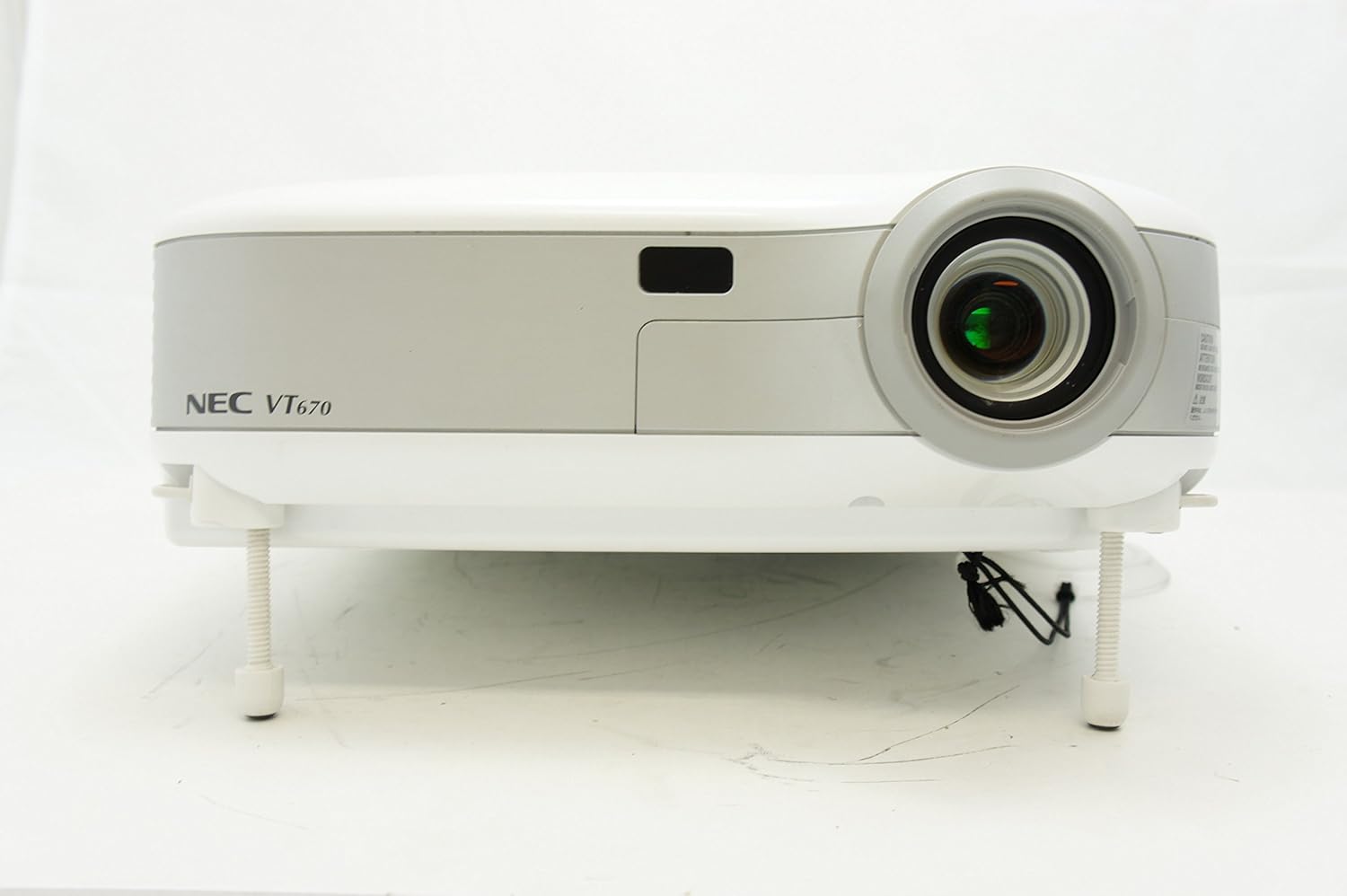
ምስል 1፡ ፊት ለፊት view of the NEC VT670 projector, showing the lens and front panel.
ማዋቀር
Follow these steps to set up your NEC VT670 projector:
- አቀማመጥ፡- Position the projector on a stable, flat surface or mount it according to the instructions for your specific mounting solution. Ensure adequate ventilation around the unit. The projector is designed for tabletop mounting.
- የኃይል ግንኙነት; Connect the power cord to the projector's power inlet and then to a grounded electrical outlet.
- ምንጭ ግንኙነት፡- Connect your video source (e.g., computer, DVD player) to the appropriate input port on the projector. The VT670 supports VGA (D-Sub), S-Video, and composite video inputs. Use the color-coded connections for ease of setup.
- የኬብል ግንኙነቶች; Ensure all necessary cables, such as the VGA cable for computer input, are securely connected to both the projector and the source device.
- የድምጽ ግንኙነት; If your source provides audio, connect it to the projector's audio input ports. The projector features built-in speakers.
- የመጀመሪያ ኃይል በርቷል፡ መሳሪያውን ለማብራት በፕሮጀክተሩ ወይም በርቀት መቆጣጠሪያው ላይ ያለውን የኃይል ቁልፍ ይጫኑ።

ምስል 2፡ Rear panel of the NEC VT670 projector, illustrating various input and output ports including VGA, S-Video, and audio connections.

ምስል 3፡ Example of a VGA cable (left) and a power cable (right) used for connecting the projector.
የአሠራር መመሪያዎች
This section details the basic operation of your projector.
ኃይል አብራ/ አጥፋ
- ለማብራት፣ የሚለውን ይጫኑ ኃይል አዝራር አንዴ. የኃይል አመልካች ያበራል.
- ኃይልን ለማጥፋት፣ ን ይጫኑ ኃይል button twice. The projector will enter a cooling cycle before shutting down completely.
የግቤት ምንጭ ምርጫ
- የሚለውን ተጠቀም ግቤት or dedicated source buttons (e.g., ኮምፒውተር 1, ቪዲዮ) on the control panel or remote to cycle through available input sources.

ምስል 4፡ Top control panel of the NEC VT670 projector, showing power, input selection, and navigation buttons.
የትኩረት እና የማጉላት ማስተካከያ
- አስተካክል። ትኩረት ምስሉ ጥርት ያለ እና ግልጽ እስኪሆን ድረስ በሌንስ ላይ ይደውሉ።
- የሚለውን ተጠቀም አጉላ lever on the lens to adjust the image size to fit your screen.
ምናሌ አሰሳ
- የሚለውን ይጫኑ MENU button to access the on-screen display (OSD) menu.
- የቀስት ቁልፎችን ይጠቀሙ (UP, ታች, ግራ, ቀኝ) በምናሌ አማራጮች ውስጥ ለማሰስ።
- ተጫን አስገባ or ምረጥ ምርጫን ለማረጋገጥ ፡፡
- ተጫን ውጣ or MENU again to close the OSD menu.
ጥገና
መደበኛ ጥገና ጥሩ አፈጻጸምን ያረጋግጣል እና የፕሮጀክተርዎን ዕድሜ ያራዝመዋል።
Lamp መተካት
ፕሮጀክተር ኤልamp የተወሰነ የህይወት ዘመን አለው. መቼ lamp አመላካች ያበራል ወይም ምስሉ ደብዛዛ ይሆናል, lamp may need replacement. Refer to the full service manual for detailed lamp replacement procedures. Always allow the projector to cool down completely before attempting lamp መተካት.
የአየር ማጣሪያ ማጽዳት
Dust accumulation on the air filter can reduce cooling efficiency and affect projector performance. Clean the air filter regularly (e.g., every 100 hours of operation) by removing it and gently brushing off dust or using a vacuum cleaner. Replace the filter if it is damaged.
የሌንስ ማጽዳት
የፕሮጀክተር ሌንሱን በተለይ ለእይታ ንጣፎች በተዘጋጀ ለስላሳ እና ከተሸፈነ ጨርቅ በቀስታ ይጥረጉ። ሻካራ ማጽጃዎችን ወይም ከመጠን በላይ ኃይልን አይጠቀሙ.
መላ መፈለግ
ይህ ክፍል ሊያጋጥሙህ ለሚችሉ የተለመዱ ጉዳዮች መፍትሄዎችን ይሰጣል።
| ችግር | ሊሆን የሚችል ምክንያት | መፍትሄ |
|---|---|---|
| ምንም ምስል አልታየም። |
|
|
| ምስሉ ደብዛዛ ነው |
|
|
| ድምጽ የለም። |
|
|
ዝርዝሮች
Key technical specifications for the NEC VT670 Value LCD Video Projector:
- የሞዴል ስም፡- VT670
- የማሳያ አይነት፡ LCD
- ቤተኛ ጥራት፡ 1024 x 768 (ኤክስጂኤ)
- ከፍተኛ ብሩህነት፡ 2,100 ኤኤንአይ lumens
- የንፅፅር ውድር 400፡1
- የግንኙነት ቴክኖሎጂ; VGA (D-Sub), S-Video, Composite Video
- የሃርድዌር ግንኙነት; D-Sub, VGA
- ከፍተኛው የምስል መጠን፡ 300 ኢንች
- የቅጽ ምክንያት፡ ተንቀሳቃሽ
- የመጫኛ አይነት፡ የጠረጴዛ ተራራ
- የመቆጣጠሪያ ዓይነት: የአዝራር መቆጣጠሪያ
- የእቃው ክብደት፡ 9.2 ፓውንድ £
- ተጨማሪ ባህሪያት፡ አብሮገነብ ድምጽ ማጉያዎች
- የሚደገፉ ምልክቶች፡ PC, NTSC, PAL, SECAM, HDTV
የዋስትና መረጃ
The NEC VT670 Value LCD Video Projector comes with a የ 2 ዓመት ዋስትና. This warranty covers defects in materials and workmanship under normal use. For specific terms and conditions, please refer to the warranty card included with your product or contact NEC customer support.
ድጋፍ
For further assistance, technical support, or service inquiries regarding your NEC VT670 projector, please visit the official NEC website or contact their customer service department. Keep your product model number (VT670) and serial number ready when contacting support.
የመስመር ላይ መርጃዎች፡- www.nec.com


