1. መግቢያ
This manual provides essential instructions for the safe and effective use of your Leica V-LUX 20 digital camera. Please read it thoroughly before operating the camera and keep it for future reference. The Leica V-LUX 20 is a 12.1-megapixel digital camera featuring a 12x optical zoom lens and a 3.0-inch LCD, designed for high-quality photography and HD video recording.
2. የደህንነት መረጃ
- የባትሪ ደህንነት፡ Use only the specified Lithium-Ion battery and charger. Do not expose batteries to excessive heat, direct sunlight, or dispose of them in fire. Keep batteries out of reach of children.
- የውሃ መቋቋም; ይህ ካሜራ ነው አይደለም water resistant. Avoid exposure to water or high humidity.
- የሌንስ እንክብካቤ; Do not touch the lens surface directly. Clean with a soft, lint-free cloth designed for optical lenses.
- የአሠራር አካባቢ; Avoid using the camera in extreme temperatures, dusty environments, or near strong magnetic fields.
- ማስወገጃ- ካሜራውን ለመበተን ወይም ለመቀየር አይሞክሩ። ሁሉንም አገልግሎቶች ብቁ ለሆኑ ባለሙያዎች ያመልክቱ።
3. መጀመር እና ማዋቀር
3.1. ባትሪውን በመሙላት ላይ
Insert the Lithium-Ion battery into the supplied charger and connect the charger to a power outlet. The charging indicator will show the charging status. Ensure the battery is fully charged before first use.
3.2. የማህደረ ትውስታ ካርዱን ማስገባት
The camera supports SD, SDHC, and SDXC memory cards. Open the battery/card compartment cover. Insert the memory card into the slot with the contacts facing the correct direction until it clicks into place. Close the cover securely.
Note: A memory card is not included with the camera and must be purchased separately.
3.3. የመነሻ ኃይል በማብራት እና መቼቶች
Slide the ON/OFF switch to the ON position. Upon first power-on, you may be prompted to set the language, date, and time. Follow the on-screen instructions using the directional pad and MENU/SET button.

ምስል፡ ከፍተኛ view of the Leica V-LUX 20 camera. This image displays the camera's top panel, highlighting the ON/OFF slide switch on the right, the shutter button, and the mode dial with various shooting options like P, A, S, M, SCN, MS1, MS2, and CUST. The zoom lever (W/T) is integrated around the shutter button.
4. ካሜራውን መስራት
4.1. የካሜራ መቆጣጠሪያዎችን ጨምረዋልview
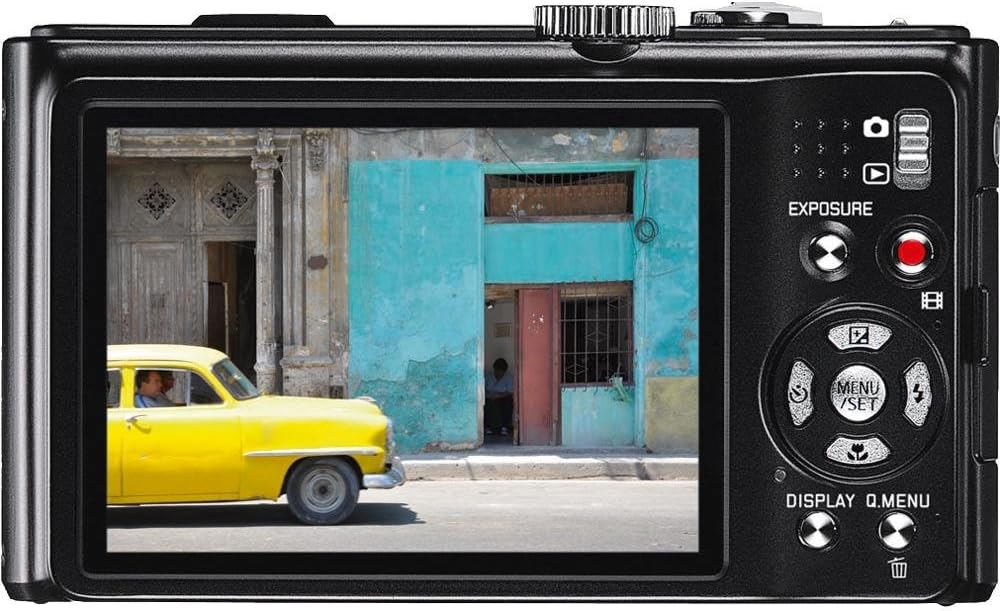
ምስል፡ የኋላ view of the Leica V-LUX 20 camera. This image shows the 3.0-inch LCD screen, the exposure compensation button, the dedicated video record button, and the directional pad with MENU/SET, DISPLAY, and Q.MENU functions. The zoom controls are also visible on the right side of the screen.
ከዋና ዋና መቆጣጠሪያዎች ጋር ይተዋወቁ፦
- ማብሪያ/ማጥፊያ/ማብሪያ/ማጥፊያ Located on the top panel, used to power the camera on or off.
- የመዝጊያ ቁልፍ፡- ፎቶ ለማንሳት ሙሉ በሙሉ ለማተኮር በግማሽ ይጫኑ።
- የማጉላት ሌቨር (W/T): Surrounds the shutter button, used to adjust the 12x optical zoom (W for wide, T for telephoto).
- የሞድ መደወያ፡ Selects various shooting modes (Program, Aperture Priority, Shutter Priority, Manual, Scene, Custom).
- የምናሌ/አዘጋጅ አዝራር፡ Accesses the camera's menu system and confirms selections.
- የአቅጣጫ ፓድ Navigates through menus and settings. Also controls flash, self-timer, and exposure compensation in shooting mode.
- DISPLAY/Q.MENU Button: Toggles display information or accesses the Quick Menu for common settings.
- የቪዲዮ ቀረጻ አዝራር፡- የቪዲዮ ቀረጻን ለመጀመር እና ለማቆም የተወሰነ አዝራር።
4.2. Autofocus and Exposure
The camera features automatic exposure control and various autofocus modes including Multi, Center-weighted, and Spot metering. The autofocus system uses TTL (Through-The-Lens) detection with 11 autofocus points. For optimal focus, press the shutter button halfway until the focus indicator appears.
4.3. የፍላሽ ሁነታዎች
The built-in flash offers several modes, including Auto and scene-specific flash modes. Access flash settings via the directional pad or Quick Menu to select the appropriate mode for your lighting conditions.
5. የተኩስ ሁነታዎች
The mode dial on the top of the camera allows you to select different shooting modes:
- ራስ-ሰር ሁነታ: The camera automatically sets all parameters for optimal results.
- የፕሮግራም AE (P): The camera sets aperture and shutter speed, but you can adjust other settings.
- የአፐርቸር ቅድሚያ የሚሰጠው AE (A): ቀዳዳውን (aperture) ያዘጋጃሉ፣ ካሜራውም የመዝጊያውን ፍጥነት ያዘጋጃል።
- የመዝጊያ ቅድሚያ የሚሰጠው AE (S): የመዝጊያውን ፍጥነት ታዘጋጃለህ፣ ካሜራውም የመክፈቻውን ቀዳዳ ያዘጋጃል።
- በእጅ መጋለጥ (ኤም): የመክፈቻ እና የመዝጊያ ፍጥነትን የምትቆጣጠረው አንተ ነህ።
- የትዕይንት ሁነታዎች (SCN): Pre-set modes for specific situations (e.g., Portrait, Landscape, Sports) to optimize settings automatically.
- Custom Modes (CUST, MS1, MS2): Allows you to save and quickly recall your preferred camera settings.
The camera captures images at 12.1 megapixels and supports JPEG file format. Optical Image Stabilization helps reduce blur from camera shake.
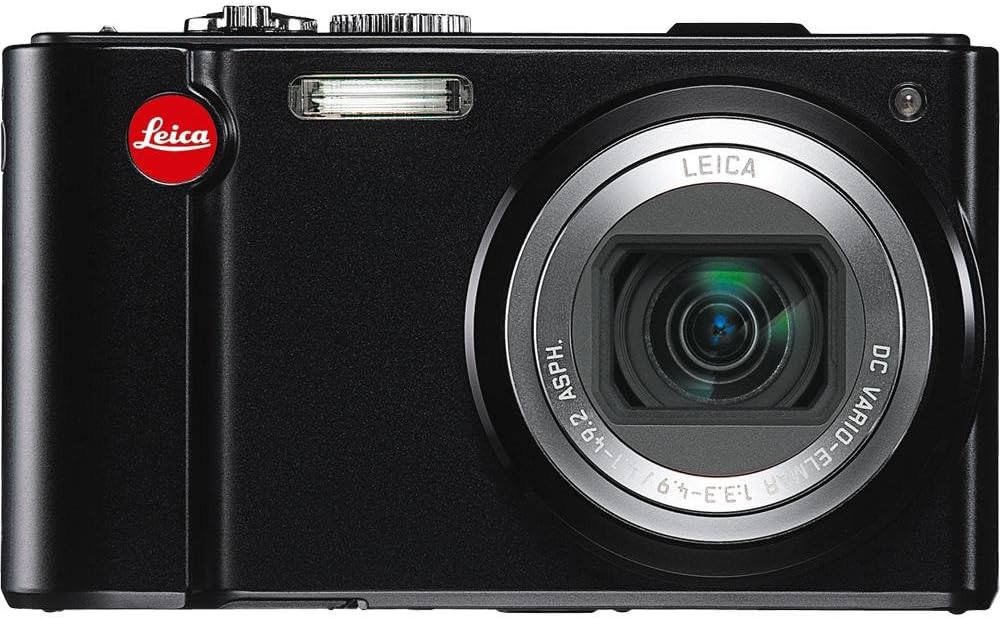
ምስል፡ ፊት ለፊት view of the Leica V-LUX 20 camera. This image showcases the camera's 12x Leica DC Vario-Elmar optical zoom lens, the built-in flash, and the Leica branding. The lens is shown in an extended position, indicating its zoom capability.
6. የቪዲዮ ቀረጻ
The Leica V-LUX 20 can record high-definition video. To start recording, press the dedicated red video record button on the back of the camera. Press it again to stop recording.
- የቪዲዮ ጥራት፡ Supports 720p HD video at 60 frames per second (1280 x 720), as well as lower resolutions like 848 x 480 (30 fps), 640 x 480 (30fps), and 320 x 240 (30 fps).
- በቪዲዮው ወቅት አጉላ፦ The 12x optical zoom can be used while recording video.
- File ቅርጸት፡- Videos are saved in MJPEG format.
7. መልሶ ማጫወት
ለ view your photos and videos, slide the power switch to the 'Play' position (or press the playback button if available, though the review mentions a slide switch for viewing stored pictures). Use the directional pad to navigate through your captured media. You can zoom in on photos or play videos using the controls.
8. ከሌሎች መሳሪያዎች ጋር መገናኘት
8.1. የዩኤስቢ ግንኙነት
Connect the camera to a computer using a USB cable (not included) to transfer photos and videos. The camera is compatible with USB 2.0 devices. Your computer will recognize the camera as a removable storage device.
8.2. የኤችዲኤምአይ ውፅዓት
Use an HDMI cable (not included) to connect the camera to an HDTV or monitor for viewing your media on a larger screen. The camera features a built-in HDMI port.
9. ጥገና እና እንክብካቤ
- የካሜራውን አካል ማጽዳት; የካሜራውን አካል ለስላሳና ደረቅ ጨርቅ ይጥረጉ። ለጠንካራ ቆሻሻ፣ ትንሽ ዲ ይጠቀሙamp ጨርቅ እና ከዚያም በደንብ ማድረቅ.
- ሌንስን ማጽዳት; Use a lens brush to remove dust, then gently wipe with a lens cleaning cloth. Avoid using abrasive materials.
- የ LCD ማያ ገጽን ማጽዳት; ለስላሳና ደረቅ ጨርቅ ይጠቀሙ። ለቅሳሽ ነገሮች፣ በተለይ ለኤልሲዲዎች የተነደፈ የስክሪን ማጽጃ ይጠቀሙ።
- የባትሪ ማከማቻ; ካሜራውን ለረጅም ጊዜ ካከማቹ ባትሪውን ያውጡት። ባትሪዎቹን ቀዝቃዛና ደረቅ ቦታ ያስቀምጡ።
- ማከማቻ፡ ካሜራውን ደረቅና አየር በሚገባበት ቦታ፣ ከፀሐይ ብርሃን እና ከፍተኛ የሙቀት መጠን ርቆ ያስቀምጡ።
10. መላ መፈለግ
| ችግር | ሊሆን የሚችል ምክንያት / መፍትሄ |
|---|---|
| ካሜራ አይበራም። | Battery may be depleted. Recharge the battery. Ensure the battery is inserted correctly. |
| ፎቶ ማንሳት አይቻልም። | Memory card may be full or not inserted correctly. Check card status or replace. Battery may be low. |
| ምስሎች ደብዛዛ ናቸው። | Ensure optical image stabilization is active. Check focus. Use a faster shutter speed in low light. |
| ብልጭታ አያበራም። | Flash mode may be set to 'Off' or 'Red-eye Reduction' (which delays firing). Check flash settings. |
| ከኮምፒዩተር ጋር መገናኘት አልተቻለም። | Ensure USB cable is securely connected. Check computer's USB port. Try a different USB cable. |
11. ዝርዝሮች
- የሞዴል ስም፡- V-LUX 20
- የፎቶ ዳሳሽ ጥራት፡ 12.1 ሜፒ
- ዳሳሽ ዓይነት፡- ሲሲዲ (1/2.33 ኢንች)
- ኦፕቲካል ማጉላት፡ 12x
- መነፅር Leica DC Vario-Elmar 1:3.3-4.9 / 4.1-49.2mm ASPH (25-300mm equivalent in 35mm format)
- ምስል ማረጋጊያ፡ ኦፕቲካል
- የስክሪን መጠን፡ 3.0 Inches LCD (460,800 dots)
- የሚደገፍ File ቅርጸቶች፡ JPEG (Stills), MJPEG (Video)
- የቪዲዮ ጥራት፡ Up to 1280 x 720 (60 fps)
- የማከማቻ ሚዲያ፡ የኤስዲ/ኤስዲኤችሲ/ኤስዲኤክስሲ ካርዶች
- ግንኙነት፡ ኤችዲኤምአይ ፣ ዩኤስቢ 2.0
- የባትሪ ዓይነት፡ ሊቲየም አዮን
- የእቃው ክብደት፡ 7.68 አውንስ
- ልዩ ባህሪያት፡ GPS module for geographical data registration.
12. ዋስትና እና ድጋፍ
For warranty information and technical support, please refer to the documentation provided at the time of purchase or visit the official Leica website. Contact Leica customer service for assistance with product issues or repairs.


