መግቢያ
Thank you for choosing the SINGER Cordless Smart Scissors. This innovative cutting tool is designed to provide effortless cutting for various materials, enhancing your crafting and household tasks. Please read this manual thoroughly before first use to ensure safe and optimal operation of your device.
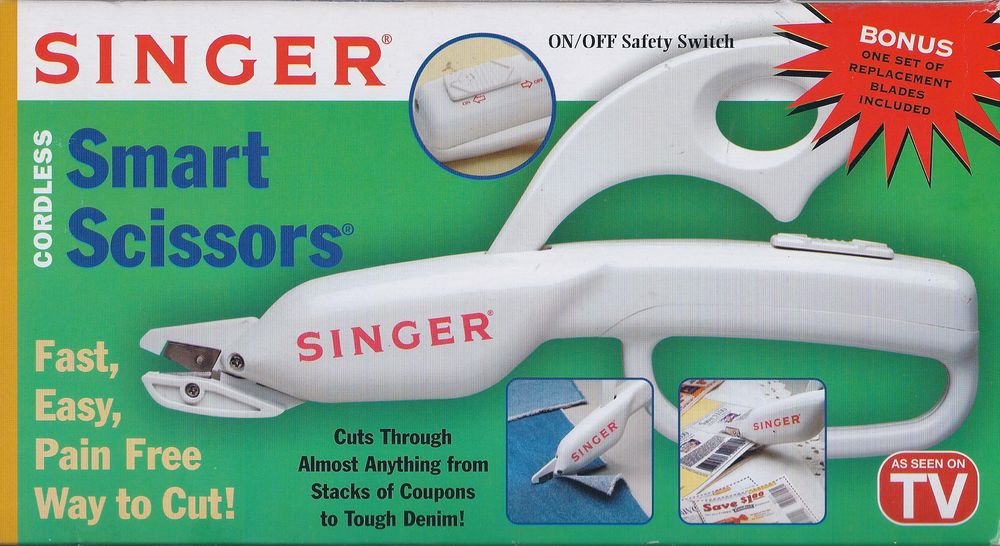
Image: The SINGER Cordless Smart Scissors, a white handheld device designed for easy cutting. It features an ergonomic handle and a visible cutting blade mechanism.
የደህንነት መመሪያዎች
የእሳት፣ የኤሌክትሪክ ንዝረት እና የግል ጉዳት አደጋን ለመቀነስ የኤሌክትሪክ ዕቃዎችን ሲጠቀሙ ሁል ጊዜ መሰረታዊ የደህንነት ጥንቃቄዎችን ይከተሉ።
- Keep hands and body parts away from the cutting blades during operation.
- Do not allow children to operate this device. Store out of reach of children.
- Use only for intended purposes as described in this manual.
- መሳሪያውን በውሃ ወይም ሌሎች ፈሳሾች ውስጥ አታስቀምጡ.
- Turn off and remove batteries before cleaning or changing blades.
- Inspect blades for damage before each use. Replace dull or damaged blades immediately.
- Do not attempt to cut extremely hard or thick materials that may damage the blades or motor.
የጥቅል ይዘቶች
ሁሉም እቃዎች መኖራቸውን ለማረጋገጥ እባክዎ የጥቅል ይዘቱን ያረጋግጡ፡-
- 1 x SINGER Cordless Smart Scissors unit
- 1 x Set of Replacement Blades
- 1 x መመሪያ መመሪያ (ይህ ሰነድ)
ማዋቀር
Before using your Cordless Smart Scissors, you will need to install the batteries.
- የባትሪውን ክፍል ሽፋን፣ አብዛኛውን ጊዜ በእጀታው ላይ ያግኙት።
- ክፍሉን ለመክፈት ሽፋኑን ያንሸራትቱ ወይም ይንቀሉት.
- Insert the required batteries (e.g., 2 x AA batteries, not included) according to the polarity indicators (+/-).
- የባትሪውን ክፍል ደህንነቱ በተጠበቀ ሁኔታ ይዝጉ።
- Ensure blades are securely attached. If replacing, refer to the "Maintenance" section.
የአሠራር መመሪያዎች
ውጤታማ እና ደህንነቱ የተጠበቀ ስራ ለመስራት እነዚህን ደረጃዎች ይከተሉ።
- አብራ፡ Locate the power switch or button, typically on the handle. Press or slide it to the "ON" position. The blades will begin to move.
- መቁረጥ፡ Position the material you wish to cut between the blades. Gently guide the scissors along the desired cutting line. The motorized blades will do the work.
- የቁሳቁስ ተኳኋኝነት These scissors are designed to cut various materials including fabric, paper, cardboard, and tough denim. Avoid extremely thick or rigid materials that may strain the motor or damage the blades.
- ኃይል ዝጋ: After use, press or slide the power switch to the "OFF" position. Ensure the blades have stopped moving before setting the device down.
ጥገና
Proper maintenance ensures the longevity and performance of your Cordless Smart Scissors.
ማጽዳት
- Always turn off the device and remove batteries before cleaning.
- የመቀስ አካልን ለማጽዳት ለስላሳ እና ደረቅ ጨርቅ ይጠቀሙ።
- Carefully remove any fabric fibers or debris from around the blades using a small brush or tweezers.
- ገላጭ ማጽጃዎችን አይጠቀሙ ወይም መሳሪያውን በውሃ ውስጥ አያጥቡት.
Blade መተካት
Dull blades can reduce cutting efficiency. Replace blades as needed using the included replacement set.
- Ensure the device is turned off and batteries are removed.
- Locate the blade release mechanism (refer to diagrams if available, or typically a small screw/latch).
- Carefully remove the old blades, handling them by the non-sharp edges.
- Insert the new blades, ensuring they are correctly aligned and secured.
- Test the scissors on a scrap piece of material before resuming normal use.
መላ መፈለግ
If you encounter issues with your Cordless Smart Scissors, refer to the following common problems and solutions:
| ችግር | ሊሆን የሚችል ምክንያት | መፍትሄ |
|---|---|---|
| Scissors not turning on. | የሞቱ ወይም በስህተት የገቡ ባትሪዎች። | የባትሪውን ፖላራይት ይፈትሹ ወይም በአዲስ ባትሪዎች ይተኩ። |
| ቢላዎች ውጤታማ በሆነ መንገድ አይቆረጡም። | Dull blades, debris caught in blades, or material is too thick. | Clean blades, replace blades, or try cutting thinner material. |
| Motor sounds weak or stalls. | Low battery power or attempting to cut overly thick material. | Replace batteries. Reduce material thickness. |
ዝርዝሮች
| የምርት ስም | SINGER |
| ሞዴል | Cordless Smart Scissors |
| ቀለም | ነጭ |
| Blade Material | አይዝጌ ብረት |
| መያዣ ቁሳቁስ | ፕላስቲክ |
| የእቃው ክብደት | 3.2 አውንስ |
| የእጅ አቀማመጥ | አሻሚ |
| የጥቅል ልኬቶች | 10.5 x 5.6 x 1.8 ኢንች |
ዋስትና እና ድጋፍ
For warranty information and customer support, please refer to the documentation included with your purchase or visit the official SINGER webጣቢያ. ለማንኛውም የዋስትና ጥያቄዎች የግዢ ማረጋገጫዎን ያስቀምጡ።
የመስመር ላይ ድጋፍ www.singer.com/support


