1. መግቢያ
This manual provides detailed instructions for the installation, operation, and maintenance of your JVC KDR820BT Wireless Bluetooth Dual USB-CD Receiver. Please read this manual thoroughly before using the unit to ensure proper operation and to prevent damage.
The JVC KDR820BT is designed to provide versatile audio playback and communication features in your vehicle. It includes built-in Bluetooth for hands-free calling and audio streaming, dual USB ports for device connectivity, and CD playback capabilities. The unit also features a customizable display with variable color options.
2. የጥቅል ይዘቶች
መጫኑን ከመጀመርዎ በፊት ሁሉም እቃዎች በጥቅሉ ውስጥ መኖራቸውን ያረጋግጡ፡
- JVC KDR820BT Head Unit
- Wireless Remote Control (RM-RK52)
- የዩኤስቢ ብሉቱዝ አስማሚ
- ባለ ገመድ ማይክሮፎን
- የሽቦ Harness
- ሃርድዌር ማፈናጠጥ
- የባለቤት መመሪያ (ይህ ሰነድ)
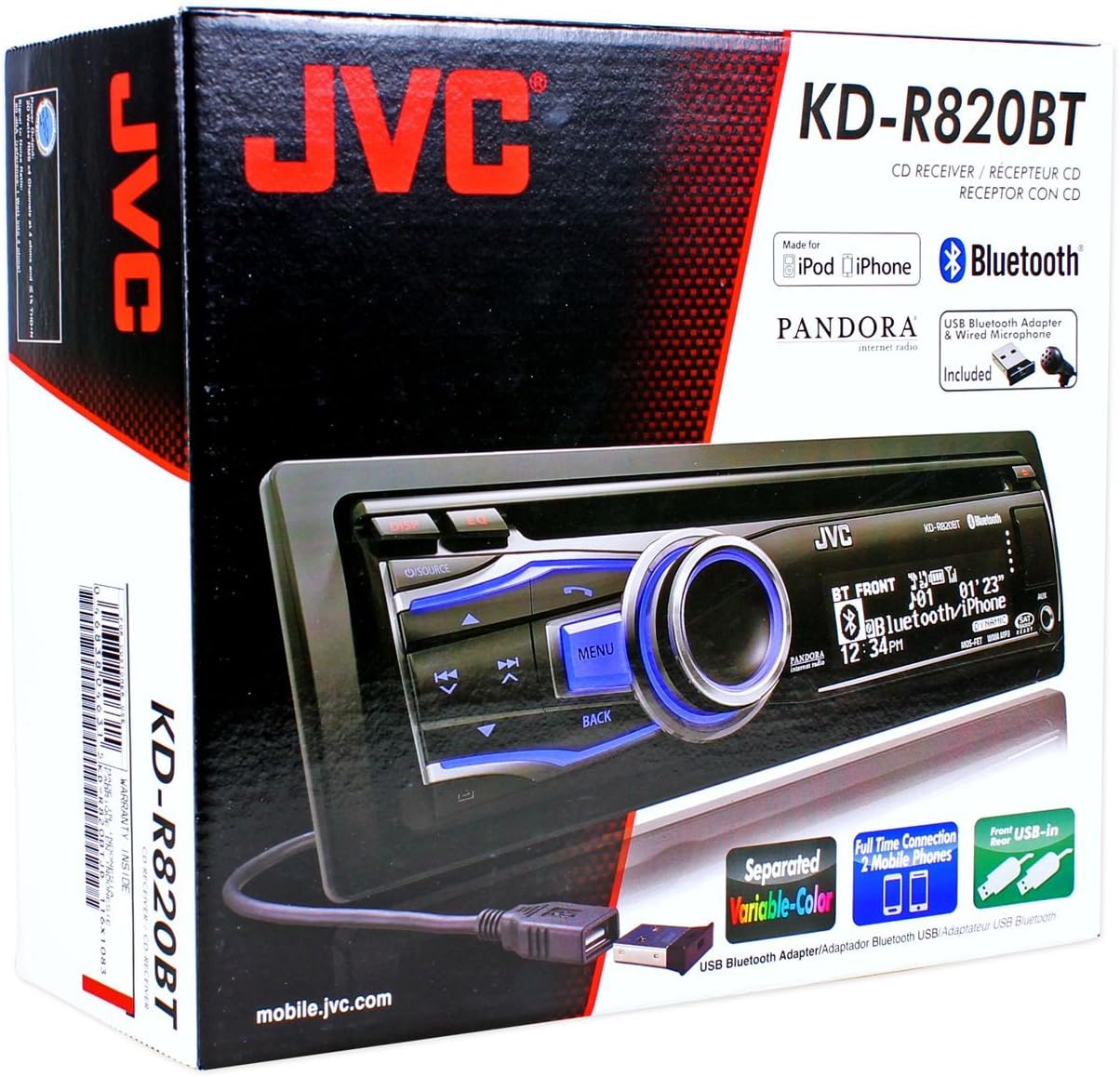
Figure 2.1: JVC KDR820BT Product Packaging. The box illustrates the main unit, remote, USB Bluetooth adapter, and wired microphone.
3. መጫን
Professional installation is recommended. Ensure the vehicle's battery is disconnected before starting installation to prevent electrical damage.
3.1 የወልና ግንኙነቶች
Connect the wiring harness to the vehicle's electrical system and speakers. Refer to your vehicle's wiring diagram for specific connections.
- ቢጫ ሽቦ፡ ከቋሚ 12 ቮልት ኃይል ጋር ይገናኙ።
- ቀይ ሽቦ; ከተለዋዋጭ 12 ቮልት መለዋወጫ ኃይል ጋር ይገናኙ።
- ጥቁር ሽቦ; ከተሽከርካሪው የሻሲ መሬት ጋር ይገናኙ።
- ሰማያዊ/ነጭ ሽቦ፡ ከኃይል አንቴና ጋር ይገናኙ ወይም amplifier የርቀት ማብራት እርሳስ.
- የድምፅ ማጉያ ሽቦዎች; ከተሽከርካሪ ድምጽ ማጉያዎች ጋር ይገናኙ (ትክክለኛውን ፖላሪቲ ያረጋግጡ)።
- RCA Pre-out Jacks: ውጫዊውን ለማገናኘት ampአሳሾች (የፊት ፣ የኋላ ፣ ንዑስ woofer)።
- የማይክሮፎን ግቤት፡ Connect the supplied wired microphone for hands-free calling.
- የዩኤስቢ ወደቦች፡ Front USB for general connectivity, Rear USB for additional devices or the Bluetooth adapter.

Figure 3.1: Rear Panel Connections. This image displays the rear of the receiver with its wiring harness, RCA pre-outs, and antenna input.
3.2 ክፍሉን መጫን
Install the mounting sleeve into the vehicle's dashboard opening. Secure the unit by sliding it into the sleeve until it locks into place. Attach the trim ring.
3.3 Connecting the Bluetooth Adapter
The supplied USB Bluetooth adapter must be connected to one of the USB ports (front or rear) for Bluetooth functionality. For a cleaner installation, the rear USB port is often preferred.
4. የመጀመሪያ ደረጃ ማዋቀር
After installation, reconnect the vehicle battery. The unit will power on. Follow these steps for initial configuration:
- የመጀመሪያ ኃይል በርቷል፡ የሚለውን ይጫኑ ምንጭ ክፍሉን ለማብራት አዝራር።
- የሰዓት ቅንብር፡- Access the system menu to set the current time.
- የድምጽ ቅንብሮች፡- Adjust basic audio settings such as bass, treble, balance, and fader.
- የማሳያ ቀለም፡ Customize the display and button illumination colors using the variable color settings.
5. የአሠራር መመሪያዎች

ምስል 5.1፡ የፊት ፓነል ላይview. This image shows the main controls and display of the JVC KDR820BT.

Figure 5.2: Receiver with Remote Control. The image displays the head unit and the included wireless remote control (RM-RK52).
5.1 መሰረታዊ ቁጥጥሮች
- Power/Source Button: Press to turn on/off or change audio source (FM/AM, CD, USB, Bluetooth Audio, AUX).
- የድምፅ ቁልፍ; Rotate to adjust volume. Press to mute/pause audio.
- የምናሌ አዝራር፡- Access system settings and advanced options.
- ተመለስ አዝራር፡- Return to the previous menu or display.
- Skip/Seek Buttons: Navigate tracks, radio stations, or menu options.
5.2 የሬዲዮ ኦፕሬሽን (AM/FM)
- ተጫን ምንጭ to select FM or AM.
- የሚለውን ተጠቀም ፈልግ buttons to find stations automatically.
- በእጅ ለማስተካከል፣ ተጭነው ይያዙት እና ይያዙት ፈልግ አዝራሮች.
- To store a preset, tune to the desired station, then press and hold a preset number button (1-6).
5.3 ሲዲ መልሶ ማጫወት
- ሲዲ ወደ ዲስክ ማስገቢያው ያስገቡ። ክፍሉ በራስ-ሰር ወደ ሲዲ ምንጭ ይቀየራል እና መልሶ ማጫወት ይጀምራል።
- የሚለውን ተጠቀም ዝለል ትራኮችን ለመለወጥ ቁልፎች.
- የሚለውን ይጫኑ የድምፅ ኖድ to pause/play.
- የሚለውን ይጫኑ አስወጡት። ሲዲውን ለማስወገድ ቁልፉ።
5.4 USB Device Playback
- Connect a USB device (flash drive, iPod/iPhone, digital audio player) to either the front or rear USB port.
- ተጫን ምንጭ ዩኤስቢ ለመምረጥ.
- የሚለውን ተጠቀም ዝለል ትራኮችን ለማሰስ አዝራሮች።
- የሚለውን ይጫኑ ምናሌ button to browse folders and files.
5.5 የብሉቱዝ ተግባራት
Ensure the USB Bluetooth adapter is connected to the unit.
5.5.1 የብሉቱዝ መሣሪያን ማጣመር
- በተንቀሳቃሽ መሣሪያዎ ላይ ብሉቱዝን ያብሩ።
- On the JVC KDR820BT, select the Bluetooth source.
- ፈልግ available devices on your mobile phone. Select "JVC unit" (or similar) from the list.
- Enter the PIN code (usually "0000") if prompted.
- Once paired, the Bluetooth indicator on the receiver will illuminate. The unit supports connecting two phones simultaneously.
5.5.2 ከእጅ-ነጻ ጥሪ
- ጥሪ ማድረግ፡- Use your phone's voice dial feature (if supported) or dial directly from your phone. The audio will transfer to the receiver.
- ለጥሪ መልስ የሚለውን ይጫኑ ስልክ button on the receiver when an incoming call is detected.
- ጥሪን በማጠናቀቅ ላይ፡- የሚለውን ይጫኑ ስልክ ጥሪውን ለማቆም እንደገና አዝራር።
- የስልክ መጽሐፍ መዳረሻ: The unit supports Phone Book Access Profile (PBAP) for transferring contacts.
5.5.3 የብሉቱዝ ኦዲዮ ዥረት
- የብሉቱዝ ኦዲዮን እንደ ምንጭ ይምረጡ።
- Play audio from your paired mobile device. The receiver will stream the audio wirelessly.
- የሚለውን ተጠቀም ዝለል buttons on the receiver to control playback (play/pause, skip track).
- The unit supports Pandora Internet Radio control from an iPhone.
5.6 የድምጽ ቅንብሮች
- 3-Band Parametric iEQ: Access the sound menu to adjust the equalizer settings for customized audio output.
- MOS-FET 50W x 4 Ampማስታገሻ ፦ Provides powerful audio output.
- TI/Burr-Brown 24-bit DAC: Ensures high-quality digital-to-analog audio conversion.
5.7 የማሳያ ቅንብሮች
- Separated Variable Color: Customize the illumination color of the keys and LCD panel from over 30,000 choices. Access this setting through the system menu.
- የብሩህነት ቁጥጥር; Adjust display brightness for day and night viewing
6. ጥገና
- ክፍሉን ማጽዳት; የፊት ፓነልን ለማጽዳት ለስላሳ እና ደረቅ ጨርቅ ይጠቀሙ. ለግትር ቆሻሻ፣ መampጨርቁን በውሃ. ገላጭ ማጽጃዎችን ወይም ፈሳሾችን ያስወግዱ።
- የሲዲ ማጫወቻ እንክብካቤ፡- Keep the disc slot free of dust and debris. Use only clean, scratch-free CDs.
- የፊት ገጽን ማስወገድ; The detachable faceplate can be removed for security. Store it in a protective case.
7. መላ መፈለግ
Review the following common issues and solutions before seeking service.
| ችግር | ሊሆን የሚችል ምክንያት / መፍትሄ |
|---|---|
| ኃይል የለም | Check power and ground wiring connections. Ensure the vehicle's ignition is on. Check vehicle fuses. |
| ድምጽ የለም። | Check speaker wiring. Ensure volume is not muted or too low. Verify the power antenna/remote wire is connected if using an external ampማብሰያ |
| Bluetooth echo during calls | Adjust microphone gain settings. Reposition the microphone away from reflective surfaces (e.g., windshield). Reduce the receiver's volume during calls. |
| የብሉቱዝ መሣሪያን ማጣመር አይቻልም | Ensure the USB Bluetooth adapter is securely connected. Make sure Bluetooth is enabled on your mobile device and the receiver is in pairing mode. Delete previous pairings from your phone and try again. |
| Unit loses settings after power off | The yellow constant 12V power wire may not be connected correctly or is losing power. This can also occur if the vehicle battery is disconnected. |
| Display text is truncated or difficult to read | The display has limited character space. Some long names may be truncated. There is no option to increase scroll speed for folder/file ስሞች. |
| Buttons or rotary knob are unresponsive | Ensure the faceplate is securely attached. Clean around the buttons to remove any debris. If the issue persists, it may indicate a hardware malfunction. |
8. ዝርዝሮች
| ባህሪ | ዝርዝር መግለጫ |
|---|---|
| የሞዴል ቁጥር | KDR820BT |
| የውጤት ኃይል | MOS-FET 50W x 4 (20W RMS x 4) |
| ዲኤሲ | TI/Burr-Brown 24-bit |
| አመጣጣኝ | 3-Band Parametric iEQ |
| ግንኙነት | Bluetooth, Dual USB (Front & Rear), AUX Input |
| የብሉቱዝ ባህሪያት | Hands-Free Call, Audio Streaming, Phone Book Access Profile, Text Message Receipt Notification, Connects 2 Phones |
| የሚዲያ መልሶ ማጫወት | CD, MP3, WMA, WAV |
| የማሳያ ዓይነት | LCD with Separated Variable Color |
| ቅድመamp ጥራዝtage | 2 ቮልት |
| የቼዝ መጠን | ሙሉ-DIN |
| ልኬቶች (W x H x D) | 7.19 x 2.06 x 6.25 ኢንች (ግምታዊ) |
| ክብደት | 4 ፓውንድ (ግምታዊ) |
| የሚደገፉ የበይነመረብ አገልግሎቶች | Pandora Internet Radio |
| የመቆጣጠሪያ ዘዴ | Remote Control, Android (via USB) |
9. ዋስትና እና ድጋፍ
JVC products are manufactured to high-quality standards. For specific warranty information, please refer to the warranty card included with your product or visit the official JVC webጣቢያ. ለዋስትና ጥያቄዎች የግዢ ደረሰኝዎን እንደ ግዢ ማረጋገጫ ያቆዩት።
For technical support, service, or inquiries regarding your JVC KDR820BT receiver, please contact JVC customer service or visit their official support channels. Contact information can typically be found on the JVC webጣቢያ ወይም በምርት ማሸጊያው ውስጥ.


