መግቢያ
This manual provides essential information for the safe and effective operation of your Laserliner SoundTest-Master 082.070A Noise Level Meter. Please read these instructions carefully before using the device and keep them for future reference. The SoundTest-Master 082.070A is designed for precise measurement of noise levels, featuring integrated long-term memory and PC connectivity for comprehensive documentation.
የደህንነት መመሪያዎች
- መሣሪያውን ሁልጊዜ በተወሰነው የአካባቢ ሁኔታ ውስጥ ያሂዱ።
- መሳሪያውን ለከፍተኛ ሙቀት፣ እርጥበት ወይም ቀጥተኛ የፀሐይ ብርሃን አያጋልጡት።
- መሳሪያውን ከመጣል ወይም ለጠንካራ ተጽእኖዎች ከማድረግ ተቆጠብ።
- መሳሪያውን ለመክፈት ወይም ለማሻሻል አይሞክሩ። ጥገናዎች በተፈቀደላቸው ሰራተኞች ብቻ መከናወን አለባቸው።
- መሳሪያውን ከጠንካራ መግነጢሳዊ መስኮች ያርቁ.
- Ensure the microphone is clean and free from obstructions for accurate measurements.
ምርት አልቋልview
The Laserliner SoundTest-Master 082.070A is a handheld noise level meter equipped with a sensitive electret condenser microphone and a clear, illuminated display. It features various controls for measurement settings and data management.

ምስል 1፡ ፊት ለፊት view of the SoundTest-Master 082.070A, showing the display, microphone with windshield, and control buttons.
ቁልፍ አካላት፡-
- Electret Condenser Microphone: For capturing sound. Includes a removable windshield.
- የበራ ማሳያ; Shows measurement values, settings, and status.
- የመቆጣጠሪያ አዝራሮች; Power, Setup, Max, Record, A/C weighting, Fast/Slow time weighting, Level adjustment, Data send.
- የአናሎግ ውጤቶች DC and AC outputs for external connections.
- RS232 በይነገጽ፡ Optoisolated port for PC connection and data transfer.
ማዋቀር
1. የባትሪ ጭነት
The device requires batteries for operation. Ensure correct polarity when inserting batteries into the compartment, typically located on the rear of the unit.
2. የመጀመሪያ ኃይል-በ
የሚለውን ይጫኑ ኃይል button to turn on the device. The display will illuminate and show initial readings.
3. Windshield Attachment
Attach the removable windshield to the microphone to minimize wind noise interference during outdoor measurements.
የአሠራር መመሪያዎች
1. መሰረታዊ መለኪያ
- መሣሪያውን በመጠቀም ያብሩት። ኃይል አዝራር።
- Point the microphone towards the sound source.
- The current noise level will be displayed in decibels (dB).
2. Frequency Weighting (dB(A), dB(C))
የሚለውን ተጠቀም አ/ሲ button to switch between frequency weighting curves:
- ዲቢ (ሀ): Simulates the human ear's response to sound, commonly used for environmental noise measurements.
- dB(C): Provides a flatter response, suitable for measuring peak sound pressure levels or low-frequency noise.
3. Time Weighting (Fast/Slow)
የሚለውን ይጫኑ ፈጣን/ቀርፋፋ button to select the desired time weighting:
- ፈጣን (125 ሚሴ): For measuring rapidly changing noise levels.
- ቀርፋፋ (1 ሰከንድ): For measuring average noise levels over a longer period, suitable for stable noise sources.
4. Data Logging and PC Connection
The device features a long-term recording function with 16,000 memory points and real-time logging capabilities when connected to a PC.
- Internal Data Logging: የሚለውን ይጫኑ መዝገብ button to start/stop internal data recording. The device can store up to 16,000 measurement points.
- ፒሲ ግንኙነት: በተሰጠው የRS232 ገመድ አማካኝነት መሳሪያውን ከኮምፒውተር ጋር ያገናኙ።
- ሶፍትዌር፡ Install the provided software on your PC. This software allows for real-time data display, analysis, and download of recorded data.
- Sending Data: የሚለውን ተጠቀም ዳታ ላክ button to initiate data transfer to the connected PC.
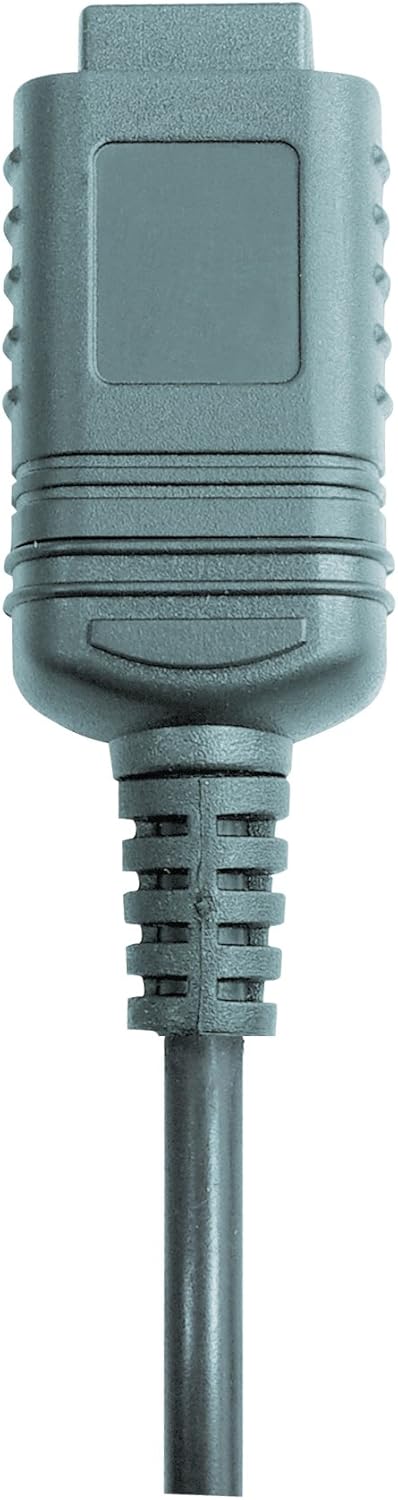

ምስል 2፡ RS232 cable connectors used for connecting the SoundTest-Master to a PC.
5. መለካት
The device can be calibrated and adjusted using a standard noise level calibrator (94 dB / 1 kHz). Refer to the calibrator's instructions for the specific calibration procedure.
ጥገና
1. ማጽዳት
- መሳሪያውን አጽዳ ሐasing ለስላሳ እና ደረቅ ጨርቅ.
- ገላጭ ማጽጃዎችን ወይም ፈሳሾችን አይጠቀሙ.
- Ensure the microphone is kept clean and free of dust or debris.
2. ማከማቻ
When not in use, store the SoundTest-Master in its protective case in a cool, dry place, away from direct sunlight and extreme temperatures. Remove batteries if storing for extended periods.
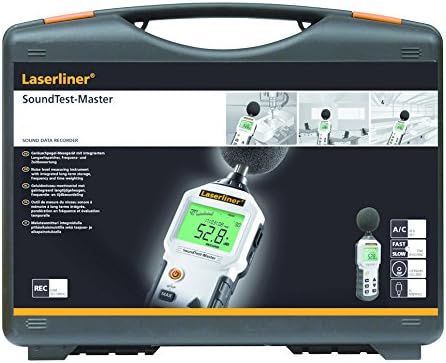
ምስል 3፡ The SoundTest-Master 082.070A stored in its protective carrying case.
መላ መፈለግ
| ችግር | ሊሆን የሚችል ምክንያት | መፍትሄ |
|---|---|---|
| መሣሪያው አይበራም። | የሞቱ ወይም በስህተት የተጫኑ ባትሪዎች። | ባትሪዎችን ይተኩ, ትክክለኛውን ፖሊነት ያረጋግጡ. |
| ትክክል ያልሆኑ ንባቦች። | Microphone obstructed or dirty; device needs calibration. | Clean microphone; perform calibration with a standard calibrator. |
| ወደ ፒሲ የውሂብ ዝውውር የለም። | Incorrect cable connection; software not installed or configured. | Check RS232 cable connection; ensure PC software is correctly installed and running. |
| ማሳያ ደብዛዛ ወይም የማይነበብ ነው። | Low battery power; display backlight off. | Replace batteries; check device settings for backlight control. |
ዝርዝሮች
| ባህሪ | ዝርዝር |
|---|---|
| የሞዴል ስም | SoundTest-Master |
| ክፍል ቁጥር | 082.070 ኤ |
| አምራች | Umarex |
| የምርት ስም | ሌዘርላይነር |
| የድግግሞሽ ክብደት | dB(A), dB(C) |
| የጊዜ ክብደት | FAST (125 ms), SLOW (1 second) |
| የውሂብ ማህደረ ትውስታ | 16,000 የመለኪያ ነጥቦች |
| በይነገጽ | Optoisolated RS232 |
| የአናሎግ ውጤቶች | ዲሲ እና ኤሲ |
| መለካት | Adjustable with 94 dB / 1 kHz standard calibrator |
| ማይክሮፎን | Sensitive electret condenser with removable windshield |
| ማሳያ | Illuminated, clear display |
| የእቃው ክብደት | 1.18 ኪሎግራም (2.6 ፓውንድ) |
| የምርት ልኬቶች | 10.33 x 5.51 x 13.78 ኢንች |
| ቁሳቁስ | Metal (Frame, Barrel) |
| ቀለም | ጥቁር እና ግራጫ |
| ባትሪዎች ያስፈልጋሉ። | Yes (not included, type not specified in data) |
ዋስትና እና ድጋፍ
For warranty information and technical support, please refer to the documentation included with your purchase or visit the official Laserliner webጣቢያ.


