1. መግቢያ
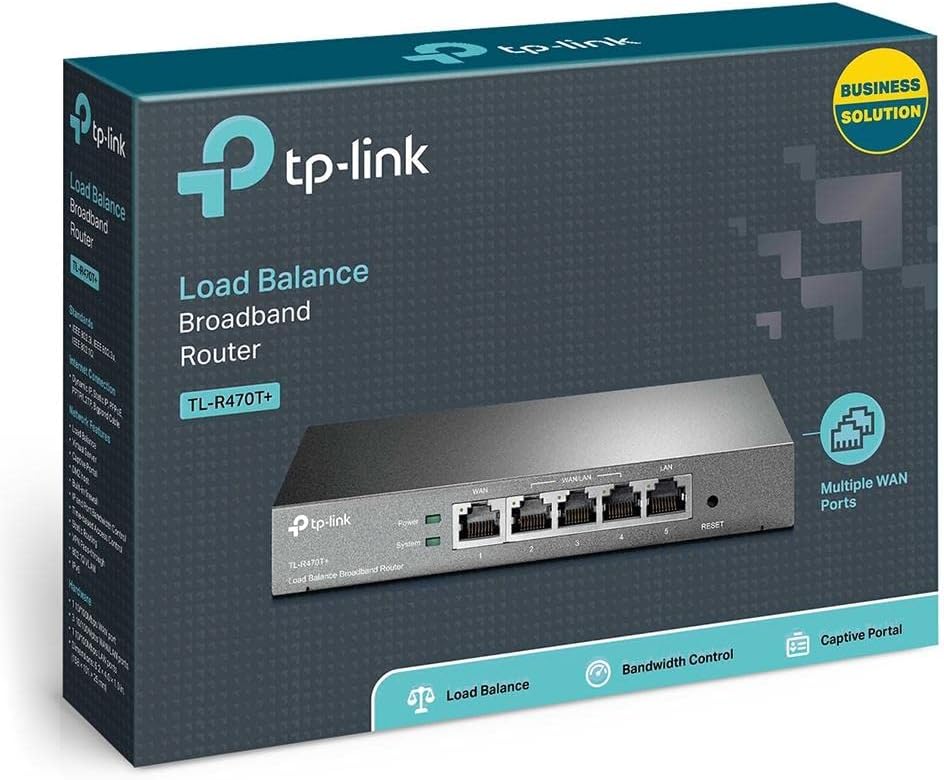
The TP-Link TL-R470T+ Load Balance Broadband Router is designed for small businesses requiring robust and flexible network connectivity. This device offers advanced features to ensure consistent network uptime and reliable Ethernet connectivity, optimizing internet access through multiple WAN connections.
2. የምርት ባህሪዎች
- Multi-WAN Ports: Features three changeable WAN/LAN ports, allowing configuration for up to four WAN ports to meet diverse internet access requirements.
- Smart Load Balancing: Automatically distributes network traffic across multiple WAN connections based on load and bandwidth, ensuring optimal performance and reliability.
- የላቀ ደህንነት፡ Includes Denial of Service (DoS) attack detection and blocking (TCP/UDP/ICMP flooding, Ping of Death), along with IP/MAC/URL/Web filtering functions to protect against intruders and viruses.
- Efficient Access Management: Supports PPPoE server functionality for user authentication and IP-based bandwidth control to manage bandwidth usage. The e-bulletin feature allows for periodic web-page notifications to user groups.
- የመብረቅ ጥበቃ; Incorporates professional lightning protection technology designed to prevent electrical surges up to 4KV, safeguarding networking infrastructure.
- DDNS Support: Facilitates easy remote management using a domain name.
- IP and MAC Binding: Prevents ARP virus attacks by binding IP addresses to MAC addresses.
3. የጥቅል ይዘቶች
ጥቅልዎ የሚከተሉትን ንጥሎች መያዙን ያረጋግጡ፡-
- TP-Link TL-R470T+ Load Balance Broadband Router
- የኃይል ገመድ
- RJ-45 ኤተርኔት ገመድ
- ፈጣን የመጫኛ መመሪያ
4. ማዋቀር
Follow these steps to set up your TL-R470T+ router:
- አካላዊ ግንኙነት;
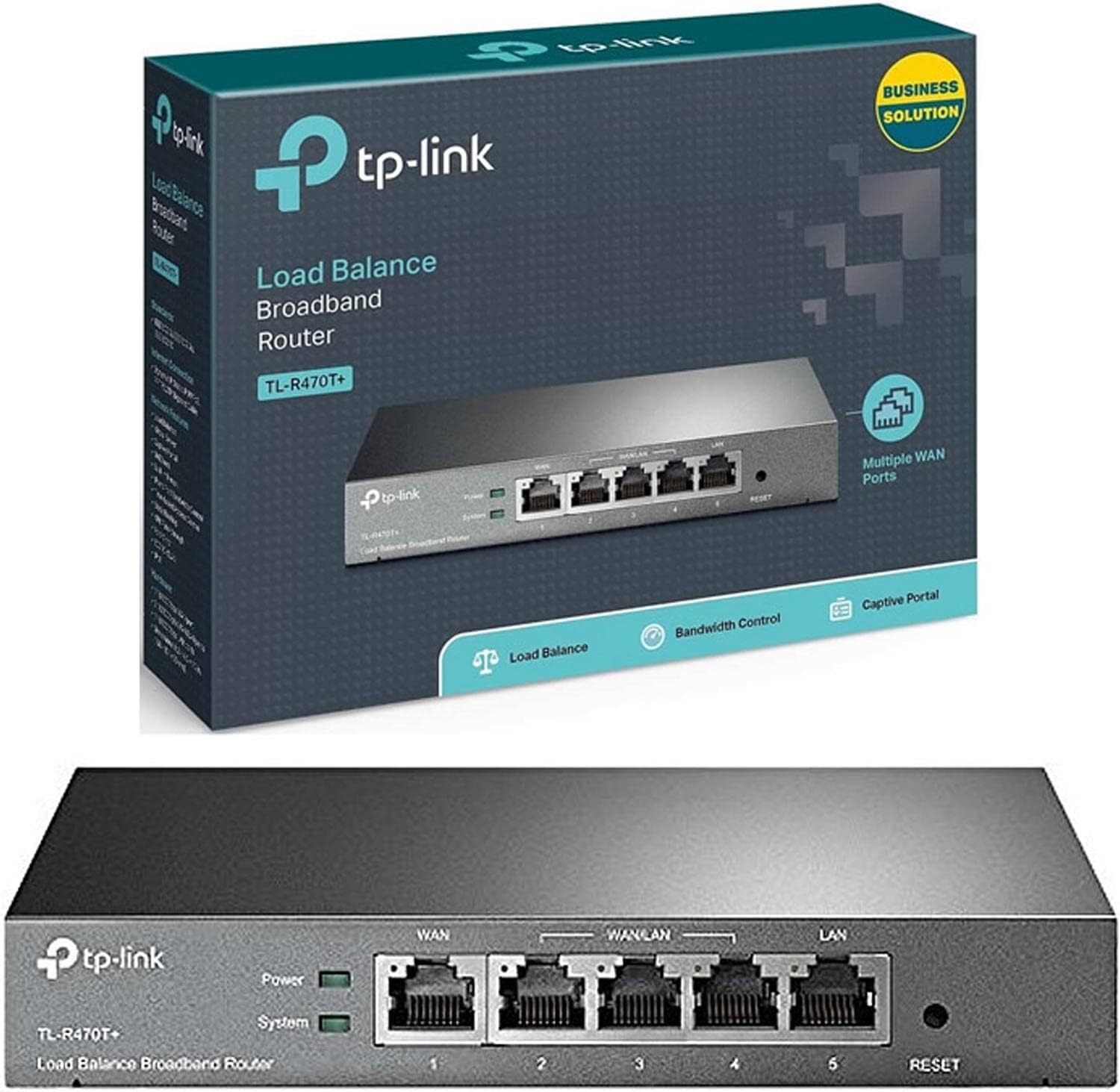
ምስል፡ ፊት ለፊት view of the TL-R470T+ router, displaying the WAN port, three configurable WAN/LAN ports, and one dedicated LAN port, along with power and system LED indicators.
- Connect your modem's Ethernet cable to the router's dedicated WAN port (Port 1).
- If using additional WAN connections, connect them to the configurable WAN/LAN ports (Ports 2-4).
- Connect your local network devices (computers, switches) to the LAN port (Port 5) or other configurable ports set as LAN.
- የኃይል አስማሚውን ወደ ራውተር የኃይል ግቤት ያገናኙ እና ወደ ኤሌክትሪክ ሶኬት ይሰኩት።
ምስል፡ ተመለስ view of the TL-R470T+ router, highlighting the power input (9V=0.6A) and a Kensington lock slot for physical security.
- የመጀመሪያ ውቅር፡
- ክፈት ሀ web browser on a computer connected to the router's LAN port.
- ነባሪውን የአይፒ አድራሻ ያስገቡ (ብዙውን ጊዜ) 192.168.0.1) በአድራሻ አሞሌው ውስጥ።
- Log in using the default username and password (refer to the Quick Installation Guide for details).
- Follow the on-screen wizard to configure your WAN connections and basic network settings.
5. የአሠራር መመሪያዎች
Once set up, the TL-R470T+ operates to manage your network traffic efficiently.
- የመጫን ሚዛን፡ The router intelligently distributes internet traffic across active WAN connections. You can configure load balancing policies via the web interface to prioritize certain connections or applications.
- Firewall and Filtering: Access the security settings in the web interface to configure IP/MAC/URL filtering rules and enable DoS attack protection. This helps secure your network from external threats.
- የመተላለፊያ ይዘት መቆጣጠሪያ; Utilize the IP-based bandwidth control feature to allocate specific bandwidth limits to different users or devices on your network, ensuring fair usage and preventing congestion.
- Port Forwarding (Virtual Servers): For applications requiring external access to internal network resources (e.g., FTP servers, gaming servers), configure Virtual Servers (Port Forwarding) in the router's settings.
- ተለዋዋጭ ዲ ኤን ኤስ (ዲኤንኤስ)፦ If you have a dynamic public IP address, configure DDNS to associate a fixed domain name with your router, enabling consistent remote access.
6. ጥገና
መደበኛ ጥገና የራውተርዎን ምርጥ አፈጻጸም እና ረጅም ጊዜ ያረጋግጣል።
- የጽኑዌር ዝማኔዎች ፦ የ TP-Link ኦፊሴላዊውን በየጊዜው ያረጋግጡ webለጽኑዌር ዝመናዎች ጣቢያ። የጽኑ ትዕዛዝን ማዘመን አፈጻጸምን ማሻሻል፣ አዲስ ባህሪያትን ማከል እና የደህንነት ተጋላጭነቶችን ማስተካከል ይችላል።
- የማዋቀር ምትኬ፡ የራውተርዎን የውቅር ቅንብሮች በመደበኛነት ምትኬ ያስቀምጡላቸው web interface. This allows for quick restoration in case of accidental changes or a factory reset.
- አካላዊ አካባቢ; Ensure the router is placed in a well-ventilated area, away from direct sunlight, heat sources, and moisture. Keep the device clean and free from dust accumulation.
- የመብረቅ ጥበቃ; While the device has built-in lightning protection, ensure proper grounding of your electrical system to maximize its effectiveness.
7. መላ መፈለግ
ይህ ክፍል ሊያጋጥሙዎት የሚችሉ የተለመዱ ጉዳዮችን ይመለከታል።
- የበይነመረብ መዳረሻ የለም፡
- Verify that your modem is working correctly and providing an internet connection.
- Check the WAN port LED indicators on the router; they should be lit.
- Ensure WAN settings (IP address, DNS) are correctly configured in the router's web በይነገጽ.
- ሞደምዎን እና ራውተርዎን እንደገና ያስጀምሩ።
- ዝቅተኛ የበይነመረብ ፍጥነት;
- የኢንተርኔት አገልግሎት አቅራቢዎን ፍጥነት ያረጋግጡ።
- Review load balancing settings to ensure optimal distribution across WANs.
- Check for any active bandwidth control rules that might be limiting speed for your device.
- መድረስ አልተቻለም Web የአስተዳደር ገጽ፡
- ኮምፒውተርዎ ከራውተሩ የላን ወደብ ጋር መገናኘቱን ያረጋግጡ።
- የኮምፒውተርዎ የአይፒ አድራሻ ከራውተሩ ጋር በተመሳሳይ ንዑስ መረብ ውስጥ መሆኑን ያረጋግጡ (ለምሳሌ፣ 192.168.0.x)።
- የአሳሽዎን መሸጎጫ ለማጽዳት ይሞክሩ ወይም የተለየ አሳሽ ይጠቀሙ።
- If the issue persists, perform a factory reset by pressing and holding the reset button for approximately 5-10 seconds while the router is powered on. Note: This will erase all custom configurations.
8. ዝርዝሮች
| የንጥል ሞዴል ቁጥር | TL-R470T+ |
| የምርት ስም | TP-Link |
| የበይነገጽ አይነት | 1 Fixed Ethernet WAN Port, 1 Fixed Ethernet LAN Port, 3 Changeable Ethernet WAN/LAN Ports |
| የወደብ ብዛት | 5 |
| የውሂብ ማስተላለፍ ፍጥነት | 100 ሜጋ ቢት በሰከንድ |
| ጥራዝtage | 240 ቮልት |
| የእቃው ክብደት | 0.46 ኪሎግራም (1.02 ፓውንድ) |
| የምርት ልኬቶች | 8.3 x 1.1 x 5 ኢንች |
| የስርዓተ ክወና ተኳኋኝነት | Microsoft Windows 8, 7, Vista, XP or MAC OS, NetWare, UNIX or Linux |
| የገመድ አልባ አይነት | 802.11ac (Note: This device is a wired router, 802.11ac refers to internal component compatibility, not wireless functionality) |
| የፍላሽ ማህደረ ትውስታ መጠን | 4 ሜባ |
9. ዋስትና እና ድጋፍ
የዋስትና መረጃ፣ የቴክኒክ ድጋፍ እና ተጨማሪ እገዛ ለማግኘት እባክዎ ኦፊሴላዊውን የTP-Link አድራሻ ይመልከቱ። website or contact TP-Link customer service directly. The Quick Installation Guide included with your product may also contain specific warranty details for your region.


