1. መግቢያ
This manual provides instructions for the proper setup, operation, and maintenance of your Nady MSC3 Microphone Stand Kit. Please read this manual thoroughly before using the product to ensure optimal performance and longevity.
2. የጥቅል ይዘቶች
ከዚህ በታች የተዘረዘሩት ሁሉም እቃዎች በጥቅልዎ ውስጥ መኖራቸውን ያረጋግጡ፡
- Nady Dynamic Microphone
- Adjustable Tripod Microphone Stand
- የማይክሮፎን ክሊፕ
- 15 ft XLR to 1/4" (6.35mm) Audio Cable

Image: Complete Nady MSC3 Microphone Stand Kit components.
3. የማዋቀር መመሪያዎች
Follow these steps to assemble and prepare your microphone stand kit for use:
- የትሪፖድ ማቆሚያውን ያሰባስቡ፡-
Unfold the tripod legs of the microphone stand until they are fully extended and stable. Adjust the height of the stand by loosening the height adjustment clutch, extending the upper shaft to the desired height, and then tightening the clutch securely.
- Attach the Microphone Clip:
Screw the microphone clip onto the threaded top of the stand's upper shaft. Ensure it is tightened firmly to prevent the microphone from rotating or falling.
- ማይክሮፎኑን ያስገቡ፦
Gently insert the Nady dynamic microphone into the microphone clip. The clip is designed to hold the microphone securely.
- የድምጽ ገመዱን ያገናኙ፡-
Connect the XLR end of the provided 15 ft cable to the XLR input port at the bottom of the microphone. Connect the 1/4" (6.35mm) end of the cable to the microphone input of your audio interface, mixing console, digital recorder, or ampማብሰያ
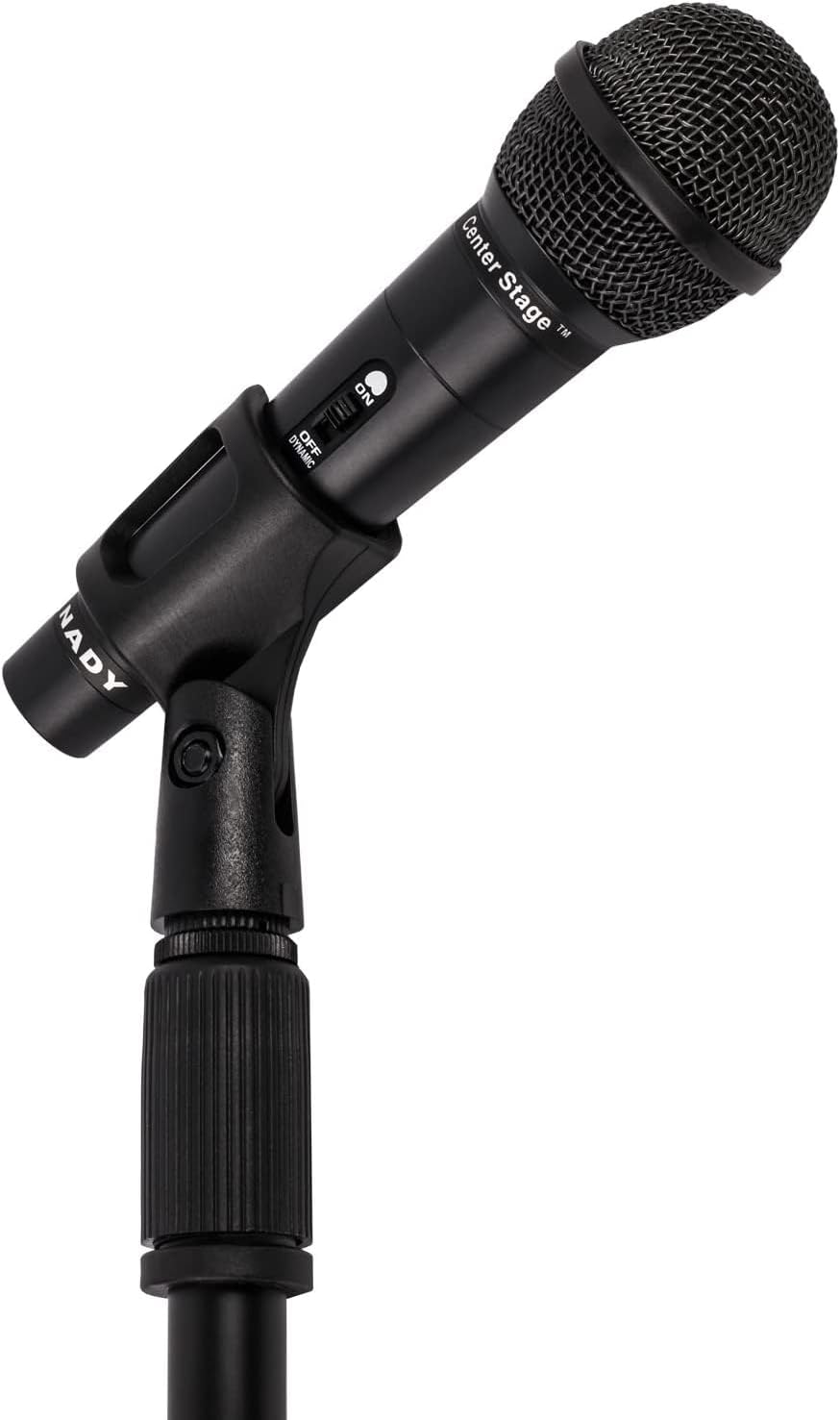
Image: Nady microphone mounted on the adjustable stand.
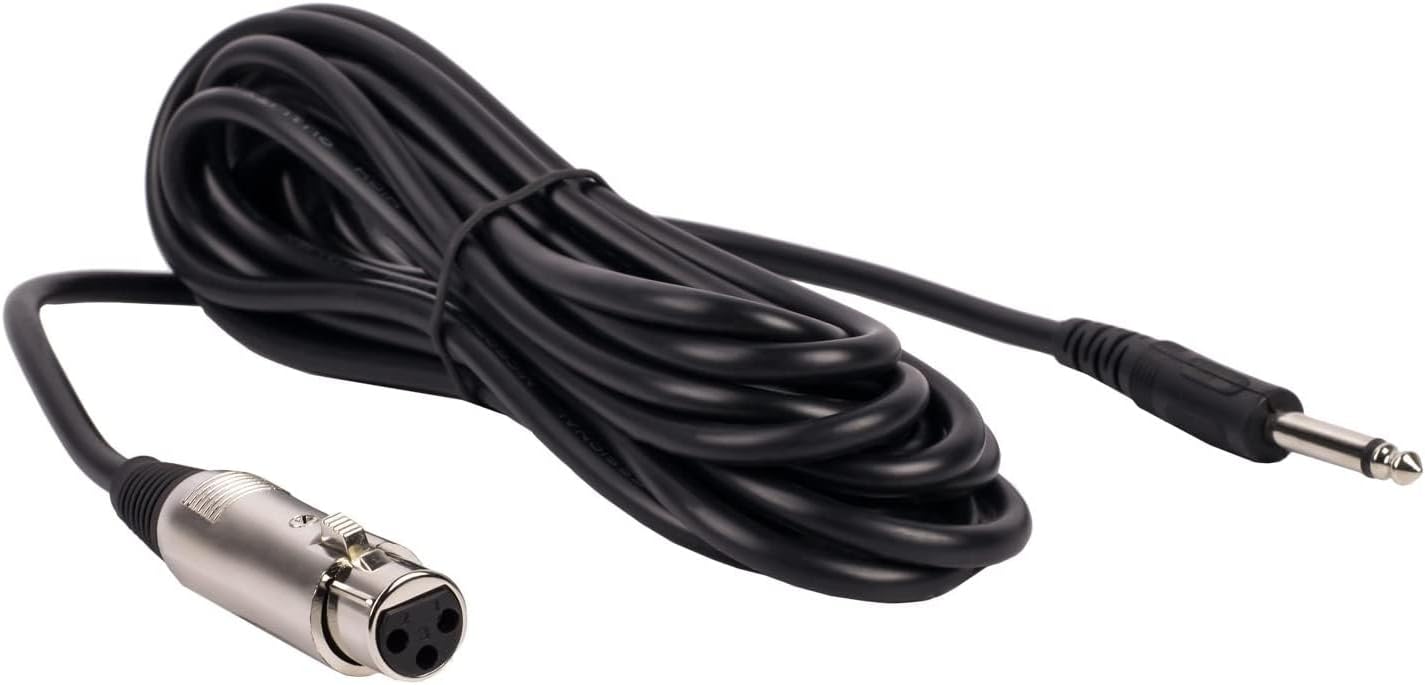
Image: The included 15 ft XLR to 1/4" audio cable.
4. የአሠራር መመሪያዎች
Once assembled, operate your Nady microphone kit as follows:
- ማይክሮፎን አብራ/ አጥፋ መቀየሪያ፡-
Locate the ON/OFF switch on the microphone body. Slide the switch to the 'ON' position to activate the microphone. Slide it to 'OFF' when not in use to prevent unwanted noise or feedback.
- Audio Device Connection:
Ensure your audio device (mixer, amplifier, etc.) is powered on and its input volume for the microphone channel is set to a low level before increasing it gradually to avoid sudden loud sounds.
- የማይክሮፎን አቀማመጥ፡-
Position the microphone approximately 2-6 inches from the sound source for optimal vocal or instrument pickup. Experiment with distance and angle to achieve the desired sound quality.

Image: Nady microphone with visible ON/OFF switch.
5. ጥገና
Proper maintenance ensures the longevity and performance of your microphone kit:
- ማጽዳት፡ Use a soft, dry cloth to wipe down the microphone and stand. Avoid using liquid cleaners or solvents, as they may damage the finish or internal components.
- ማከማቻ፡ When not in use, store the microphone and stand in a dry, cool place, away from direct sunlight and extreme temperatures. Disassemble the stand for compact storage if needed.
- የኬብል እንክብካቤ; Avoid kinking or sharply bending the audio cable. Coil it loosely when storing to prevent damage to the internal wiring.
6. መላ መፈለግ
ችግሮች ካጋጠሙዎት የሚከተሉትን የተለመዱ ችግሮች እና መፍትሄዎች ይመልከቱ።
| ችግር | ሊሆን የሚችል ምክንያት / መፍትሄ |
|---|---|
| ምንም የድምፅ ውፅዓት የለም። |
|
| ደካማ የድምጽ ጥራት / የማይንቀሳቀስ |
|
| Stand Instability |
|
7. ዝርዝሮች
Key technical specifications for the Nady MSC3 Microphone Kit (Model Nad-6572):
- የማይክሮፎን ቅጽ ምክንያት በእጅ የሚይዘው።
- የዋልታ ንድፍ፡ ባለአንድ አቅጣጫ
- የግንኙነት ቴክኖሎጂ; XLR
- የማገናኛ አይነት፡ XLR to 1/4" (6.35mm)
- ጫና፡ 600 ኦኤም
- የድምጽ ትብነት፡- 55 ዲሴብል
- የምልክት-ወደ-ጫጫታ ሬሾ- 60 ዲቢቢ
- የድግግሞሽ ምላሽ፡ እስከ 20 kHz
- የኃይል ምንጭ፡- Corded Electric (via audio device)
- ቁሳቁስ፡ ብረት
- የንጥል ክብደት (ኪት): በግምት 3.7 ፓውንድ
- የሚመከሩ አጠቃቀሞች፡- ዘፈን ፣ ካራኦኬ
- ተስማሚ መሣሪያዎች Audio Interfaces, Mixing Consoles, Digital Recorders, Ampአነፍናፊዎች
8. ዋስትና እና ድጋፍ
For warranty information or technical support regarding your Nady MSC3 Microphone Stand Kit (Model Nad-6572), please refer to the documentation included with your purchase or visit the official Nady webጣቢያ። የምርት ችግሮች ወይም ጥያቄዎች ካሉዎት የደንበኛ አገልግሎታቸውን ያነጋግሩ።


