መግቢያ
This manual provides comprehensive instructions for the operation and maintenance of your new Sharp Aquos LCD TV Remote Control, model RRMCGA535WJSA. This genuine Sharp remote transmitter is designed to provide seamless control over your compatible Sharp Aquos LCD TV models. Please read this manual thoroughly before use to ensure proper functionality and to maximize your viewልምድ.
የደህንነት መረጃ
እባክዎን የሚከተሉትን የደህንነት ጥንቃቄዎች ያክብሩ።
- Do not expose the remote control to direct sunlight, high humidity, or extreme temperatures.
- የርቀት መቆጣጠሪያውን ከመጣል ወይም ለጠንካራ ተጽእኖ ከማድረግ ተቆጠብ።
- የርቀት መቆጣጠሪያውን ለመበተን ወይም ለማሻሻል አይሞክሩ። ይህ ዋስትናውን ሊያሳጣ እና ጉዳት ሊያስከትል ይችላል።
- ባትሪዎችን ልጆች በማይደርሱበት ቦታ ያስቀምጡ. ከተዋጠ አፋጣኝ የህክምና እርዳታ ያግኙ።
- ያገለገሉ ባትሪዎችን በአካባቢው ደንብ መሠረት ያስወግዱ። አያቃጥሉ።
የጥቅል ይዘቶች
ሁሉም እቃዎች በጥቅሉ ውስጥ መኖራቸውን ያረጋግጡ፡-
- Sharp Aquos LCD TV Remote Control (Model: RRMCGA535WJSA)
- የትምህርት መመሪያ (ይህ ሰነድ)
ማሳሰቢያ፡ ባትሪዎች በተለምዶ አይካተቱም እና ለብቻው መግዛት አለባቸው።
ምርት አልቋልview
Familiarize yourself with the buttons and features of your remote control.

ምስል 1: የፊት View የርቀት መቆጣጠሪያ
This image displays the front of the Sharp Aquos remote control, showing all primary buttons including power, input selection, channel, volume, numeric keypad, and navigation controls. The Sharp and Aquos logos are visible at the bottom.
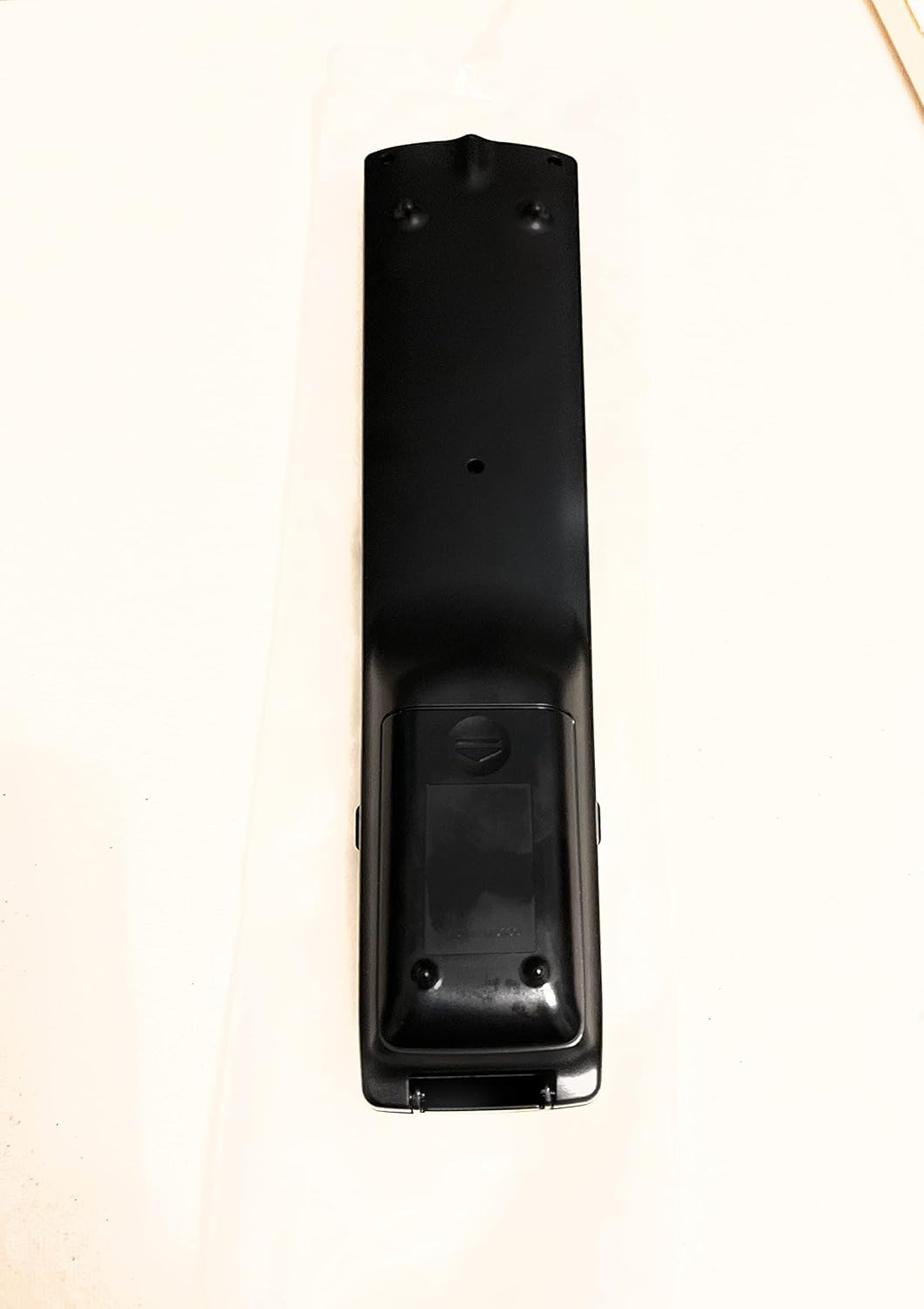
ምስል 2፡ ተመለስ View የርቀት መቆጣጠሪያ
This image shows the rear side of the Sharp Aquos remote control, highlighting the smooth, ergonomic design and the battery compartment cover.

Figure 3: Remote Control with Battery Compartment Open
This image illustrates the Sharp Aquos remote control with its battery compartment cover slid open, revealing the space for battery insertion.

Figure 4: Close-up of Hidden Panel
This close-up image shows the lower section of the Sharp Aquos remote control with its hinged panel opened, revealing additional function buttons such as SLEEP, AUDIO, AV MODE, and CC (Closed Caption).
የአዝራር ተግባራት፡-
| አዝራር | ተግባር |
|---|---|
| ኃይል | ቴሌቪዥኑን ያበራል ወይም ያጠፋል። |
| INPUT / SOURCE | የግብዓት ምንጩን (ለምሳሌ HDMI፣ AV፣ Component) ይመርጣል። |
| CH +/- | የቲቪ ቻናሉን ወደላይ ወይም ወደ ታች ይለውጠዋል። |
| ቮልት +/- | የድምፅ ደረጃን ያስተካክላል. |
| ሙት | የቴሌቪዥኑን ድምጸ-ከል ያደርገዋል ወይም ያጠፋል። |
| MENU | የቴሌቪዥኑን የማያ ገጽ ምናሌ ይከፍታል። |
| አስገባ | በምናሌው ውስጥ ምርጫዎችን ያረጋግጣል። |
| Navigation Arrows (Up/Down/Left/Right) | በምናሌ አማራጮች ውስጥ ይዳስሳል። |
| EXIT / RETURN | ከአሁኑ ምናሌ ይወጣል ወይም ወደ ቀዳሚው ማያ ገጽ ይመለሳል። |
| የቁጥር ቁልፍ ሰሌዳ (0-9) | የሰርጥ ቁጥሮችን በቀጥታ ያስገባል። |
| ተኛ (under hidden panel) | Sets the TV to turn off automatically after a set period. |
| ኦዲዮ (under hidden panel) | የድምጽ ሁነታዎችን ወይም ትራኮችን ይመርጣል። |
| AV MODE (under hidden panel) | Adjusts picture and sound settings for different content types. |
| ሲሲ (የተዘጋ መግለጫ) (under hidden panel) | Turns closed captions on or off. |
ማዋቀር
የባትሪ ጭነት;
- የባትሪውን ክፍል በርቀት መቆጣጠሪያው ጀርባ ላይ ያግኙ (ምስል 2 ይመልከቱ)።
- Slide the battery compartment cover downwards to open it (refer to Figure 3).
- ሁለት (2) የAA ባትሪዎችን (ያልተካተተ) ያስገቡ፣ አወንታዊ (+) እና አሉታዊ (-) ተርሚናሎች በክፍሉ ውስጥ ካሉት አመልካቾች ጋር በትክክል እንዲጣጣሙ ያረጋግጡ።
- ደህንነቱ በተጠበቀ ሁኔታ ጠቅ እስኪያደርግ ድረስ የባትሪውን ክፍል ሽፋን ወደ ቦታው ያንሸራትቱት።
Note: Always use new batteries of the same type. Do not mix old and new batteries, or different types of batteries.
የአሠራር መመሪያዎች
መሰረታዊ ተግባር፡-
- ማብራት/ማጥፋት፡ የሚለውን ይጫኑ ኃይል button to turn your Sharp Aquos TV on or off.
- የድምጽ መቆጣጠሪያ፡- የሚለውን ይጫኑ ቮልት + የድምጽ መጠን ለመጨመር አዝራር እና ጥራዝ - ድምጽን ለመቀነስ.
- የሰርጥ ምርጫ፡- የሚለውን ተጠቀም CH + or CH - buttons to change channels sequentially. Alternatively, use the numeric keypad to directly enter a channel number.
- የግቤት ምንጭ ምርጫ፡- የሚለውን ይጫኑ ግቤት or ምንጭ button to cycle through available input sources (e.g., HDMI 1, HDMI 2, AV, Component).
- ድምጸ-ከል አድርግ፡ የሚለውን ይጫኑ ሙት button to temporarily silence the TV audio. Press again to restore sound.
የምናሌ ዳሰሳ፡-
- የሚለውን ይጫኑ MENU button to display the TV's on-screen menu.
- የሚለውን ተጠቀም የአሰሳ ቀስቶች (ወደላይ፣ ወደታች፣ ወደግራ፣ ወደ ቀኝ) በምናሌ አማራጮች ውስጥ ለማለፍ።
- የሚለውን ይጫኑ አስገባ የደመቀ አማራጭን ለመምረጥ ወይም ቅንብርን ለማረጋገጥ አዝራሩን ይጫኑ።
- የሚለውን ይጫኑ ውጣ or ተመለስ button to close the menu or go back to the previous menu level.
Advanced Functions (Hidden Panel):
Some advanced functions are located under a hinged panel at the bottom of the remote control (refer to Figure 4). Gently open this panel to access buttons such as:
- እንቅልፍ፡ ቴሌቪዥኑ በራስ-ሰር እንዲጠፋ ሰዓት ቆጣሪ ያዘጋጃል።
- ኦዲዮ፡ የድምጽ ቅንብሮችን ያስተካክላል ወይም የድምጽ ትራኮችን ይመርጣል።
- AV MODE: Cycles through preset picture and sound modes (e.g., Standard, Movie, Game).
- ሲሲ (የተዘጋ መግለጫ): የተዘጉ መግለጫ ጽሑፎችን ማብራት ወይም ማጥፋት ይቀያይራል።
ጥገና
ማጽዳት፡
የርቀት መቆጣጠሪያውን ለማጽዳት ለስላሳና ደረቅ ጨርቅ በቀስታ ይጥረጉት። ፈሳሽ ማጽጃዎችን፣ ሻካራ ማጽጃዎችን ወይም የኬሚካል ማሟያዎችን አይጠቀሙ፣ ምክንያቱም እነዚህ ማጽጃዎች ውጫዊውን ወይም የውስጥ ክፍሎችን ሊጎዱ ይችላሉ።
የባትሪ መተካት፡
Replace batteries when the remote control's response becomes sluggish or stops working. Follow the battery installation steps outlined in the "Setup" section. Always replace both batteries at the same time.
መላ መፈለግ
| ችግር | ሊሆን የሚችል ምክንያት | መፍትሄ |
|---|---|---|
| የርቀት መቆጣጠሪያ አይሰራም። | የሞቱ ወይም በስህተት የገቡ ባትሪዎች። | ባትሪዎችን በአዲሶቹ ይተኩ፣ ይህም ትክክለኛውን ፖላሪቲ (+/-) ያረጋግጣል። |
| የርቀት መቆጣጠሪያው ክልል ደካማ ነው። | Weak batteries; obstruction between remote and TV; infrared sensor on TV is blocked. | Replace batteries. Ensure no objects are blocking the line of sight between the remote and the TV's IR sensor. |
| የተወሰኑ አዝራሮች ምላሽ እየሰጡ አይደሉም። | Dirt or debris under the button; internal malfunction. | Clean the remote control. If the issue persists, the remote may require replacement. |
| TV not responding to any remote commands. | TV is unplugged or turned off; TV's IR sensor is faulty. | Ensure the TV is powered on and plugged in. Test with another remote if available. Consult TV's manual for IR sensor location. |
ዝርዝሮች
| ባህሪ | ዝርዝር |
|---|---|
| የሞዴል ቁጥር | RRMCGA535WJSA |
| የምርት ስም | ስለታም |
| ተስማሚ መሣሪያዎች | Sharp Aquos LCD Televisions (various models, see product title for list) |
| የግንኙነት ቴክኖሎጂ | ኢንፍራሬድ (IR) |
| የኃይል ምንጭ | 2 x AAA ባትሪዎች (አልተካተተም) |
| መጠኖች (በግምት) | 8.8 x 2.4 x 0.9 ኢንች (የጥቅል ልኬቶች) |
| ክብደት (በግምት) | 4 አውንስ |
| ልዩ ባህሪ | Ergonomic design, Hidden function panel |
ዋስትና እና ድጋፍ
የሕግ ማስተባበያ
This item is provided in new condition. Please note that this item is offered "as is" as it is past its original manufacturer's warranty period. Any implied warranties are disclaimed to the fullest extent permitted by law.
የደንበኛ ድጋፍ፡
For further assistance or inquiries regarding your Sharp Aquos LCD TV, please refer to your television's original instruction manual or visit the official Sharp support website. For issues specifically with this replacement remote control, please contact the seller from whom it was purchased.


