1. መግቢያ
This manual provides essential information for the safe and effective assembly, operation, and maintenance of your Keter Gulliver Low Cabinet. Please read these instructions carefully before use and retain them for future reference.
The Keter Gulliver Low Cabinet is a versatile storage solution designed for organizing household, utility, and garage items. Constructed from durable, watertight resin, it features a modern design with lockable double doors and two adjustable shelves.
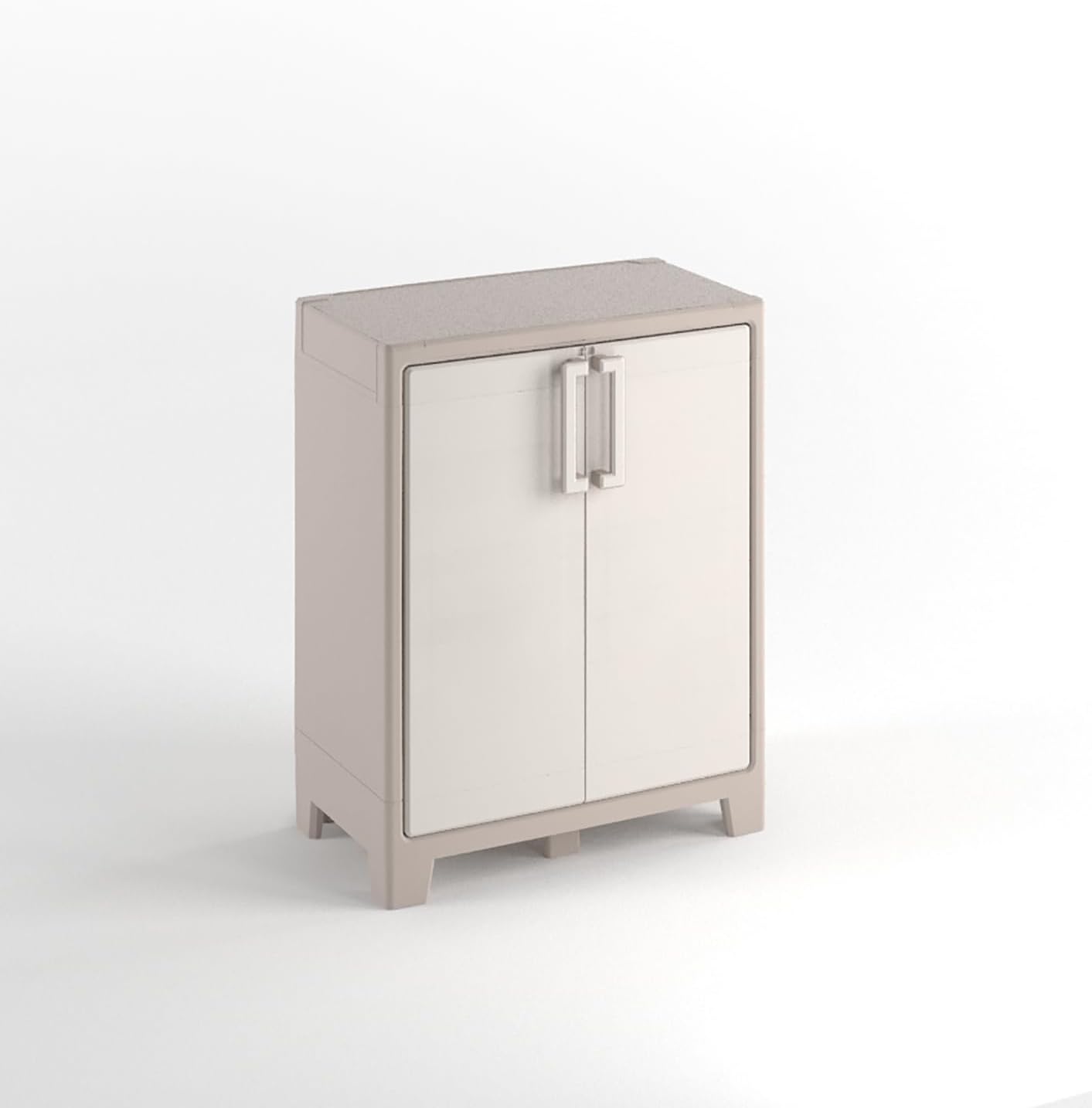
Image 1.1: Keter Gulliver Low Cabinet. This image displays the full cabinet, highlighting its compact and functional design suitable for various storage needs.
2. የደህንነት መረጃ
- የግድግዳ መጫኛ; It is strongly recommended to fix the cabinet to a wall to ensure stability and safety, especially when storing heavy objects. This prevents accidental tipping.
- የመጫን አቅም፡ Each shelf has a maximum load capacity of 30 kg (66 lbs). Do not exceed this weight limit per shelf. The total weight limit for the entire cabinet is 60 kg (132 lbs).
- ስብሰባ፡- Ensure all components are correctly assembled according to the provided instructions before use. Improper assembly can lead to instability.
- አቀማመጥ፡- This cabinet is suitable for both indoor and outdoor use. When placed outdoors, ensure it is on a level surface.
- ልጆች፡- Keep children away from the cabinet during assembly. Do not allow children to climb on or play inside the cabinet.
3. የጥቅል ይዘቶች
Before beginning assembly, verify that all parts are present and undamaged. The package should contain the following:
- የካቢኔ ፓነሎች (ጎኖች፣ ከላይ፣ ከታች፣ ጀርባ፣ በሮች)
- 2 x የሚስተካከሉ መደርደሪያዎች
- Assembly hardware (screws, hinges, handles, feet, etc.)
- መመሪያ መመሪያ

Image 3.1: Product Packaging. This image shows the exterior of the Keter Gulliver cabinet packaging, indicating the product name and some key features.
4. ማዋቀር እና መሰብሰብ
Assembly of the Keter Gulliver Low Cabinet is required. Please follow the detailed step-by-step instructions provided in the separate assembly guide included in your package. Ensure you have adequate space and the necessary tools (typically a screwdriver) before starting.
ቁልፍ የመሰብሰቢያ ደረጃዎች፡-
- ክፍሎቹን ያራግፉ፡ ሁሉንም ክፍሎች ከማሸጊያው ላይ በጥንቃቄ ያስወግዱ እና ጭረቶችን ለመከላከል በንፁህ እና ለስላሳ ቦታ ላይ ያስቀምጧቸው.
- ፍሬም ሰብስብ፡ Connect the side panels to the bottom and top panels as per the instructions.
- የኋላ ፓነልን ጫን Secure the polypropylene back panel into the frame.
- በሮች ያያይዙ፡ Mount the doors using the provided metal hinges. Ensure they open and close smoothly.
- መደርደሪያዎችን አስገባ: የሚስተካከሉ መደርደሪያዎችን በሚፈልጉት ቁመት ላይ ያስቀምጡ።
- Install Feet: Attach the cabinet feet to the base for stability.
- ግድግዳ ማስተካከል (የሚመከር) For enhanced safety, secure the cabinet to a wall using appropriate hardware (not always included, check assembly guide).

Image 4.1: Cabinet Interior. This image shows the cabinet with its doors open, illustrating the two adjustable shelves and internal storage space.

Image 4.2: Cabinet Base. A detailed view of the cabinet's underside, showing the sturdy feet and structural design for stability.
5. የአሠራር መመሪያዎች
5.1 በሮች መክፈትና መዝጋት
The cabinet features double doors with handles for easy access. To open, pull the handles outwards. To close, push the doors firmly until they latch securely.
5.2 Using the Shelves
The two included shelves are adjustable. To change their height, carefully remove the shelf, reposition the support clips (if applicable, refer to assembly guide), and reinsert the shelf at the desired level. Ensure shelves are securely seated before placing items on them.
5.3 የመቆለፊያ ዘዴ
The cabinet is designed with a padlock-compatible locking mechanism for added security. To lock the cabinet, align the holes on the doors and insert a standard padlock (not included).

Image 5.1: Locking Mechanism. This image provides a close-up view of the cabinet's handle and the integrated feature for attaching a padlock, enhancing security.
6. ጥገና
The Keter Gulliver Low Cabinet is made from durable, watertight polypropylene resin, requiring minimal maintenance.
- ማጽዳት፡ Clean the cabinet surfaces with a soft cloth, mild soap, and water. Avoid abrasive cleaners or harsh chemicals, as these can damage the material.
- ምርመራ፡- ሁሉንም ግንኙነቶች እና ማጠፊያዎች ደህንነቱ የተጠበቀ መሆኑን ለማረጋገጥ በየጊዜው ያረጋግጡ። አስፈላጊ ከሆነ የተላቀቁ ዊንጮችን ያጥብቁ።
- የውጪ አጠቃቀም፡ While suitable for outdoor use, prolonged exposure to extreme weather conditions may affect its appearance over time.
7. መላ መፈለግ
- በሮች በትክክል የማይዘጉ; Check for any obstructions in the door path or hinges. Ensure the cabinet is on a level surface. Verify that the hinges are correctly installed and tightened.
- የካቢኔ አለመረጋጋት፡ Ensure all assembly screws are tightened. If not already done, fix the cabinet to a wall using appropriate hardware to prevent tipping.
- የተበላሹ ክፍሎች; ሲደርሱ ማንኛውም ክፍል ከተበላሸ ወይም ከጠፋ፣ መገጣጠሙን አይቀጥሉ። እርዳታ ለማግኘት የደንበኛ ድጋፍን ያነጋግሩ።
8. ዝርዝሮች
| ባህሪ | ዝርዝር |
|---|---|
| የምርት ስም | ኬተር |
| የሞዴል ስም | ጉሊቨር |
| የንጥል ሞዴል ቁጥር | 9752000 |
| የምርት ልኬቶች (D x W x H) | 10.04" x 19.69" x 32.05" (25.5 ሴሜ x 50 ሴሜ x 81.4 ሴሜ) |
| የእቃው ክብደት | 9.45 ኪግ (20.8 ፓውንድ) |
| ቁሳቁስ | Polypropylene (PP) Plastic |
| ቀለም | Beige |
| የመደርደሪያዎች ብዛት | 2 |
| የመደርደሪያ ክብደት ገደብ | 30 ኪ.ግ (66 ፓውንድ) በአንድ መደርደሪያ |
| አጠቃላይ የክብደት ገደብ | 60 ኪግ (132 ፓውንድ) |
| ስብሰባ ያስፈልጋል | አዎ |
| የመቆለፊያ ዓይነት | Padlock compatible (padlock not included) |
| የሚመከር አጠቃቀሞች | የቤት ውስጥ ፣ ከቤት ውጭ |
9. ዋስትና
For information regarding the product warranty, please refer to the documentation included with your purchase or visit the official Keter webጣቢያ. የዋስትና ውሎች እና ሁኔታዎች እንደ ክልል እና ቸርቻሪ ሊለያዩ ይችላሉ።
10. ድጋፍ
If you have any questions, require assistance with assembly, or need to report missing/damaged parts, please contact Keter customer support. You can often find support contact information on the Keter brand webጣቢያ ወይም ምርቱን በገዙበት ቸርቻሪ በኩል።
ለበለጠ መረጃ፣ ይጎብኙ የአማዞን ላይ Keter መደብር.


