መግቢያ
This manual provides instructions for the proper setup, operation, and maintenance of your Black Box USB to Serial Cable, model IC199A-R3. This cable is designed to facilitate communication between devices with a DB9 serial port and computers equipped with a USB Type-A port. Please read this manual thoroughly before using the product to ensure optimal performance and longevity.
ምርት አልቋልview
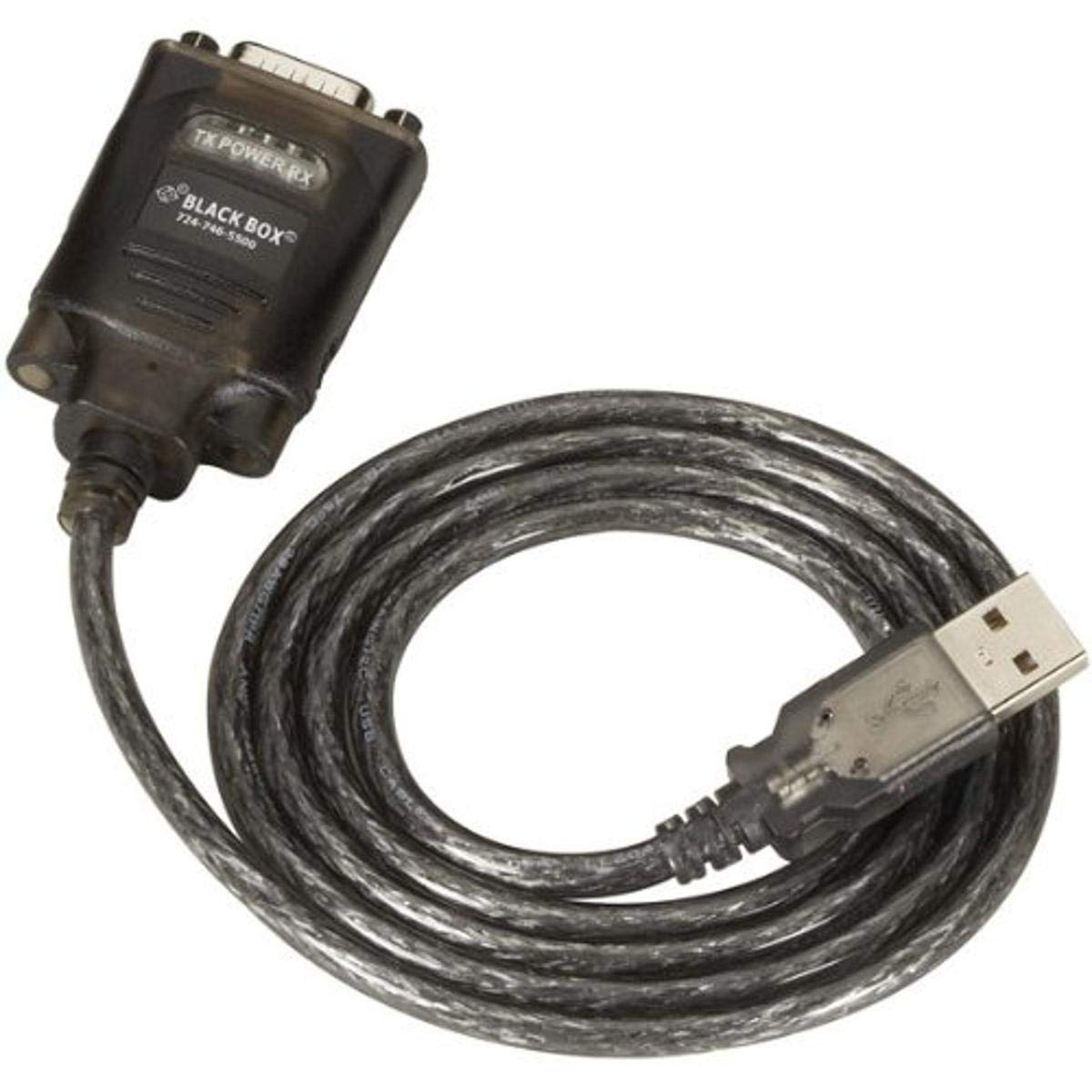
Figure 1: Black Box USB to DB9 Serial Cable (IC199A-R3)
This image displays the Black Box USB to DB9 Serial Cable, featuring a USB Type-A male connector on one end and a DB9 male serial connector on the other. The cable is black and designed for connecting serial devices to a computer's USB port.
The Black Box IC199A-R3 is a reliable solution for connecting legacy serial devices, such as modems, to modern computers that typically lack dedicated serial ports. Its robust design ensures stable data transmission.
የማዋቀር መመሪያዎች
- ግንኙነቶችን መለየት Locate the USB Type-A male connector and the DB9 male serial connector on the cable.
- ከኮምፒዩተር ጋር ይገናኙ; Insert the USB Type-A male connector into an available USB port on your computer.
- ከተከታታይ መሣሪያ ጋር ይገናኙ፦ Connect the DB9 male serial connector to the DB9 female port on your serial device (e.g., modem). Ensure a secure connection.
- የአሽከርካሪ ጭነት; In most modern operating systems (Windows 10/11, macOS, Linux), the necessary drivers should install automatically upon connection. If the device is not recognized, you may need to manually install drivers. Refer to your operating system's documentation or the Black Box support website for driver downloads if required.
- ግንኙነት አረጋግጥ፡ After connecting, check your computer's Device Manager (Windows) or System Information (macOS/Linux) to confirm that the USB to Serial adapter is recognized and functioning correctly. It typically appears as a "USB Serial Port" or similar entry.
የአሠራር መመሪያዎች
Once the Black Box IC199A-R3 cable is properly installed and recognized by your computer, it functions as a standard serial port.
- የሶፍትዌር ማዋቀር፡- Open the serial communication software or application you intend to use (e.g., HyperTerminal, PuTTY, minicom, or specific device configuration software).
- የኮም ፖርትን ይምረጡ፡ Within your software, select the virtual COM port assigned to the USB to Serial adapter. This port number can usually be found in your computer's Device Manager (under "Ports (COM & LPT)").
- Configure Serial Settings: Set the appropriate serial communication parameters (baud rate, data bits, parity, stop bits, flow control) to match the requirements of your connected serial device. Refer to the documentation of your serial device for these settings.
- ግንኙነትን ጀምር፦ Once configured, you can initiate data transfer or communication with your serial device through the software.
ጥገና
To ensure the longevity and reliable performance of your Black Box USB to Serial Cable, follow these simple maintenance guidelines:
- ማከማቻ፡ ገመዱን በማይጠቀሙበት ጊዜ ከቀጥታ የፀሐይ ብርሃን እና ከፍተኛ የሙቀት መጠን ራቅ ባለ ቀዝቃዛና ደረቅ ቦታ ያስቀምጡ።
- አያያዝ፡ በተለይም በማገናኛዎቹ አቅራቢያ ገመዱን በደንብ ማጠፍ ወይም ማጠፍ ያስወግዱ፤ ምክንያቱም ይህ ውስጣዊ ሽቦዎችን ሊጎዳ ይችላል።
- ማጽዳት፡ አስፈላጊ ከሆነ፣ ገመዱን እና ማያያዣዎቹን ለስላሳ፣ ደረቅ እና ከንጣፍ ነፃ በሆነ ጨርቅ በቀስታ ይጥረጉ። ፈሳሽ ማጽጃዎችን ወይም መሟሟቶችን አይጠቀሙ።
- ግንኙነት / ግንኙነት: ገመዱን ሲሰኩ ወይም ሲነቁ ሁልጊዜ የማገናኛ መያዣውን ይያዙት፣ ገመዱን ራሱ ከመሳብ ይልቅ።
መላ መፈለግ
If you encounter issues with your Black Box USB to Serial Cable, consider the following troubleshooting steps:
- ገመድ አልታወቀም፦
- Ensure the USB connector is fully inserted into the computer's USB port.
- በኮምፒተርዎ ላይ የተለየ የዩኤስቢ ወደብ ይሞክሩ።
- ኮምፒተርዎን እንደገና ያስጀምሩ.
- Check Device Manager (Windows) or System Information (macOS/Linux) for any error messages or unrecognized devices. Reinstall drivers if necessary.
- ከተከታታይ መሳሪያ ጋር ግንኙነት የለም፡
- Verify that the DB9 connector is securely attached to your serial device.
- Confirm that the correct COM port is selected in your serial communication software.
- Double-check that the serial communication parameters (baud rate, data bits, parity, stop bits, flow control) in your software match those of your serial device.
- Ensure the serial device itself is powered on and functioning correctly.
- Try using a different serial communication software to rule out software-specific issues.
- የሚቆራረጥ ግንኙነት;
- Inspect the cable for any visible damage or frayed wires.
- ሁሉም ግንኙነቶች ጠንካራ እና ያልተጣበቁ መሆናቸውን ያረጋግጡ።
- ገመዱን በጠንካራ የኤሌክትሮማግኔቲክ ጣልቃገብነት ምንጮች አጠገብ ከማስቀመጥ ይቆጠቡ።
ዝርዝሮች
| የምርት ስም | ጥቁር ሳጥን |
| የሞዴል ቁጥር | IC199A-R3 |
| Connector Type (Computer) | የዩኤስቢ አይነት A ወንድ |
| Connector Type (Device) | DB9 Male Serial |
| የኬብል አይነት | ዩኤስቢ ወደ ተከታታይ |
| ተስማሚ መሣሪያዎች | ሞደም |
| ልዩ ባህሪ | Tangle ነፃ |
| ቀለም | ጥቁር |
| የፒን ብዛት | 9 (on DB9 connector) |
| የእቃው ክብደት | 0.24 ፓውንድ (በግምት 3.84 አውንስ) |
| የምርት ልኬቶች (ማሸጊያ) | 6.75 x 1.5 x 4 ኢንች |
| አምራች | BLACK BOX CORPORATION |
ዋስትና እና ድጋፍ
For information regarding warranty coverage, technical support, or to download the latest drivers, please visit the official Black Box webጣቢያ ወይም የደንበኛ አገልግሎታቸውን ያነጋግሩ። ለዋስትና ጥያቄዎች የግዢ ደረሰኝዎን ያስቀምጡ።


