1. መግቢያ
This manual provides essential instructions for the safe operation and maintenance of your VTech VM333 Safe & Sound Video Baby Monitor. Please read this manual thoroughly before using the product to ensure proper setup and functionality. The VTech VM333 is designed to help you monitor your baby with a high-resolution color LCD screen, automatic night vision, and two-way audio communication.
2. ምርት አብቅቷልview
The VTech VM333 system includes a Parent Unit (monitor) and a Baby Unit (camera). Familiarize yourself with the components and controls of each unit.
2.1. Parent Unit
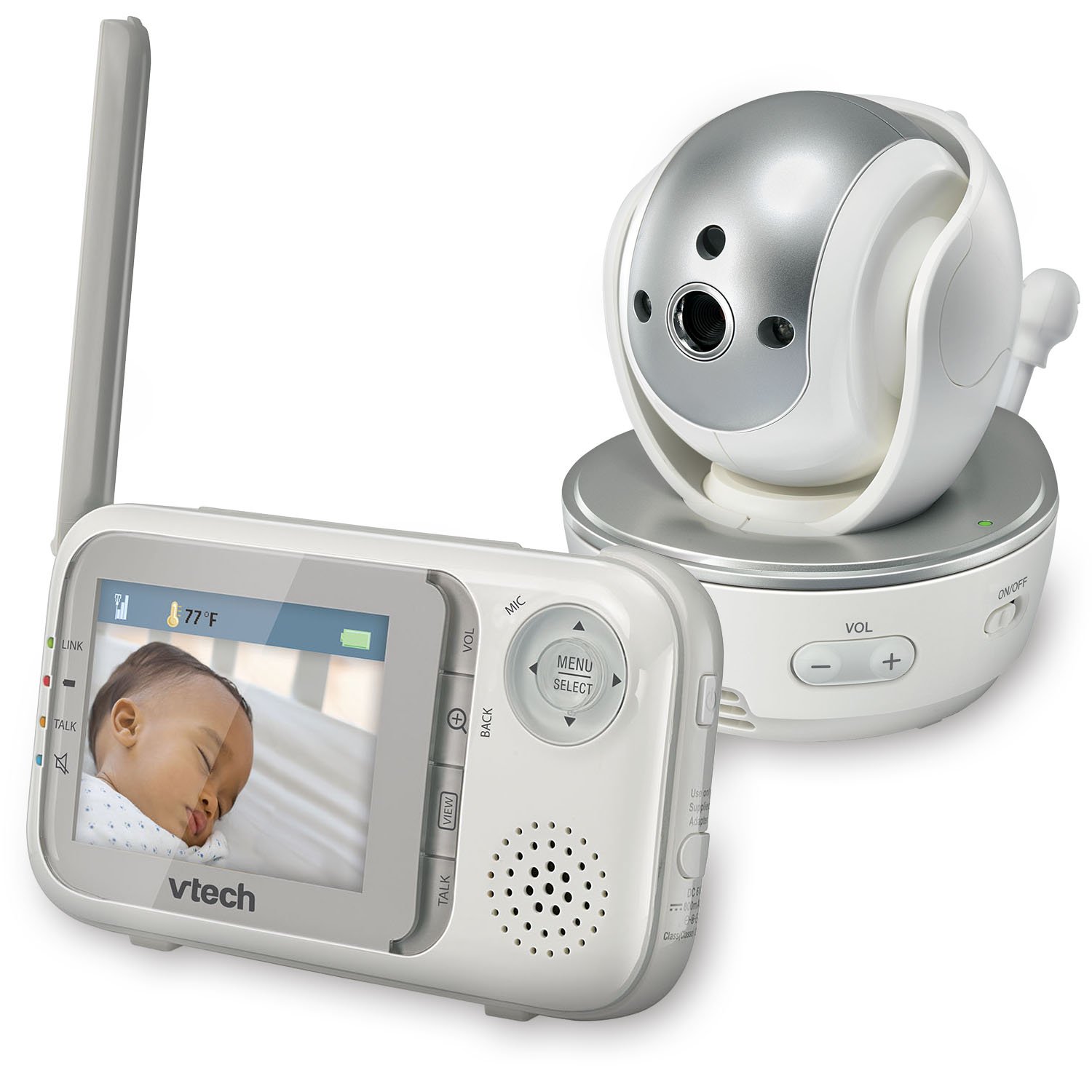
ምስል፡ ፊት ለፊት view of the VTech VM333 Parent Unit.
- 2.8-ኢንች ቀለም LCD ስክሪን፡ Displays live video feed from the Baby Unit.
- የምናሌ/ምርጫ አዝራር፡ የምናሌ አማራጮችን ይደርስና ምርጫዎችን ያረጋግጣል።
- አቅጣጫዊ ቀስቶች (ወደላይ/ወደታች/ግራ/ቀኝ): Navigates menus and controls camera pan/tilt.
- ZOOM Button (+/-): Magnifies the video image.
- የንግግር አዝራር፡ Activates two-way audio communication.
- የድምጽ አዝራሮች (+/-): Adjusts the Parent Unit speaker volume.
- LINK አመልካች፡ Shows connection status between units.
- የባትሪ አመልካች፡- የአሁኑን የባትሪ ደረጃ ያሳያል።
- የሙቀት መጠን ማሳያ Shows the temperature detected by the Baby Unit.
2.2. Baby Unit (Camera)

ምስል፡ ፊት ለፊት view of the VTech VM333 Baby Unit camera.
- የካሜራ ሌንስ; ቪዲዮን ይይዛል።
- የኢንፍራሬድ LEDs; Provide night vision in low light conditions.
- ማይክሮፎን Detects sound from the baby's room.
- ተናጋሪ፡- ለሁለት መንገድ የድምጽ ግንኙነት።
- የሙቀት ዳሳሽ፡- የክፍል ሙቀት ይቆጣጠራል።
- የኃይል ማብሪያ / ማጥፊያ ቀይር Turns the Baby Unit on or off.
- የኃይል ጃክ ከኃይል አስማሚ ጋር ይገናኛል.

ምስል: ጎን view of the VTech VM333 Baby Unit, illustrating the wall-mount bracket.
3. ማዋቀር
3.1. በዩኒቶች ላይ ኃይል መስጠት
- የሕፃን ክፍልን ያገናኙ፡ Plug the small end of the power adapter into the power jack on the back of the Baby Unit. Plug the large end into a wall outlet.
- Connect the Parent Unit: Plug the small end of the power adapter into the power jack on the side of the Parent Unit. Plug the large end into a wall outlet. The Parent Unit battery will begin charging.
- ማዞር፥ Slide the ON/OFF switch on the Baby Unit to the ON position. Press and hold the POWER button on the Parent Unit until the screen turns on.
The units are pre-linked. If they do not link automatically, refer to the "Troubleshooting" section for re-pairing instructions.
3.2. የሕፃን ክፍል (ካሜራ) አቀማመጥ
Place the Baby Unit at least 3 feet (1 meter) away from your baby to avoid potential hazards. Ensure the camera is positioned to capture the desired viewing area. Avoid placing the Baby Unit where it can be easily reached by children.
- For optimal performance, place the Baby Unit on a flat surface or mount it to a wall using the included wall-mount bracket.
- Keep the Baby Unit and Parent Unit within range (up to 1,000 feet / 300 meters in open space). Obstacles like walls and furniture can reduce the range.
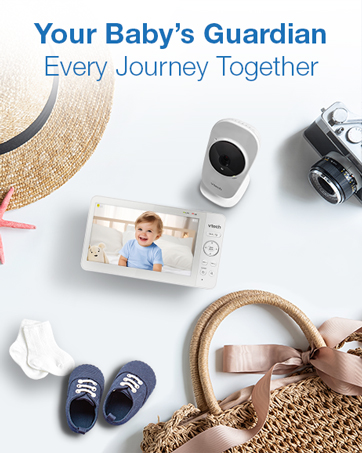
Image: Proper placement of the Baby Unit near a crib.
4. ኦፕሬሽን
4.1. መሰረታዊ ክትትል
Once both units are powered on and linked, the Parent Unit will display live video from the Baby Unit. Adjust the volume using the ቮልት + እና ጥራዝ - buttons on the Parent Unit.
4.2. ፓን ፣ ዘንበል እና አጉላ
The Baby Unit camera can be remotely controlled from the Parent Unit to adjust its viewየማጉላት እና የማጉላት ደረጃ።
- ማንጠልጠል/ማጋደል፡ የሚለውን ተጠቀም የአቅጣጫ ቀስቶች (Up, Down, Left, Right) on the Parent Unit to move the camera lens horizontally (up to 270 degrees) and vertically (up to 124 degrees).
- አጉላ፡ የሚለውን ይጫኑ ዞም + button to zoom in (2x magnification) and ZOOM - ለማጉላት.
Video: Demonstration of the VTech VM333's pan, tilt, and zoom features, showing remote camera control from the Parent Unit.
4.3. የሁለት መንገድ ንግግር
You can speak to your baby through the Baby Unit's speaker.
- ተጭነው ይያዙት። ተናገር በወላጅ ክፍሉ ላይ ያለው አዝራር።
- በወላጅ ክፍሉ ላይ ባለው ማይክሮፎን ውስጥ በግልጽ ይናገሩ።
- ይልቀቁት ተናገር button to stop speaking and hear your baby again.

Image: Using the two-way talk feature on the Parent Unit.
4.4. Automatic IR Night Vision
The Baby Unit is equipped with infrared LEDs that automatically activate in low light conditions, providing a clear black and white video image of your baby in the dark.
Image: The Baby Unit operating in night vision mode.
4.5. የድምጽ ማግበር ሁነታ
This mode allows the Parent Unit screen to turn off automatically to save power and reduce light disturbance, and then turn back on when sounds are detected from the Baby Unit.
- የሚለውን ይጫኑ ምናሌ/ ምረጥ በወላጅ ክፍሉ ላይ ያለው አዝራር።
- ወደ VOX ትብነት or የድምጽ ማግበር ቅንብር.
- Select your desired sound sensitivity level. A higher sensitivity will activate the screen with softer sounds.
Image: Parent Unit displaying the sound activation icon.
4.6. Temperature Monitoring and Alerts
The Baby Unit monitors the room temperature and displays it on the Parent Unit screen. You can set alerts for temperature deviations.
- የሚለውን ይጫኑ ምናሌ/ ምረጥ አዝራር።
- ወደ የሙቀት ማንቂያ ቅንብሮች.
- Set your desired minimum and maximum temperature thresholds. The Parent Unit will beep if the temperature goes outside this range.
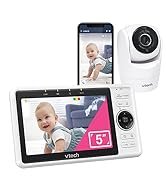
Image: Parent Unit displaying room temperature.
4.7. Multiple Camera Monitoring (Expandable System)
The VM333 system supports up to four cameras (additional cameras sold separately). You can view multiple cameras in different modes.
- ነጠላ View: Displays video from one camera at a time. Use the VIEW በተገናኙ ካሜራዎች ውስጥ ለማሽከርከር የሚያስችል አዝራር።
- ተከፈለ View: Displays video from multiple cameras simultaneously on a split screen.
- የጥበቃ ሁነታ፡ Automatically cycles through all connected cameras, displaying each for a few seconds.
Video: Demonstration of multi-camera viewing modes, including single view፣ መከፋፈል view, and patrol mode.
5. ጥገና
- ማጽዳት፡ Clean the surfaces of the Parent Unit and Baby Unit with a soft, damp ጨርቅ. ማጽጃዎችን ወይም ፈሳሽ ማጽጃዎችን አይጠቀሙ.
- የባትሪ እንክብካቤ The Parent Unit uses a rechargeable Lithium-Ion battery. For optimal battery life, fully charge the unit before first use. Avoid extreme temperatures. If storing the unit for an extended period, remove the battery.
- የሌንስ እንክብካቤ; Keep the camera lens clean to ensure clear video quality. Use a soft, lint-free cloth to gently wipe the lens if needed.
6. መላ መፈለግ
| ችግር | መፍትሄ |
|---|---|
| No video/audio on Parent Unit. |
|
| ደካማ የቪዲዮ ጥራት። |
|
| Parent Unit beeps (low battery, out of range, temperature). |
|
| ከሌሎች መሳሪያዎች ጋር የሚደረግ ጣልቃገብነት። |
|
7. ዝርዝሮች
| ባህሪ | ዝርዝር |
|---|---|
| የሞዴል ቁጥር | ቪኤም333 |
| የስክሪን መጠን | 2.8 ኢንች (ኤልሲዲ) |
| ገመድ አልባ ቴክኖሎጂ | 2.4 GHz FHSS digital transmission |
| ክልል | እስከ 1,000 ጫማ (300 ሜትር) ክፍት ቦታ ላይ |
| ፓን አንግል | Up to 270 degrees horizontal |
| ዘንበል አንግል | Up to 124 degrees vertical |
| አጉላ | 2x ዲጂታል ማጉላት |
| የምሽት ራዕይ | Automatic infrared (IR) |
| ባለሁለት መንገድ ኦዲዮ | አዎ |
| የድምጽ ማግበር | አዎ (VOX) |
| የሙቀት ዳሳሽ | አዎ፣ ከማስጠንቀቂያዎች ጋር |
| ሊሰፋ የሚችል | Up to 4 cameras (additional cameras sold separately) |
| የወላጅ ክፍል የባትሪ ዕድሜ | እስከ 3.5 ሰዓታት (የቪዲዮ ዥረት) |
| የኃይል ምንጭ | Rechargeable Lithium-Ion battery (Parent Unit), AC power (Baby Unit) |
| ቀለም | ነጭ / ብር |
| የእቃው ክብደት | 2 ፓውንድ |
8. ዋስትና እና ድጋፍ
For warranty information and technical support, please contact VTech customer service.
- የደንበኛ ድጋፍ ቁጥር፡- (800) 595-9511
- Webጣቢያ፡ www.vtechbabycare.com
- ኢሜይል፡- support@vtechbabycare.com
እባክዎ የግዢ ደረሰኝዎን ለዋስትና ዓላማዎች የግዢ ማረጋገጫ አድርገው ይያዙ።


