1. ምርት አብቅቷልview
The Lutron Maestro MS-OPS6M2N-DV-WH is an advanced occupancy/vacancy sensor switch designed to automatically control lighting in a room. This device utilizes passive infrared (PIR) technology to detect human motion and presence, ensuring lights are only on when needed. It combines the functionality of a standard light switch with an integrated motion sensor, offering convenience and energy savings.
ቁልፍ ባህሪዎች
- Passive infrared motion detection with Lutron XCT technology for fine motion sensing.
- 180-degree sensor field-of-view for comprehensive room coverage.
- Requires a neutral wire for installation.
- Occupancy version supports both auto-on/auto-off and manual-on/auto-off modes.
- Vacancy version is available to comply with CA Title 24 requirements.
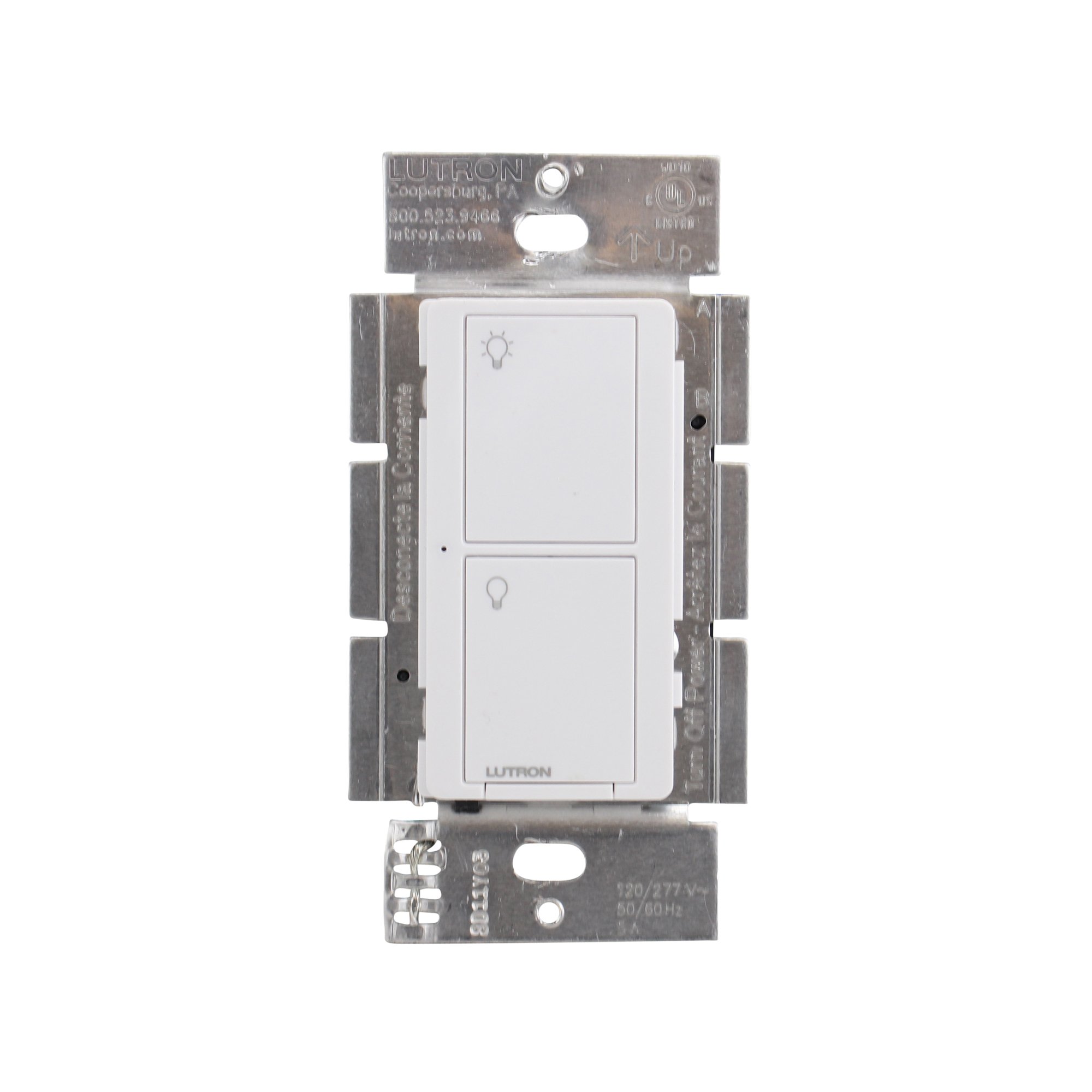
ምስል 1: የፊት view of the Lutron Maestro MS-OPS6M2N-DV-WH sensor switch.
2. ማዋቀር እና መጫን
ጠቃሚ የደህንነት መረጃ፡- Before beginning installation, turn off power at the circuit breaker or fuse box. Incorrect installation can lead to electrical shock or fire. If you are unsure about any part of these instructions, consult a qualified electrician.
የሚያስፈልጉ መሳሪያዎች፡- Screwdriver (Phillips and flathead), wire strippers, electrical tape.
2.1 የሽቦ መመሪያዎች
- ኃይል አጥፋ፡ የምትተካውን ማብሪያ/ማጥፊያ የሚቆጣጠረውን የወረዳ መቆራረጫ ፈልግና አጥፋው። ኃይሉ መጥፋቱን በቮልት ያረጋግጡtagሠ ሞካሪ።
- ያለውን መቀየሪያ አስወግድ፡ የግድግዳ ሰሌዳውን በጥንቃቄ ያስወግዱ እና ያለውን ማብሪያ/ማጥፊያ ከግድግዳ ሳጥኑ ይንቀሉት። ሽቦዎቹን ከአሮጌው ማብሪያ/ማጥፊያ ያላቅቁ።
- ሽቦዎችን መለየት;
- Hot (Line) Wire: በተለምዶ ጥቁር፣ ከሰርኪው ሰባሪው ኃይል ያመጣል።
- ሽቦ ጫን Typically black, connects to the light fixture.
- ገለልተኛ ሽቦ; Typically white, required for this switch.
- የመሬት ሽቦ; በተለምዶ ባዶ መዳብ ወይም አረንጓዴ።
Note: If you are replacing a 3-way switch, you will also have traveler wires. This model supports 3-way circuits. Refer to the detailed wiring diagram for 3-way installations.
- Connect Wires to Maestro Switch:
- ያገናኙት። የመሬት ሽቦ from the wall box to the green ground wire on the Maestro switch.
- ያገናኙት። ገለልተኛ ሽቦ from the wall box to the white neutral wire on the Maestro switch.
- ያገናኙት። hot (line) wire እና load wire from the wall box to the two black wires on the Maestro switch. If the light does not function correctly, swap these two black wires.
- For 3-way applications, connect the traveler wires as per the specific 3-way wiring diagram provided with the product packaging.
- ደህንነቱ የተጠበቀ መቀየሪያ፦ Carefully push the wired switch into the wall box, ensuring wires are not pinched. Screw the switch into place.
- የግድግዳ ሰሌዳን ጫን Attach the decorative wall plate.
- ኃይልን ወደነበረበት መልስ በወረዳው ሰባሪው ላይ ኃይሉን መልሰው ያብሩት።

ምስል 2: ዘፀample wiring diagram for a single-pole installation. Consult the included manual for 3-way wiring.
3. የአሠራር መመሪያዎች
The Maestro sensor switch offers flexible operation modes to suit various needs.
3.1 የአሠራር ዘዴዎች
- Occupancy Mode (Auto-On/Auto-Off): In this mode, the lights automatically turn ON when motion is detected and automatically turn OFF after a set time delay when no motion is detected. This is ideal for high-traffic areas where hands-free operation is desired.
- Vacancy Mode (Manual-On/Auto-Off): In this mode, the lights must be manually turned ON by pressing the switch button. They will then automatically turn OFF after a set time delay when no motion is detected. This mode is often used to meet energy codes and provides more control over when lights are initially activated.
3.2 ቅንብሮችን ማስተካከል
The Maestro sensor switch typically has small buttons or dip switches behind the wall plate for adjusting settings such as:
- የጊዜ መዘግየት፡- How long the lights remain on after the last detected motion (e.g., 1, 5, 15, 30 minutes).
- ትብነት፡- The level of motion required to trigger the sensor.
- የአሠራር ሁኔታ፡- Switching between Occupancy (Auto-On) and Vacancy (Manual-On) modes.
Refer to the detailed instructions included with your product for specific steps on how to access and adjust these settings.
4. ጥገና
The Lutron Maestro sensor switch requires minimal maintenance to ensure optimal performance.
- ማጽዳት፡ To clean the surface of the switch, use a soft, damp ጨርቅ። ሻካራ ማጽጃዎችን፣ መሟሟቶችን ወይም ጠጣር ኬሚካሎችን አይጠቀሙ፣ ምክንያቱም እነዚህ ጨርቁን ወይም ውስጣዊ ክፍሎችን ሊጎዱ ይችላሉ።
- የዳሳሽ እንቅፋት፡ Ensure the sensor lens is not obstructed by furniture, curtains, or other objects that could block its field of view. A clear path to the sensor is crucial for accurate motion detection.
- የአቧራ ክምችት; Periodically wipe the sensor lens to prevent dust accumulation, which can reduce sensitivity.
5. መላ መፈለግ
If you encounter issues with your Maestro sensor switch, refer to the following common troubleshooting steps:
- Lights do not turn ON automatically (Occupancy Mode):
- Verify the sensor's field of view አይደናቀፍም.
- Check the sensitivity setting; it might be too low.
- Ensure the switch is in Occupancy (Auto-On) mode.
- Confirm power is supplied to the switch.
- Lights do not turn OFF:
- Ensure there is no continuous motion within the sensor's range.
- Check the time delay setting; it might be set too long.
- Verify the switch is correctly wired, especially the load wire.
- Lights flicker or behave erratically:
- Confirm that a neutral wire is properly connected. This switch requires a neutral wire for stable operation.
- ሁሉም የሽቦ ግንኙነቶች አስተማማኝ መሆናቸውን ያረጋግጡ.
- If in a 3-way setup, ensure compatible companion switches are used and wired correctly.
- ስዊች ምላሽ አይሰጥም፦
- Turn off power at the circuit breaker for 15 seconds, then restore power. This can reset the switch.
- Check all wiring connections for looseness or incorrect placement.
If these steps do not resolve the issue, contact Lutron customer support for further assistance.
6. ዝርዝሮች
| ባህሪ | ዝርዝር |
|---|---|
| የሞዴል ቁጥር | MS-OPS6M2N-DV-WH |
| የምርት ስም | ሉትሮን |
| የክወና ሁነታ | በራስ ሰር |
| የእውቂያ አይነት | በመደበኛነት ክፍት |
| የማገናኛ አይነት | ጠመዝማዛ ተርሚናሎች |
| ተርሚናል | ስከር |
| የንጥል መጠኖች (L x W x H) | 2.2 x 2.2 x 4.5 ኢንች |
| የወረዳ ዓይነት | 3-መንገድ |
| አንቀሳቃሽ ዓይነት | የግፊት ቁልፍ |
| የእውቂያ ቁሳቁስ | መዳብ |
| የአለም አቀፍ ጥበቃ ደረጃ | IP54 |
| የመቆጣጠሪያ ዘዴ | ንካ |
| የግንኙነት ፕሮቶኮል | ኢንፍራሬድ |
| ቀለም | ነጭ |
| የእቃው ክብደት | 3.52 አውንስ |
| ገለልተኛ ሽቦ ያስፈልጋል | አዎ |
7. የምርት ቪዲዮዎች
7.1 Lutron Maestro Sensor Switch Overview
ቪዲዮ 1: አልቋልview of the Lutron Maestro sensor switch features and benefits. This video provides a general introduction to the product's capabilities.
7.2 Advanced Features and Configuration
Video 2: A detailed look into the advanced features and configuration options of the Lutron Maestro sensor switch, including setting adjustments.
8. የዋስትና መረጃ
Lutron products typically come with a limited warranty covering defects in materials and workmanship. For specific warranty terms and conditions applicable to your MS-OPS6M2N-DV-WH sensor switch, please refer to the warranty card included in the product packaging or visit the official Lutron webጣቢያ. ለዋስትና ጥያቄዎች የግዢ ማረጋገጫዎን ያስቀምጡ።
9. የደንበኛ ድጋፍ
For technical assistance, troubleshooting, or product inquiries, please contact Lutron customer support. You can find contact information on the official Lutron webጣቢያ ወይም በምርቱ ሰነድ ውስጥ።
የመስመር ላይ መርጃዎች፡-
- ኦፊሴላዊውን ይጎብኙ Lutron Store on Amazon ለተጨማሪ ምርቶች እና መረጃ.
- Refer to the comprehensive FAQs and support documents available on the Lutron corporate webጣቢያ.


