ምርት አልቋልview
The SureFeed Microchip Pet Feeder is designed to provide selective access to food for your pets. It operates by recognizing a pet's unique veterinary implanted microchip or an RFID collar tag, ensuring that only authorized pets can access the food within. This system is particularly beneficial in multi-pet households to manage individual dietary needs, prevent food theft, and assist with weight management.
The feeder features a sealed bowl compartment that helps keep food fresh. A training mode is included to gradually introduce timid pets to the feeder's operation.
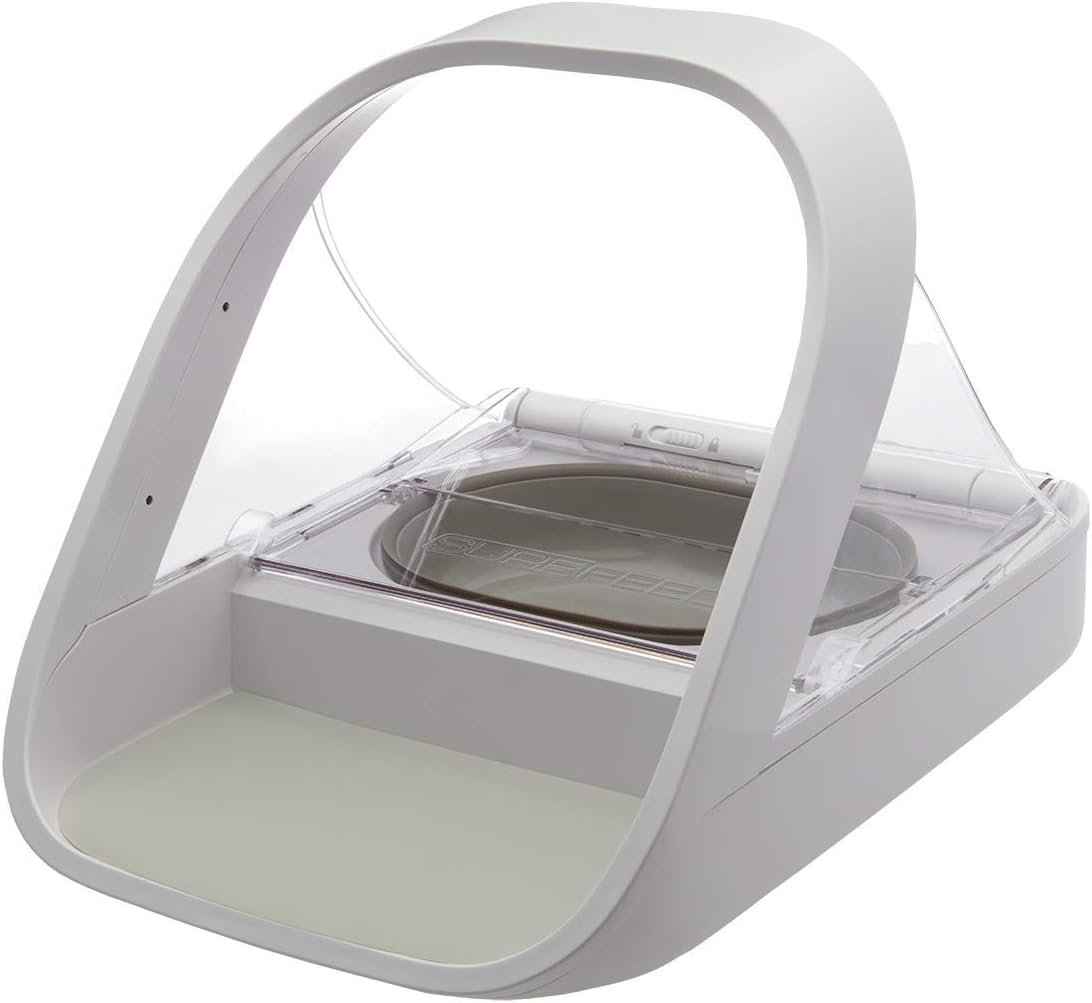
Image: The SureFeed Microchip Pet Feeder in its closed position, ready for use.
ምን ይካተታል
The SureFeed Microchip Pet Feeder package contains the following items:
- 1 x SureFeed Microchip Pet Feeder unit
- 1 x Grey single bowl
- 1 x Grey split bowl (for wet and dry food)
- 1 x Grey mat
- 1 x RFID collar tag
- 1 x የተጠቃሚ መመሪያ (ይህ ሰነድ)
Additional bowls and mats in various colors (grey, green, pink, blue) and stainless steel bowls can be purchased separately.
ማዋቀር
- ቦክስ ማስወጣት፡ ሁሉንም ንጥረ ነገሮች ከማሸጊያው ውስጥ በጥንቃቄ ያስወግዱ.
- የባትሪ ጭነት; The feeder requires 4 C batteries (not included). Locate the battery compartment on the underside of the unit and insert the batteries, ensuring correct polarity.
- Bowl and Mat Placement: Place the desired bowl (single or split) into the feeder's designated slot. Position the grey mat on the front base of the feeder.
- የመጀመሪያ ኃይል በርቷል፡ Once batteries are installed, the feeder will power on.

ምስል: ጎን view of the feeder demonstrating the open lid mechanism, revealing the food bowl.
የአሠራር መመሪያዎች
1. Programming Microchips or RFID Tags
The feeder can be programmed to recognize up to 32 unique microchip numbers or RFID collar tags. It is compatible with 9 (Avid Secure), 10 (FDXA), and 15 (FDXB) digit microchip numbers.
- የመማሪያ ሁነታን ያስገቡ Press and hold the "Add Pet" button (usually marked with a paw print or '+' symbol) until the indicator light begins to flash.
- Introduce Pet/Tag: Guide your pet to place its head into the archway of the feeder, or hold the RFID collar tag directly over the sensor area. The feeder will emit a click sound and the light will turn solid green to indicate successful registration.
- ከመማሪያ ሁነታ ውጣ፦ The feeder will automatically exit learning mode after a short period of inactivity, or you can press the "Add Pet" button again briefly.
If you are unsure of your pet's microchip number, consult your veterinarian, pet shelter, or animal rescue.
2. Training Mode
For timid pets, the training mode allows the lid to close in stages, helping them to gradually become accustomed to the movement and sound of the feeder.
- Activating Training Mode: Refer to your specific model's user manual for the exact button or switch to activate training mode. This typically involves a dedicated "Training" button or a switch on the underside.
- Progressive Closure: In training mode, the lid will close in smaller increments each time it activates, reducing the initial startling effect for the pet.
- Exiting Training Mode: Once your pet is comfortable, deactivate training mode to enable full lid closure.
3. Feeding Operation
Once programmed, the feeder will automatically open when a recognized pet approaches and places its head within the feeder's arch. The lid will close when the pet moves away, sealing the food and maintaining freshness.
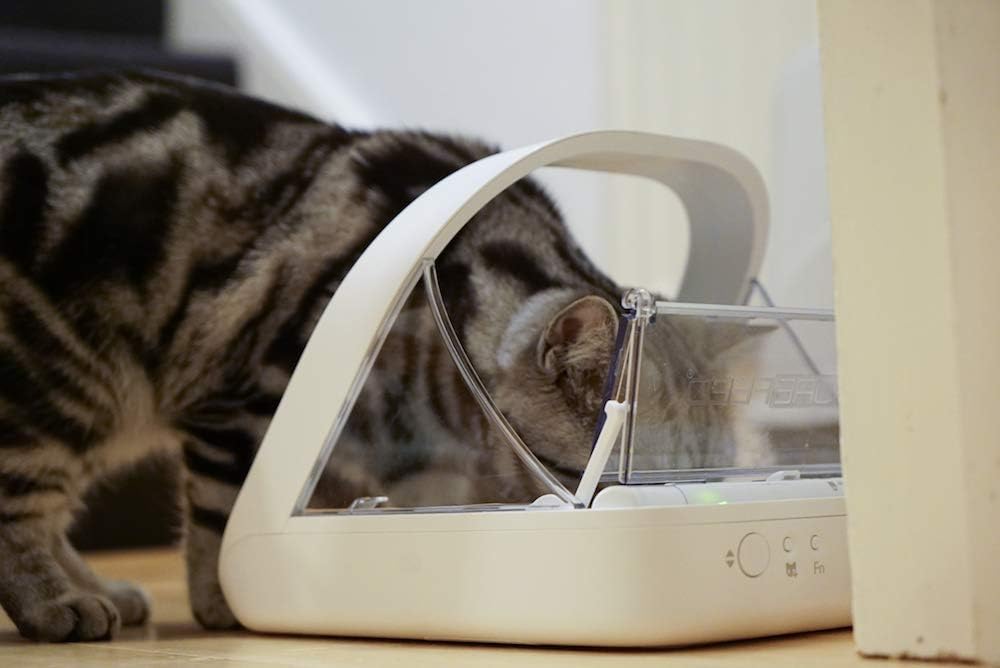
Image: A cat actively eating from the SureFeed Microchip Pet Feeder, demonstrating the open lid during use.

Image: The SureFeed Microchip Pet Feeder placed on a kitchen floor, with an orange cat standing nearby, illustrating typical placement.

Image: The SureFeed Microchip Pet Feeder with wet food visible in the bowl, demonstrating its capacity for various food types.
ጥገና
- ማጽዳት፡ The feeder bowls and mat can be removed for cleaning. The main unit should be wiped clean with a damp cloth. Do not submerge the main unit in water. The bowls and mat are suitable for hand washing only.
- የባትሪ መተካት፡ When the batteries are low, an indicator light will typically signal the need for replacement. Replace all 4 C batteries simultaneously to ensure optimal performance.
- የአነፍናፊ ጽዳት; Periodically check and gently clean the sensor area within the archway to ensure unobstructed detection of microchips or RFID tags.
መላ መፈለግ
| ችግር | ሊሆን የሚችል ምክንያት | መፍትሄ |
|---|---|---|
| Feeder not opening for pet. | Pet's microchip/tag not registered; low batteries; obstructed sensor. | Ensure pet's microchip/tag is correctly registered. Replace batteries. Clean sensor area. |
| Lid not closing completely. | Obstruction in lid path; feeder in training mode. | Check for any debris blocking the lid. Deactivate training mode if not needed. |
| መጋቢው እየበራ አይደለም። | የተሳሳተ የባትሪ ጭነት፤ የሞቱ ባትሪዎች። | Verify battery polarity. Replace with fresh C batteries. |
ዝርዝሮች
- የሞዴል ስም፡- SureFeed Microchip Pet Feeder
- የሞዴል ቁጥር፡- MPF001 (also known as 194705)
- ልኬቶች (LxWxH)፦ 12.86 x 7.75 x 10.24 ኢንች
- ክብደት፡ 3.28 ፓውንድ (1.49 ኪሎግራም)
- የኃይል ምንጭ፡- 4 x C batteries (not included)
- ቁሳቁስ፡ ፕላስቲክ
- ቀለም፡ ነጭ
- ተኳኋኝነት 9, 10, and 15 digit microchips; SureFlap RFID collar tags
- የቦል አቅም; 13.5 fl. oz (wet or dry food)
- የዒላማ ዝርያዎች: ድመቶች፣ ከትንሽ እስከ መካከለኛ ውሾች
ዋስትና እና ድጋፍ
The SureFeed Microchip Pet Feeder comes with a የሶስት ዓመት ዋስትና ከተገዛበት ቀን ጀምሮ. ይህ ዋስትና በመደበኛ አጠቃቀም ላይ የቁሳቁሶች እና የአሠራር ጉድለቶችን ይሸፍናል ።
For technical support, troubleshooting assistance, or warranty claims, please visit the official Sure Petcare website or contact their customer service department. Contact information can typically be found on the Sure Petcare webጣቢያ ወይም በምርቱ ማሸጊያ ላይ.
የመስመር ላይ መርጃዎች፡- For additional information, FAQs, and video tutorials, please refer to the Sure Petcare Store on Amazon.