መግቢያ
The Energizer Vision HD+ Focus LED Headlamp is designed to provide brilliant and precise illumination, offering hands-free lighting for various activities such as morning jogs, camping ፣ ወይም በኃይል ጊዜtages. It features 400 lumens on high mode, a beam distance of up to 85 meters, patented Digital Focus technology for seamless beam width transitions, and a pivoting head for directional lighting. This headlamp is also IPX4 water-resistant and impact-resistant up to 1 meter, ensuring reliability in diverse conditions.
ምን ይካተታል
- One (1) Energizer Vision HD+ Focus LED Headlamp
- Three (3) Energizer AAA Alkaline Batteries

ማዋቀር
የባትሪ ጭነት
- የባትሪውን ክፍል በጭንቅላቱ ጀርባ ላይ ያግኙትamp ክፍል.
- የባትሪውን ክፍል ክዳን በቀስታ ይክፈቱ።
- በክፍሉ ውስጥ እንደተገለጸው ትክክለኛውን ፖላሪቲ (+/-) በማረጋገጥ ሶስት (3) AAA የአልካላይን ባትሪዎችን አስገባ።
- የባትሪውን ክፍል ወደ ቦታው ጠቅ እስኪያደርጉ ድረስ ደህንነቱ በተጠበቀ ሁኔታ ይዝጉት።
የጭንቅላት ማሰሪያውን ማስተካከል
- ጭንቅላትን ያስቀምጡamp on your head with the light unit positioned on your forehead.
- Use the adjustable buckle on the elastic strap to tighten or loosen the headband until it fits comfortably and securely.

የአሠራር መመሪያዎች
የመብራት / ማጥፊያ እና ሁነታ ምርጫ
- ጭንቅላትን ለማዞርamp ON, press the power button located on the top of the unit.
- Press the power button repeatedly to cycle through the different light modes: High, Low, Flood, and Red.
- ጭንቅላትን ለማዞርamp OFF, press the power button after cycling through all modes, or hold the power button for a few seconds.
ዲጂታል ፎከስ ቴክኖሎጂ
The Digital Focus technology allows you to seamlessly transition between beam widths. Press and hold the dedicated focus button (often red, next to the power button) to narrow or widen the light beam according to your needs.
የሚሽከረከር የጭንቅላት ተግባር
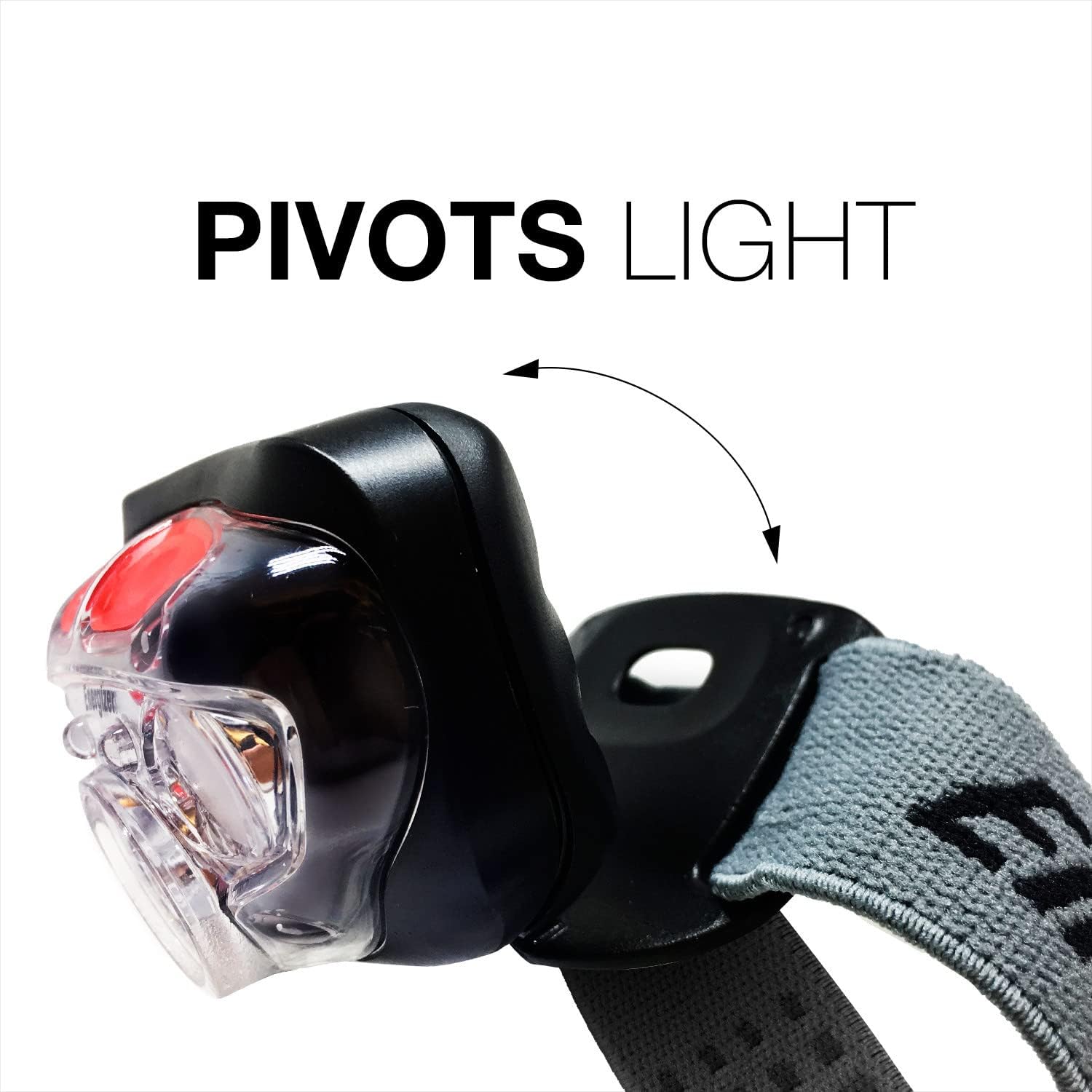
ራስጌውamp unit can be pivoted up or down to direct the light exactly where you need it. Gently tilt the light unit to adjust its angle.
የማህደረ ትውስታ ትውስታ
The Memory Recall technology allows the headlamp to remember your last used focus setting (on low, spot, flood, and red modes) and activate it the next time the headlamp በርቷል።
ቁልፍ ባህሪያት
- 400 Lumens; Provides powerful illumination for various tasks.
- ዲጂታል የትኩረት ቴክኖሎጂ፡- Seamlessly transitions between wide and narrow beam widths.
- የሚወዛወዝ ጭንቅላት፡ Directs light where needed.
- IPX4 ውሃ-ተከላካይ፡- Withstands splashing water from any direction.
- ተጽዕኖ-የሚቋቋም Durable design, withstands drops up to 1 meter.
- ባለብዙ ብርሃን ሁነታዎች; Includes High, Low, Flood, and Red light options.
- የማህደረ ትውስታ ትውስታ፡- Remembers your last preferred focus setting.


ጥገና
- ማጽዳት፡ ጭንቅላትን አጽዳamp ለስላሳ, መamp ጨርቅ. ገላጭ ማጽጃዎችን ወይም ፈሳሾችን አይጠቀሙ.
- የባትሪ እንክብካቤ የራስጌው ከሆነ ባትሪዎችን ያስወግዱamp will not be used for an extended period to prevent potential battery leakage and damage to the device.
- ማከማቻ፡ ጭንቅላትን ያስቀምጡamp ከፀሀይ ብርሀን እና ከከፍተኛ ሙቀት ርቆ በሚገኝ ቀዝቃዛና ደረቅ ቦታ.
መላ መፈለግ
| ችግር | ሊሆን የሚችል ምክንያት | መፍትሄ |
|---|---|---|
| ብርሃን አይበራም | የሞቱ ወይም በስህተት የገቡ ባትሪዎች | ባትሪዎችን በአዲሶቹ ይተኩ። |
| ብርሃኑ ደብዛዛ ነው ወይም ብልጭ ድርግም ይላል | Low battery power or loose battery connection | Replace batteries. Check that batteries are seated firmly. |
| የጭንቅላት ማሰሪያ ልቅነት ይሰማዋል። | የጭንቅላት ማሰሪያ ተገቢ ያልሆነ ማስተካከያ | Adjust the elastic strap using the buckle until a snug fit is achieved. |
ዝርዝሮች
| ዝርዝር መግለጫ | ዝርዝር |
|---|---|
| የሞዴል ስም | Vision HD+ Focus LED Headlamp |
| የሞዴል ቁጥር | HDD32E |
| የምርት ስም | ኢነርጂነር |
| የብርሃን ምንጭ ዓይነት | LED |
| ነጭ ብሩህነት | 400 ሉመንስ (ከፍተኛ ሁነታ) |
| ልዩ ባህሪ | Digital Focus, Pivoting Head |
| የኃይል ምንጭ | በባትሪ የተጎላበተ |
| የባትሪ ዓይነት | 3 AAA Alkaline Batteries (Included) |
| የውሃ መቋቋም ደረጃ | IPX4 የውሃ መቋቋም |
| ተጽዕኖ መቋቋም | እስከ 1 ሜትር |
| ቁሳቁስ | ፕላስቲክ |
| የእቃው ክብደት | 0.18 ፓውንድ £ |
| የምርት ልኬቶች | 1.55" ዲ x 5.75" ዋ x 7.5" ኤች |
| አምራች | የኢነርጂዘር ባትሪ ኩባንያ፣ ኢንክ. |
ዋስትና እና ድጋፍ
The manufacturer states that warranty information is not applicable for this product. For any product inquiries or support, please refer to the contact information provided on the product packaging or the official Energizer webጣቢያ.


