1. መግቢያ
Welcome to the Futaba 10J 10-channel air radio system. This manual provides essential information for the proper setup, operation, and maintenance of your T10J transmitter and R3008SB receiver. The 10J system utilizes both T-FHSS and S-FHSS transmission systems, offering reliable control and integrated telemetry capabilities for various aircraft models.
2. ኪት ይዘቶች
እባክህ ከዚህ በታች የተዘረዘሩት ሁሉም እቃዎች በጥቅልህ ውስጥ መካተታቸውን አረጋግጥ፡
- Futaba T10J Transmitter (Mode 1)
- ፉታባ R3008SB ተቀባይ
- 2800 mAh LIPO Battery for Transmitter
- LIPO Charger
- 1 የመቀየሪያ ገመድ
- የተጠቃሚ መመሪያ (ይህ ሰነድ)
3. T10J Transmitter Overview
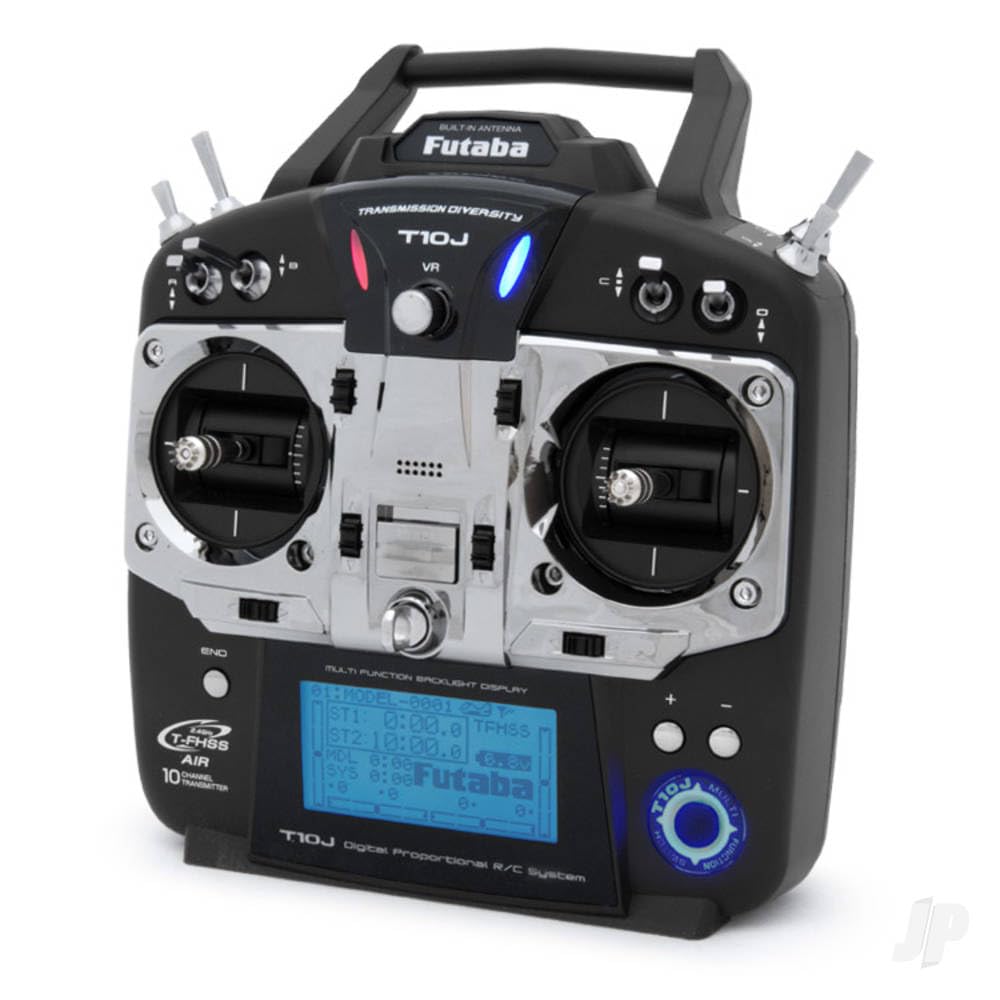
The T10J transmitter is designed for ergonomic comfort and precise control. It features high-precision control sticks for sensitive piloting and a large, backlit display (65 x 34 mm) for clear readability in various lighting conditions. Navigation through menus is intuitive with a 4-position pad. The system supports multiple languages, including German, English, French, Italian, Spanish, Japanese, and Dutch, and offers multi-mode operation (Modes 1, 2, 3, 4).
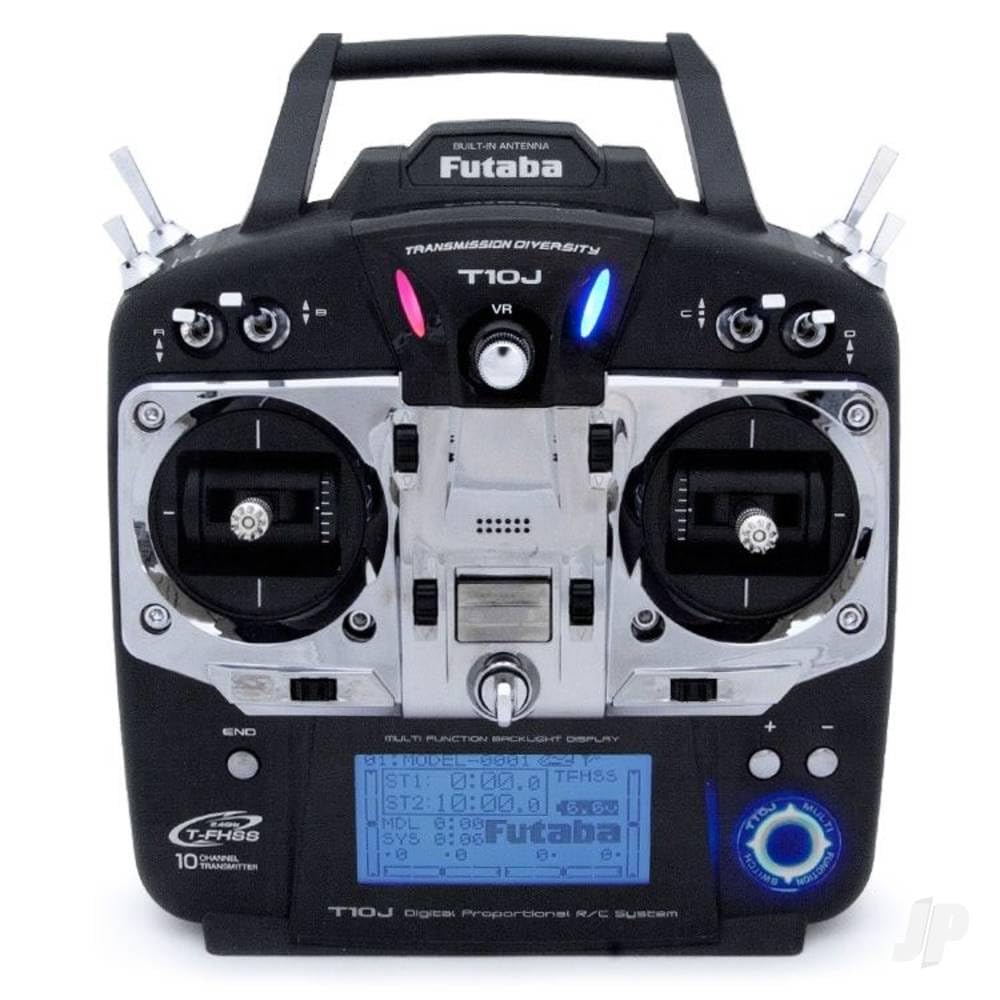
ምስል 1፡ Futaba T10J 10-channel transmitter. This image shows the front view of the T10J transmitter, highlighting its backlit display, dual control sticks, and various buttons and switches for operation.
4. R3008SB Receiver Overview
The R3008SB is an 8-channel receiver compatible with the T-FHSS and S-FHSS transmission systems. It features SBUS2 technology, allowing for the connection of multiple servos and telemetry sensors via a single cable. The receiver is designed for reliable signal reception with its patch antenna.
ምስል 2፡ Futaba R3008SB 8-channel receiver. This image displays the compact R3008SB receiver, showing its antenna wires, SBUS2 port, and channel outputs.
5. ማዋቀር
5.1. Charging the Transmitter Battery
Before initial use, fully charge the included 2800 mAh LIPO battery using the provided LIPO charger. Refer to the charger's instructions for safe charging procedures.
5.2. ተቀባዩን ማሰር
To establish communication between the T10J transmitter and R3008SB receiver, a binding process is required. Consult the detailed instructions in the full user manual for the specific steps to bind your receiver to the transmitter's selected transmission mode (T-FHSS or S-FHSS).
5.3. የመጀመሪያ ውቅር
Upon powering on the transmitter, you may need to select your preferred operating mode (Mode 1, 2, 3, or 4) and language. Use the 4-position pad to navigate the initial setup menus on the backlit display.
6. አሠራር
6.1. የቴሌሜትሪ ተግባራት
The 10J system features integrated telemetry with a range of up to 1000 meters. Real-time telemetry data can be viewed directly on the transmitter's display. Audio alerts are available via an internal beeper or optional 3.5mm jack headphones. The system also provides vibration alerts and a low voltage warning for receiver monitoring. Telemetry characteristics can be configured via screen, sound, language, and vibration settings. The system is compatible with all Futaba telemetry sensors.
6.2. Basic Programming Features
- የሞዴል ትውስታዎች፡- እስከ 30 የሚደርሱ የተለያዩ ሞዴሎችን ቅንብሮችን ያስቀምጡ።
- ማንቂያዎች: Customizable alarms for various parameters.
- መቀላቀል፡ Configure custom mixing functions.
- Sub-trim: Fine-tune servo neutral positions.
- ሰዓት ቆጣሪዎች፡ Utilize integrated timers for flight duration or other purposes.
- የሞዴል ቅጂ፡- Duplicate model settings for new models or training.
- Throttle Inversion: Reverse throttle channel operation if needed.
- Range Mode: A reduced power mode for range checking.
- SBUS Programming: Configure SBUS channels directly from the T10J.
7. ጥገና
To ensure the longevity and optimal performance of your Futaba 10J system, follow these maintenance guidelines:
- Keep the transmitter and receiver clean and free from dust and debris. Use a soft, dry cloth for cleaning.
- ስርዓቱን በቀጥታ ከፀሀይ ብርሀን እና ከከፍተኛ ሙቀት ርቆ በቀዝቃዛና ደረቅ ቦታ ያከማቹ።
- Regularly inspect all cables and connectors for signs of wear or damage.
- Ensure the transmitter battery is charged appropriately and not left discharged for extended periods.
8. መላ መፈለግ
If you encounter issues with your Futaba 10J system, consider the following common troubleshooting steps:
- ኃይል የለም፡ Check the transmitter battery charge level and ensure it is properly connected.
- ቁጥጥር የለም፦ Verify that the receiver is correctly bound to the transmitter. Check all servo connections.
- Intermittent Control/Reduced Range: Ensure the transmitter antenna is properly oriented. Check for potential sources of interference in your operating environment.
- Telemetry Data Missing: Confirm that telemetry sensors are correctly connected and configured.
For more detailed troubleshooting, refer to the comprehensive user manual or contact Futaba support.
9. ዝርዝሮች
| ባህሪ | ዝርዝር መግለጫ |
|---|---|
| ቻናሎች | 10 (T-FHSS), 8 (S-FHSS) |
| የማስተላለፊያ ስርዓት | T-FHSS, S-FHSS |
| ተቀባይ | R3008SB (8-channel, SBUS2) |
| የቴሌሜትሪ ክልል | እስከ 1000 ሜ |
| ማሳያ | Backlit LCD (65 x 34 mm) |
| የሞዴል ትዝታዎች | 30 |
| የሚደገፉ ቋንቋዎች | German, English, French, Italian, Spanish, Japanese, Dutch |
| አስተላላፊ ባትሪ | 2800 mAh LIPO |
| ክብደት (እቃ) | 1.6 ኪ |
| ስብሰባ ያስፈልጋል | አዎ |
10. ዋስትና እና ድጋፍ
Futaba products are manufactured to high standards. For warranty information and technical support, please refer to the documentation included with your purchase or visit the official Futaba webጣቢያ. ለዋስትና ጥያቄዎች የግዢ ማረጋገጫዎን ያስቀምጡ።