መግቢያ
The LAUNCH CRP123 V2.0 Elite OBD2 Scanner is a powerful and user-friendly diagnostic tool designed for automotive professionals and enthusiasts. It provides comprehensive diagnostics for four main vehicle systems: Engine, Anti-lock Braking System (ABS), Supplemental Restraint System (SRS), and Transmission. This manual provides detailed instructions on how to set up, operate, maintain, and troubleshoot your device to ensure optimal performance and accurate vehicle diagnostics.
ማዋቀር
በሣጥኑ ውስጥ ያለው ነገር፡-
- 1pc x Launch CRP123 Main unit
- 1pc x OBDII cable
- 1pc x USB Cable
- 1pc x USB Sticker
- 1pc x የተጠቃሚ መመሪያ
የመጀመሪያ ማዋቀር እና ግንኙነት;
1. Locate your vehicle's OBDII port, typically found under the dashboard on the driver's side.
2. Connect the provided OBDII cable to the CRP123 V2.0 main unit and then to the vehicle's OBDII port. The device will power on automatically.
3. Turn the vehicle's ignition to the 'ON' position (engine off) or start the engine as required by the diagnostic function.
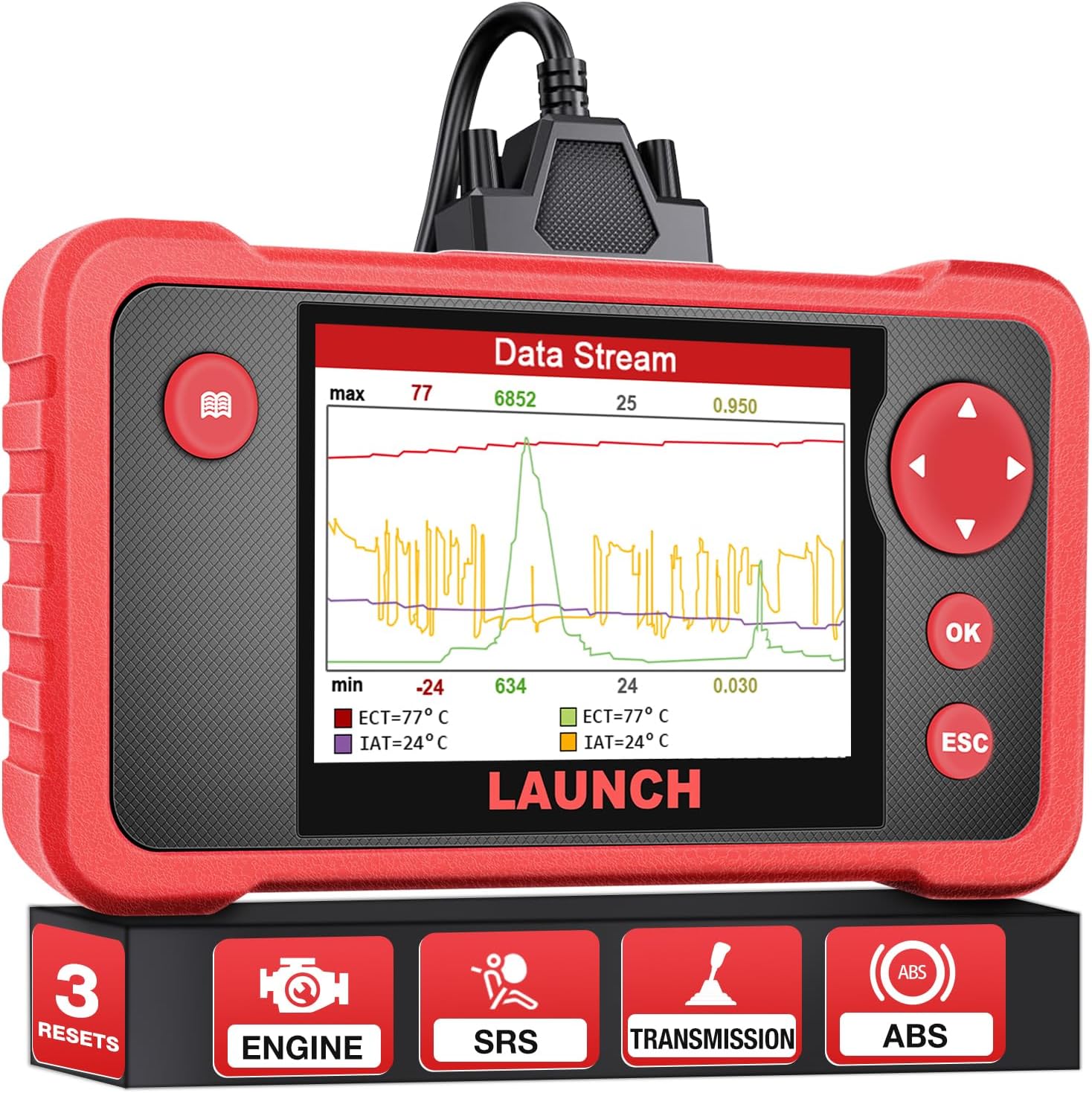
Figure 1: LAUNCH CRP123 V2.0 Elite OBD2 Scanner Main Unit.

ምስል 2: የኋላ view of the CRP123 V2.0 showing the OBDII cable connection port.
Initial Device Boot-up:
Upon successful connection, the device will boot up and display the main menu. Ensure the TF card is properly initialized for full functionality.
Video: LAUNCH CRP123 Open box and How to Use it? (Source: Kingbolen)
Video: Launch crp123 scan tool demonstration. (Source: Kingbolen)
የአሠራር መመሪያዎች
4-System Diagnosis:
The CRP123 V2.0 provides diagnostic capabilities for four core vehicle systems: Engine, Transmission, ABS, and SRS. This allows for comprehensive fault code reading and clearing across these critical areas.

ምስል 3 - ተጠናቀቀview of the 4-System Diagnosis capabilities.
3 Hot Reset Services:
The device includes three commonly used reset functions for efficient maintenance:
- ዘይት ዳግም ማስጀመር; የዘይት ለውጥ ከተደረገ በኋላ የዘይት ህይወት ስርዓቱን እንደገና ያስጀምራል።
- የስሮትል መላመድ፡ Optimizes engine performance by adapting the throttle position.
- SAS (Steering Angle Sensor) Relearn: Enhances vehicle handling and safety by recalibrating the steering angle sensor.

Figure 4: Illustration of the three hot reset services.
Video: How to Reset Airbag Dash Light for VW golf? (Source: Kingbolen)
Comprehensive OBDII Functions:
The CRP123 V2.0 supports all 10 modes of OBDII, providing detailed diagnostic capabilities:
- DTCዎችን ያንብቡ እና ያጽዱ፡ Reads and erases diagnostic trouble codes.
- እኔ/ኤም ዝግጁነት; Checks emission system readiness for inspection.
- የውሂብ ዥረት; Displays live PCM data in text or graph format.
- ፍሪዝ ፍሬም የስህተት ኮድ ሲዘጋጅ የተሽከርካሪ ሁኔታዎችን ቅጽበታዊ ገጽ እይታ ይቀርጻል።
- የ O2 ዳሳሽ ሙከራ Monitors oxygen sensor performance.
- የቦርድ ላይ ክትትል፡ Tests components and systems.
- የኢቫፕ ሲስተም ሙከራ Checks the evaporative emission control system.
- የተሽከርካሪ መረጃ; ቪን፣ ሲአይኤን እና ሲቪኤንን ያገኛል።

Figure 5: Display of full OBDII diagnostic functions.
Intuitive Live Data Stream:
The device allows for real-time viewing of live data streams from the Engine, AT, ABS, and SRS systems. Data can be displayed graphically, recorded, played back, and printed for detailed analysis.

ምስል 6: ዘፀample of live data stream display.

Figure 7: Smart Diagnostics interface for monitoring system status.
ጥገና
የዕድሜ ልክ ነፃ የሶፍትዌር ዝማኔዎች፡-
The LAUNCH CRP123 V2.0 OBD2 scanner supports lifetime software updates, ensuring continuous improvement with the latest vehicle data and functions. Updates are performed via connection to a Windows PC.
Figure 8: Illustration of the software update process using a PC.
መላ መፈለግ
የተለመዱ ጉዳዮች እና መፍትሄዎች:
- መሣሪያ እየሞላ አይደለም፡- Check the charging cable. If the issue persists, it may indicate a product problem.
- Slow loading: This may be due to a network problem. Try switching to a more stable network connection.
- የሶፍትዌር ማሻሻያ The CRP123 V2.0 can only be connected with Windows systems for downloading software or updates, not iOS systems.
- የስርዓት ገደቦች፡- This is a four-system tool and cannot scan other systems beyond Engine, ABS, SRS, and Transmission.
- ራስ-ሰር ቅኝት ተግባር; The auto scan function is only for OBD2 vehicles after 2006, not all vehicles or all years.
- የተሽከርካሪ ተኳኋኝነት; Does not work with trucks.
ዝርዝሮች
| የምርት ስም | አስጀምር |
| የምርት ልኬቶች | 9"ኤል x 8" ዋ x 2" ኤች |
| ስርዓተ ክወና | ዊንዶውስ |
| የማሳያ ጥራት | 320 x 480 |
| አውቶሞቲቭ የአካል ብቃት ዓይነት | ሁለንተናዊ ብቃት |
| የእቃው ክብደት | 1.47 ፓውንድ |
| የትውልድ ሀገር | ቻይና |
| የሞዴል ቁጥር | CRP123 |
| ባትሪዎች | 1 ሊቲየም ion ባትሪዎች ያስፈልጋሉ። |
ዋስትና እና ድጋፍ
The LAUNCH CRP123 V2.0 OBD2 scanner comes with 5 years of backup support. For any technical assistance, 24/7/365 technical support is available. Additionally, a 90-day no-questions-asked return/refund policy is offered.


